Employee-Management-System: A Tiny Python Desktop App That Teaches Three Big Software Lessons
A CustomTkinter CRM-style workflow, a guarded Excel-to-SQL import path, and a validation-first approach show how a beginner-friendly repo can still model real application design.
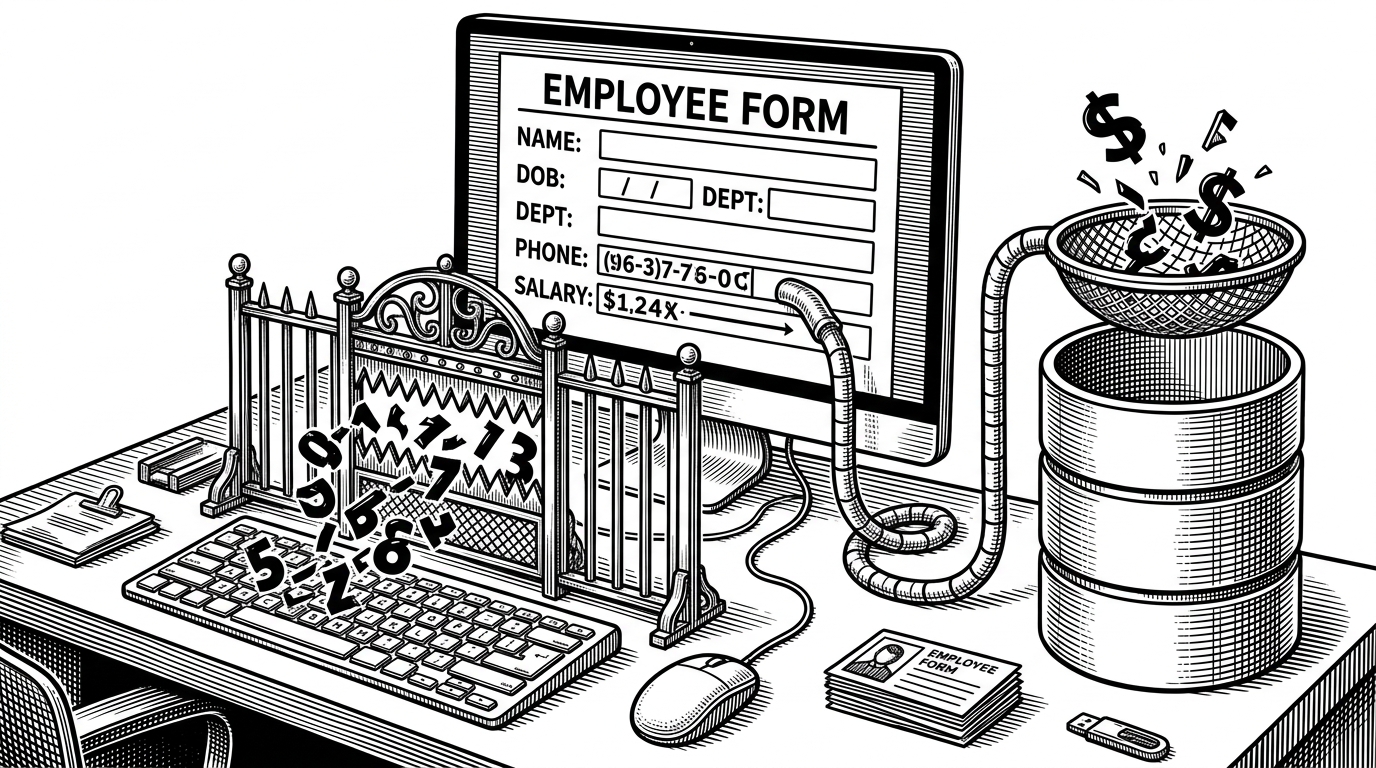
- This repo is most interesting as a validation system, because it filters bad employee data twice instead of trusting a single form check.
- CustomTkinter gives the app a modern desktop feel without dragging it into web-stack complexity.
- The Excel import path matters because it turns messy office files into structured rows that can survive real persistence rules.
- The project is educational on purpose, and that is the point: it shows the minimum viable shape of a disciplined desktop workflow.
The real feature is not CRUD. It is guarded data entry.
Most CRUD tutorials stop at a form and a save button. This repo goes one step further. It treats bad data as the enemy, and it builds two defenses against it: live phone masking and final validation before a row reaches MySQL.
That matters because it changes the lesson. The app is not just saying, “here is how to store employees.” It is saying, “here is how to stop garbage from becoming data.” That is a much better instinct to learn early.
A desktop app that tries to feel current
The UI choice is not incidental. By using CustomTkinter, the repo sidesteps the tired look people associate with classic Tkinter and lands somewhere closer to a lightweight business tool you might actually open all day.
That is a practical tradeoff. It keeps the stack small, avoids a web frontend, and still gives the app enough polish to feel intentional. For a student or solo builder, that is a smart place to spend effort.
Initial commit
Excel is the real integration layer
The import path is the part that makes the repo feel like more than a toy. Spreadsheets are where many small teams actually live, so the ability to pull rows from Excel and validate them before insertion is the bridge from office chaos to structured storage.
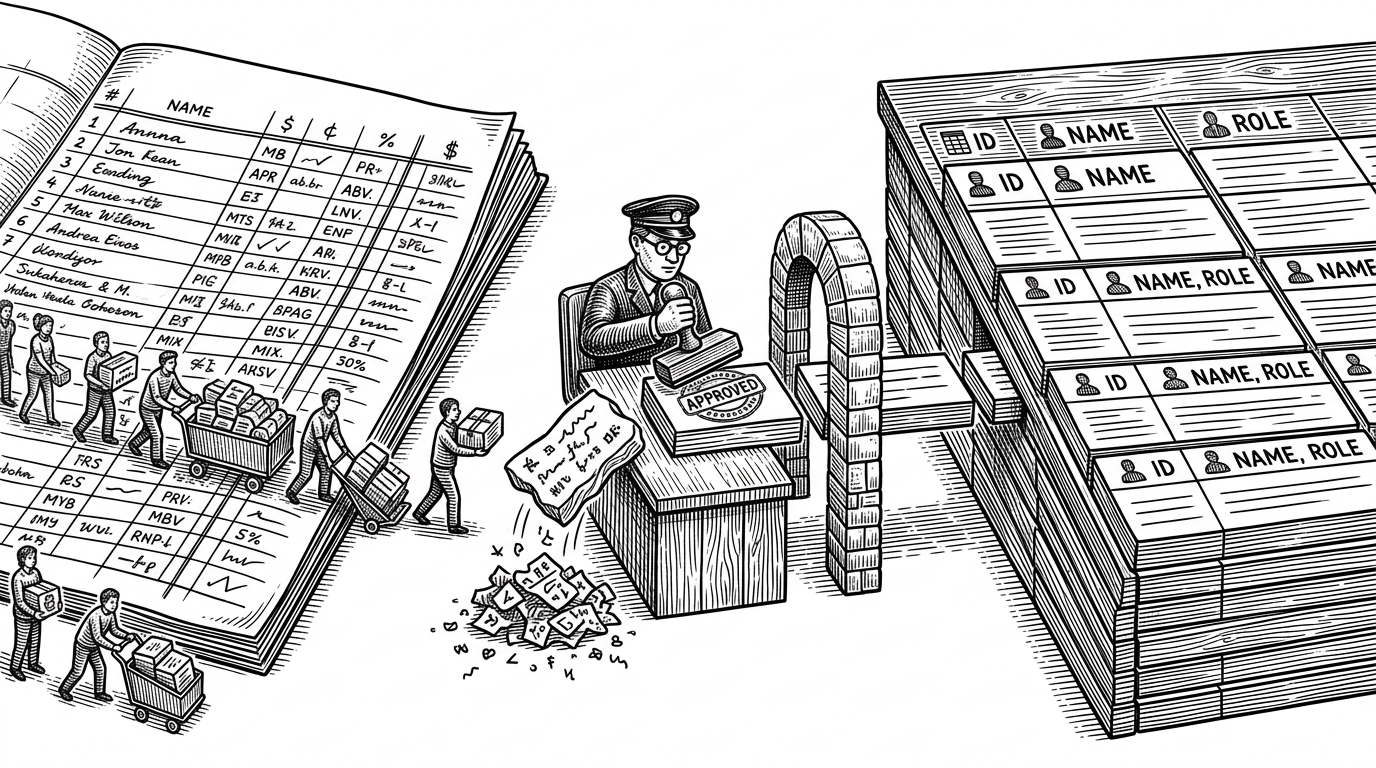
The key idea is not merely importing. It is importing with judgment. The app checks each row, rejects what does not fit, and only then writes the survivors into the database.
| Workflow | Strength | Weakness |
|---|---|---|
| Manual copy-paste from Excel | Fast for one-off edits | Easy to pollute the record with inconsistent values |
| This repo’s import path | Validates every row before persistence | Still depends on a small, single-purpose desktop app |
| Enterprise HR platforms | Rich modules and broader controls | More setup, more complexity, more overhead |
The database layer is simple on purpose
`database.py` reads like a thin DAO, and that is a virtue here. It creates the schema, uses parameterized queries, and keeps the persistence path easy to inspect. Beginners can follow it without tracing a framework through five layers of abstraction.
The tradeoff is global state. A persistent connection is simple to reason about in a small app, but it can become fragile as soon as the app grows threads, concurrency, or multiple sessions. In other words, the code teaches clean basics, not scaling patterns.
What the repo is and is not
| Project type | What it optimizes for | What it does not optimize for |
|---|---|---|
| This repo | Readable UI, validation, import, and persistence | Enterprise workflow depth and operational scale |
| Frappe HR | Full HR operations and customization | Minimal code surface and beginner readability |
| OrangeHRM | Breadth, deployment maturity, and HR modules | Small-step learning about data flow |
| Odoo HR | Integrated ERP workflows | A tiny, didactic desktop footprint |
That comparison is not a knock on the repo. It is the point. The project is valuable because it shows the minimum viable shape of a real system, not because it tries to replace one.
Why beginners should study this pattern
The strongest lesson here is architectural discipline at small scale. Keep the interface friendly. Keep the data strict. Keep the code simple enough that the next person can see why each rule exists.
That combination is rare in beginner work, which is why this repo stands out. It is not a grand platform. It is a small, readable example of how good habits show up in code before they show up in a product.