k8s-ecr-cicd-pipeline: A One-Page App with a Five-Layer Delivery Stack
A tiny Nginx site becomes a lesson in secretless AWS auth, image tagging discipline, and the uneasy middle ground between CI automation and manual Kubernetes rollout.
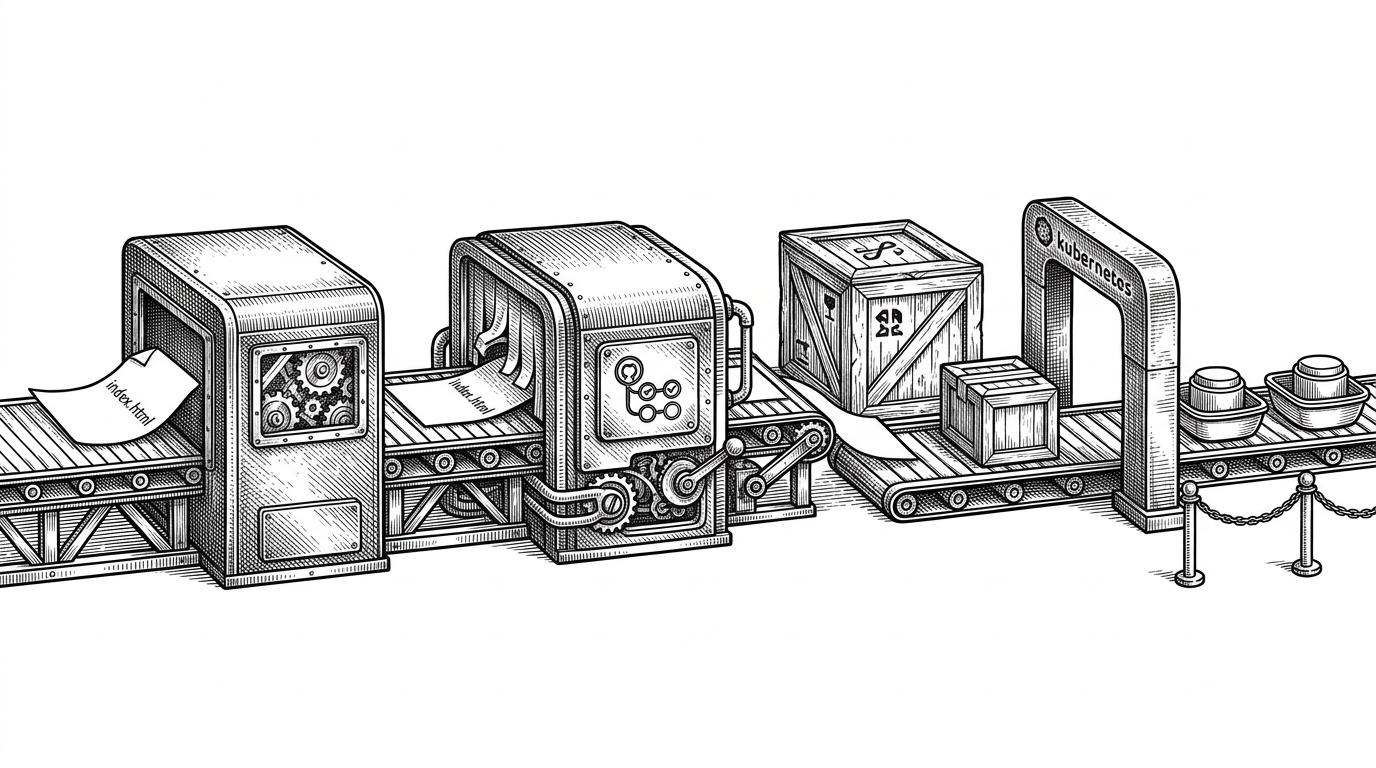
- This repo is less about serving HTML than about showing how much delivery infrastructure it takes to move a trivial app safely.
- OIDC is the central upgrade because it replaces long-lived AWS keys with short-lived GitHub Actions trust.
- The most interesting design choice is the half-automated rollout, which keeps deployment deliberate instead of fully hands-off.
- The Kubernetes and Docker pieces stay intentionally plain so the CI and security decisions remain the story.
Most demo repos celebrate the app. This one makes the pipeline do the talking. A single `app/index.html` file sits inside an Nginx container, but it is shipped through GitHub Actions, AWS ECR, and Kubernetes like a production service with something to prove.
That mismatch is the point. The codebase is small enough to read in minutes, yet the delivery path teaches modern DevOps habits: secretless auth, immutable image tags, and a rollout model that still leaves room for a human to say when the new version should actually go live.
The Smallest Possible App, Wrapped in Serious Machinery
The repository is organized cleanly around its job. `app/` holds the static site, the `Dockerfile` turns it into an Nginx image, `.github/workflows/` handles build and publish, and `k8s/` defines the cluster-side runtime.
That separation matters because it makes the lesson legible. The application is almost intentionally boring, so the reader can focus on the delivery chain around it. This is a teaching repo for people who already know what a container is, but want to see the modern way to move one safely.
The main goal of this project is to implement a DevOps CI/CD pipeline for a simple web application using Jenkins, AWS ECR, AWS EKS, and Helm.
Why OIDC Is the Real Hero
The sharpest idea in the workflow is not Docker, and not even ECR. It is the authentication step. The workflow grants `id-token: write`, then uses `aws-actions/configure-aws-credentials@v4` with a `role-to-assume`, which means GitHub can request short-lived AWS access instead of storing a static access key in the repo.
That is the kind of detail that separates a tutorial from a current pattern. The pipeline does not need a long-lived secret to reach AWS. It proves identity at runtime, gets a temporary role, does its work, and exits.

What the Workflow Actually Does
The workflow is straightforward once you strip away the security detail. It runs on changes to `main`, authenticates to AWS, logs in to ECR, builds the image with Buildx, and pushes two tags: one immutable tag based on `github.sha` and one moving tag called `latest`.
That dual-tag approach is practical. The SHA tag preserves traceability and rollback precision. The `latest` tag keeps the deployment manifest simple, especially when the cluster is configured to pull fresh images on restart.
The pipeline is also explicit about what it does not do. It prepares the image and registry state, but it does not pretend the cluster should update itself automatically. That makes the workflow easier to understand and safer to experiment with.
Why the Deployment Is Half-Automated on Purpose
This repo sits in the middle ground between push-button CI and full GitOps. The image lands in ECR, but Kubernetes is updated with `kubectl rollout restart deployment nginx-deployment` instead of a fully automated CD controller.
That tradeoff is not a flaw. It is a choice. Fully automatic deployment would reduce friction, but the manual restart keeps a human in the loop and makes the control point obvious.
| Decision | What this repo does | Why it matters |
|---|---|---|
| Credentials | OIDC with `role-to-assume` | No long-lived AWS keys need to live in GitHub secrets. |
| Image versioning | Tags by `github.sha` and `latest` | You get both traceability and convenience. |
| Deployment | Manual `kubectl rollout restart` | The image can be published without forcing an immediate cluster update. |
| Automation model | Half-automated CD | Safer for learning, easier to reason about, less magical than full GitOps. |
The Kubernetes Side Is Simple on Purpose
The manifests stay readable because they are not trying to abstract away the lesson. The Deployment runs two replicas, uses `imagePullPolicy: Always`, and points at a hardcoded ECR image path. The Service exposes the app through a NodePort on `30007`.
That combination tells you a lot. Two replicas give basic availability. `Always` makes the moving `latest` tag work in practice. NodePort keeps the setup easy to test on a local cluster or a small lab environment.
There is no elaborate platform layer here. The repo wants you to understand the path from container image to running pod, not hide it behind a higher-level abstraction.
The Dockerfile Proves the Point
FROM nginx:latest

COPY app/index.html /usr/share/nginx/html/index.html
That is the entire application packaging story. No app server. No build step. No framework. The container exists to make the deployment pipeline concrete, not to showcase application complexity.
This is why the repo works as a teaching example. If the app were more complicated, the reader would have to untangle product logic from delivery logic. Here, the delivery logic is the product.
What This Teaches Beyond This Repo
The value of the project is not that it invents a new pattern. It is that it compresses several good habits into one small repo: secretless AWS access, reproducible image builds, traceable tags, and a Kubernetes rollout that still respects human judgment.
That makes it useful as a starter template. If you are moving from hand-run deployments to automation, this is a crisp place to see the shape of the problem before you add more tooling. The next step from here is not necessarily more sophistication. It is deciding which part of the handoff should stay manual, and which part should disappear.
| Learning target | What this repo teaches | Typical next step |
|---|---|---|
| Authentication | Use OIDC instead of static keys | Move role configuration into reusable infrastructure |
| Image delivery | Tag images by commit and moving alias | Add promotion across environments |
| Cluster update | Restart the Deployment after publishing | Replace manual restart with GitOps or a deployment controller |
| Portability | Keep manifests explicit and readable | Parameterize account IDs and environment-specific values |