Stockers: How a Solo Developer Rebuilt the Brokerage Terminal in React, Express, and MongoDB
A paper-trading app that turns watchlists, floating order windows, and portfolio math into a surprisingly clear lesson in fintech UI design.
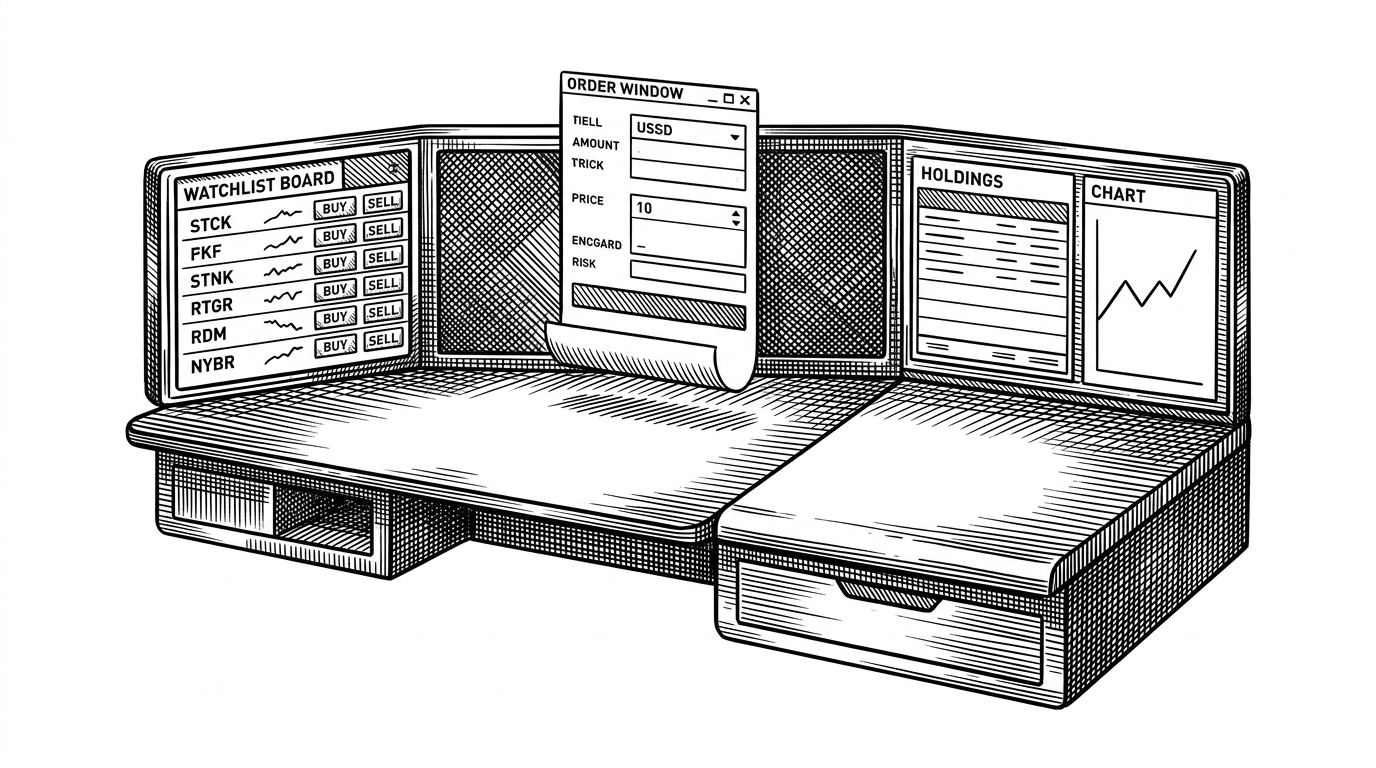
- Stockers compresses the brokerage experience into a small MERN codebase, which makes the product feel legible instead of merely polished.
- Its strongest design choice is the watchlist to order window to portfolio loop, because that sequence teaches trading workflow through interaction.
- React Context, Express routes, and MongoDB schemas are enough here because the app needs coordination more than complexity.
- The repo is most valuable as a study in fintech UI structure, not as a feature-complete simulator.
Why this tiny trading app feels like a real terminal
Stockers does not try to win on breadth. It tries to make one professional workflow feel concrete: scan a watchlist, open a buy or sell window, place an order, and watch the result show up in holdings and portfolio analytics.
That is why the app feels more like a terminal than a toy. The interface borrows just enough of brokerage language and motion to turn a stock screen into a sequence of decisions instead of a pile of charts.
A treading website where you can trade for practice or just to explore how treading works
The borrowed language of a broker
The project leans on familiar brokerage patterns to reduce cognitive load. Watchlists, positions, holdings, buy windows, and sell windows all sound like the real thing, which helps the user understand the app before they understand the code.
That matters because the codebase is intentionally ordinary. Rather than inventing a new interaction model, Stockers uses the language traders already know and maps it onto simple React components.
The result is a fintech UI that teaches by recognition. You do not need to decode the product first. You can already see where the next action belongs.
How one click becomes an order
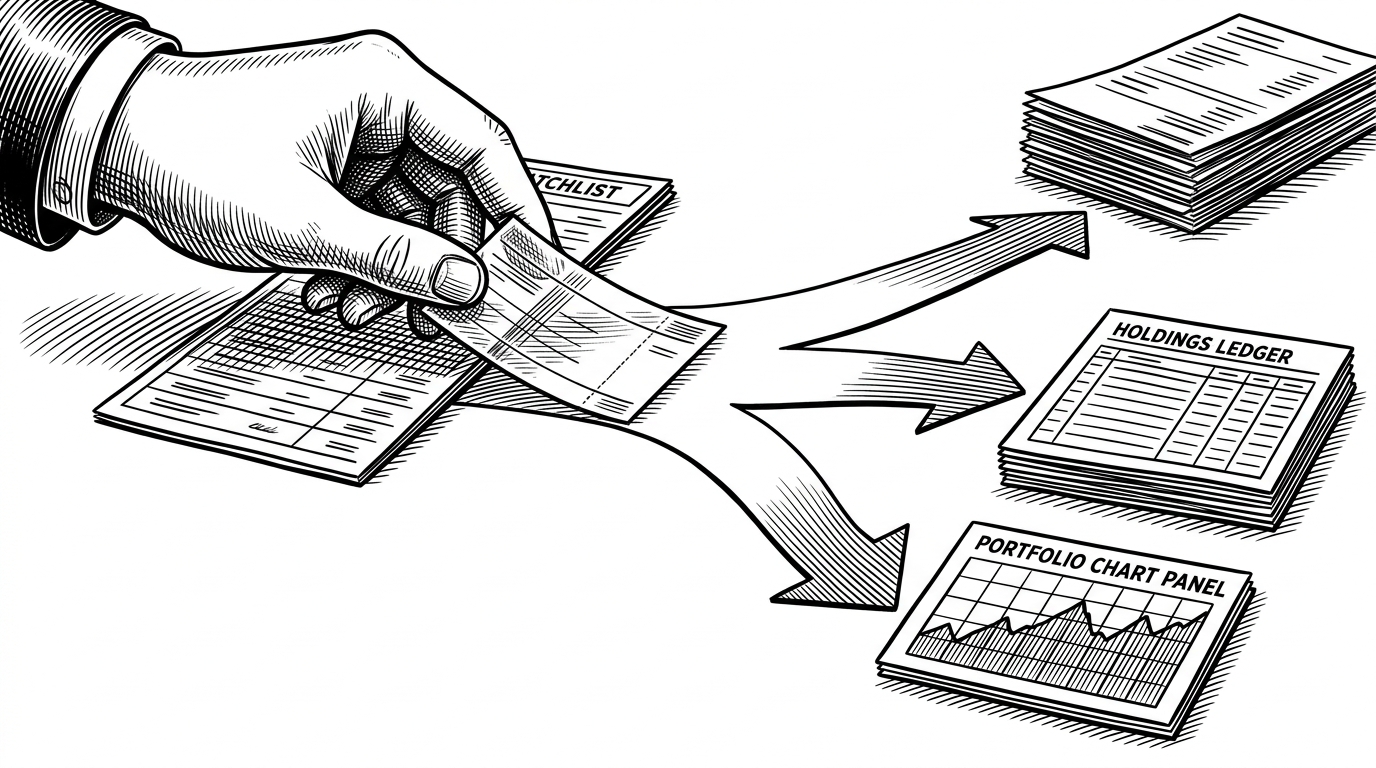
The clever part is not the backend. It is the coordination layer in the dashboard. `GeneralContextProvider` gives the app a shared place to open the correct action window from anywhere in the tree, so a click in a watchlist item can summon the right modal without dragging state through every intermediate component.
// Conceptual flow
openBuyWindow(uid)
openSellWindow(uid)

// then submit
POST /newOrder
  -> OrdersModel
  -> MongoDB
That choice keeps the app readable. In a bigger product you might reach for Redux, a server state library, or a more elaborate modal system. Here, Context is enough because the problem is not distributed complexity. It is simply sharing intent across a compact interface.
Orders, holdings, and positions are not the same thing
Stockers is strongest when it separates concepts that beginners often blur together. An order is a transaction request. A holding is what you own after the trade lands. A position is the active exposure you are carrying in the market.
| Concept | What it means | Where Stockers uses it |
|---|---|---|
| Order | A buy or sell request that is recorded first | The backend writes it through `POST /newOrder` |
| Holding | An asset that remains in the portfolio | The holdings view fetches and summarizes it |
| Position | The active market exposure tied to a trade | The dashboard frames it as part of trading activity |
That separation is not just tidy data modeling. It is the product lesson. By splitting the domain into distinct schemas and views, Stockers shows why trading apps need more than a single “portfolio” bucket.
The distinction also makes the UI easier to reason about. If the user sees an order but no holding yet, the app can explain why. If the holding exists but the position has changed, the dashboard can make that state visible instead of hiding it in a generic summary.
Why the dashboard is doing more math than it looks like
`Holdings.js` is where the app stops pretending to be only a list of stocks. It fetches holdings, computes investment, current value, and total profit or loss, then feeds those numbers into chart-ready structures for the graph components.
That is a good pattern for a paper-trading app. The interface should not just display remote data. It should interpret the data locally so the user can see the shape of the portfolio without waiting for a heavy analytics layer to do basic arithmetic.
In practice, this gives Stockers two modes at once. It behaves like a simulator for trades, and like a dashboard for understanding the result of those trades.
The security layer is simple, but it matters
The authentication story is basic, but it is not decorative. Passwords are hashed with bcrypt, login returns a JWT, and `ProtectedRoute` checks localStorage before letting a user into the trading dashboard.
That is the right amount of security for a practice app. Even if the money is fake, the account boundary still protects portfolio state and user intent, which are the two things this kind of app is meant to preserve.
The hardcoded `SECRET_KEY` style of setup also signals the repo’s stage. This is a learning-focused codebase, not a hardened production service. But the guardrails are real enough to teach the right habits.
Where Stockers sits among simulators and pro tools
Stockers does not compete by being the biggest simulator in the room. It competes by being inspectable. Compared with closed platforms and API-first trading products, it is more transparent about how the workflow is assembled.
| Product | What it optimizes for | How Stockers differs | Best fit |
|---|---|---|---|
| Investopedia Stock Simulator | Education and market realism | Stockers is simpler and self-hostable | Learners who want a polished sandbox |
| MarketWatch Virtual Stock Exchange | Competition and game mechanics | Stockers is more architectural and open | Classrooms and casual leagues |
| TradingView Paper Trading | Charting and analysis | Stockers focuses on the workflow, not chart depth | Chart-heavy traders |
| QuantConnect | Algorithmic backtesting | Stockers is manual and UI-first | Coders building trading bots |
| Alpaca Paper Trading API | Programmatic trading infrastructure | Stockers builds its own simulation layer | Developers integrating an API |
That positioning is the repo’s real differentiator. It is a self-hostable, open-source teaching tool that makes the brokerage workflow legible, not a feature race against commercial platforms.
What this repo teaches better than a tutorial
A tutorial can show you how to wire up React, Express, and MongoDB. Stockers shows you how those pieces feel when they are arranged around a real product flow. That is a more durable lesson.
It demonstrates that a fintech interface does not require exotic architecture to feel coherent. The important part is the discipline of separating actions, holdings, and positions, then connecting them with a clear state path.
That is why the repo is worth studying. It is small enough to understand, but specific enough to teach design judgment.