Captstone: The AI IDE Where the Agent Can Open Files, Rewrite Them, and Ship the Preview
A deep dive into the ReAct loop, sandbox routing, and live preview plumbing behind a browser-based frontend builder that treats the LLM like a working teammate.
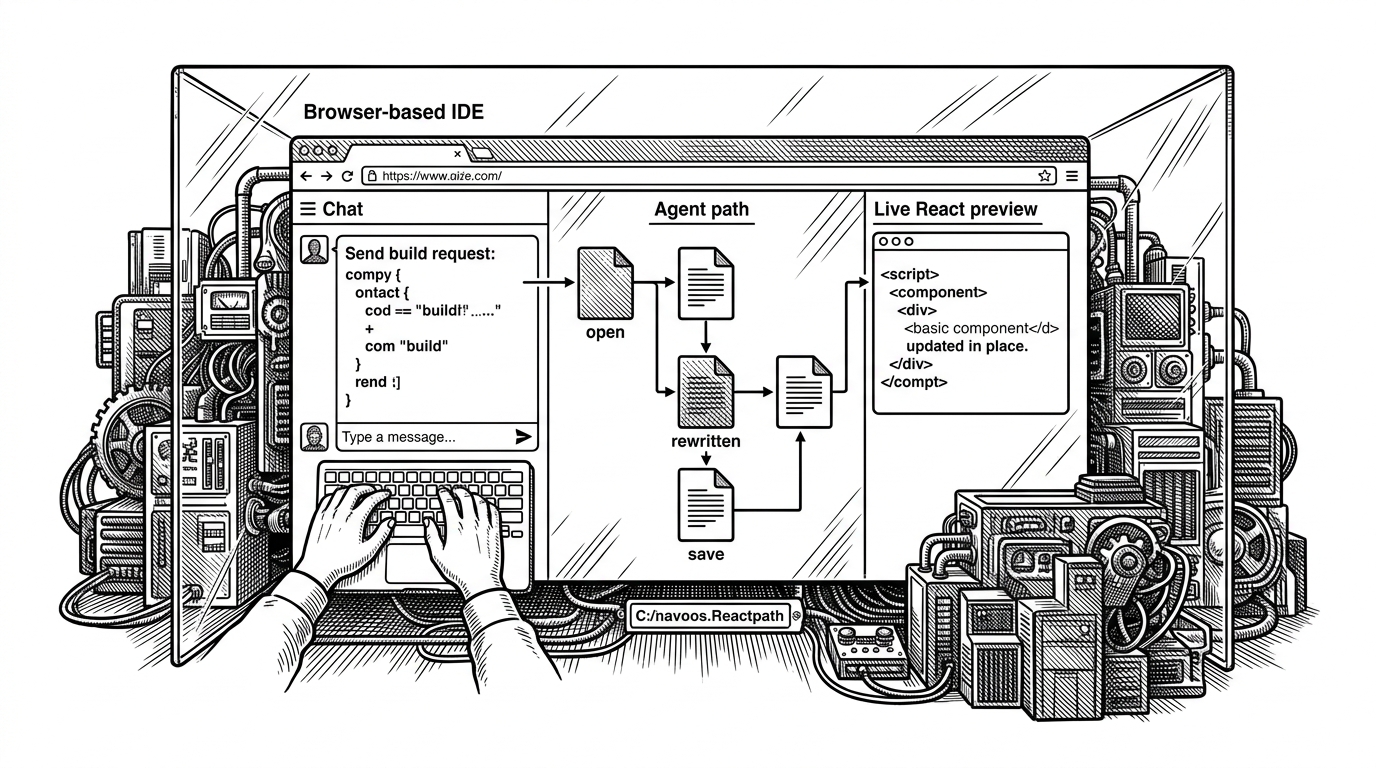
- Captstone’s real product is not chat, but a synchronized loop that turns language into controlled file-system changes and a live preview.
- The sandbox boundary is the core safety layer, because the agent operates on isolated project state instead of the user’s machine.
- The ReAct loop is intentionally strict, with file discovery, file reading, reasoning, and full-file replacement kept in a fixed order.
- The UI matters as much as the agent, because file-tree refreshes and preview updates make the system feel like an IDE instead of a prompt box.
Most AI coding tools stop at suggestions. Captstone tries to cross the line into workspace control: the agent can inspect the repo, edit files, and push those changes into a live preview without leaving the browser. That makes the project less like a chatbot and more like a small operating environment for frontend work.
That shift matters because it changes the unit of work. The model is not being asked to invent code in a vacuum. It is being asked to operate on an existing project, keep state consistent, and make visible progress inside a sandboxed session.
The Browser IDE That Lets an LLM Touch the Filesystem
The repo’s most important idea is simple: give the model a filesystem, not just a prompt box. In Captstone, the chat experience is wired to a real workspace, so the agent can list files, read existing code, and rewrite full files as part of a live build loop.
That puts it in a different category from plain code generation. A suggestion becomes a change. A change becomes a preview. The user sees the result immediately, which is what makes the product feel operational instead of hypothetical.
| Workflow | Who controls files | Reads existing code | Auto-applies changes | Live preview | Sandboxed per session |
|---|---|---|---|---|---|
| Chat-first code generation | User | Sometimes | No | No | No |
| Editor copilot | Human in the editor | Yes | Partially | Sometimes | Usually not |
| Captstone | Agent via tools | Yes | Yes | Yes | Yes |
Why the Sandbox Is the Real Product
The repo’s architecture makes one trade-off obvious: the model is powerful, but it is not free roaming. Each session is routed into its own isolated sandbox service, which keeps edits scoped to a single project context. That is what turns the system from a demo into a multi-tenant workspace operator.
This is also where the project gets practical. The agent can be aggressive about editing because the blast radius is contained. You get controlled autonomy, not direct machine access.
The routing detail is easy to miss, but it is central. Tool calls are not pointed at one generic backend. They are dynamically sent to the sandbox tied to the current project, so the agent behaves like it belongs to a specific workspace rather than a global shared interpreter.
FrontendForge’s ReAct Loop
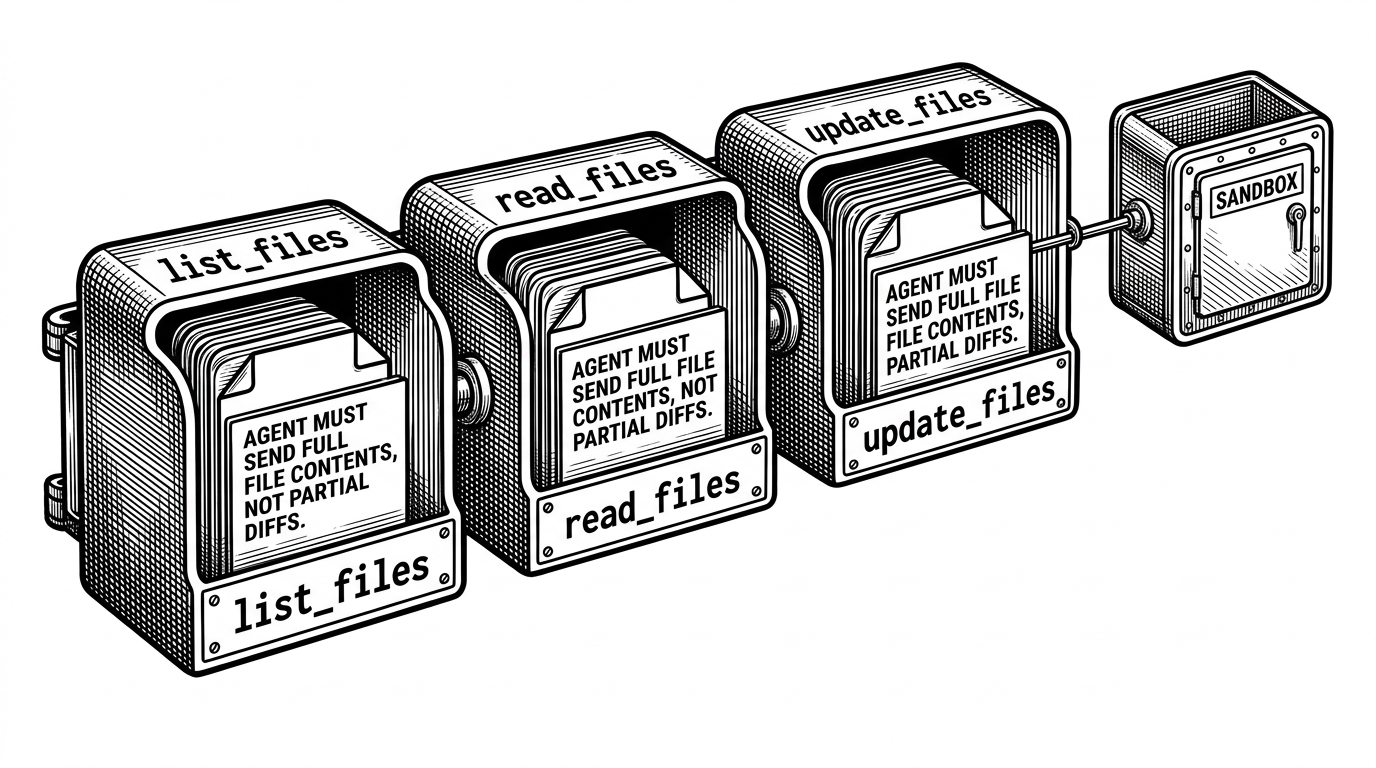
Inside code.agent.js, the agent is framed as FrontendForge, a builder that ships code. The system prompt forces a strict sequence: list files first, read the relevant files, reason about the change, then write back full file contents instead of tiny diffs.
// The core loop is intentionally constrained.
// Discover -> inspect -> reason -> replace.

list_files
read_files
reason
update_files

// The important constraint:
// send full file contents, not partial diffs.
That full-file rule is a design choice, not an accident. It costs tokens, but it reduces the chance of broken fragments and keeps the agent closer to how a real editor saves state. In exchange, Captstone gains predictability.
The prompt also acts like a style contract. It does not only describe behavior. It sets expectations for output quality, layout discipline, and code organization. In agent systems, prompt text is part of the product surface.
How Tool Calls Reach the Right Sandbox
The bridge between the LLM and the workspace lives in tools.js. It defines the filesystem tools and routes them to the correct sandbox instance using the current project identifier, which is what gives Captstone its multi-session shape.
That routing layer is the quiet infrastructure move that makes the whole product believable. A generic agent becomes a project-aware operator because every read and write is pinned to the right sandbox service.
The other important piece is streaming. The orchestration layer uses Server-Sent Events to report progress back to the UI while the agent is working. That means the user sees the system thinking in motion instead of waiting for a final answer to appear all at once.
The UI That Makes AI Work Visible
The frontend is not just a shell around the model. In App.jsx and Chat.jsx, the UI refreshes the file tree and the preview iframe when the agent changes the repo. That creates the feeling of a live control surface, not a passive transcript.
This matters because the value is partly perceptual. If the user has to manually reconcile chat output with the workspace, the product feels brittle. Captstone tries to remove that gap by syncing state changes back into the interface immediately.
| State change | Old-school workflow | Captstone workflow |
|---|---|---|
| File edited by AI | User copies output manually | UI receives a notification and refreshes |
| File tree changes | Refresh or reload needed | Tree updates in place |
| Preview updates | Manual refresh often required | Preview iframe stays synchronized |
| Agent progress | Mostly hidden | Streamed through SSE |
The result is a smoother mental model. One prompt changes one workspace, and the interface reflects that reality without making the user babysit the refresh cycle.
What the Prompt Is Really Doing
Captstone’s system prompt does more than define tone. It narrows the space of possible bad outputs. By insisting on a strict operating sequence and full-file replacements, it reduces the model’s freedom in ways that make the tool more usable.
That same logic shows up in the repo’s insistence on structure. The system is opinionated about how code should be written, how changes should flow, and how the agent should behave. In practice, that restraint is a feature.
Read the project structure.
Inspect before editing.
Write complete files.
Report progress as you go.
Keep the workspace consistent.
This is the part many AI demos skip. They optimize for surprising output. Captstone optimizes for controlled output, which is a better fit for a real development workflow.
Captstone vs. the Usual AI Coding Tools
The cleanest comparison is not between tools with the same UI. It is between different levels of agency. Chat-only tools generate code. Copilots assist inside an editor. Captstone tries to own the whole loop from prompt to preview inside an isolated environment.
| System | Filesystem ownership | Read existing code | Auto-apply edits | Built-in preview | Session isolation |
|---|---|---|---|---|---|
| Chat-first assistant | Human | Limited | No | No | No |
| Editor copilot | Human | Yes | Partial | Sometimes | Limited |
| Captstone | Agent through tools | Yes | Yes | Yes | Yes |
That makes Captstone more ambitious than a code suggester, but also more opinionated. It is not trying to be universal. It is trying to be a tightly controlled frontend prototyping machine.
What the Project Gets Right, and What It Still Lacks
The architecture shows strong instincts. The separation between orchestration, sandboxing, and frontend state is clean. Streaming is baked in. Session routing is explicit. The system understands that an agent needs both authority and boundaries.
It still reads like a prototype, though. There is no obvious authentication layer in the surfaced code, and some file names and project signals suggest active experimentation. That does not weaken the main idea. It just means the repo is a working sketch of a bigger product shape.
The important takeaway is that Captstone is not really about having an LLM write code. It is about making an LLM behave like a contained teammate inside a live development loop.