sap-abap-projects: The Small ABAP Repo That Teaches the Whole SAP Loop
Three self-contained reports show how SAP developers move from data entry to reporting to stock alerts, using nothing but internal tables, selection screens, and ALV.
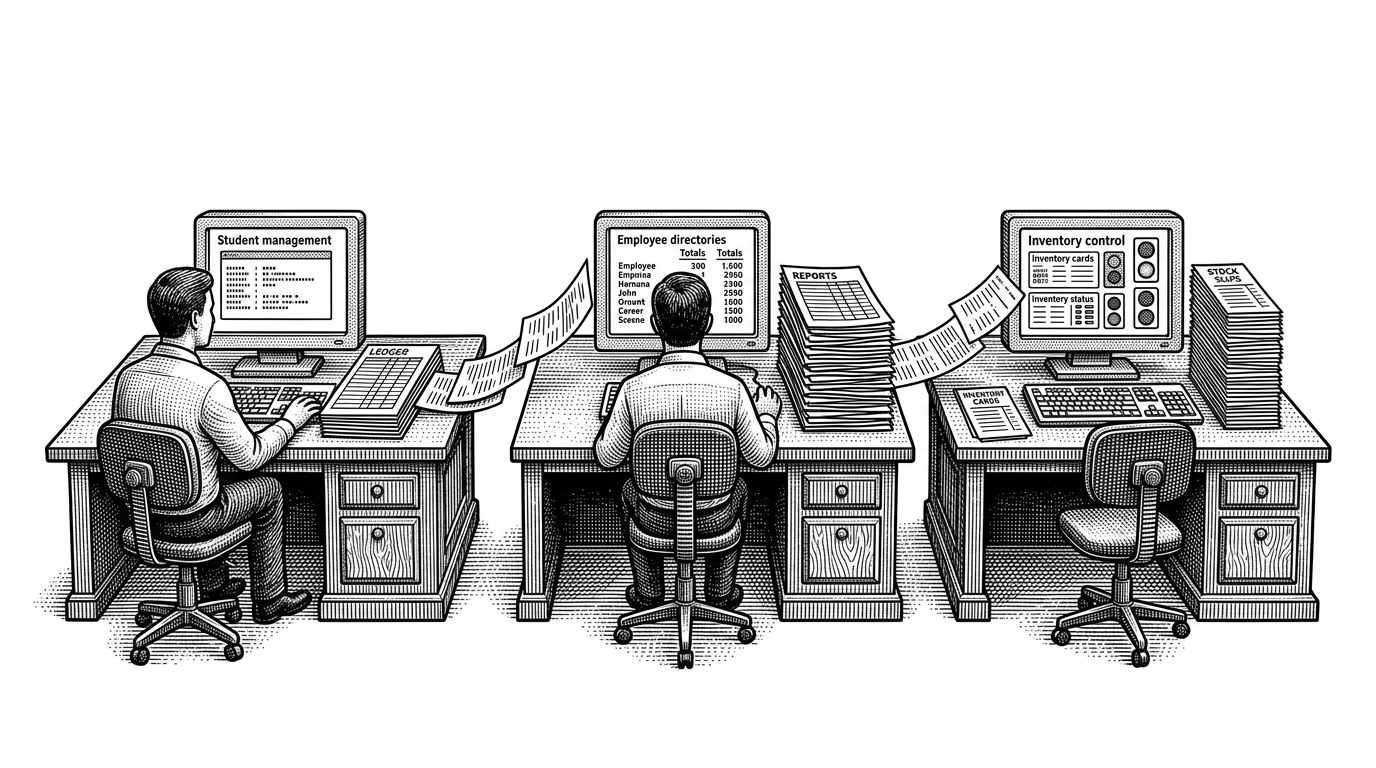
- This repo is valuable because it teaches the shape of SAP thinking in a portable sandbox, not because it tries to be a production system.
- The three files form a curriculum from CRUD to reporting to low-stock alerts, which mirrors the way junior ABAP skills actually compound.
- Selection screens, internal tables, and ALV are doing most of the work here, and that is exactly why the examples run cleanly anywhere in SAP.
- For a fresher portfolio, the project proves fundamentals faster than a blog post or snippet dump because every program closes the loop from input to output.
sandilyasaksham/sap-abap-projects looks modest at first glance. It is a flat repository of beginner ABAP reports, but the structure matters more than the file count. The code turns a locked-down enterprise skill into a portable learning sandbox.
This repository is dedicated to showcasing various SAP ABAP (Advanced Business Application Programming) projects. It contains a collection of projects developed using ABAP, a programming language used for developing applications on the SAP platform.

Why this tiny repo matters
Most ABAP tutorials start by assuming the learner already has the right system, permissions, and tables. This repo flips that burden around. It bootstraps its own data, uses classic report screens, and produces immediate output, so the reader spends time learning SAP logic instead of wrestling setup.
That is the real trick. The projects are not trying to model a full enterprise landscape. They are trying to make SAP development feel runnable on day one.

The three-file progression is the real curriculum
| Project | Primary lesson | What it proves |
|---|---|---|
| Student Management | CRUD and validation | The code can check duplicates, assign values, and stop bad input before it spreads. |
| Employee Directory | Aggregation and reporting | The code can sort, group, and summarize records into something management can read. |
| Inventory Management | Operational alerts | The code can turn state into status, then surface risk with traffic-light cues. |
The progression is the point. Project 1 teaches how to create and protect records. Project 2 teaches how to turn records into reporting structure. Project 3 teaches how to spot a business problem before it gets worse.
Together they map cleanly to the shape of entry-level SAP work. You are not just learning syntax. You are learning how SAP developers move from data entry to analysis to exception handling.
How the selection screen becomes the controller
ABAP reports still teach a very specific way of thinking. The selection screen collects intent. `START-OF-SELECTION` decides what to do. `PERFORM` routines hold the actual business logic. That is old-school, but it is also elegant for beginners because the control flow is visible.
IF rb_add = 'X'.
  PERFORM add_student.
ELSEIF rb_list = 'X'.
  PERFORM display_alv.
ENDIF.
This pattern matters pedagogically. It teaches event-driven report structure before it asks a learner to absorb objects, services, or framework noise. The user clicks a radio button, and the program behaves like a tiny menu-driven system.
Why internal tables make the whole thing portable
The repo avoids database setup by treating internal tables like a mock database. That makes the programs self-contained. `APPEND`, `READ TABLE`, and `sy-subrc` do the heavy lifting, which is exactly what makes the examples easy to run and easy to reason about.
READ TABLE gt_student WITH KEY id = lv_id INTO gs_student.
IF sy-subrc = 0.
  MESSAGE 'Duplicate ID' TYPE 'E'.
ENDIF.

APPEND gs_student TO gt_student.
That design choice is practical. A learner gets immediate feedback without touching SE11, transport layers, or permission issues. The code feels like SAP, but it behaves like a sandbox.
ALV turns raw output into business feedback
The strongest display example is the inventory project. ALV is not just a prettier table. It gives the output business structure, which is the difference between data and decision-making. That is why the traffic-light status works so well here.
Green, yellow, and red are instantly legible. They compress a lot of logic into a single scan. In SAP, that matters because reports are usually read under time pressure.
| Output style | What the user sees | What the user understands |
|---|---|---|
| Plain list | Rows and fields | Raw records |
| ALV grid | Sortable business table | Structured reporting |
| ALV plus status | Rows with traffic lights | Operational risk at a glance |
Why this is a strong fresher portfolio pattern
This repo hits the interview basics without pretending to be enterprise software. It shows internal tables, work areas, validation, selection screens, sorting, grouping, and ALV. That is enough to signal that the author understands the core SAP report loop.
It also has a useful restraint. The code is not trying to chase modern SAP trends or demonstrate every framework under the sun. It is trying to prove fundamentals quickly, and that is often the right move for an entry-level portfolio.
What the repo leaves out, and why that is okay
It does not use ABAP Objects, real database tables, or RAP patterns. That is not a flaw in context. For a beginner repo, those omissions keep the learning path focused and the setup friction low.
This is a teaching repository, not a production codebase. The value is that it shows the shape of SAP thinking before it asks the learner to worry about architecture at scale.