WhatCable: The USB-C Truth Layer Mac Users Didn’t Know They Needed
A Swift menu bar app that turns Apple Silicon’s hidden USB-C state into plain English, exposes bad cables, and explains why your Mac is charging slowly.
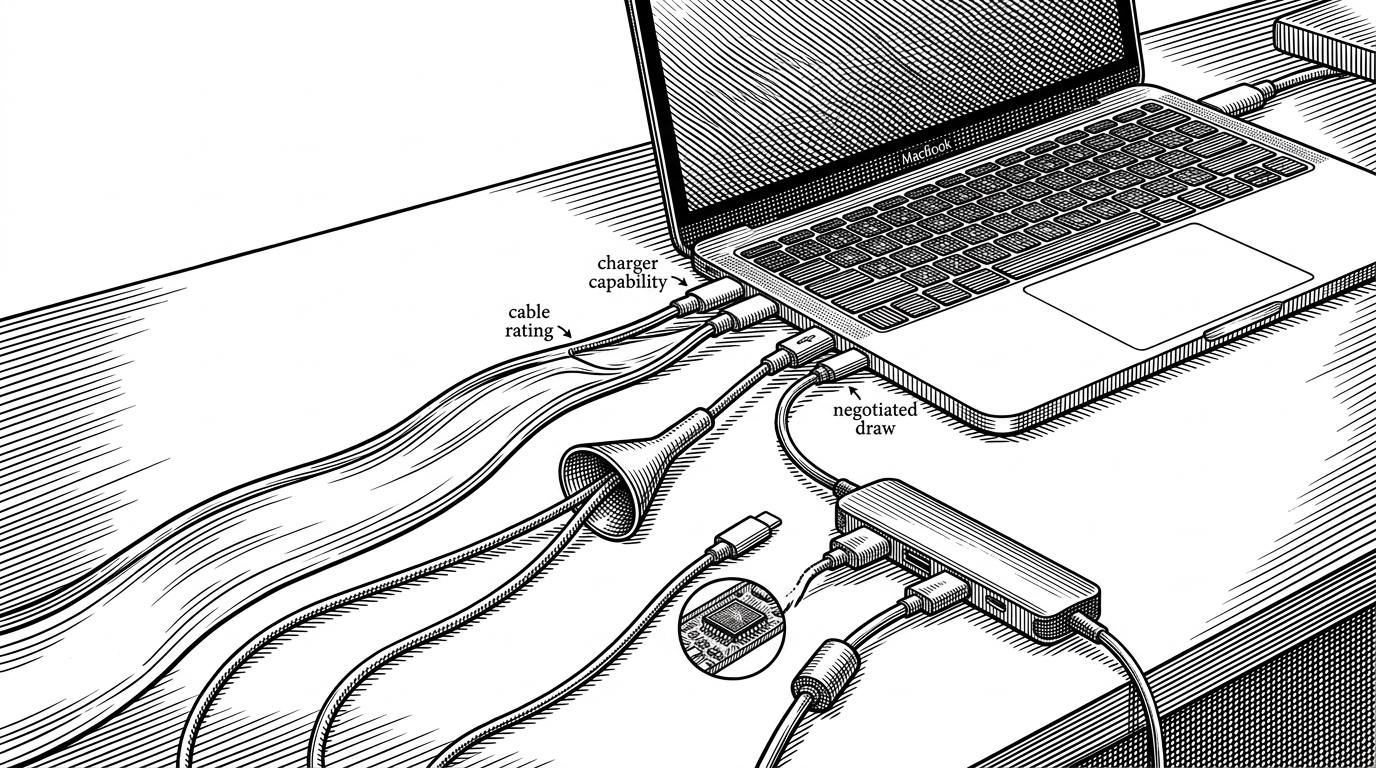
- WhatCable matters because it translates USB-C ambiguity into a live diagnosis, not a generic status readout.
- Its core value is comparative: charger, cable, and negotiated draw are checked against each other to locate the bottleneck.
- The phantom-port fix makes the app feel trustworthy because it corrects stale hardware state instead of repeating it.
- The repo is unusually clean for a niche utility, with a split between hardware sensing, testable core logic, and a SwiftUI front end.
USB-C Is a Standard That Still Feels Like Guesswork
USB-C promised one connector to rule them all. In practice, it gave us a neat-looking plug and a messy set of hidden capabilities: charging wattage, data speed, Thunderbolt support, and vendor-specific quirks. The outside looks identical. The consequences are not.
That is the frustration WhatCable targets. It does not try to make USB-C less complicated. It makes the complexity legible, so a Mac user can tell whether the cable in hand is the problem, the charger is the limit, or the system is simply reporting stale state.
I built WhatCable because I was sick of guessing which USB-C cable did what. The USB-C standard is great, but the cable situation is a mess.
WhatCable’s Real Job: Turn Kernel Noise Into a Yes-or-No Answer
The app’s job is not to guess. It reads what macOS knows, then turns that into a plain-English summary that can survive in a menu bar. In the repository, that split is explicit: WhatCableDarwinBackend senses the system, WhatCableCore interprets it, and the SwiftUI app presents it.
That comparison is the point. A charger can promise 96W. A cable can advertise 60W. The Mac can only negotiate what the weakest link allows. WhatCable surfaces that relationship instead of hiding it inside a single wattage figure.
The Diagnostic Trick Is a Three-Way Comparison
WhatCable’s core logic centers on a simple but useful question: does the negotiated draw make sense given the charger and the cable? If the charger can supply more than the cable is rated for, the cable becomes the likely ceiling. If the negotiated draw still looks off, the app can mark the data as unusual rather than pretending certainty.
| Signal | What it tells you | Why it matters |
|---|---|---|
| Charger capability | How much power the brick claims it can deliver | Sets the upper bound |
| Cable rating | How much power and data the cable can legitimately carry | Reveals the bottleneck between charger and Mac |
| Negotiated draw | What the Mac is actually receiving | Shows the outcome, not just the promise |
| Result | Plain-English diagnosis | Turns raw numbers into a decision |
That three-way comparison is why this repo feels more like a diagnostic engine than a display app. It is not just showing a wattage badge. It is checking whether the story the cable tells, the charger tells, and the Mac experiences all line up.
Why the App Sometimes Knows the Port Is Lying
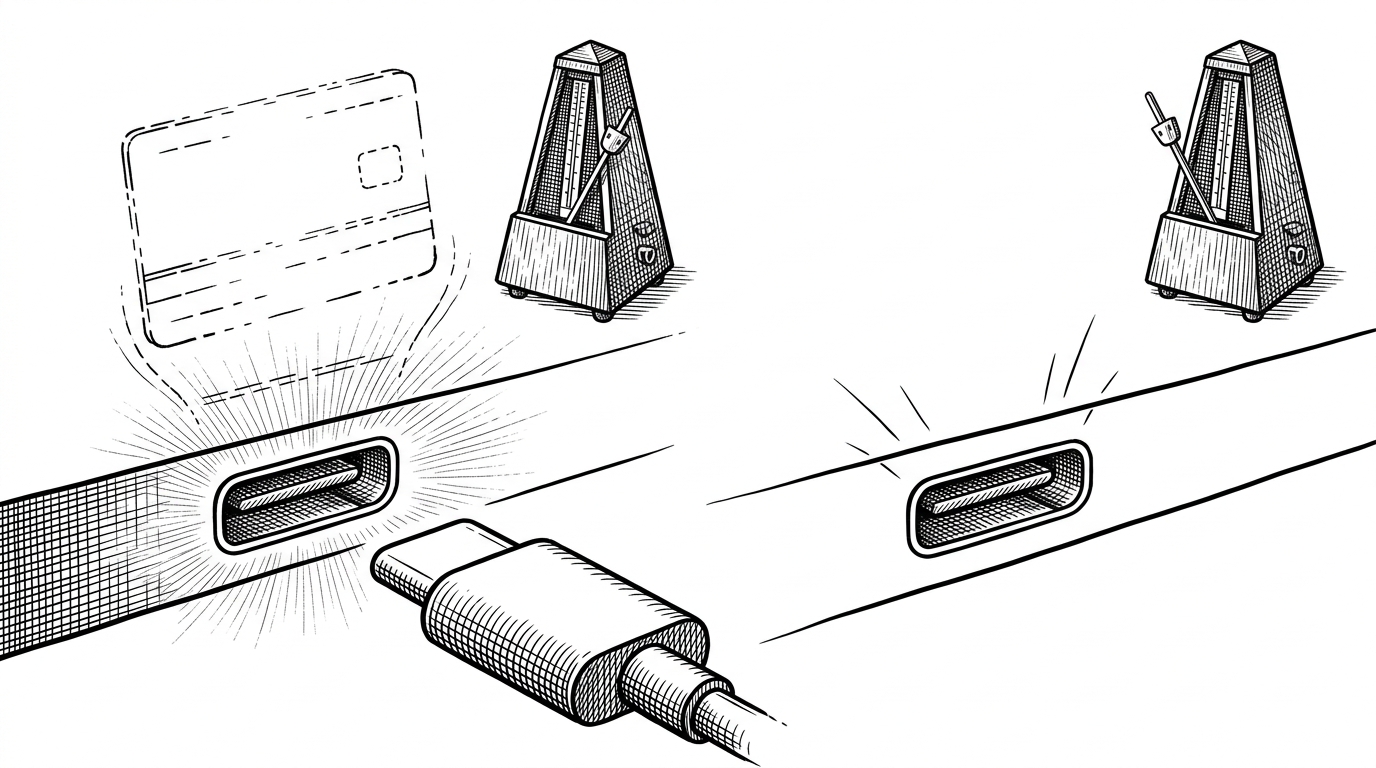
This is the weird, memorable part. On some Apple Silicon systems, the controller can keep reporting a port as connected for a few seconds after unplugging. That phantom state would make a lesser app look flaky. WhatCable treats it as a hardware truth problem and uses debounced refresh logic to wait out the lie.
// Simplified from the app's refresh logic
func scheduleLivePortRefresh() {
    debounceTimer?.invalidate()
    debounceTimer = Timer.scheduledTimer(withTimeInterval: 0.5, repeats: false) { _ in
        self.reloadPortSnapshot()
    }
}

// If the controller still reports connectionActive after unplugging,
// the refresh pass clears the stale state before the UI settles.
That matters because trust is the product here. If the app cannot distinguish between a fresh reading and a stale one, then every diagnosis becomes suspect. The refresh strategy is a small implementation detail with an outsized editorial effect: it makes the app feel like it knows when not to believe the hardware yet.
The Backend/UI Split Is the Reason This Feels Clean
WhatCable’s architecture is straightforward in the best way. The Darwin backend listens to IOKit and collects low-level facts. The core layer turns those facts into stable models and diagnostics. SwiftUI handles display, and the CLI exposes the same engine for automation. That keeps the hard logic testable without dragging the UI into every unit test.
| Layer | Role | Why it helps |
|---|---|---|
| WhatCableDarwinBackend | Hardware sensing | Contains the platform-specific IOKit work |
| WhatCableCore | Diagnostic logic | Keeps interpretation testable and reusable |
| WhatCable | Menu bar UI | Makes the data readable at a glance |
| WhatCableCLI | Command line access | Lets automation use the same logic |
This split is what makes the repo feel like software, not a clever script. The sensing layer can be ugly if it needs to be. The core stays clean. The UI can stay small.
What It Replaces, and What It Does Better
WhatCable does not replace hardware testers, and it does not pretend to. It occupies a sharper niche: quick, software-only diagnosis on a Mac, in the moment you notice something is off. That is where it beats the usual tools.
| Tool | Strength | Weakness |
|---|---|---|
| System Information or ioreg | Deep raw access | Too technical for fast diagnosis |
| Hardware cable testers | Physical verification | Requires extra hardware |
| Battery monitors | Useful power snapshot | Mostly charging-focused |
| Cables with built-in displays | Immediate wattage display | Usually blind to data capability |
| WhatCable | Plain-English cable diagnosis on macOS | Limited to the signals macOS can expose |
The win is not breadth. It is speed and interpretation. WhatCable takes the information already present in the system and turns it into a judgment call a normal human can use.
USBポートに接続されているケーブル仕様などを説明してくれるmacOSアプリ。電源供給であれば電力量なども表示してくれる模様。 / “GitHub - darrylmorley/whatcable: macOS menu bar app that tells you, in plain English, what each USB-C cable plugged into your Mac…” https://t.co/pQDRSDazxX
Why This Repo Feels Mature
There is a big difference between a useful hack and a maintainable utility. WhatCable lands in the second camp because the repository has the usual signs of care: a dedicated core package, a separate backend layer, tests, a CLI, and distribution tooling. The design suggests the author expects the code to live for a while.
That maturity shows up in the product too. The app does one job, but it does it with enough confidence to handle messy hardware state, ambiguous data, and the user’s very reasonable suspicion that the cable might be lying.