AI-Code-Dependency-Visualizer Turns a Python Repo Into an X-Ray of Its Architecture
A FastAPI backend, AST parsing, and a ReactFlow graph UI combine to show dependencies as a navigable system map, not a pile of files.
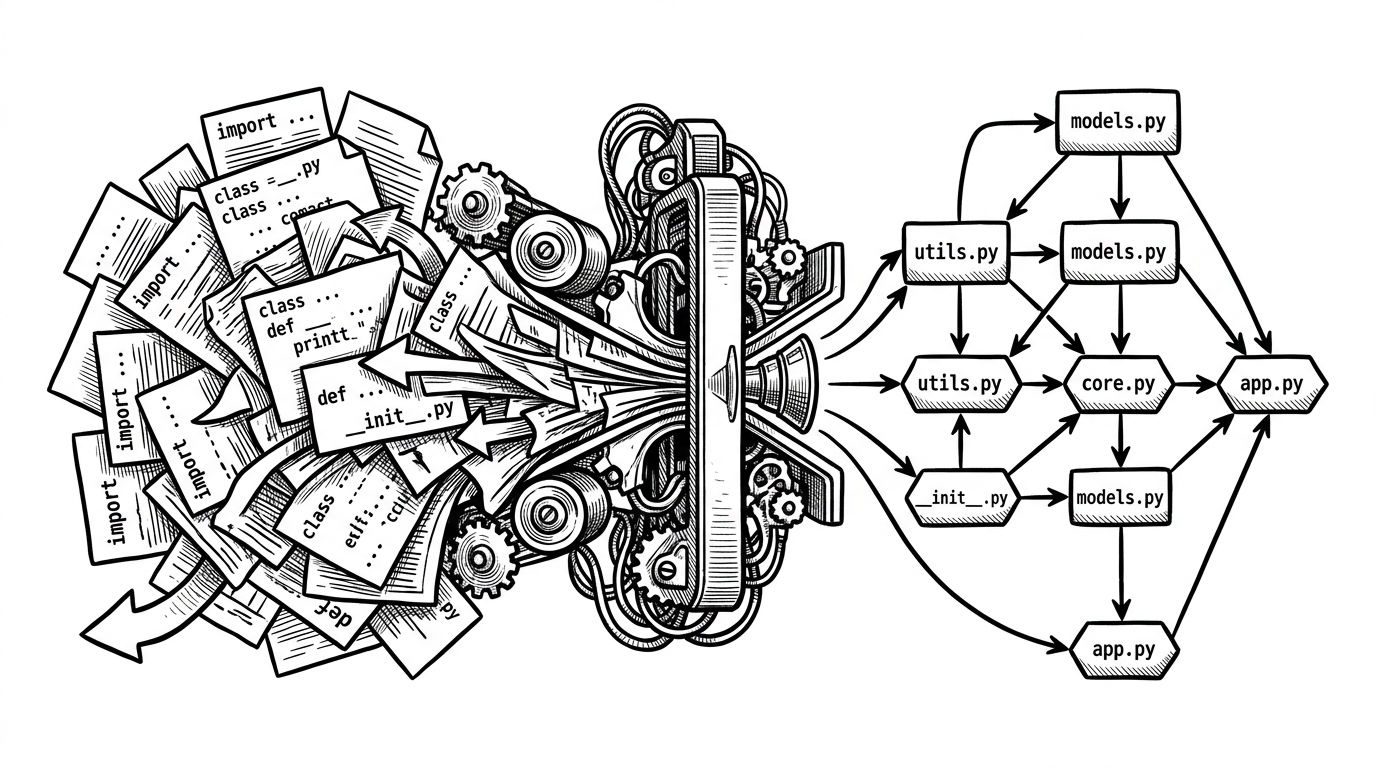
- The project’s real insight is that architecture is easier to understand when code is parsed into relationships instead of read file by file.
- Its AST-based analysis avoids the noise that grep-based dependency hunting always creates.
- The two-pass backend is the key design choice because it resolves imports against a full module index instead of guessing in one sweep.
- ReactFlow and Dagre make the output usable as an explorable system map, not just a static picture.
Most developer tools help you find code. This one helps you find your bearings. In a growing Python repo, the problem is rarely syntax. It is knowing which files shape the system, which imports matter, and where the hidden coupling lives.
That is the promise behind AI-Code-Dependency-Visualizer. It clones a GitHub repo, parses Python source with the standard library AST, builds a dependency graph, and renders the result in ReactFlow with Dagre layout. The output is a map of structure, not a dump of filenames.
The problem is not code. It is orientation.
Once a Python codebase grows past a handful of modules, reading individual files stops being the bottleneck. The bottleneck becomes orientation. You can understand every function and still miss the system shape, because the dependency web is what determines how changes propagate.
This project targets that exact blind spot. It is not trying to explain syntax or generate new code. It is trying to show the skeleton underneath the code, so a developer can see where the system is brittle, clustered, or surprisingly simple.
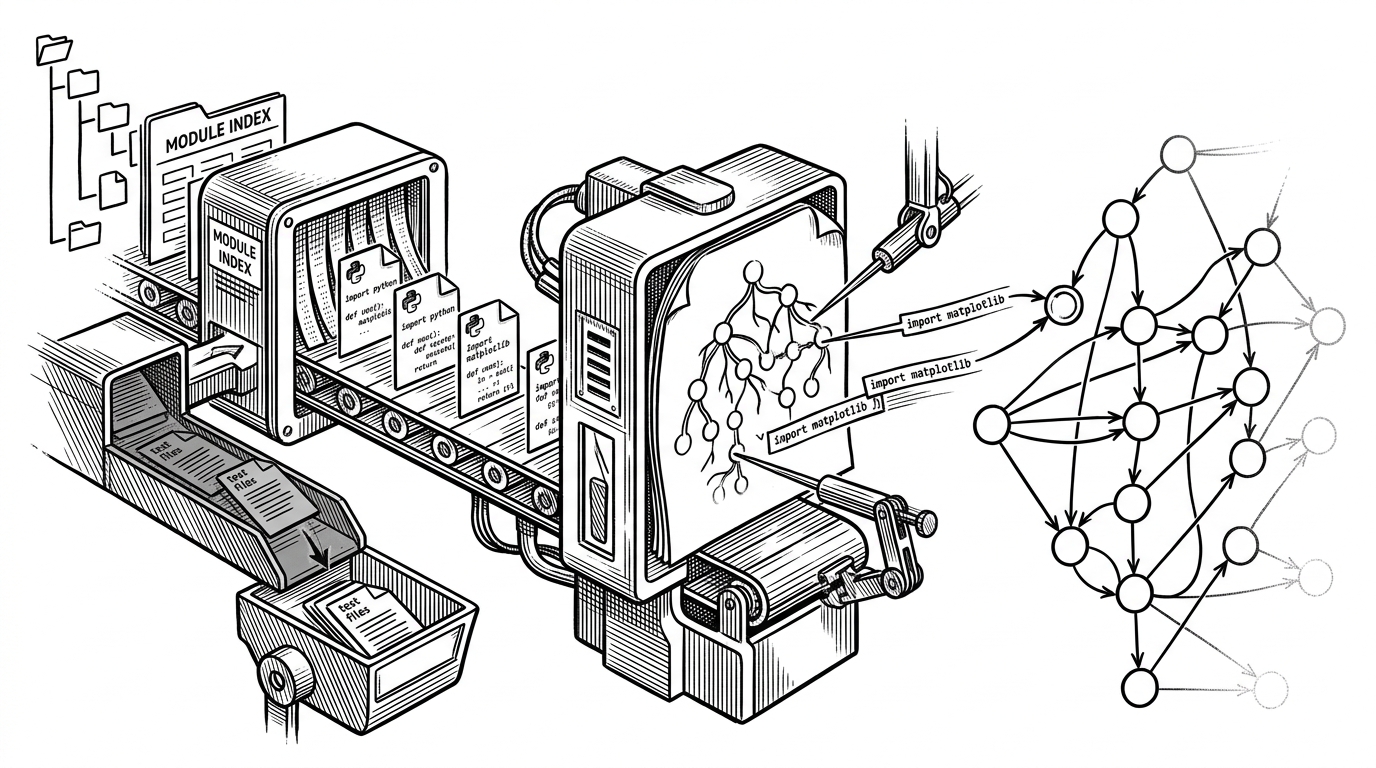
This project turns imports into a map
The backend is straightforward, and that is the point. A user submits a repository URL. The service clones the repo into a local workspace, scans the Python files, extracts imports, and returns nodes plus edges for the frontend to render. Nothing is executed. Nothing is guessed from text search.
The architecture splits neatly into two layers. FastAPI and Python do the analysis work. React, ReactFlow, and Dagre turn the result into something navigable. That separation matters because the backend can stay focused on correctness while the frontend handles interaction and layout.
Why AST beats grep
This is the project’s clearest technical choice. Python’s AST understands syntax. That means it can find real import statements without being fooled by comments, string literals, or coincidental text matches. Grep can tell you where a word appears. AST can tell you where the language actually says a dependency exists.
That difference sounds small until you see the failure modes. A regex can match an import in documentation, in dead code, or in a comment block. The AST only walks actual syntax nodes, so the dependency graph is anchored to Python’s grammar rather than to raw text.
import ast


def get_imports(filepath):
    with open(filepath, 'r', encoding='utf-8') as f:
        tree = ast.parse(f.read(), filename=filepath)

    imports = []
    for node in ast.walk(tree):
        if isinstance(node, ast.Import):
            for alias in node.names:
                imports.append(alias.name)
        elif isinstance(node, ast.ImportFrom):
            if node.module:
                imports.append(node.module)
    return imports
The two-pass graph builder is the real trick
The most interesting part of the backend is not the parser. It is the resolution step. First the tool scans the repository and builds a complete index of Python modules. Only then does it parse each file’s imports and try to match them against that index.
That two-pass design avoids a common trap. If you try to resolve imports while you are still discovering files, the graph becomes partial and noisy. By separating discovery from resolution, the tool can map dependencies more accurately and decide which imports are internal, external, or unresolved.
The result is a directed graph where edge direction matters. File A points to File B because A depends on B. That is a better mental model than a flat list of references, because it shows how control and coupling flow through the system.
How the backend makes the graph trustworthy
- Build a repository-wide module index before resolving any imports.
- Parse only real Python syntax with the AST module.
- Filter out test files so the graph stays focused on core application structure.
- Use a directed graph so dependency direction is explicit, not implied.
The front end is not just decoration
ReactFlow is doing more than drawing boxes and arrows. It makes the graph explorable. Dagre handles the layout math so nodes land in a readable hierarchy instead of a pile of overlapping points. Together, they turn backend data into a working interface for investigation.
That matters because visualization is only useful when the user can trace a path. A static image can show complexity. An interactive graph can show how a particular module sits inside that complexity, and what else it touches.
| Approach | What it is good at | Where it falls short |
|---|---|---|
| Installed dependency scanners | Finding package vulnerabilities and update risk | They do not explain source-level file relationships |
| Regex or grep hunts | Quick text searches across a repo | They produce false positives and miss actual syntax meaning |
| CLI analysis tools | Fast batch inspection for experienced users | They are harder to read when the goal is architectural orientation |
| AI-Code-Dependency-Visualizer | Showing Python source dependencies as an explorable graph | It is limited to the repo shape the parser can reliably resolve |
What it gets right, and what it does not yet solve
The prototype shows good engineering instincts. It uses a UUID-based clone workspace to avoid collisions between requests, and the code is split cleanly across backend analysis, graph building, and frontend rendering. Those are the right seams for a tool like this.
But the rough edges are real. There is no obvious cleanup story for cloned repos, so long-running use could fill disk. There is no caching layer for repeated analyses. And the graph intentionally excludes test files, which keeps the map cleaner but also narrows what the user sees.
That is not a flaw so much as a statement of scope. The project is solving comprehension first. It is not trying to be a full repository intelligence platform yet.
Where this sits in the tooling landscape
This is adjacent to dependency scanners, but it is not the same category. Tools like Dependabot and Snyk are built around packages, versions, and risk. This project is built around source code structure. One answers what is vulnerable. The other answers what depends on what.
| Tool type | Primary question | Typical output | Best use |
|---|---|---|---|
| Source dependency visualizer | How is this codebase connected? | Directed file graph | Onboarding and architecture review |
| Package security scanner | What should be updated or patched? | Alerts and advisories | Security and maintenance |
| CLI code analysis | What can I query from the terminal? | Text reports and metrics | Automated inspection |
| Regex search | Where does this text appear? | Matching lines | Fast ad hoc lookup |
That distinction is why the project feels useful even without AI doing the heavy lifting. The interesting intelligence is not in prediction. It is in translation: turning syntax into structure that humans can reason about quickly.
The better mental model
The strongest version of this project is not as a novelty graph. It is as an orientation layer for unfamiliar systems. For a new engineer, a founder reviewing inherited code, or a PM trying to understand why a repo feels fragile, that saves time immediately.
The broader lesson is simple. Most code tools optimize for precision on individual files. This one optimizes for understanding the whole. That is a different job, and in many repos it is the more valuable one.