FTUI: The Terminal Command Center for Freqtrade Bots
A read-only TUI that aggregates multiple remote trading bots into one fast, low-friction dashboard, without the browser overhead.
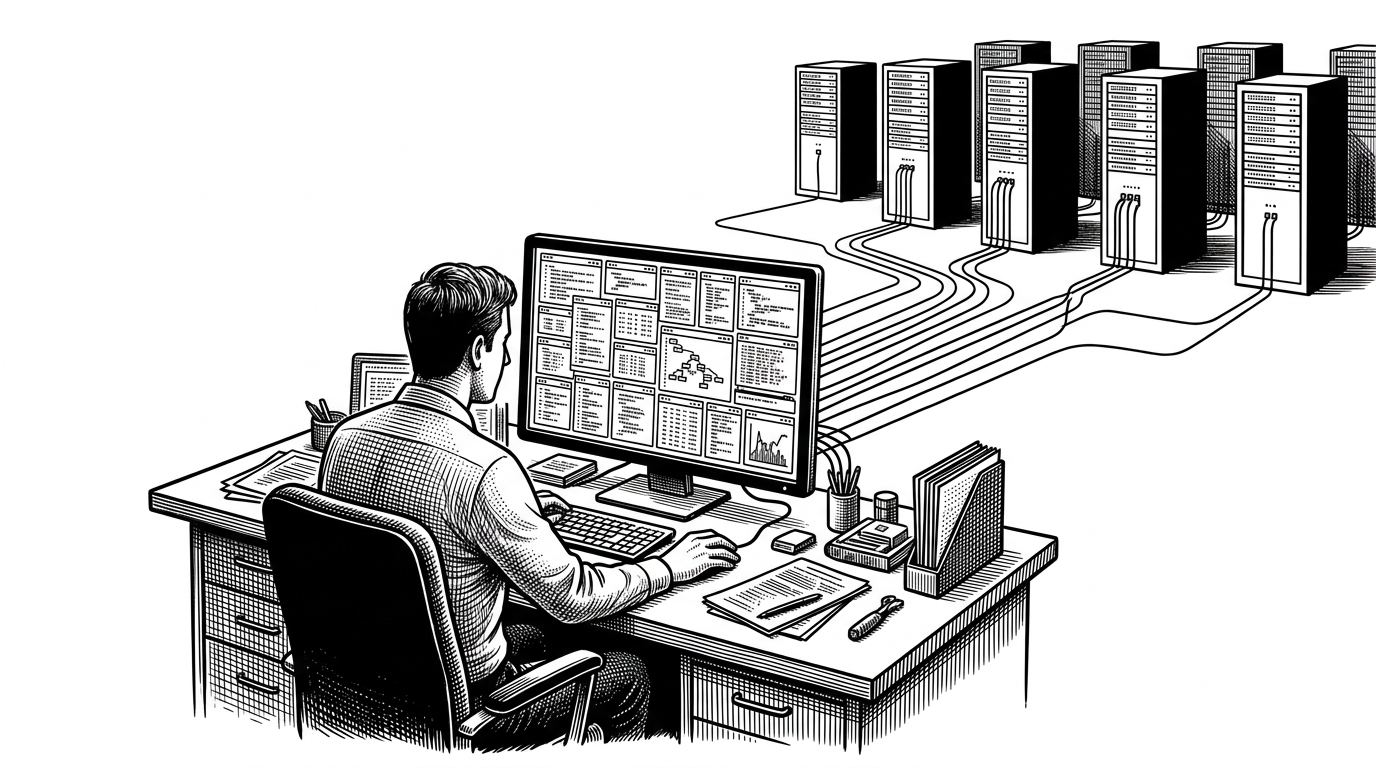
- FTUI’s real trick is not a better trading interface, but a safer way to make many remote bots feel like one system.
- The read-only constraint is what keeps the dashboard fast, simple, and practical across headless servers and SSH workflows.
- FTUI works by normalizing remote API responses into cached analytical state before the UI renders anything expensive.
- Its niche sits between a full browser cockpit and alert-based tooling: persistent observability without control-plane complexity.
The browser was the wrong battlefield
Managing multiple Freqtrade instances is awkward when every answer lives behind a browser tab. Remote hosts, CORS friction, and the constant hop between dashboards turn routine monitoring into a small systems problem. FTUI starts from a sharper premise: the pain is not that traders need another UI, it is that they need one stable view of distributed bots.
That is why FTUI matters. It collapses a messy operational habit into a single terminal surface, the place operators already trust for logs, SSH, and server triage. The terminal is not a compromise here. It is the point.
FTUI is a terminal (command line) interface to Freqtrade, and allows monitoring of a running bot only.
FTUI is read-only on purpose
The strongest design choice in FTUI is also the most limiting one: it does not try to trade. It monitors. That sounds modest until you notice what it buys. No order execution, no control-plane sprawl, no temptation to bolt risky actions onto a dashboard that should stay calm and legible.
That restraint shapes the whole product. A passive interface can refresh on a timer, cache aggressively, and privilege readability over interactivity. In practice, that makes it easier to keep the UI responsive while it watches several live bots at once.
FTUI is designed to mimic the FreqUI interface as much as possible, but the main difference is that FTUI does not currenty support controlling a running bot. Rather FTUI acts as a lightweight passive monitoring system for running Freqtrade bots.
From many bots to one pane of glass
Under the hood, FTUI behaves more like a small data pipeline than a monolithic screen. The app keeps a client per bot, pings each endpoint, fetches configuration and trade history, then normalizes the responses into Pandas dataframes and cached state. Only after that does the dashboard ask for charts, digits, and tables.
# Simplified flow from the FTUI codebase
client_dict = {
    bot_name: FTUIClient(bot_config)
    for bot_name, bot_config in bots.items()
}

# Refresh live state on a timer
app.set_interval(5, refresh_all_bots)

# Normalize and cache before rendering
client_dfs[bot_name] = client.fetch_closed_trades_dataframe()
That separation is the whole point. Remote APIs are messy. UIs are expensive. FTUI inserts a staging layer between them, so the dashboard reads from cached analytical state instead of redoing work every time a pane repaints.
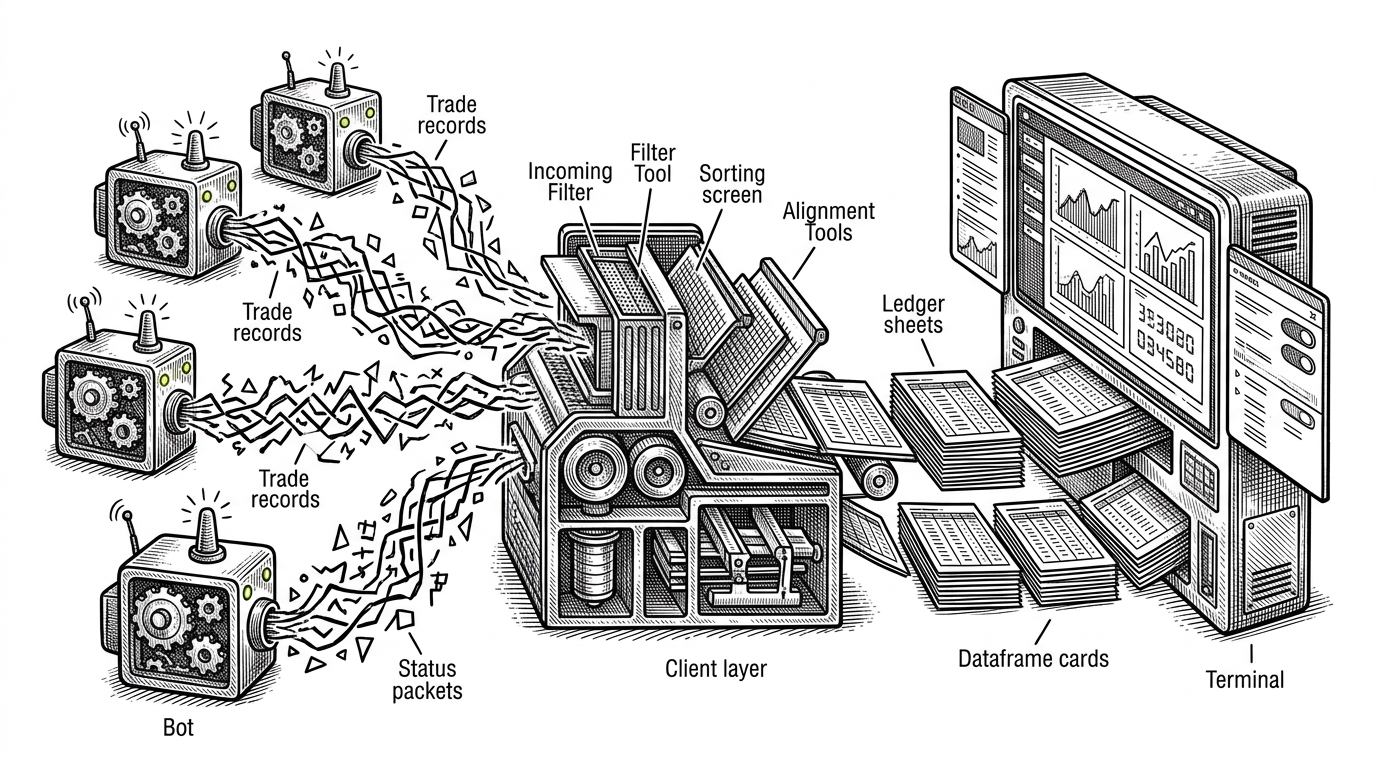
The dashboard is doing less than it looks like
FTUI’s responsiveness comes from discipline, not magic. Lazy sections avoid expensive work when collapsed, timed refreshes keep the interface current, and the app leans on terminal-native widgets instead of pretending every update deserves a full redraw. That is a good trade when the job is observation, not manipulation.
This is also where the project’s engineering taste shows. Dense metrics are useful only if they stay fast enough to trust. FTUI treats performance as a design property, not a backend accident.
Why the terminal works here
Textual and plotext are not just implementation details. They let FTUI act like an operations console, not a web app in disguise. For headless servers and SSH-heavy workflows, that matters. The reader gets a dense, glanceable surface that lives where the work already happens.
The aesthetic also matches the use case. Monitoring bots is a quiet, repetitive job. A terminal dashboard fits that cadence better than a heavy browser shell, especially when the goal is fast context and low friction rather than direct control.
FTUI’s real competition is not another TUI
| Tool | Mode | Scope | Control | Best for |
|---|---|---|---|---|
| FTUI | Terminal | Multi-bot, read-only | No | Always-on SSH-friendly monitoring |
| FreqUI | Browser | Full Freqtrade UI | Yes | A complete visual cockpit for one or more bots |
| Telegram monitoring | Chat | Alerts and summaries | Partial | Mobile notifications and quick commands |
| FreqtradeNinja | Browser | Community visualization | Varies | Niche visual monitoring workflows |
The positioning becomes clearer in contrast. FreqUI is the cockpit. Telegram is the alert channel. FTUI is the persistent operations pane. It is for the person who wants to see everything without opening a browser or giving the interface the power to trade for them.
The main focus of the API is to support freqUI and fTUI.
The blueprint FTUI suggests
FTUI is useful beyond crypto because the pattern is portable. Multiple remote sources. A thin client layer. Normalized cached state. Terminal-native visualization. Strict scope discipline. That combination is a strong template for any tool that needs to watch distributed systems without becoming one more place to click through.
That is the deeper story. FTUI is not trying to win the UI war. It is proving that for some operational problems, the best interface is a disciplined, read-only command center that knows exactly what it is not.