News-aggregator: The Tiny FastAPI Proxy That Turns NewsAPI Into a Clean, Region-First Reader
A no-framework frontend, a hidden server-side API key, and a handful of small UX decisions make this repository a strong case study in doing more with less.
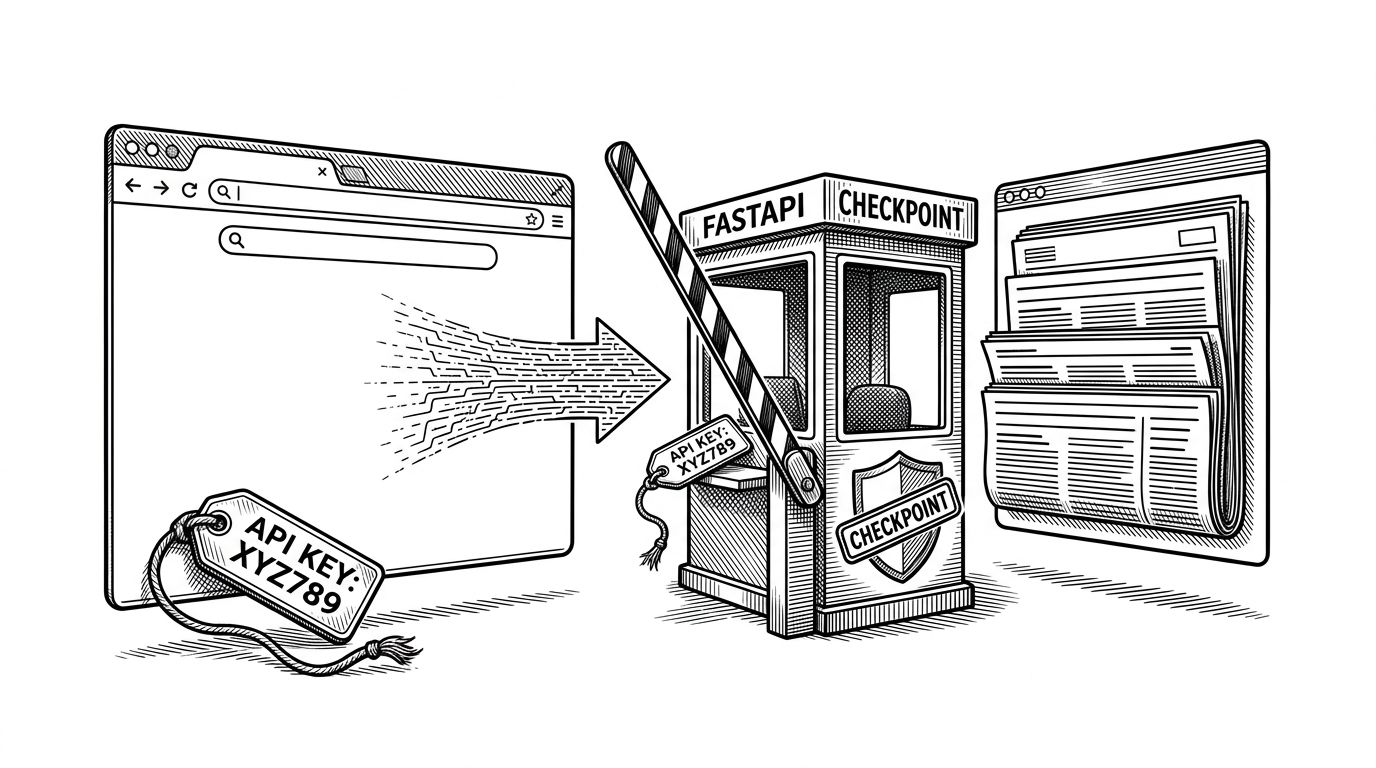
- This repository is less a news product than a compact lesson in how to hide a third-party API key behind a thin server-side proxy.
- Its real strength is the combination of a secure backend boundary and a deliberately light vanilla frontend that still feels finished.
- The India default is not an accident of implementation, it is a product decision that makes the app feel scoped instead of generic.
- The project stands in a different category from full aggregators because it optimizes for clarity, teachability, and minimal moving parts.
Why this tiny app matters
Most news readers try to win by accumulating features. This one does the opposite. It shows how far a small team can get with a narrow stack: FastAPI on the server, vanilla HTML/CSS/JS in the browser, and a single API boundary that keeps credentials out of view.
That matters because the hard part is not drawing cards on a page. The hard part is shipping something that is easy to reason about, hard to leak, and simple enough to change without pulling in framework overhead. This repo gets that balance surprisingly right.
The backend is doing one important job
The backend in backend/main.py is not a sprawling application layer. It is a proxy with two responsibilities: answer /news and /search, then attach the NewsAPI key from environment variables before forwarding the request upstream. That is the whole trick, and it is a good one.
@app.get("/news")
def get_news():
    params = {"q": "India", "apiKey": API_KEY}
    response = requests.get("https://newsapi.org/v2/everything", params=params)
    return response.json()

@app.get("/search")
def search_news(q: str):
    params = {"q": q, "apiKey": API_KEY}
    response = requests.get("https://newsapi.org/v2/everything", params=params)
    return response.json()
That design solves two real problems at once. First, the browser never sees the key, which keeps quota exposure and casual abuse down. Second, the server becomes the place where CORS and request translation happen, which is exactly where that complexity belongs.
| Pattern | What the browser does | What the server does | Why it matters |
|---|---|---|---|
| Direct client-side API calls | Calls NewsAPI from JavaScript | Nothing | Easy to build, but the key is exposed |
| FastAPI proxy | Calls your own backend endpoints | Reads the secret, calls NewsAPI, relays JSON | Keeps credentials hidden and centralizes request logic |
The real product decision: India first
The hardcoded India query is a small line with a big effect. It turns the app from a generic globe-spanning reader into a scoped product with a point of view. That makes the interface feel more intentional, not less universal.
This is where product judgment shows up. A regional default narrows the audience, but it also makes the experience clearer. The app is not pretending to serve everyone equally. It is choosing a starting context that already means something.
| Product shape | Audience signal | UX effect | Likely payoff |
|---|---|---|---|
| Generic global reader | Broad and vague | Feels neutral but unfocused | Harder to stand for anything |
| India-first reader | Specific and opinionated | Feels immediate and curated | Easier to understand and remember |
That scope is the opposite of feature inflation. It gives the repo a clean mental model: fetch a focused news set, search it, display it well, and stay out of the way.

How the frontend stays light but still feels complete
The frontend is built the same way the backend is. It does a small number of things well. async/await handles fetches without freezing the page, DOM updates keep the cards in sync with the latest query, and CSS Grid makes the layout responsive without a framework.
const imageSrc = article.urlToImage || 'https://placehold.co/400x180?text=No+Image';

cards.innerHTML = articles.map(article => `
  <article class="card">
    <img src="${imageSrc}" onerror="this.src='https://placehold.co/400x180?text=No+Image'" alt="${article.title}">
    <h3>${article.title}</h3>
  </article>
`).join('');
The fallback image logic is a small but important detail. News sources are messy, image URLs break, and a good reader should fail gracefully. The project does that without ceremony, which is exactly what you want in a utility interface.
The layout language is similarly practical. It is not flashy, but it avoids the traps of brittle pixel-perfect design. Cards reflow, content stays legible, and the UI keeps working as the viewport changes.
The search box fix is the most human part of the code
The nicest bit of polish is the search suggestion interaction. A 150ms blur delay solves the common problem where clicking a suggestion loses focus before the click lands. That is the kind of bug only a person who has felt the annoyance would fix.
searchInput.addEventListener('blur', () => {
  setTimeout(() => {
    suggestions.classList.remove('open');
  }, 150);
});
It is a tiny patch, but it says a lot. The code is not just functional. It is observing how a user actually moves through the interface and removing a snag at the point of friction.
That same instinct shows up in the suggestion dropdown itself. The app does not need a heavy component system to manage it. It needs a clear state transition, a little timing control, and a willingness to care about the click that almost got lost.
What it looks like beside full aggregators
This repository does not compete with FreshRSS, Tiny Tiny RSS, or Yarr on breadth. It competes on clarity. It is a smaller category of software: part starter, part teaching artifact, part minimal product sketch.
| Project | Stack | Core model | Strength | Best use case |
|---|---|---|---|---|
| News-aggregator | FastAPI, HTML, CSS, JavaScript | Proxy a news API into a minimal reader | Thin architecture and clear security boundary | Learning a small full-stack pattern |
| FreshRSS | PHP, SQL | Full self-hosted RSS platform | Deep feature set and mature ecosystem | Personal or team feed management |
| Tiny Tiny RSS | PHP, database-backed | Long-running self-hosted reader | Customization and community depth | Users who want a proven reader |
| Yarr | Go, Vue.js | Lightweight self-hosted RSS app | Fast, simple, and modern | People who want a compact deployable reader |
The point is not that this repo is incomplete. The point is that it is intentionally narrow. It shows the core move with as little surface area as possible, which makes it easier to learn from and easier to adapt.
If FreshRSS is a finished house, this is a clean floor plan. That difference is the value.
What this repo is really for
News-aggregator is best read as a compact architecture sample. It demonstrates how to hide credentials, keep the frontend lean, and add just enough UX detail to make a small app feel credible.
That makes it useful for solo builders, early prototypes, and anyone who wants to see a practical full-stack split without ceremony. It is not trying to be the last news reader you ever install. It is trying to be a good pattern you can copy.