Lovable-clone Makes AI Coding Feel Like a Filesystem, Not a Prompt
Inside a Spring Boot backend that streams edits, parses structured file mutations, stores code in MinIO, and ships previews through Kubernetes.
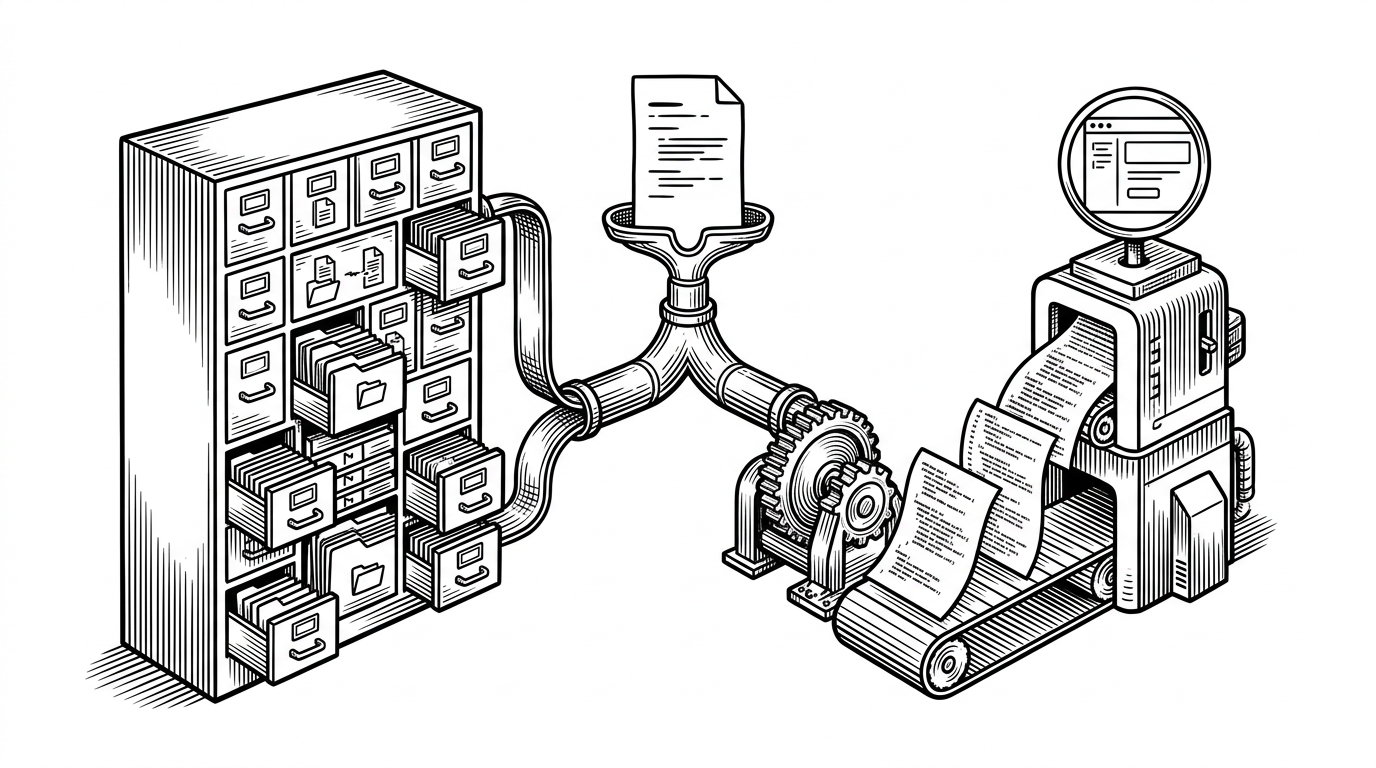
- Lovable-clone is interesting because it turns code generation into a controlled pipeline from context to mutation to deployment.
- Its central abstraction is a file tree, which gives the model a developer-like view of the project instead of an amorphous blob of context.
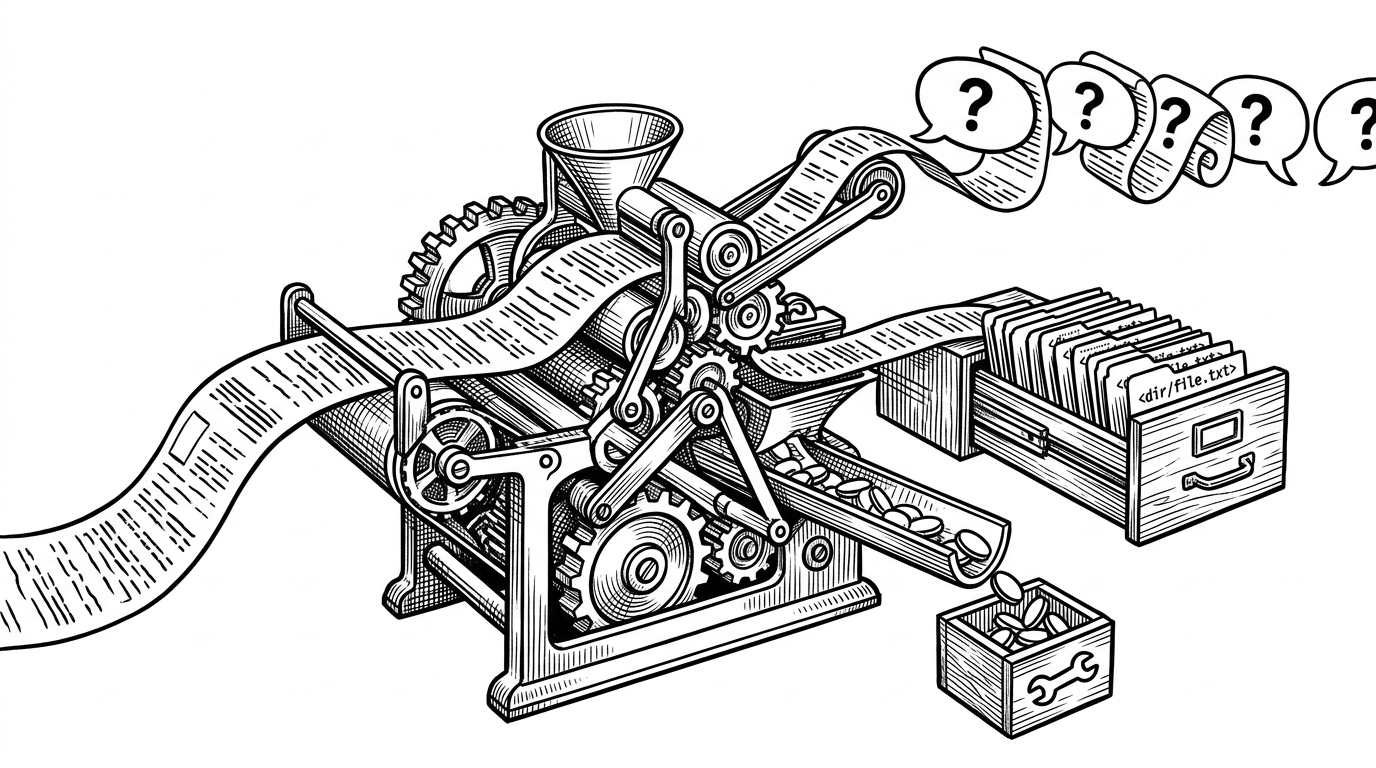
- The parser is the control surface, separating chat, file writes, and tool actions so the backend can act safely on mixed model output.
- The repo looks less like a UI clone and more like infrastructure for multi-tenant AI app creation.
The first thing to notice is what this project refuses to be. It is not just a prompt box with a code preview bolted on. It is a backend that treats AI software creation as a sequence of stateful operations: understand the current file tree, stream a response, parse structured edits, persist files, and expose a runnable preview.
That matters because it changes the mental model. The AI is not “writing code” in the loose demo sense. It is operating inside a system that knows about projects, files, storage, deployments, and routing. That is the difference between a flashy clone and a real platform substrate.
The prompt is only the start
In the repo, the conversation begins in a Spring Boot service that streams LLM output instead of waiting for a single final blob. That streaming path is important. It keeps the UI responsive while the backend keeps enough state to save the response, interpret it, and move the project forward.
The key idea is that the model is always looking at a shaped view of the project. The repo uses a FileTreeContextAdvisor to inject the current file structure into the request, so the model sees a deterministic map of the codebase rather than a vague summary. That is a much closer match to how engineers actually navigate software.
Why a file tree beats a blob of context
A file tree is a deceptively strong abstraction. It gives the model boundaries, hierarchy, and names that mean something to a developer. Instead of asking the model to infer structure from a pile of text, the backend hands it a map of the project and lets it reason from there.
That is the real UX trick here. The project is not only trying to help the model generate better code. It is trying to make the model’s world legible. When the AI knows where files live, what the folders mean, and how the project hangs together, edits become less random and much easier to control.
The parser is the real control surface
The most interesting code path is the parser. The backend expects the model to emit structured tags such as <message>, <file>, and <tool>, then separates those streams before it acts. That means the model is not just chatting. It is also issuing instructions.
// Conceptual shape of the parser
for each tagged block in modelResponse:
  if block.type == "message":
    streamToUser(block.content)
  if block.type == "file":
    persistFile(block.path, block.content)
  if block.type == "tool":
    executeTool(block.name, block.args)
This is the right kind of rigidity for an AI builder. Natural language stays natural where it should, but file mutations are explicit. That separation is what keeps the system from collapsing into a pile of ambiguous text and accidental side effects.
It also explains why the backend feels more like an engineering runtime than a chatbot. The model is allowed to produce different kinds of output, but only because the parser can sort them into predictable lanes.
A virtual file system backed by MinIO
The storage model is also telling. Project metadata lives in PostgreSQL, while file contents live in MinIO as object storage. In practice, that makes the repository behave like a cloud IDE with a virtual filesystem, not a static generator that dumps code into a folder and hopes for the best.
That split is useful because metadata and bytes have different jobs. The database tracks project identity, structure, and relationships. MinIO holds the actual source files. Together, they create a clean boundary between what the platform knows about a project and what the project contains.
| Area | Traditional prompt-to-app clone | Lovable-clone |
|---|---|---|
| Code model | Loose text output | Structured file mutations |
| File storage | Local blobs or generated zip files | Object storage in MinIO |
| Project state | Mostly implicit | Explicit metadata in PostgreSQL |
| AI context | Prompt plus ad hoc snippets | File-tree worldview |
| Operational feel | Demo or generator | Orchestration backend |
How the preview environment comes alive
Once files are persisted, the deployment layer takes over. The repository includes Kubernetes-oriented infrastructure and a proxy layer that routes traffic toward generated preview environments. That is the part that turns generated code into something you can actually visit in a browser.
This is where the project stops being about content generation and starts being about delivery. A preview is not just a screenshot or a download link. It is a running app with routing, rollout, and isolation. That puts the repo in the same design space as cloud IDEs and managed app builders.
| Platform | Control philosophy | Code location | What stands out |
|---|---|---|---|
| Lovable.dev | Managed experience | Hosted platform | Polished UX and integrated hosting |
| Bolt.new | Browser-native builder | Browser sandbox | Fast iteration and strong code visibility |
| v0 | UI generation first | Vercel ecosystem | Clean React component output |
| Replit Agent | IDE co-builder | Cloud IDE | Build, run, and deploy in one place |
| Dyad | Local-first control | Desktop app | Privacy and code ownership |
| Lovable-clone | Infrastructure-first orchestration | MinIO plus Kubernetes | File-tree context and structured mutation |
Why this clone is really infrastructure-first
That comparison makes the project’s position clearer. It is not trying to win on polish, and it is not just mimicking a front-end workflow. It is building the plumbing underneath an AI app builder: context injection, mutation control, storage, quotas, deployment, and preview routing.
That substrate is where the real product logic lives. Anyone can wrap a model in a chat UI. Far fewer projects can safely turn model output into project state, then deploy that state in a way a user can trust. This repo is focused on that harder layer.
What it means for the AI builder category
The broader lesson is simple. The competitive edge in AI app builders is not only about model quality or better prompts. It is about how a system represents state, how it mutates that state, and how it proves the result is real. Lovable-clone is a compact example of that whole stack.
So the name is slightly misleading in a useful way. Yes, it points at Lovable. But the codebase’s more interesting ambition is to turn AI coding into an orchestration problem that can be reasoned about, stored, deployed, and inspected. That is where the category is heading.