mukesh417/mern-authentication-system: The MERN Auth Template That Treats Security Like a Product Feature
A clean full-stack reference for cookie-based sessions, email OTP verification, and password resets that behave like a real application, not a classroom exercise.
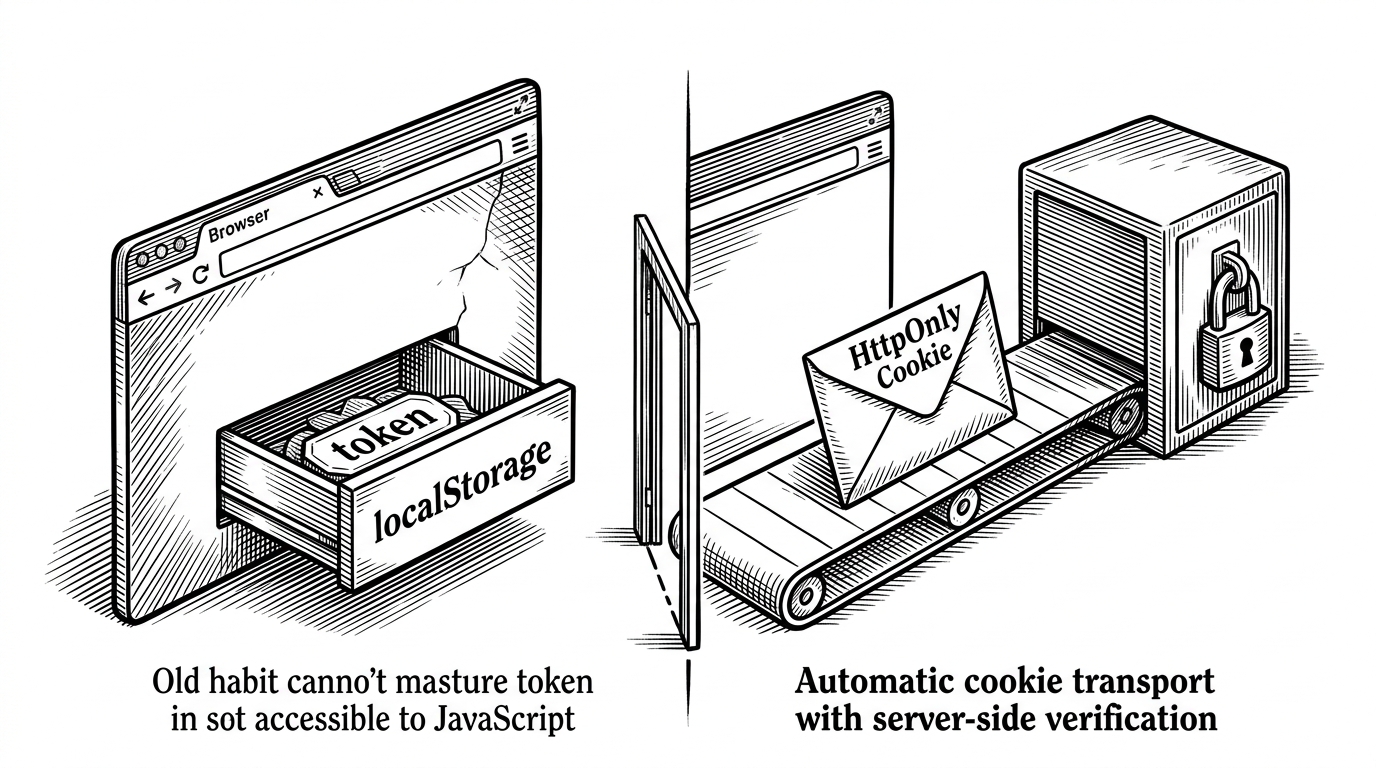
- This repo turns a familiar MERN auth starter into a system where the server, not the browser, owns trust.
- HTTP-only cookies and middleware-based identity injection make the security model simpler to reason about and harder to misuse.
- The OTP flows are not decorative extras, they are the part that makes the project feel like a real product instead of a login demo.
- The frontend bootstrap closes the loop by rehydrating auth state before the user sees the wrong screen.
Most MERN auth tutorials teach the same bad habit: log in, stash a JWT in localStorage, hope for the best. This repo takes a more disciplined path. It treats authentication as a system, not a form.
That difference matters. The browser does less, the server does more, and the user sees fewer awkward state glitches. In practice, that means HTTP-only cookies, server-side verification, OTP-based recovery, and a frontend that bootstraps auth instead of guessing it.
Why This Auth Flow Feels More Real Than Most MERN Tutorials
The project’s strongest move is also its quietest one. It makes auth state invisible to JavaScript and verifiable on the server, which is exactly where sensitive state should live.
A complete Authentication system that includes Email Verification and Password Reset Feature using a secure 6 digit OTP sent directly to user's email address.
That quote is the whole pitch. The repository is not trying to impress you with a flashy login screen. It is trying to cover the ugly middle: verification, recovery, persistence, and cleanup.
The Cookie-First Model
At the center of the stack is a simple decision: keep the JWT in an HTTP-only cookie. Axios sends it automatically, the browser cannot read it, and the client code stays out of token-handling business.
| Pattern | Where the token lives | Who can read it | What usually breaks | Security posture |
|---|---|---|---|---|
| localStorage tutorial auth | JavaScript-accessible storage | Any script on the page | XSS can steal the token | Weak by default |
| HTTP-only cookie auth in this repo | Cookie jar, unreadable by JS | Browser sends it, server reads it | Less client-side token handling | Much safer |
| Full identity platform | External provider | Provider-owned | Integration complexity | Strong, but heavier |
How userAuth.js Turns the Server into the Source of Truth
The middleware reads the JWT from cookies, decodes it, and adds the user identity for downstream controllers. That lets protected routes trust server-side state instead of whatever the client claims to be.
// server/middleware/userAuth.js
import jwt from 'jsonwebtoken'

const userAuth = async (req, res, next) => {
  const { token } = req.cookies
  if (!token) return res.json({ success: false, message: 'Not Authorized' })

  try {
    const tokenDecode = jwt.verify(token, process.env.JWT_SECRET)
    req.body.userId = tokenDecode.id
    next()
  } catch (error) {
    return res.json({ success: false, message: error.message })
  }
}

export default userAuth
The tradeoff is worth noticing. Attaching `userId` to `req.body` is convenient, but unconventional. A more standard pattern would use `req.user`, because `req.body` usually implies client input, not server enrichment.
| Approach | Pros | Cons |
|---|---|---|
| `req.body.userId` | Easy for controllers to consume | Mixes server state with client payload |
| `req.user` | Clear separation of trust boundaries | Requires a little more convention |
The OTP Flow Is the Real Product Feature
This is where the repo stops looking like a tutorial. Email verification and password reset are not decorative extras. They are the flows that force auth to survive real-world conditions, like expired codes and delayed inbox delivery.
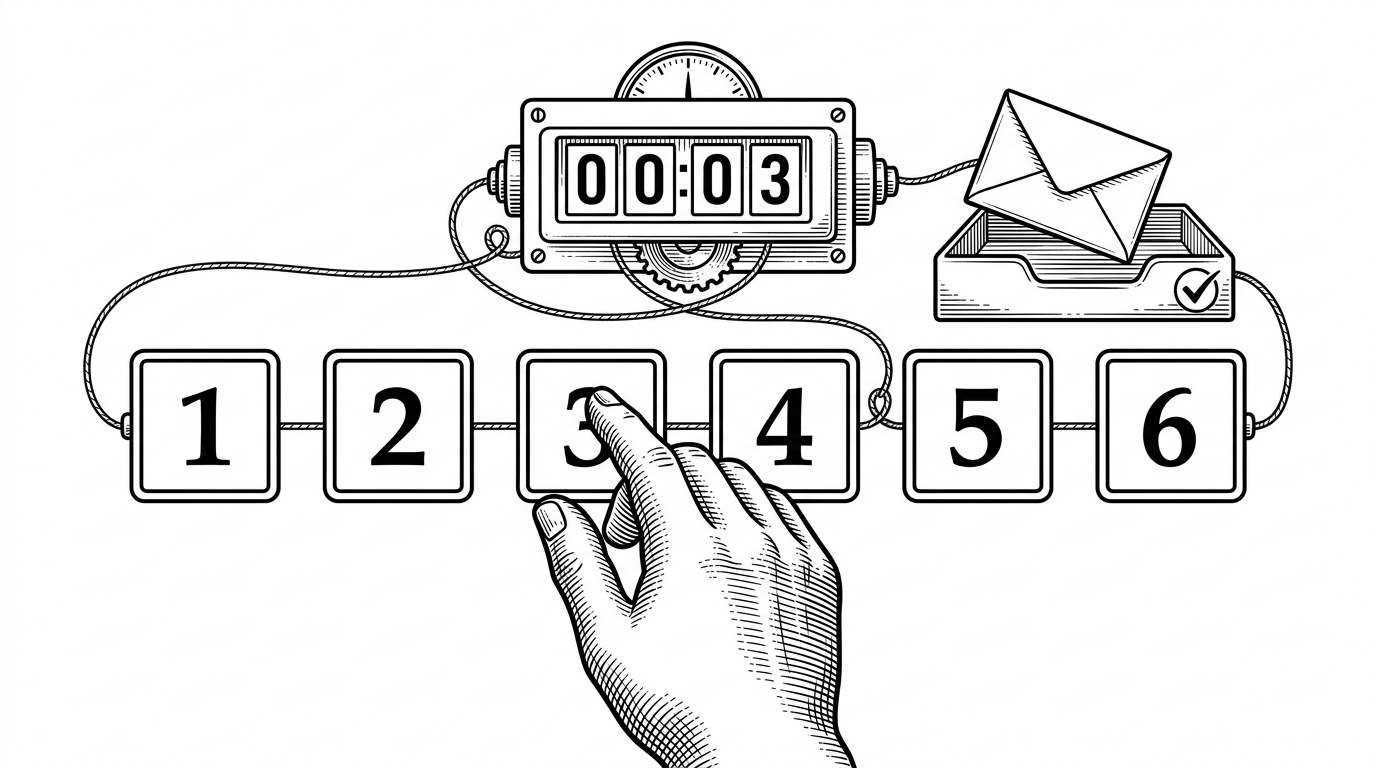
The 6-digit OTP and expiry logic make the flow feel controlled. The relay is real, the verification window is finite, and the user has to complete the loop before the account changes state.
I started my career as a Frontend Developer, building interactive web applications using React. js, JavaScript, Redux, and Tailwind CSS. Over time, I developed a strong interest in data analytics, business intelligence, and storytelling through data, leading me to transition into the field of Data Analysis.
Why the Frontend Never Shows the Wrong State
The frontend does not guess auth state. On mount, it asks the server whether the session is valid, then hydrates the UI from that response. That prevents the flash of unauthenticated content and lets the Navbar react immediately.
// client/src/context/AppContext.jsx
useEffect(() => {
  axios.defaults.withCredentials = true
  const getAuthState = async () => {
    const { data } = await axios.get('/api/auth/is-auth')
    if (data.success) await getUserData()
  }
  getAuthState()
}, [])
That small bootstrap step changes the feel of the app. The page loads with a known state, not a temporary lie. For auth UX, that is a big deal.
The OTP Input UI Is a Small Detail With Big UX Value
The six-box OTP component is a nice example of a tiny interaction carrying a lot of polish. Focus shifts forward as digits are typed, backspace behaves properly, and the form feels deliberate instead of improvised.
// client/src/pages/EmailVerify.jsx
const inputRefs = useRef([])

const handleInput = (e, index) => {
  if (e.target.value && index < 5) {
    inputRefs.current[index + 1]?.focus()
  }
}

const handleKeyDown = (e, index) => {
  if (e.key === 'Backspace' && !otp[index] && index > 0) {
    inputRefs.current[index - 1]?.focus()
  }
}
This is the difference between a form that works and a form people trust. The code is simple, but the effect is disproportionate.
Compared With Default MERN Auth, This Template Chooses Discipline
| Dimension | Typical MERN tutorial | This repo |
|---|---|---|
| Token storage | localStorage | HTTP-only cookie |
| Auth state | Client guesses first | Server verifies first |
| Recovery flow | Often omitted | Email verify and password reset |
| Frontend behavior | Flicker-prone | Bootstrapped from server state |
| Complexity | Low, but brittle | Moderate, but practical |
That is the real positioning. It is lighter than a full identity platform, but more credible than a tutorial boilerplate. It sits in the middle on purpose.
What This Repo Is Actually For
This is a template for developers who want to understand secure auth architecture without outsourcing the whole problem to a heavyweight service. It is educational, but it is educational in a way that can become production code.
If you are building a real app, the lesson is not the specific stack. The lesson is the shape of the system: keep secrets away from the browser, verify on the server, and make the UI reflect truth instead of assumptions.