Advanced-Keylogger-using-C-: How a C++11 Windows Hook Becomes a Stealthy Exfiltration Pipeline
A compact Win32 proof of concept that captures keystrokes, hides its console, and moves logs through PowerShell, Base64 layering, and a companion decryptor.
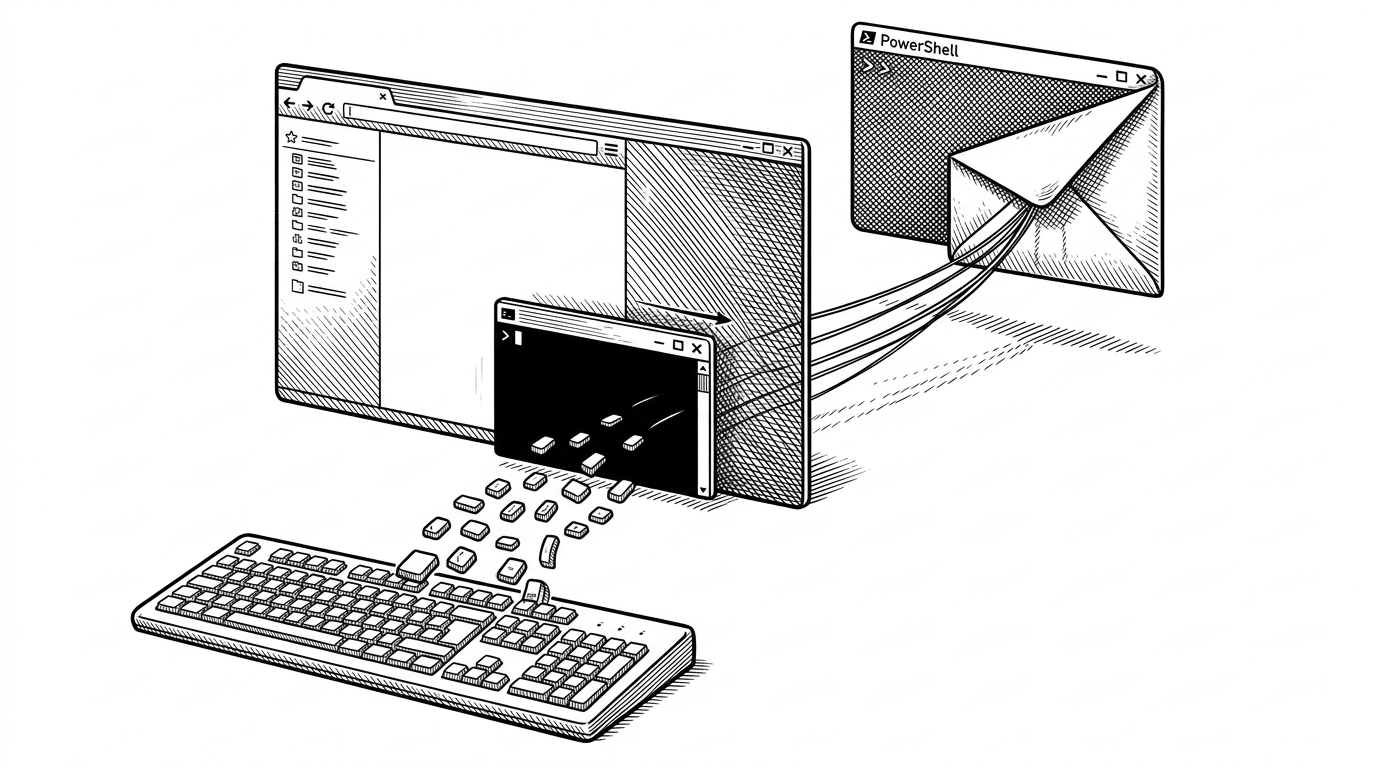
- This repo is interesting because it turns a classic keylogger into a compact Windows pipeline that captures input, hides itself, and borrows PowerShell to do the sending.
- Its most distinctive move is not stealth for its own sake, but living-off-the-land exfiltration that keeps the binary small and the implementation readable.
- The Base64 and salt logic behaves like reversible obfuscation, not meaningful cryptography, which makes the companion decryptor a mirror image of the encoder.
- The code modernizes old Win32 primitives with C++11 threads and lambdas, so the wrapper feels cleaner even when the underlying behavior stays familiar.
The clever part is not the keylogger. It is the way the project compresses several offensive primitives into a small, legible pipeline: a low-level keyboard hook, a hidden console, layered encoding, and a PowerShell SMTP bridge. That combination makes the repo more interesting as an architecture study than as a one-note malware demo.
A hook, a console hide, and a message pump
At the core sits the usual Windows hook pattern: SetWindowsHookEx with WH_KEYBOARD_LL. The hook callback sees keystrokes system-wide, translates virtual key codes into readable tags, and keeps track of modifier state so the log preserves combinations instead of flattening them into raw characters.
The stealth layer is straightforward and effective in a demo sense. The code allocates a console, finds the console window, and hides it. The message loop matters too, because without it the hook would not stay alive long enough to keep receiving input.
// High level shape of the capture loop
HHOOK hook = SetWindowsHookEx(WH_KEYBOARD_LL, OurKeyBoardProc, nullptr, 0);

while (GetMessage(&msg, nullptr, 0, 0)) {
    TranslateMessage(&msg);
    DispatchMessage(&msg);
}

UnhookWindowsHookEx(hook);
Why PowerShell is the real transport layer
This is the most distinctive design choice in the repository. Instead of bundling a mail client or writing a custom network stack, the C++ code writes a PowerShell script to disk, launches it hidden, and lets Windows handle the rest. The agent still owns the logic, but the transport is borrowed from the host.

| Approach | Implementation burden | Binary footprint | Visibility | Detection surface |
|---|---|---|---|---|
| Direct SMTP in C++ | High | Larger | Obvious | Networking APIs plus mail stack |
| PowerShell SMTP bridge | Moderate | Smaller | Hidden if launched correctly | Still suspicious, but shifted into native tooling |
| Local file only | Low | Smallest | Quiet | No network exfiltration at all |
The trade-off is obvious once you see it laid out. Direct SMTP would be more self-contained, but it would also leave a bigger binary and a more custom implementation trail. The PowerShell bridge keeps the executable slimmer and leans on trusted components already present on the machine.
The “encryption” is really layered obfuscation
The log protection is best described as reversible encoding. The repo stacks Base64 passes with static salts inserted at fixed positions, then mirrors the process in the decryptor by stripping the same markers and reversing the transforms. That is fine for obscuring plain text from casual inspection. It is not cryptography in any serious sense.
That symmetry matters because it tells you what the project is doing intellectually. It is not trying to invent new protection. It is trying to make the logs inconvenient to read until the operator runs the companion tool.
C++11 modernizes the wrapper, not the crime
The interesting code style choice is not that the project uses modern C++. It is that modern C++ is used to domesticate old Win32 APIs. Threads, lambdas, and timing helpers make the wrapper easier to read, even though the underlying mechanics are still classic Windows hooking and process control.
A simple C++ program for Windows that outputs JSON data to stdout for key presses, mouse clicks, and mouse movement.
That comparison is useful because it shows the spectrum. Some educational repositories stop at capture and local output. This one goes further by adding stealth and delivery mechanics, which makes it feel more like a pipeline than a snippet.
What this repo shares with other educational keyloggers
| Repository style | What it optimizes for | What it leaves out |
|---|---|---|
| Barebones hook demo | Learning the Win32 hook pattern | Stealth, delivery, operator workflow |
| JSON stdout logger | Easy parsing and observability | Hidden execution and exfiltration |
| Advanced-Keylogger-using-C- | Capture plus concealment plus SMTP handoff | Serious defensive controls and robust crypto |
The niche is educational security code, not production software. That is why the repository feels readable even while it crosses into territory that defenders would classify as malicious behavior. It is a case study in how little code it takes to combine familiar Windows primitives into a surprisingly capable pipeline.
The ethics are part of the architecture
Browse free open source C++ Keyloggers and projects below. Use the toggles on the left to filter open source C++ Keyloggers by OS, license, language, programming language, and project status.
This repo sits in a gray zone that matters. It is clearly useful as a teaching artifact for Windows APIs, C++11 wrappers, and the realities of living off the land. It is also clearly the kind of code that should be discussed carefully, not casually copied.
That is why the right framing is technical analysis, not instruction. The architecture is the lesson: small capture core, hidden execution, and borrowed platform services doing the heavy lifting.