404error: SafePrint: The Print-Shop Pipeline Built to Leave No Digital Trace
A privacy-first upload-to-spool system that treats the browser, the shop PC, and the file system as temporary, unsafe surfaces.
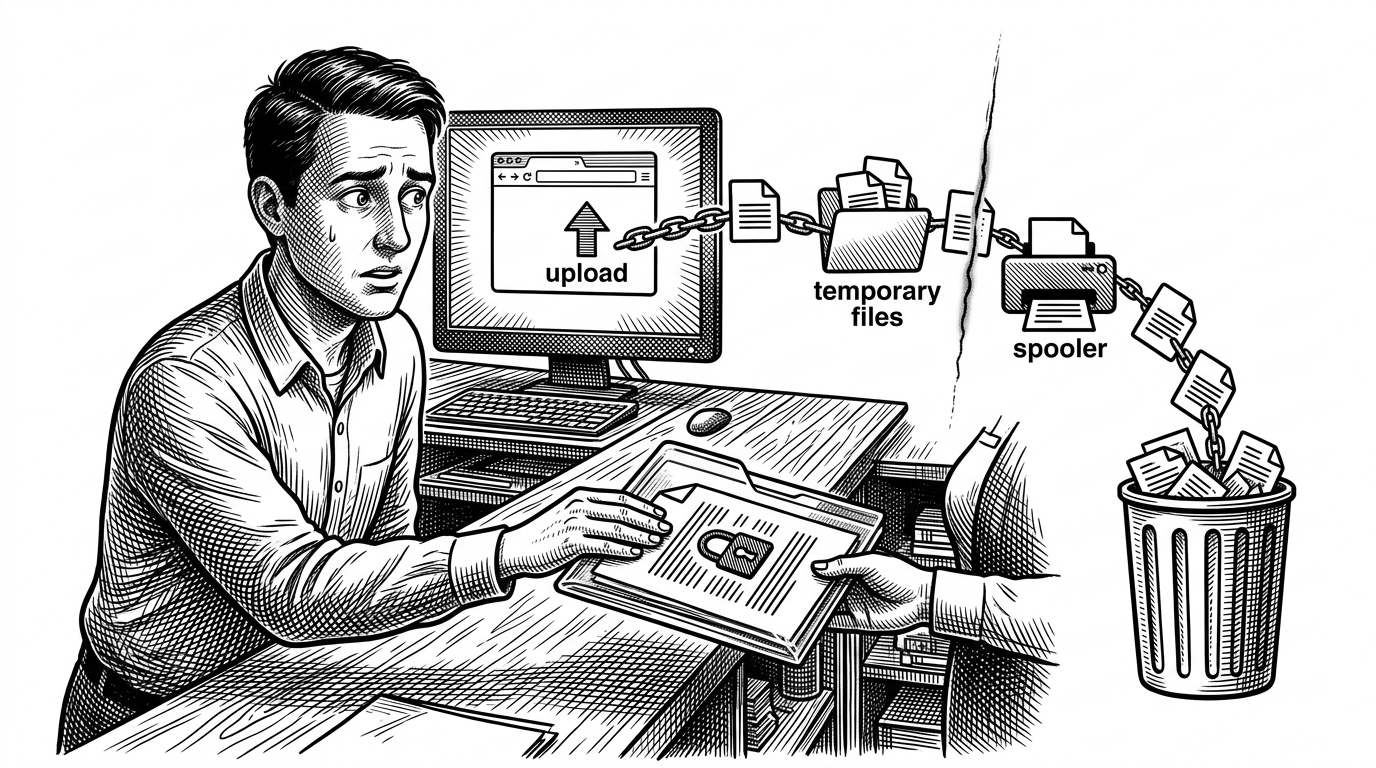
- SafePrint treats printing as a security problem, not a convenience feature.
- Its real innovation is a hostile-environment trust model that keeps the browser, the shop PC, and the file system under constant suspicion.
- The system's value comes from shortening the document's visibility window at every step, from upload to spooler to deletion.
- The design is clever, but its guarantees still depend on process survival and cleanup discipline.
The threat model is ordinary and brutal. Someone walks into a print shop with a sensitive PDF, uses a shared computer, and leaves with paper in hand while the digital copy lingers in downloads, browser cache, temp folders, or a printer dialog that offers a quiet Save as PDF escape hatch.
SafePrint is interesting because it starts from a different assumption: the browser and the local workstation are both untrusted. That means the app is not trying to make printing elegant. It is trying to make the document hard to retain, hard to copy, and hard to forget.
The Print Shop Is the Threat
The repository is built for a familiar privacy leak. People print IDs, bank forms, and other sensitive documents at public shops, then rely on strangers, shared PCs, and good intentions to keep the file from lingering. SafePrint's core move is to treat that entire setup as hostile terrain.
That is why the project reads less like a print app and more like a containment system. It assumes every surface in the path can betray the user, so it tries to shrink the document's lifetime at every turn.
SafePrint’s Core Trick: The Browser Never Gets to Relax
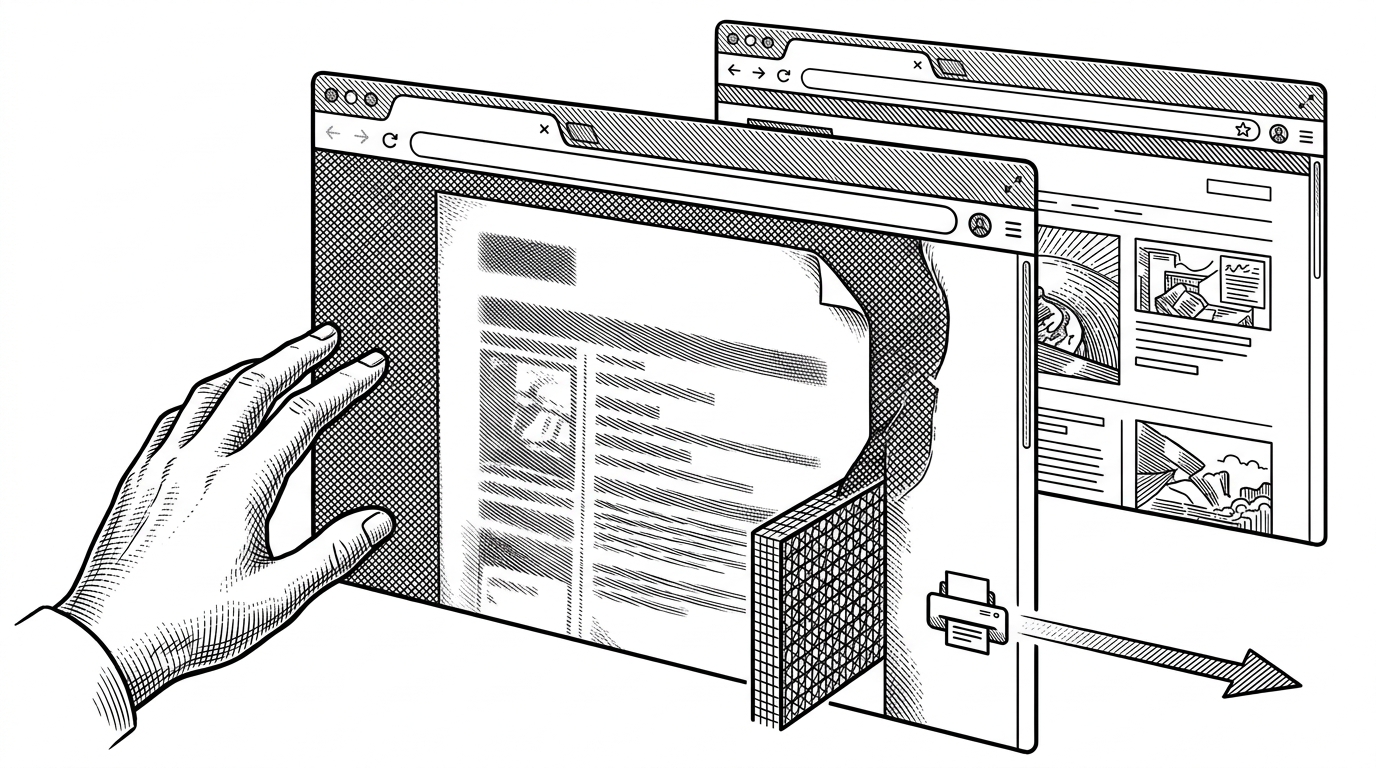
The frontend is not just presentation. It acts like a security layer. In `src/pages/PrintPage.jsx`, the app listens for focus loss, screenshot attempts, context menu use, and copy or cut events, then blanks the document when the window is no longer in a controlled state.
The idea is simple but strong. The file should only be visible when the app thinks the operator is actively printing, not browsing, tabbing away, or hunting for a way to duplicate the file.
From Upload to Auto-Delete
The backend lifecycle in `api/routes/fileRoutes.js` is built around ephemerality. Uploads are handled in memory with `multer.memoryStorage()`, then encrypted with AES-256-CBC, assigned a short session code, and scheduled for deletion after a hard timeout.
That timeout matters as much as the encryption. The system is designed to decay on its own, even if the user never finishes the job. In other words, the file is not stored so much as borrowed.
router.post('/upload', upload.array('files'), async (req, res) => {
  const sessionCode = crypto.randomBytes(2).toString('hex');
  const encryptedFile = encryptFile(req.files[0].buffer);

  saveToTempStorage(encryptedFile, sessionCode);

  setTimeout(() => {
    fs.unlinkSync(tempPath);
  }, 10 * 60 * 1000);
});
That code path is the article's first clue that SafePrint is not a normal web workflow. The browser hands off quickly, the file is encrypted immediately, and the cleanup timer is part of the design, not an afterthought.
Why It Bypasses the Browser Print Dialog
The most revealing design choice is operational, not visual. SafePrint avoids the browser's print dialog so the operator cannot quietly choose a digital output path like Save as PDF. Instead, the app sends the job into a local Node helper and then into the OS print spooler with `pdf-to-printer`.
That changes the trust model completely. A normal browser flow gives the user a broad set of output choices. SafePrint narrows the options so the file is funneled toward physical output and away from convenient digital retention.
| Normal browser print flow | SafePrint flow |
|---|---|
| Browser dialog offers Save as PDF and other retention paths | Direct OS spooling reduces the chance of digital copies |
| File often lives in browser, downloads, and temp storage | File is treated as temporary and time-bounded |
| Visibility stays broad until the user decides otherwise | Document blanks itself when focus is lost |
| Convenience is the default | Privacy hardening is the default |
What the Backend Does With the File
The hardware path in `api/routes/hardwarePrintRoutes.js` bridges the web app and the printer. Encrypted files live in MongoDB GridFS, jobs are validated with a hashed token, and the selected file is pulled into memory, decrypted into a temp path, printed, and unlinked right away.
That sequence is the whole promise in miniature. The backend does not try to preserve the file. It tries to move it through the system fast enough that it exists only long enough to become paper.
const buffer = await downloadFromGridFS(fileId);
const decryptedPath = path.join(os.tmpdir(), `${fileId}.pdf`);
fs.writeFileSync(decryptedPath, decrypt(buffer));
await ptp.print(decryptedPath);
fs.unlinkSync(decryptedPath);
There is a practical elegance in that handoff. The browser never becomes the place where the file settles, and the printer spooler is treated as the final stop before deletion.
The Limitations Are Part of the Story
SafePrint is a strong concept, but the repo still reads like an early-stage prototype. The code admits some optimistic assumptions, including plaintext credentials in `shopRoutes.js` for MVP use and cleanup logic that depends on processes staying alive long enough to finish the job.
That does not weaken the idea. It clarifies the gap between a clever security posture and a hardened production system. The architecture is pointed in the right direction, but the guarantees are only as strong as the cleanup path and the host machine.
| What SafePrint gets right | What still needs hardening |
|---|---|
| Ephemeral storage and timed deletion | Cleanup can fail if the process crashes |
| Focus-loss blanking and anti-screenshot behavior | Client-side controls do not equal cryptographic guarantees |
| Direct print spooling instead of browser dialogs | The OS print stack can still have its own behavior and caches |
| A clear hostile-environment model | Prototype-era security shortcuts in supporting routes |
What SafePrint Is Really Optimizing For
SafePrint is not trying to make printing beautiful. It is trying to make accidental retention of sensitive documents harder while preserving the familiar workflow of a neighborhood print shop.
That makes it useful in a way most print software is not. It recognizes that privacy failures often happen not through sophisticated attacks, but through convenience, delay, and leftovers.
The project's real insight is blunt: if a document must pass through an untrusted browser, a shared workstation, and a physical spooler, then every millisecond of exposure matters.