zero-native: the manifest that decides what your web app is allowed to do
Vercel Labs’ Zig framework treats `app.zon` as both security policy and build-time control plane, letting web UIs run inside a native shell without inheriting Electron’s usual bulk.
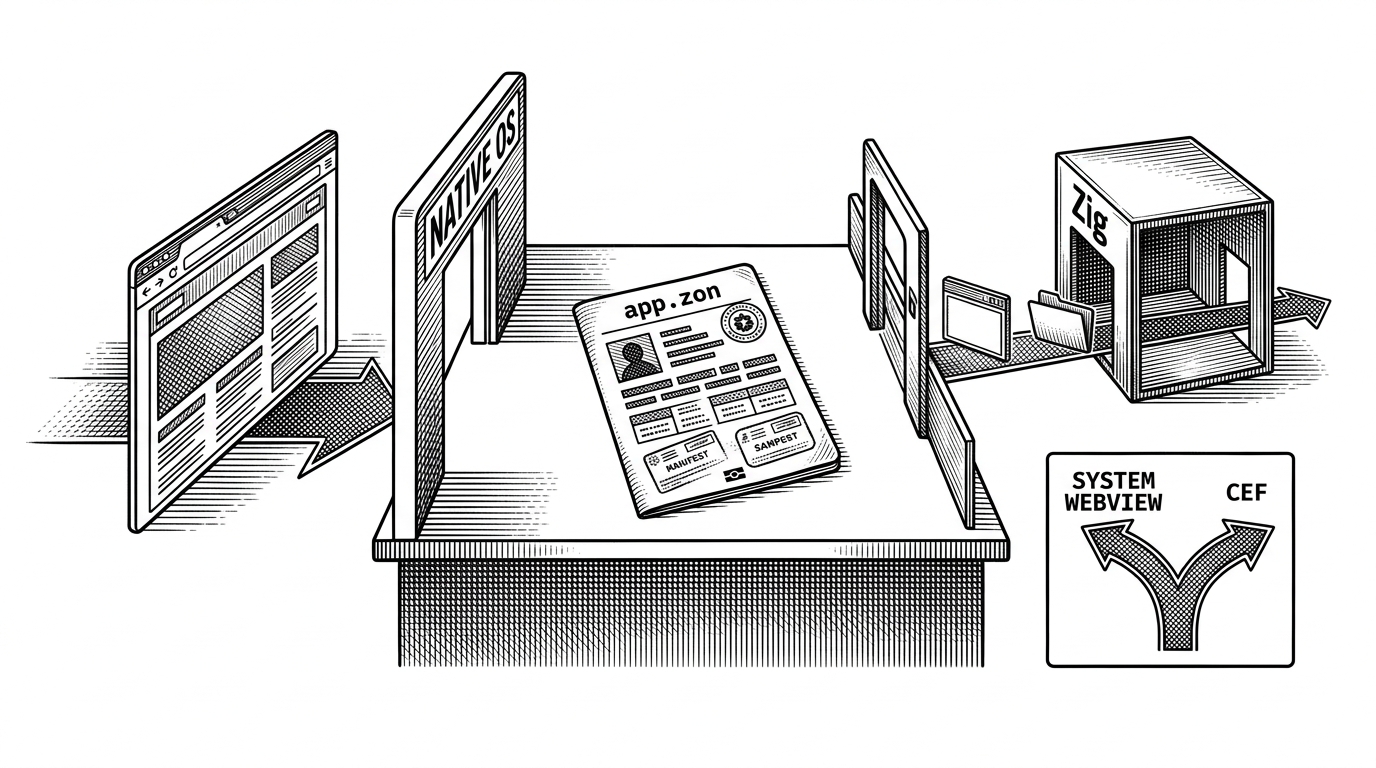
- zero-native makes the manifest the product by using `app.zon` to define both permissions and the engine the app ships with.
- The runtime treats the WebView as untrusted by default, so every bridge call must clear explicit origin and permission checks before it reaches the OS.
- Zig is the glue layer because it keeps the shell thin while still calling platform APIs and C libraries directly.
- The framework’s real tradeoff is not size versus power, but explicit capability boundaries versus the looser assumptions common in browser wrappers.
The manifest is the product
Most web-to-native frameworks hide the interesting part behind scaffolding. zero-native puts it in the open: `app.zon` is the place where the app declares what it is allowed to touch, which window it should open, and which engine it should use. That makes the manifest feel less like metadata and more like policy.
That matters because the security model becomes visible. Instead of assuming the frontend can do anything the bridge exposes, zero-native starts with the opposite assumption: the WebView is untrusted, and only explicitly granted capabilities can cross into the native layer.
A web UI gets a native passport
The bridge is simple on the surface and strict underneath. The frontend calls `window.zero.invoke(command, payload)`, which looks a lot like a JSON-RPC message: a named command, a payload, and an origin. The runtime then decides whether that message is allowed to travel any farther.
// Frontend
await window.zero.invoke("zero-native.window.create", {
  title: "Notes",
  width: 900,
  height: 700
});

await window.zero.invoke("zero-native.file.open", {
  filter: [".md", ".txt"]
});

await window.zero.invoke("zero-native.ping", {
  message: "hello"
});
The useful part is not that the bridge exists. It is that every message is mediated by the Zig runtime, which checks origin and manifest permissions before routing the command to a handler. If the manifest did not grant the `window` capability, the call stops there.
Zig is the glue, not the headline
Zig is the right kind of boring here. It gives the project direct C interop, a small runtime surface, and a build system that can orchestrate native code and frontend assets without layering on a second ecosystem just to speak to the OS.
Zig calls C directly, which keeps platform SDKs, native libraries, codecs, and local system integrations within reach when the WebView layer needs to do real native work.
That is why the shell can stay thin. The framework does not need a heavy compatibility layer to get to Cocoa, GTK, or Win32. It can reach those APIs directly, which is a big part of why the codebase feels like an application runtime instead of a desktop product welded onto a web toolchain.

One framework, two rendering strategies
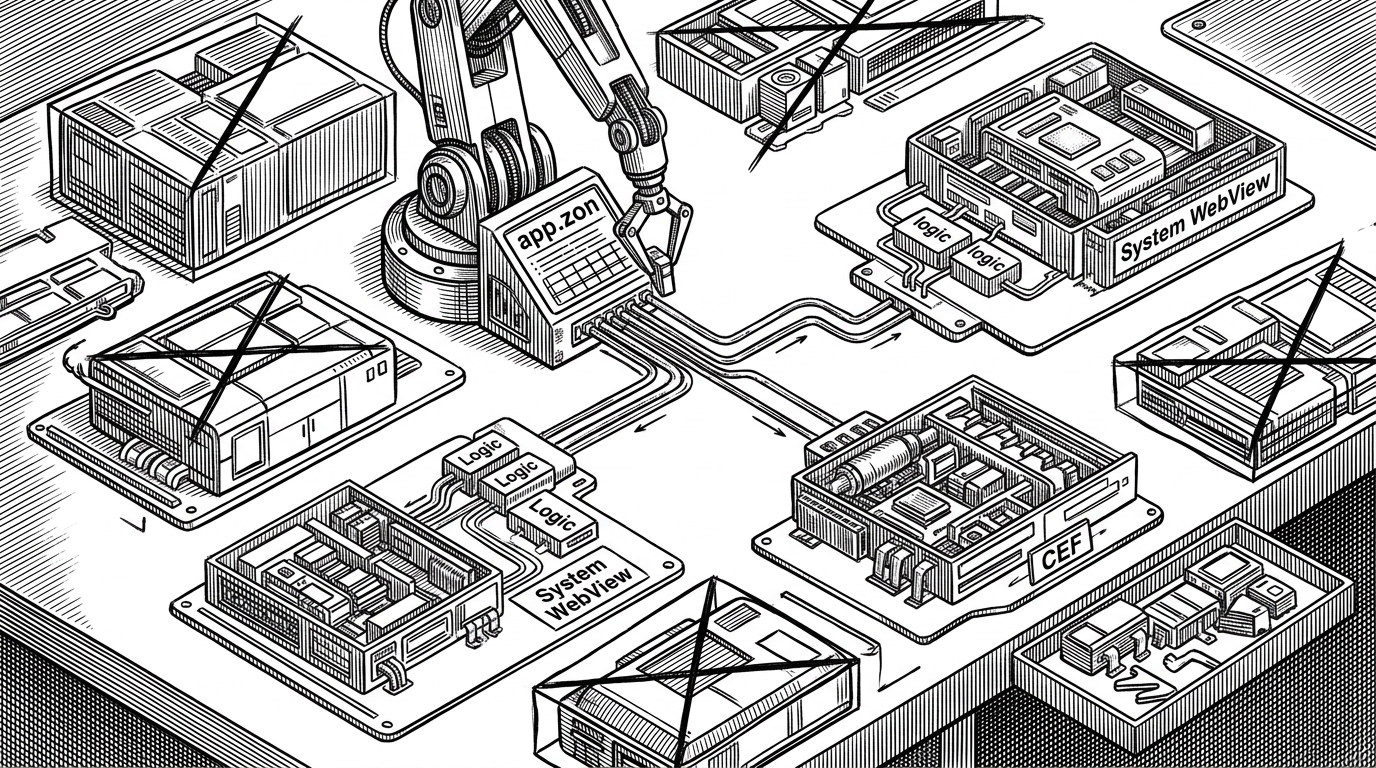
zero-native is pragmatic about rendering. It can use the system WebView for the smallest possible footprint, or it can bundle Chromium through CEF when consistency matters more than size. That is a sharper tradeoff than many wrappers offer, because it lets the app decide what kind of shipping problem it has.
| Dimension | zero-native | Tauri | Electron |
|---|---|---|---|
| Native core language | Zig | Rust | JavaScript / Node.js |
| Web engine | System WebView or CEF | System WebView | Bundled Chromium |
| Footprint goal | Small by default, optional consistency | Small | Consistency first, bulk accepted |
| Bridge posture | Explicit capabilities and origin checks | Permissioned bridge | Broad runtime access with larger surface area |
| Best fit | Teams that want thin shells and explicit policy | Teams that want a light wrapper | Teams that prioritize maturity and Chromium parity |
How the build decides what ships
The build is part of the architecture, not a separate concern. `build.zig` reads the manifest at compile time, then uses that information to choose the right engine path and trim away code that is never needed in that configuration.
const manifest = web_engine_tool.readManifestConfig(b, .{
    .path = "app.zon",
});

if (manifest.web_engine == .system) {
    // Compile the system WebView path only.
} else {
    // Include CEF packaging and runtime bits.
}
That is the subtle win. The manifest is not a note for humans. It is a control plane that reaches all the way into the shipped artifact, which is why the framework feels unusually explicit for a web-first tool.
Why Vercel is here at all
Vercel’s interest makes sense if you read zero-native as a continuation of the web app lifecycle. A team already shipping React or Next.js does not always want to start over in Swift, C#, or Rust just to get a desktop shell. They want a path from web frontend to native distribution without swallowing Electron’s entire cost model.
zero-native is a Zig desktop app shell for modern web frontends. Use the platform WebView when you want the smallest possible app, or bundle Chromium through CEF when rendering consistency matters.
That positioning also explains the project’s tone. It is not trying to replace every native app framework. It is trying to give web teams a smaller, more legible shell with a security model they can actually inspect.
zero-native vs Electron and Tauri
The comparison is cleaner than the marketing noise around it. Electron buys universality with Chromium and Node.js bundled into every app. Tauri trims that footprint by leaning on the system WebView and Rust. zero-native tries to keep Tauri’s lightness while adding a second rendering path and a Zig core.
| Project | Core language | Renderer strategy | Main tradeoff |
|---|---|---|---|
| zero-native | Zig | System WebView or CEF | Explicit policy and flexible engine choice |
| Tauri | Rust | System WebView | Small footprint with a Rust-based core |
| Electron | JavaScript / Node.js | Bundled Chromium | Maximum consistency at the cost of size |
The important distinction is not who is fastest or smallest in every case. It is which assumptions are baked into the framework. Electron assumes you will carry Chromium everywhere. Tauri assumes the system WebView is enough. zero-native says that should be a manifest decision.
The bet
The bet behind zero-native is that desktop tooling will keep moving toward explicit boundaries. Not just smaller binaries, but clearer contracts between UI code, native capabilities, and the thing that actually gets shipped. That is a stronger argument than “Electron, but smaller.”
If that idea sticks, `app.zon` will be the memorable part. It turns the manifest into the place where policy, packaging, and runtime behavior meet.