ShowGit: GitShow: The URL Swap That Turns GitHub Into a Story
A deep dive into the open-source showroom that reassembles public GitHub data into a cleaner, richer view of profiles and repos, from contributor counts to community health and AI-ready metadata.
- GitShow matters because it turns scattered GitHub signals into one page that reads like a story instead of a pile of tabs.
- The interface is almost aggressively simple, but the real value comes from reconstructing data GitHub does not surface cleanly, especially contributor totals.
- It sits between GitHub's source-of-truth view and a hand-built portfolio, which makes it useful for scanning, sharing, and search.
- The broader pattern is bigger than this project: the best developer tools often win by translating existing data into clearer meaning.
Most developer pages are storage, not narration. GitShow treats a repo like a story you can scan in one pass. The idea is not to replace GitHub. It is to reorganize GitHub's public signals so the shape of the project is obvious immediately.
I wanted a way to quickly see what's going on in an open source project without clicking through 10 GitHub tabs. Contributors, languages, commit activity, community health, recent PRs - all scattered across different pages.
The one-character interface
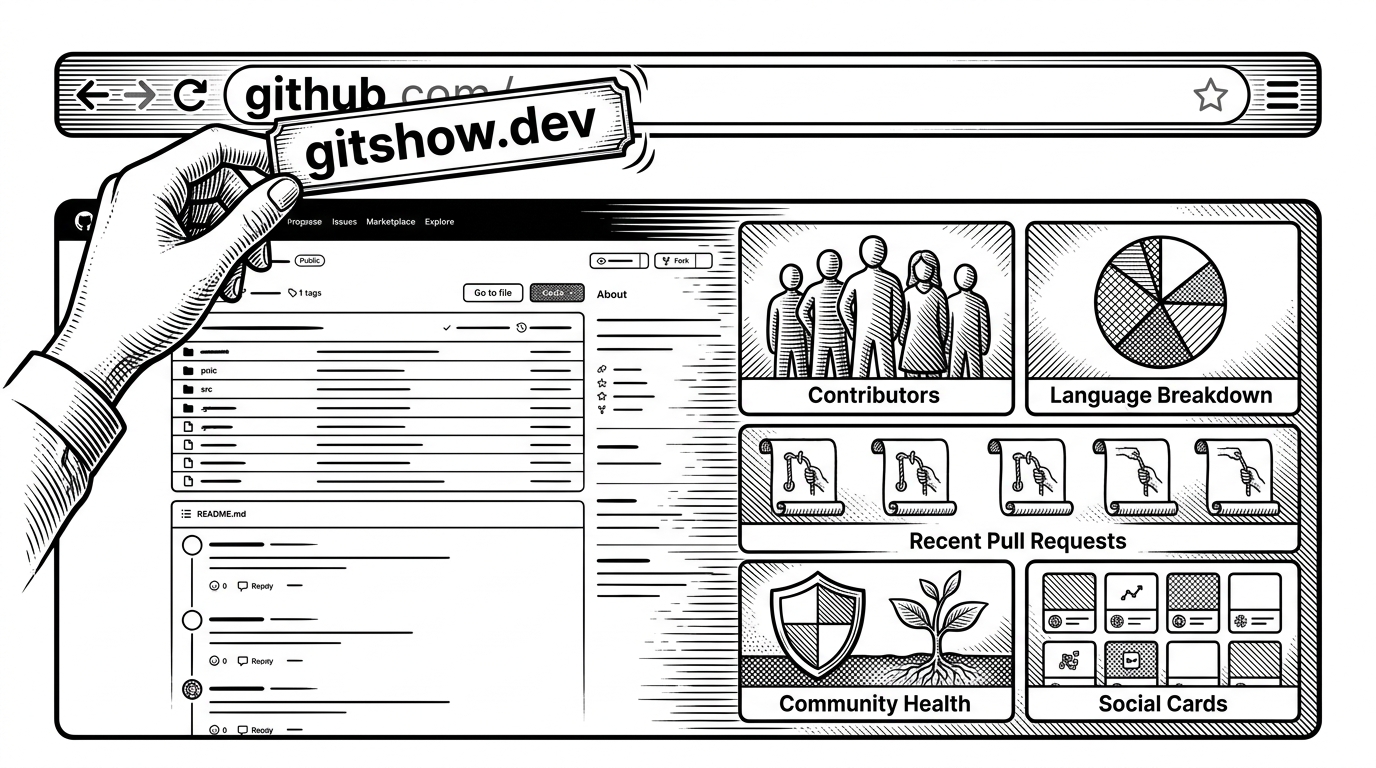
The product's sharpest move is a URL swap. Replace github.com with gitshow.dev and the page feels like the same object, just edited for comprehension. That makes the experience low-friction, because there is no signup, no import flow, and no new mental model to learn.
https://github.com/ofershap/gitshow
https://gitshow.dev/ofershap/gitshow
The trick GitHub does not show you
GitHub's contributor view stops being helpful once a project gets busy. GitShow works around that by reading the paginated Link header and reconstructing the real total instead of freezing the story at the first page. It is a small implementation detail with a big editorial payoff: the metric becomes honest.
const res = await fetch(`https://api.github.com/repos/${owner}/${repo}/contributors?per_page=100`);
const link = res.headers.get('link') || '';
const lastPage = Number(parseLastPage(link) || 1);
const totalContributors = (lastPage - 1) * 100 + items.length;
How a repo becomes a story page
The page is doing editorial work, not just data work. It collects contributors, language breakdowns, commit activity, community health, recent pull requests, npm downloads, social cards, and structured metadata into one reading path. That is why the product feels less like a dashboard and more like a profile editor that already knows what matters.
Why this matters for builders
For maintainers, GitShow compresses the status check into one glance. For recruiters and collaborators, it shortens the time from curiosity to context. For search engines and AI crawlers, it creates a cleaner surface than a pile of loosely connected GitHub pages. The deeper idea is that legibility is product value, not decoration.
| Dimension | GitHub | GitShow | Hand-built portfolio |
|---|---|---|---|
| Setup | Open the profile or repo and drill through tabs. | Replace the URL and land on a showroom page. | Design, code, and maintain a separate site. |
| Signal density | Good for raw facts, weak for synthesis. | Strong. It consolidates contributors, languages, PRs, health, and social metadata. | Strong only if the author keeps it current. |
| Trust model | First-party source of truth. | Second-order view built from public GitHub data. | Whatever the author chooses to publish. |
| Best use | Auditing the canonical repo. | Scanning a project fast. | A highly customized personal brand. |
The bigger idea
GitShow does not try to outrun GitHub. It sits on top of GitHub's public data and edits the presentation layer until the project makes sense at a glance. That is a useful pattern to remember: the best developer tools often do not add more information. They make the information you already have readable.