tab-out: Tab Out: The Local-First Mission Control That Turns Tab Cleanup Into a Browser System
A Chrome extension, a local server, and a SQLite state machine work together to turn the New Tab page into a control surface for open tabs, tab groups, and instant cleanup.
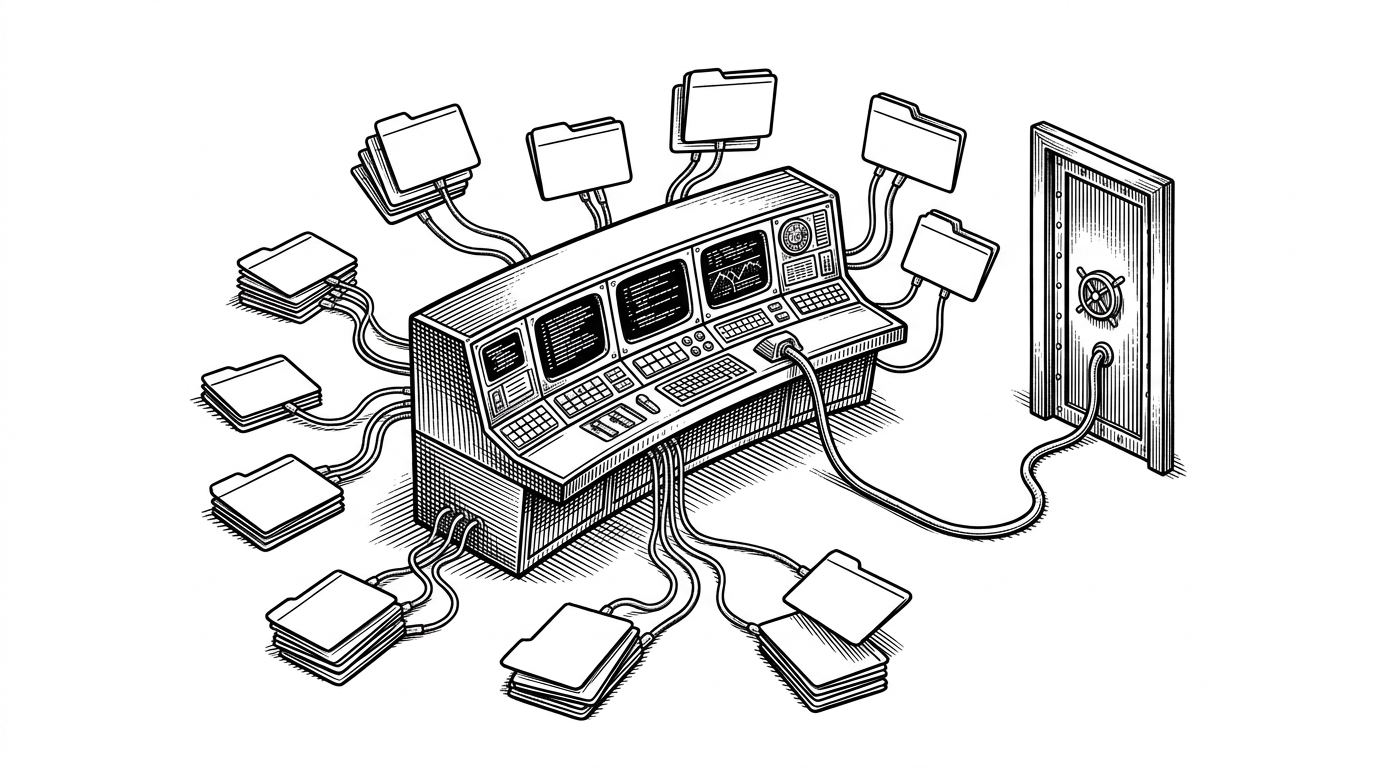
- Tab Out is less a tab organizer than a browser control surface that makes cleanup visible, repeatable, and immediate.
- Its most interesting move is architectural: a New Tab dashboard talks through a privileged extension bridge to do things a webpage cannot do on its own.
- The local SQLite-backed state machine keeps the product fast, private, and simple enough to run without cloud infrastructure.
- Compared with OneTab, Toby, or Workona, Tab Out is built for live tab hygiene, not archiving or workspace management.
A New Tab Page That Can Actually Do Something
Most tab tools wait for you to open them. Tab Out starts from the opposite assumption: the browser’s New Tab page is where the mess is most visible, so that is where the cleanup should happen. The result is not a list tucked away in a sidebar. It is a control room that keeps the current tab set in view and makes action feel one click away.
That difference matters. A passive dashboard helps you remember your tabs. A control surface changes what you do next. Tab Out’s design is built around the idea that browser hygiene works better when the browser keeps reminding you to act.
The Privileged Bridge Is the Trick
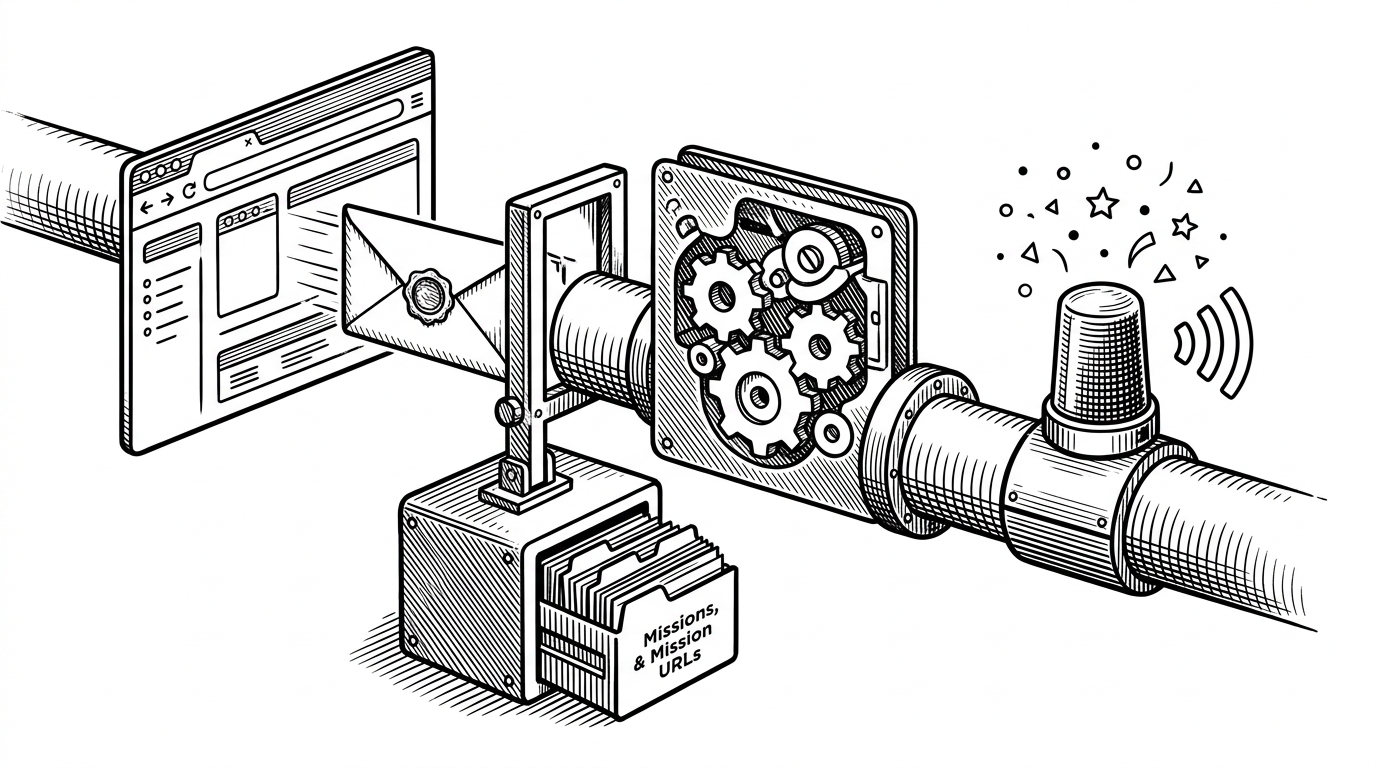
The dashboard alone cannot close tabs. That is the browser security boundary doing its job. Tab Out gets around the limitation by splitting responsibilities: the dashboard renders the interface, while the extension listens for messages and executes privileged tab actions through Chrome APIs.
window.addEventListener('message', (event) => {
  if (event.origin !== 'http://localhost:3456') return;
  if (event.data?.type === 'CLOSE_GROUP') {
    chrome.tabs.query({ currentWindow: true }, (tabs) => {
      const ids = tabs
        .filter(tab => shouldClose(tab, event.data.group))
        .map(tab => tab.id);
      chrome.tabs.remove(ids);
    });
  }
});
That is the real shape of the product. A webpage asks. The extension checks. The browser acts. The pattern is simple, but it is also the reason Tab Out can stay lightweight instead of pretending the New Tab page has powers it does not have.
Why It Feels Good to Use
Tab Out does not rely on utility alone. It layers in small rewards: swoosh sounds, confetti, badge color changes, and a stress meter that turns tab overload into something you can see at a glance. Those details are not decoration. They are part of the behavior change.
Keep tabs on your tabs. Turn your 'New tabs' page into a mission control, so you can close them easily. Built for people who open too many tabs and never close them.
The feedback loop gives each cleanup action a little closure. You do not just remove clutter. You get proof that the clutter is shrinking. That is a small product choice with a big effect on habit formation.
The Local State Machine Behind the Dashboard
Under the hood, Tab Out is deliberately boring in the best way. It uses Node.js, Express, and SQLite to keep state local, durable, and easy to reason about. The repo’s structure splits the system into an extension, a server, and a dashboard, which keeps browser privilege, persistence, and presentation from collapsing into one fragile layer.
The database is the quiet enabler. Missions and mission URLs are stored locally, archived history is flattened into JSON strings when a relational model would be overkill, and WAL mode lets reads and writes coexist without making the UI feel locked up. That is a practical choice, not a flashy one, and it is exactly why the system stays responsive.
| Table | Job | Shape of the data | Why it matters |
|---|---|---|---|
| missions | Active cleanup groups | Relational rows plus linked URLs | Keeps the current session editable and inspectable |
| mission_urls | Per-tab entries | Normalized URL records | Preserves the exact tabs a mission can act on |
| archives | Historical snapshots | JSON string payloads | Makes old missions easy to display without heavier joins |
This is the kind of design that rewards restraint. Tab Out does not try to model every possible tab lifecycle. It keeps the hot path simple, then stores enough history to make the product feel continuous instead of disposable.
Why Local-First Is the Product
Local-first is not just a deployment preference here. It is the trust model. Tab history stays on the machine, the browser remains the boundary, and the user never has to hand a cloud service their browsing life just to get a cleaner tab strip.
| Tool | Primary job | Data model | User experience | Where Tab Out differs |
|---|---|---|---|---|
| OneTab | Collapse open tabs into a list | Single-page archive | Fast, minimal, storage-first | Tab Out keeps live tabs visible and actionable |
| Toby | Save collections and sessions | Workspace collections | Organized, session-oriented | Tab Out focuses on immediate cleanup, not session libraries |
| Workona | Project workspaces with sync | Cloud-backed workspace model | Heavyweight, team-friendly | Tab Out stays local and browser-native |
| Vertical tab tools | Rearrange browser chrome | Layout change | Better scanning, same tab pile | Tab Out turns New Tab into a control surface |
| Tabli / TooManyTabs | Quick tab lists | Lightweight tab inventory | Simple, utilitarian | Tab Out adds bridge logic and feedback loops |
There is one exception worth noting: the update checker reaches out to GitHub. That does not undermine the local-first core, but it does show the tension every practical desktop-adjacent tool has to manage. Pure locality is a promise. Shipping software still needs maintenance.
The Agent-First README Is a Signal
One of the sharpest details in the repo is also one of the smallest: the README speaks to coding agents as if they are part of the install path. That is not a gimmick. It reflects how open-source tools are now distributed to humans and assistants at the same time.
For a project this small, that matters. It lowers the friction for adoption, especially among developers who would rather ask an agent to install and configure a tool than read through a long setup doc. The audience is no longer just a person with a browser. It is also the software they use to operate software.
What Tab Out Is Up Against
The tab management category is crowded, but the strategies differ. Some tools archive. Some organize. Some reshape the browser chrome. Tab Out wants something narrower and more immediate: a permanent New Tab dashboard that makes live tab cleanup feel unavoidable in the best way.
That is why it reads as more than a utility. It is a point of view about where browser attention should live. Not in a hidden workspace. Not in a cloud account. Right there, in the browser’s most frequent blank page.
Tab Out is small in surface area and larger in implication. It shows how far you can get with standard web tech when you treat the browser as an operating environment, not just a window. The project’s real achievement is that it never cheats the boundary it crosses. It respects browser security, then builds a better ritual on top of it.
Comparison at a glance
| Approach | Best for | Weak spot | Tab Out’s edge |
|---|---|---|---|
| Archive lists | Getting tabs out of sight | Loss of live context | Keeps cleanup in the New Tab flow |
| Workspace managers | Project organization | Heavier setup and cloud dependence | Stays local and immediate |
| Vertical tab layouts | Scanning lots of tabs | Still passive by default | Adds action, feedback, and state |
| Simple tab lists | Quick inspection | Low behavioral pull | Makes cleanup feel like a system |