UnityOrbisBridge: The Side Door From Unity Into PlayStation Homebrew
A deep dive into the bridge that lets C# scripts cross into native PlayStation code, navigate jailbreak paths, and reach hardware and system functions that Unity never meant to expose.

An open-source OOSDK integration for use in PS4 Unity homebrew; for accessing various SDK functions in your projects.
- UnityOrbisBridge matters because it inverts Unity's job, turning a high-level C# surface into a doorway to native PlayStation control.
- Its architecture keeps the managed side simple while pushing console-specific risk into a native PRX plugin and platform-aware routing logic.
- The same API hides different privilege routes on PS4 and PS5, so the bridge is really a decision layer for jailbreak-aware access.
- Its biggest value is infrastructural, because it gives Unity-based homebrew a seam that downstream projects can build on.
Unity usually exists to hide hardware complexity. UnityOrbisBridge does the opposite. It uses the ordinary feel of C# scripting to reach temperature sensors, fan controls, package installs, and filesystem access on locked-down PlayStation systems.
Unity is supposed to hide the hardware
That is the first surprise here. The repo does not try to replace Unity, and it does not try to teach PlayStation homebrew from scratch. It makes a familiar engine act like a front end for console-native capability.
The practical payoff is plain. A Unity project can ask for CPU and SOC temperatures, tune fan limits, install packages, and break out of the sandbox without abandoning the C# workflow developers already know.
UOBWrapper.BreakFromSandbox();
int cpu = UOBWrapper.GetCPUTemperature();
int soc = UOBWrapper.GetSOCTemperature();
UOBWrapper.SetTemperatureLimit(70);
UOBWrapper.InstallWebPackage("https://example.com/app.pkg");
The bridge has three layers, and each one matters
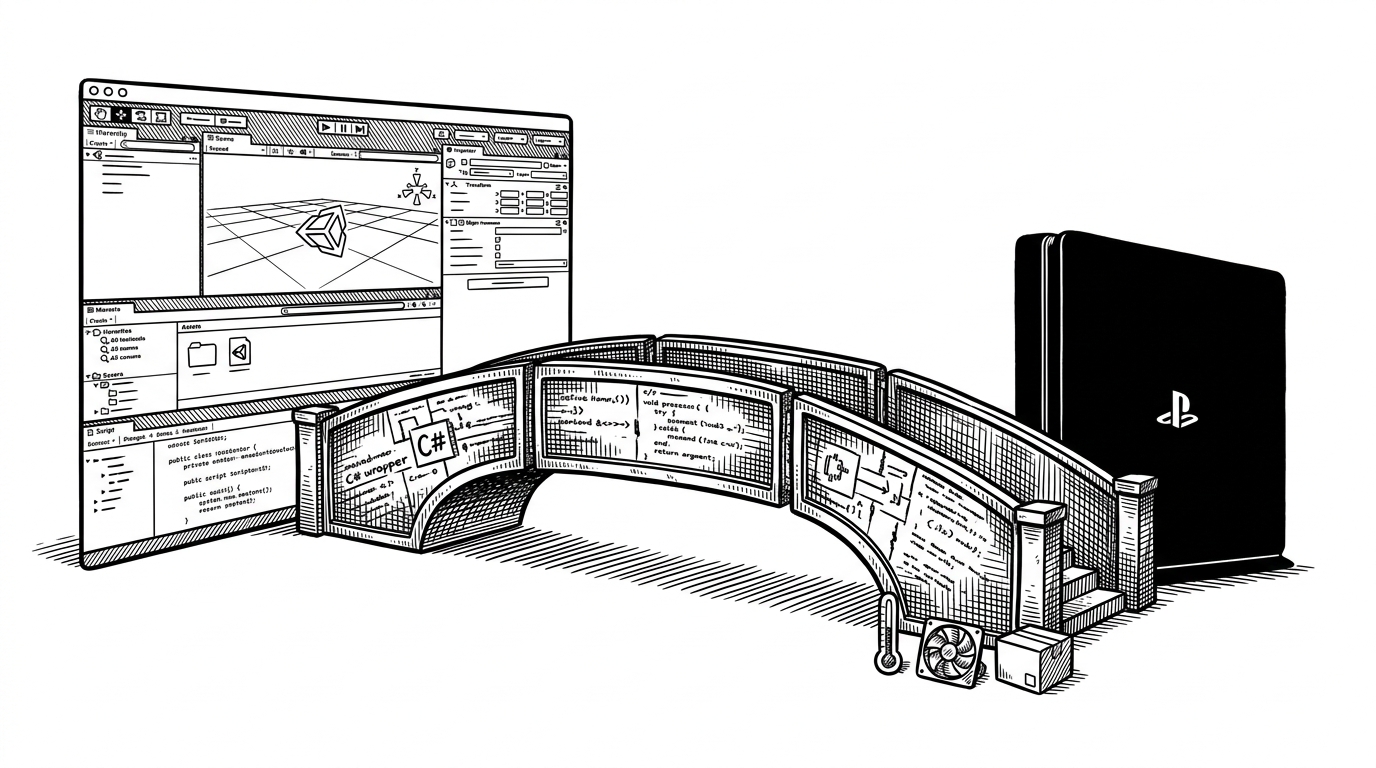
The architecture is deliberately narrow. `source/wrapper` gives developers a friendly static facade in `UOBWrapper.cs`. `source/Unity-API` is the marshaling layer that maps managed calls into native entry points. `source/plugin` is the PRX, where the console-specific work actually happens.
That separation is the point. Unity sees a clean API. The native layer sees a FreeBSD-based console with jailbreak assumptions, syscalls, and hardware hooks that the game engine would never expose on its own.
What the bridge actually unlocks
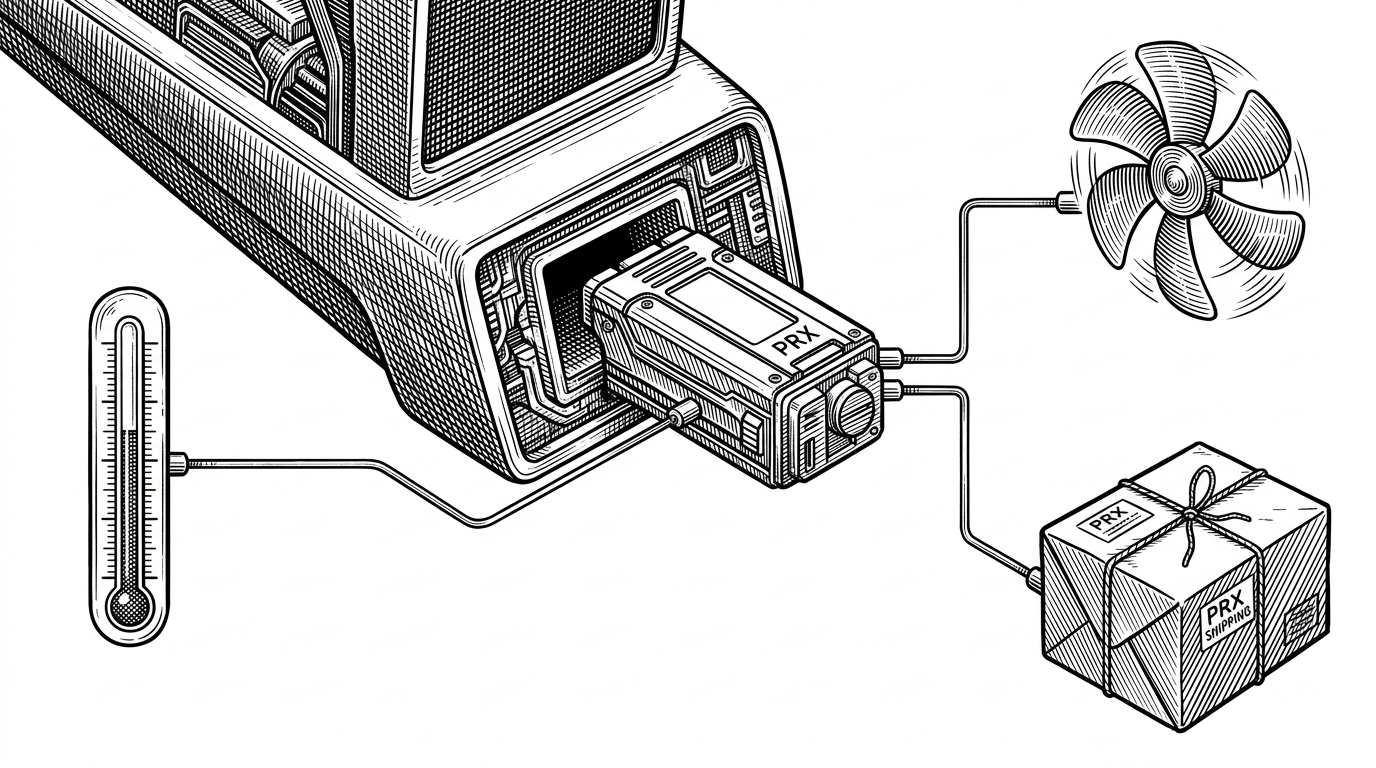
This is where the repo stops being architectural and starts being practical. The wrapper exposes system information, fan control, notification-style behavior, filesystem access, and package installation. In other words, it gives a Unity app just enough reach to behave like a real homebrew tool.
The interesting part is not the menu of functions. It is the fact that they arrive through the same friendly C# surface that a developer would use for input, UI, or gameplay logic. The danger and the convenience travel together.
PS4 and PS5 do not take the same exit
| Layer or project | Primary job | Boundary | Privilege level | What it does not solve |
|---|---|---|---|---|
| Vanilla Unity on console | Build gameplay and UI in managed C# | Managed runtime only | Normal app sandbox | No access to jailbreak, hardware controls, or package tools |
| OpenOrbis PS4 Toolchain | Compile native homebrew against PS4 APIs | C/C++ and kernel-facing headers | Whatever the target SDK allows | Does not give Unity a ready-made C# bridge |
| ps4-libjbc | Perform credential jailbreak and sandbox escape | Native C library | Privilege transition only | Does not provide a Unity wrapper or app-level UX |
| UnityOrbisBridge | Expose native PlayStation functions to Unity scripts | C# to DLL to PRX | Inherits whatever the platform path unlocks | Does not replace the toolchain or jailbreak primitives |
The same high-level API hides two different privilege routes. On PS4, the bridge leans on `libjbc` credential jailbreak logic. On PS5, it follows an etaHEN whitelist-style path. For a Unity developer, the call site stays stable while the escape hatch changes underneath.
Why it matters in the homebrew stack
UnityOrbisBridge is not the foundation. It is the seam. OpenOrbis provides the toolchain, `ps4-libjbc` provides one of the hardest privilege steps, and UOB makes those pieces callable from Unity. That is why it shows up as infrastructure inside larger projects instead of as a flashy standalone product.
That matters for projects like FPKGi, where the bridge is part of the plumbing that lets a Unity application talk to PlayStation services without hand-building every native edge case in the game layer.
The trade-offs are real
This power comes with sharp edges. The native side uses manual memory management, custom heaps for package installs, and direct syscalls when wrappers are not enough. The code is organized, but it is still operating close to the metal, which means platform assumptions matter.
That is the right trade-off for this class of project. If you want a polished Unity app that can also read thermals, tune fans, and cross the sandbox line, you need a bridge that is honest about where the abstraction ends.