Shopping: The E-Commerce Admin That Teaches the Two-Step Upload
A full-stack MERN project that starts with static product data, graduates to MongoDB, and makes image handling, inventory entry, and admin routing easy to understand.
- Shopping is less a storefront demo than a lesson in how real admin tools separate file handling from product metadata.
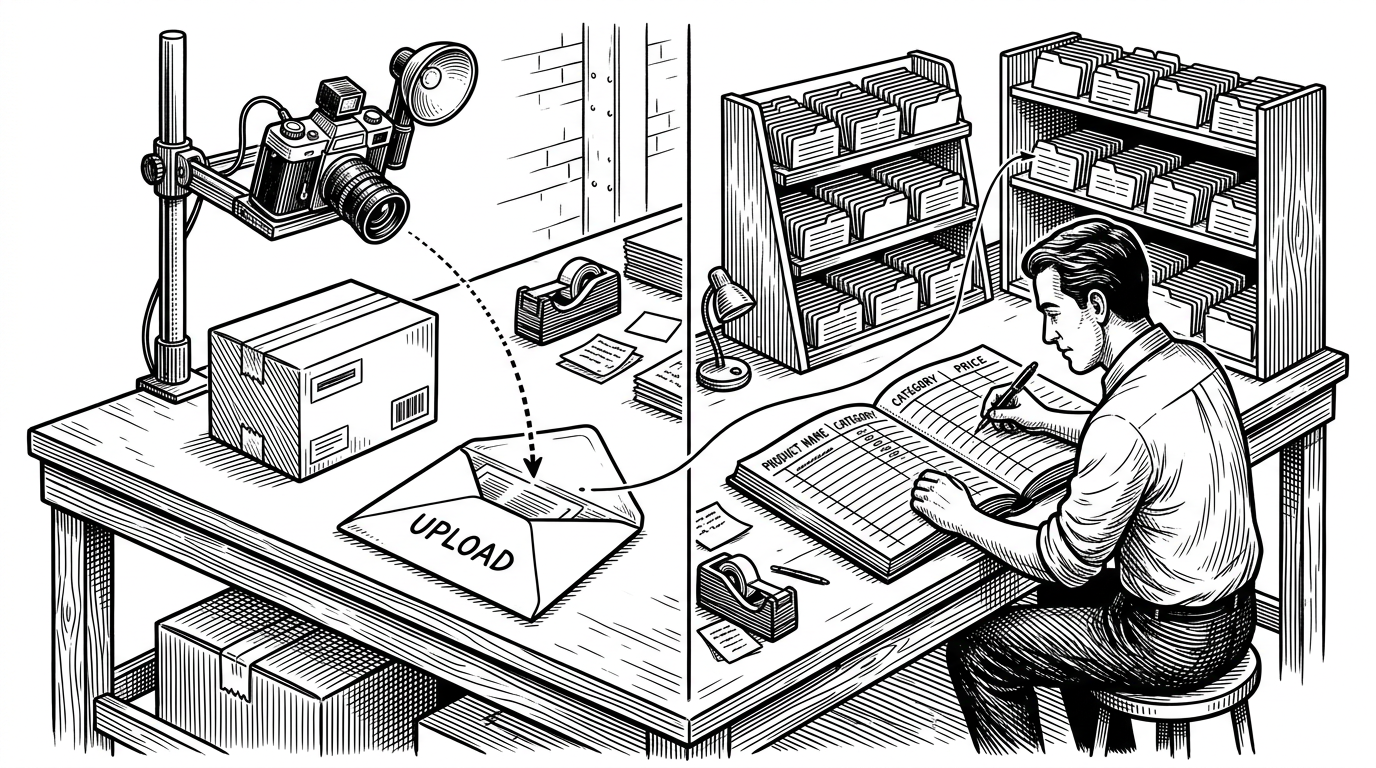
- The repo’s most revealing choice is its two-step upload flow, which makes the backend pipeline easier to reason about and easier to extend.
- Static seed data and a live MongoDB backend coexist here on purpose, showing a project moving from mock inventory to persistence without hiding the transition.
- The code reads like a learning lab, with explicit comments, human-readable product IDs, and a few rough edges that expose early-stage trade-offs.
The clever part is not the shop. It is the upload flow.
Most e-commerce repos lead with browsing, carts, and checkout. This one is more interesting because it starts where inventory actually begins: a product image goes one way, product metadata goes another, and the backend reunites them later. That split is not just tidy. It mirrors how admin systems often work when the file and the record do not belong in the same request.
In practice, that means the browser can preview an image immediately, while the server separately stores the file and the product document. It is a small design choice with a big payoff: the workflow stays understandable even as the app grows from a toy store to a real admin panel.
What this repo is actually building
This is not a customer-facing storefront. It is an admin system built around inventory entry, image handling, and product listing. The repository is split cleanly into /backend for Express, MongoDB, and uploads, and /admin for the React interface that operators use to create and review products.
That matters because the code is optimized for control, not spectacle. The user journey is narrow on purpose. Create a product, upload the image, save the record, list it back out. The whole app is a working lesson in how inventory software earns its keep.
Inside backend/index.js: the server as orchestrator
The backend does four jobs at once. It accepts files with multer.diskStorage, serves uploaded images with express.static, stores product records in MongoDB, and assigns human-readable product IDs with manual increment logic. That last choice is notable: instead of leaning on MongoDB’s _id, the app creates a simple sequence that is easier to inspect in an admin table.
const storage = multer.diskStorage({
  destination: './upload/images',
  filename: (req, file, cb) => {
    return cb(null, `${file.fieldname}_${Date.now()}${path.extname(file.originalname)}`)
  }
})

const upload = multer({ storage: storage })
app.use('/images', express.static('upload/images'))

app.post('/addproduct', upload.single('product'), async (req, res) => {
  let products = await Product.find({})
  let id
  if (products.length > 0) {
    let last_product = products.slice(-1)[0]
    id = last_product.id + 1
  } else {
    id = 1
  }
  // create and save product record here
})
The educational value is in the separation. A file upload endpoint handles bytes. A product endpoint handles meaning. The app treats those as different responsibilities, which is exactly how a durable admin workflow should be designed.
Inside the admin UI: a sub-router built for one job
On the frontend, Admin.jsx works like a local router for admin views, switching between product creation and product listing. That keeps the rest of the app from getting crowded with admin-only concerns. The key form logic lives in AddProduct.jsx, where the UI keeps track of text fields, category selection, and image preview state.
The detail that makes the interface feel alive is URL.createObjectURL(image). Before the upload even lands on the server, the selected image appears in the browser. That preview is a small piece of DX, but it makes the two-step workflow feel immediate instead of fragmented.
The project is half live app, half training ground
The repo still carries traces of its earlier phase. Static asset files like all_product.js sit beside the live backend, which suggests the UI was first built against mock inventory and later wired to persistence. That is not a flaw. It is the actual shape of many internal tools, where seed data helps the team move before the backend is complete.
| Stage | What the app uses | Why it matters |
|---|---|---|
| Static seed workflow | Local product arrays and assets | Fast UI iteration before the API exists |
| Live database workflow | MongoDB product collection | Persistent inventory and real admin actions |
| Single-step submission | One request for everything | Simpler at first, harder to debug later |
| Two-step upload flow | File upload plus metadata save | Clearer separation between bytes and business data |
| MongoDB _id | Opaque database identifier | Good for storage, less friendly in admin tables |
| Incrementing product ID | Human-readable sequence | Easier to scan, reference, and support |
That same early-stage energy shows up in the rough edges. Hardcoded credentials in source code are an obvious security anti-pattern. A broken remove route is another sign that the app is still under construction. Those issues are worth noticing because they tell you exactly what kind of project this is: functional, exploratory, and not yet production-hardened.
Why the tooling choice matters
One small signal says a lot: the admin app points Vite at rolldown-vite. That is not the choice of a team chasing comfort. It is the choice of a developer willing to test newer frontend tooling while the product itself is still taking shape. In other words, the repo is experimental in both architecture and build stack.
| Signal | What it suggests |
|---|---|
| Static JS product data | The UI was built before the backend was finished |
| MongoDB plus manual IDs | The app favors readable admin workflows over database purity |
| rolldown-vite | The developer is comfortable experimenting with emerging tooling |
| Educational comments | The code is meant to teach as well as run |
What this project teaches better than a polished SaaS demo
The best thing about Shopping is that it does not hide the layers. It shows how an admin app grows: mock data first, file upload next, persistence after that, and a UI that keeps each concern visible. That is a more useful lesson than a glossy demo, because it matches how real systems are assembled in practice.
If you build tools for operators, inventory, or content entry, this repo is a reminder that clarity beats theatrics. Separate the upload from the record. Make the preview instant. Keep the storage path obvious. The result is not just cleaner code. It is a workflow people can actually trust.