torlink Turns Torrenting Into a Stateful Terminal Workflow
A React-powered TUI that searches across fragmented sources, remembers torrent metadata, and catches missing files before the queue quietly goes off the rails.

- torlink’s real trick is not search or download alone, but treating torrenting as a stateful workflow that can notice when reality has drifted.
- Its queue does more than track progress, because persisted metadata lets the app recover older torrents and re-verify them without starting over.
- The source registry turns a messy mix of APIs, RSS feeds, and HTML scraping into one terminal path, which is where the product feels most coherent.
- React and Ink make the interface feel like a live application instead of a scrolling script, which matters when state changes mid-stream.
The Torrent Client That Notices When Your Files Vanish
Most torrent tools are good at one thing: moving bytes. torlink is more interesting because it watches for a mismatch between what the queue believes and what the filesystem actually contains. If a torrent that should be seeding suddenly behaves like it needs to download again, torlink treats that as a clue, not a glitch.
That small shift changes the tone of the whole app. It is not a passive progress bar. It is a terminal operator that keeps checking whether the world still matches the record it saved.
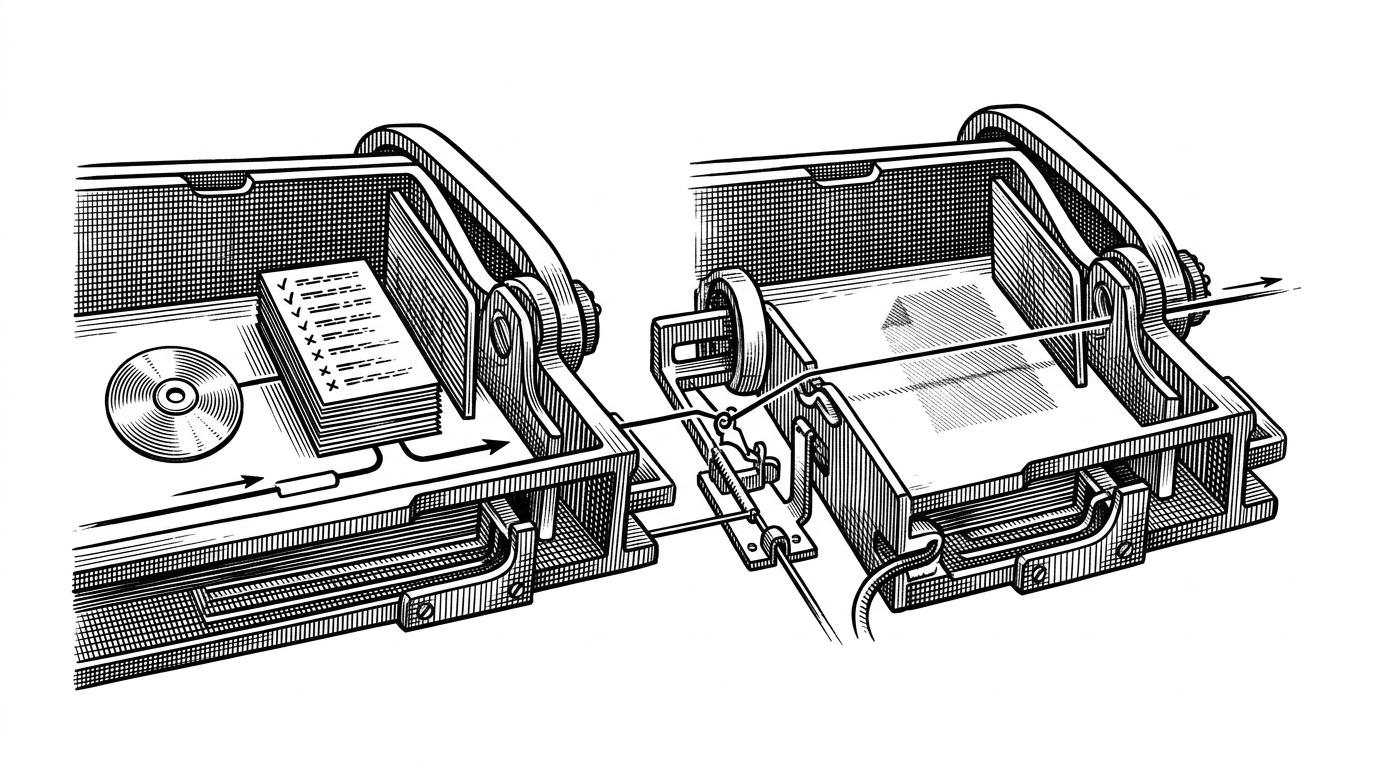
How torlink Keeps Torrent State Honest
Under the hood, torlink is built around a queue and a persistence layer. The downloader wraps WebTorrent, listens for lifecycle events like metadata arrival and completion, and saves torrent metadata to disk so it can reconnect the dots after a restart.
That persistence matters more than it sounds. For rare torrents, re-fetching metadata can be slow or unreliable. Saving the .torrent data means torlink can re-verify local files later instead of pretending every restart is a blank slate.
The important idea is that state is not inferred from progress alone. It is anchored in saved metadata, checked against disk behavior, and updated when the app sees evidence that the torrent no longer matches the local files.
Introducing torlink: A sleek, zero-setup torrent finder and downloader that lives right in your terminal. Written in Python with textual and libtorrent.
One Search Box, Many Dirty Sources
torlink’s search layer is built like a registry. Each source implements the same interface, even when one backend is a JSON API, another is RSS, and another is scraped HTML. The app normalizes those differences before the UI ever sees them.
That matters because torrent discovery is usually the messiest part of the workflow. Instead of forcing the user to remember which source does what, torlink lets the terminal become the front door.
| Tool | Primary purpose | Search built in? | Full-screen TUI? | Download + seed? | Setup burden | torlink’s advantage |
|---|---|---|---|---|---|---|
| rtorrent | Powerful classic torrent client | No | Yes, but dated | Yes | High | More integrated and easier to enter |
| transmission-cli | Lightweight downloader | No | No | Yes | Low | Adds search and a richer terminal flow |
| webtorrent-cli | Node-based torrent runner | No | No | Yes | Low | Offers a more complete terminal UI with source aggregation |
| torrent-search-cli | Search-only helper | Yes | No | No | Low | Adds the missing download and seed path |
The point of the registry is not elegance for its own sake. It is to hide the ugly differences between providers so the user experiences one clean loop: search, inspect, download, seed.
Why React Works in a Terminal
Ink gives torlink a React mental model inside the terminal. That sounds like a novelty until you watch the UI update as search results stream in, progress changes, and queue state shifts without the app falling apart into imperative glue code.
The alternate screen buffer is the finishing touch. It makes torlink feel like a real app that temporarily takes over the terminal, then gives the space back when you quit. No scrollback clutter, no script residue.
// torlink’s terminal UI pattern, simplified
function App() {
  const [query, setQuery] = useState('');
  const [results, setResults] = useState([]);
  const [activeTorrent, setActiveTorrent] = useState(null);

  useEffect(() => {
    if (!query) return;
    searchSources(query).then(setResults);
  }, [query]);

  return (
    <Box flexDirection="column">
      <SearchBar value={query} onChange={setQuery} />
      <ResultsList items={results} onSelect={setActiveTorrent} />
      <QueuePanel torrent={activeTorrent} />
    </Box>
  );
}
The deeper win is ergonomics. Hooks, component state, and streaming updates map cleanly onto a live terminal workflow, which is exactly what a torrent client needs.
The Tradeoff: Convenience vs. Control
torlink sits in a narrow but useful middle ground. It is not trying to out-muscle rtorrent, and it is not trying to be just another downloader. It tries to collapse the gap between discovery and action.
| Tool | Best for | Strength | Weakness |
|---|---|---|---|
| rtorrent | Power users | Deep control and scripting | Steep learning curve and separate search flow |
| transmission-cli | Simple downloads | Small, familiar footprint | No integrated discovery or rich TUI |
| webtorrent-cli | Quick Node-based use | Convenient and lightweight | Not a full-screen terminal workflow |
| torrent-search-cli | Finding torrents | Useful search aggregation | Stops before the download stage |
| torlink | Terminal users who want one path | Search, download, seed, and recovery in one app | Less raw control than the most advanced clients |
That tradeoff is the product. torlink gives up a little of the specialist flexibility that classic tools offer, and buys a lot of coherence in return.
The Design Philosophy Is the Product
The best open-source tools often make their strongest argument by disappearing. torlink does that by cutting setup, reducing context switches, and refusing to let the queue drift silently away from the filesystem.
That is why the app feels more like a managed workflow than a command. It does not just move torrents through a protocol. It keeps a record, checks it, and tells you when the record no longer matches reality.