3DCellForge: The AI-to-3D Studio That Treats Generated Models Like Production Assets
A provider-agnostic workbench that generates, caches, scores, and stages 3D assets with the kind of workflow discipline most image-to-3D tools skip.
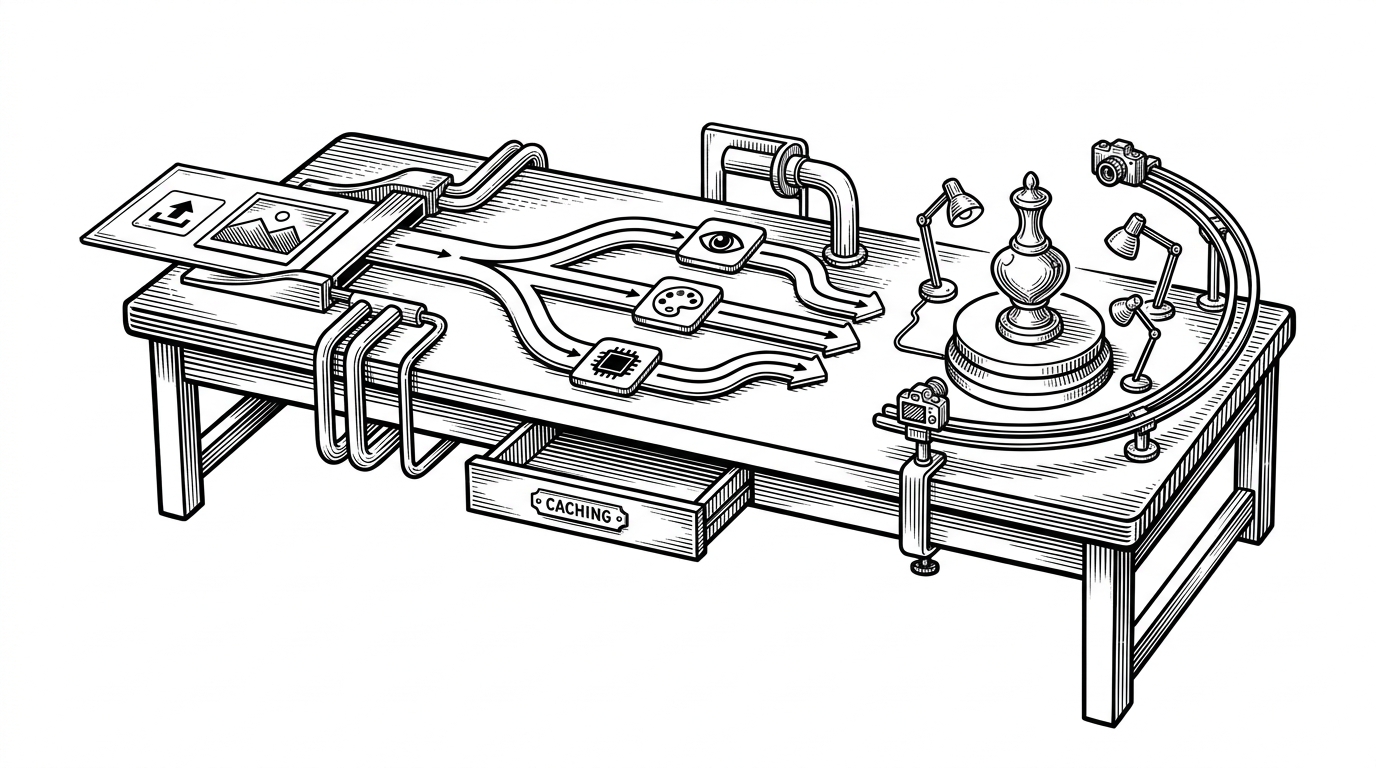
- 3DCellForge’s real contribution is not image-to-3D generation itself, but the workflow layer that makes generated assets durable, inspectable, and demo-ready.
- Its provider-agnostic backend normalizes multiple generation services into one task model, which keeps the frontend simple while preserving backend flexibility.
- Local caching and validation turn remote 3D outputs into assets the app can reopen and proxy reliably instead of treating them as disposable links.
- The viewer is object-aware, so presentation changes with the asset instead of forcing every model through the same generic camera path.
Generated 3D usually falls apart after the API call
A lot of image-to-3D tools stop at the satisfying part: click a button, get a model. That is useful, but it is not a workflow. The hard part starts after generation ends, when the asset has to be reopened, inspected, cached, shared, or shown to someone who was not there for the API call.
That is where 3DCellForge is interesting. It treats generated 3D like a production asset, not a temporary output. The repo is built around making models durable, presentable, and easy to move through a studio-like pipeline.
That framing matters because it changes what the project is. It is not just a generator. It is a system for keeping generative 3D usable after generation.
What 3DCellForge actually is
The codebase splits cleanly into a React frontend and a Node.js backend. The frontend handles the viewer, the inspector, and the presentation layer. The backend brokers requests, normalizes provider behavior, and keeps API keys out of the browser.
Image upload → backend orchestrator → provider task → polling → model download → validation → local cache → viewerThat one line is the project’s backbone. The backend acts as a provider-agnostic gate, which means the app can swap generation services without rewriting the rest of the experience. In practice, that is the difference between a demo and a platform.
The provider layer is the real backbone
Inside server/providers/, each backend gets an adapter. Tripo, Fal, Hunyuan, and Rodin all speak differently, but the app wants one task model. So the server wraps them in a common shape for creation, polling, and result retrieval.
That is a classic integration move, but it is the right one here. The frontend should not care whether a model came from one vendor or another. It should care about progress, status, and the shape of the output.
The result is a system that can absorb backend churn. If one provider changes its API or disappears, the app can keep the rest of the workflow intact.
The clever part is not generation. It is persistence
Most cloud-generated 3D assets are fragile because the original file often lives behind a temporary URL or a provider-specific bucket. 3DCellForge solves that by pulling the result local, validating it, and serving it from its own cache.
That matters more than it sounds like it should. Once a model is cached locally, the app can reopen it fast, proxy it safely, and avoid breaking when a remote link expires.
| Capability | 3DCellForge | Typical image-to-3D tool |
|---|---|---|
| Generation | Yes, through multiple providers | Yes |
| Persistence / local cache | Yes, validated and stored locally | Often no |
| Presentation / demo mode | Yes, built into the viewer | Usually limited |
| Multi-provider abstraction | Yes | Usually one backend |
| Object-aware camera behavior | Yes | Usually generic |
| Suitability for production workflows | Strong | Mixed |
That description is telling. The repo’s value is not hype or community size. It is the way it wraps a brittle external service in a local, dependable asset pipeline.
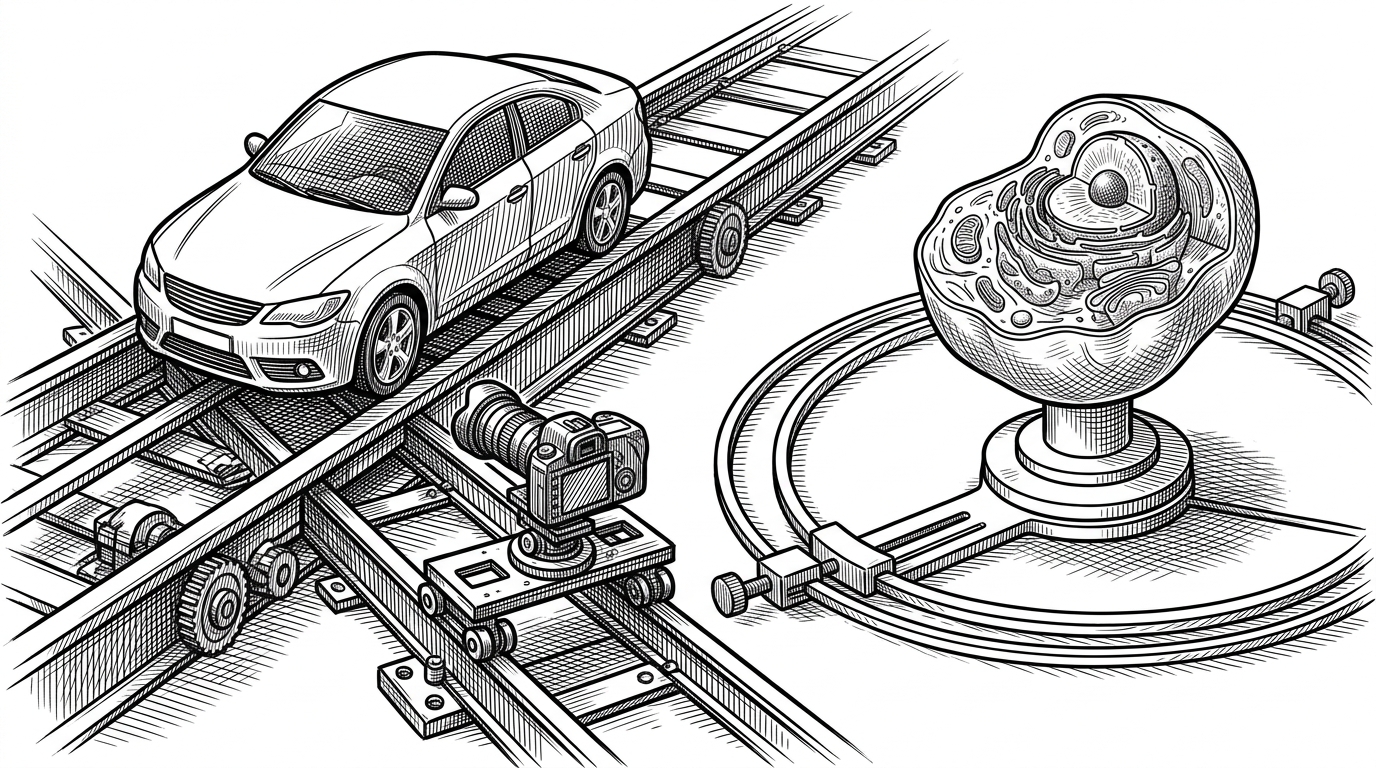
The viewer knows what kind of object it is showing
This is where 3DCellForge starts to feel smarter than a standard viewer. Motion profiles and quality scoring give the stage context. A car can get a low, forward-moving reveal. A cell can get a more clinical orbit. The framing changes because the content changes.
That sounds small, but it is a real product idea. When the viewer understands the object category, it can present the result like a demo asset instead of a raw mesh. That makes the output more legible to a human viewer and more useful in a screen recording or review session.
The project’s quality scoring also pushes in the same direction. It is not just asking, ‘did generation succeed?’ It is asking, ‘is this worth showing?’
Vision analysis feeds the whole workflow
3DCellForge can optionally analyze the source image before generation. That metadata can inform the generation prompt, the camera behavior, and the presentation logic. In other words, the app uses vision to steer both creation and display.
That is the most interesting bridge in the repo. It connects upstream perception to downstream cinematography. The image is not only input material. It is also a hint about how the model should be staged.
This is what makes the studio analogy work. The app is not just producing geometry. It is making editorial choices.
How it compares to Blender, Unreal, and point solutions
3DCellForge sits between two familiar worlds. Traditional suites like Blender and Unreal are broad, powerful, and mature. Narrow AI tools like TripoSR or Luma-style generators are fast and specialized. 3DCellForge is trying to occupy the space between them: AI-first generation plus the practical layers around it.
| Tool class | Strength | Weak spot | Where 3DCellForge fits |
|---|---|---|---|
| Blender and Unreal | Deep control and mature ecosystems | Not AI-native by default | Too heavy if you only need a generation-to-view workflow |
| Narrow AI generators | Fast asset creation | Weak on persistence and presentation | 3DCellForge adds the missing studio layer |
| 3DCellForge | Routing, caching, validation, and presentation in one pipeline | Not a full replacement for a DCC suite | Best as a workflow engine for generated assets |
So the point is not that 3DCellForge replaces Blender or Unreal. It does not. The point is that it handles a narrower but very real job: making generated assets stable enough to inspect and polished enough to show.
Who this is for
This repo looks strongest as infrastructure for AI-native 3D workflows. It fits people who need quick presentation-ready assets, teams experimenting with image-to-3D pipelines, and developers who want a cleaner way to wrap provider APIs in a real product shape.
That is also why the project is more compelling as a system than as a single model demo. Its value comes from the glue: provider abstraction, local persistence, object-aware viewing, and a workflow that survives beyond the first successful render.