aiecho-react-chat: AI Echo React Chat: A Debugger for Gemini’s Hidden Conversation
A local React viewer that reconstructs turns, reveals reasoning on demand, and turns Gemini JSON exports into a navigable, citation-aware transcript.

- AI Echo React Chat turns a Gemini export into an inspectable artifact, not a live chat window.
- Its main trick is turn reconstruction, which separates user input, hidden reasoning, final answers, and citations into one navigable view.
- The app stays local by design, which makes it useful for private logs, prompt analysis, and offline review.
- Its specialization is the point, because depth of inspection matters more here than supporting every chat schema.
Most chat apps optimize for the moment of conversation. This one optimizes for the afterward. You load a Gemini export, and the UI stops behaving like a messenger and starts behaving like a forensic viewer for model behavior.
The Chat Window That Shows Its Work
That framing matters because it changes what counts as a good interface. Instead of flattening everything into one stream of bubbles, the app preserves the structure inside Gemini output: user message, thought, final answer, and grounding data. The result is less like a conversation app and more like a transcript debugger.
An interactive React application to explore and visualize Gemini chat conversations with advanced rendering, sidebar navigation, and local JSON file loading.
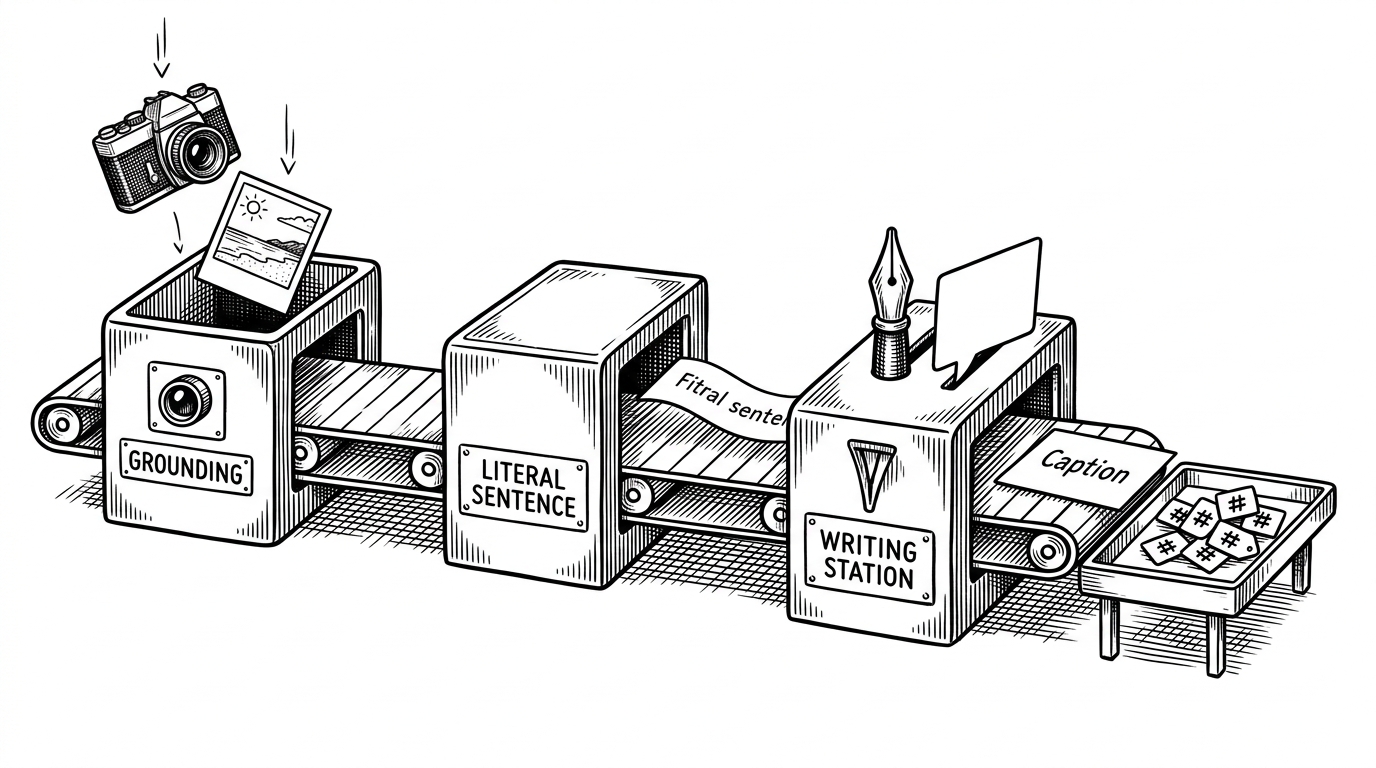
From Chunked JSON to Human-Readable Turns
The key move happens in App.jsx. The app does not trust the export as a ready-made conversation. It groups chunked JSON into turns, then keeps an originalIndexToTurnIndexMap so sidebar clicks and scroll position still make sense after the data is reassembled.
That index map is not a small detail. It is what makes long logs feel searchable and stable even after grouping, because the navigation layer can jump from a raw source position to the right rendered turn without guesswork.
const groupedTurns = useMemo(() => buildTurns(chunks), [chunks]);
const originalIndexToTurnIndexMap = useMemo(
  () => buildIndexMap(groupedTurns),
  [groupedTurns]
);

function handleSidebarClick(originalIndex) {
  const turnIndex = originalIndexToTurnIndexMap.get(originalIndex);
  listRef.current?.scrollToItem(turnIndex, 'center');
}
Why the Thinking Toggle Changes the UX
The most interesting interaction here is the collapsible thought block. Hiding model reasoning outright makes the transcript opaque. Forcing it open makes the interface noisy. This middle path keeps the reasoning available without making every answer harder to scan.

That is the conceptual heart of the repo. It treats reasoning as part of the record, but not always part of the foreground.
Rendering Rich AI Output Without Breaking the Page
This viewer has to survive mixed media. Markdown, code fences, LaTeX, and long responses all appear in one stream, so the renderer leans on react-markdown, KaTeX, syntax highlighting, sanitization, and virtualization. That combination matters because the log is not just text. It is text plus math plus code plus metadata.
// The app uses a virtualized list so long transcripts stay fast.
// Row heights are measured dynamically because markdown, math, and code
// blocks all expand differently after render.
The technical trick is not any single library. It is the combination of measurement, sanitization, and lazy rendering that keeps the page responsive when the conversation gets dense.
Grounding Tables Make Citations Feel Native
Gemini’s grounding data is the feature that pushes this project beyond a simple chat log viewer. Instead of burying sources inside a blob of metadata, the app exposes them as a structured table with sources, corroboration segments, and web search queries. That makes the answer feel documentable.
| Category | Generic chat UI | AI Echo React Chat |
|---|---|---|
| Input | Live messages | Local Gemini JSON export |
| Main job | Send and receive | Inspect and analyze |
| Reasoning | Usually hidden or absent | Collapsible and preserved |
| Citations | Often informal | Native grounding table |
| Privacy | Often cloud-backed | Browser-local file loading |
| Best for | Conversation | Forensics |
This is why the project reads like a debugger. It does not merely show what the model said. It shows what supported the answer, which is a different and more demanding product choice.
Why This Tool Is Local-First by Design
The privacy story is simple and strong. The file is loaded through the browser with FileReader, so the transcript stays on the machine. For sensitive prompts, internal experiments, or personal logs, that makes the viewer practical in a way cloud-first tools are not.
It also narrows the problem beautifully. Once the app only has to understand Gemini exports, it can spend its complexity budget on readability, navigation, and evidence handling instead of on broad model support.
Where It Fits in the Viewer Landscape
Compared with generic chat frameworks, this repo is much less flexible and much more legible. Compared with bare JSON viewers, it is dramatically easier to scan. Compared with other offline Gemini viewers, it stands out by treating the transcript as a structured record with hidden layers, not just a file to pretty-print.
| Project type | Strength | Weakness | Best fit |
|---|---|---|---|
| Generic real-time chat UI | Broad support for live conversation | Weak on post-hoc inspection | New chat products |
| Simple JSON viewer | Fast to build and easy to share | Poor semantic structure | Quick debugging |
| AI Echo React Chat | Deep inspection of Gemini exports | Tied to Gemini schema | Prompt analysis and forensic review |
That specialization is the design thesis. The repo is not trying to become a universal LLM viewer. It is trying to become the cleanest place to study one specific kind of AI artifact.