Ai-based-image-to-caption-generator: The Two-Step AI Trick Behind a Creator Tool
A Streamlit app that first describes an image literally, then hands that description to an LLM for captions and hashtags. The interesting part is not the UI. It is the chain.
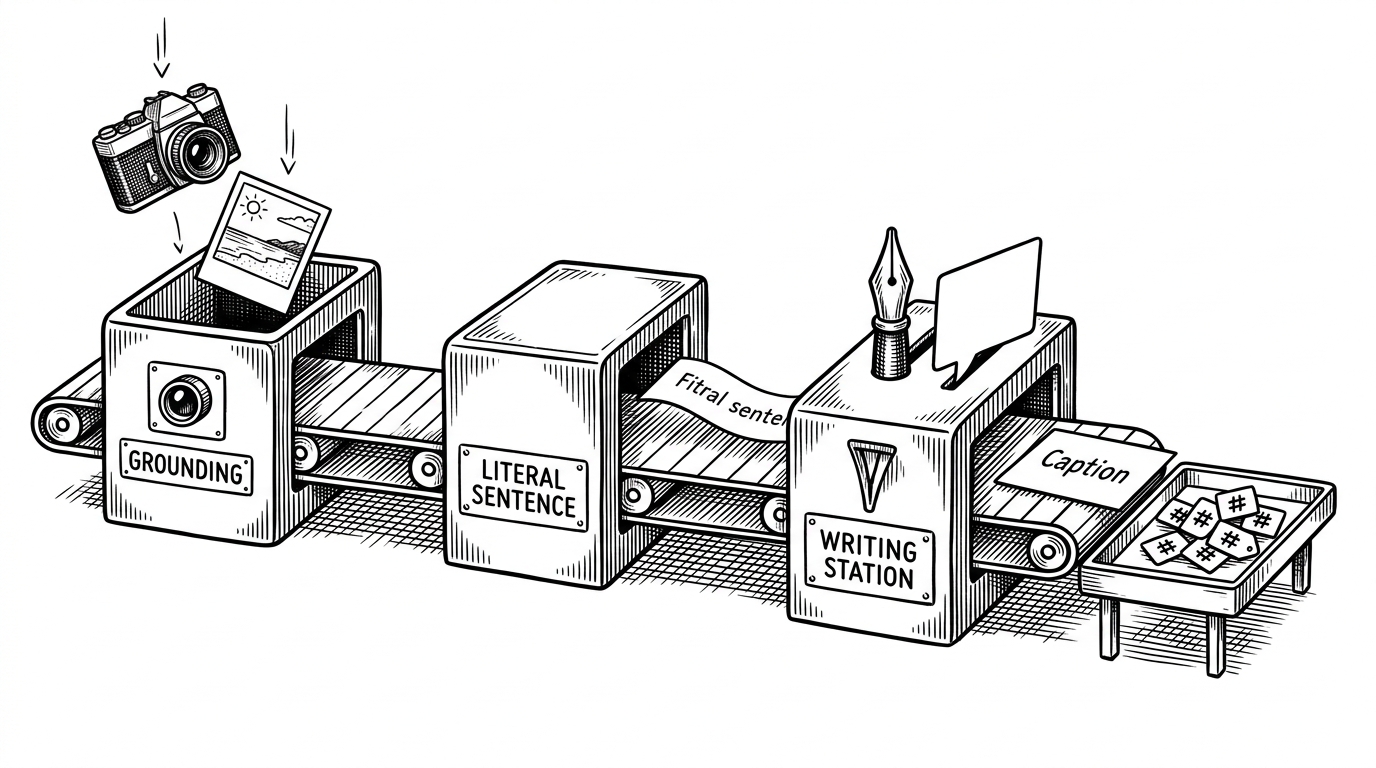
- This repo is interesting because it treats the literal caption as a bridge, not the final product.
- The strongest design choice is model division of labor: one step grounds the image, the next step writes for humans.
- The project feels like a prototype with product instincts because the surrounding files point toward deployment, discoverability, and reuse.
- Its value is less benchmark performance than clarity about how small teams can assemble useful AI workflows from modular parts.
The caption generator is really a translation pipeline
The repo’s central move is simple and smarter than it looks. It does not try to leap from pixels to polished social copy in one shot. It first asks a vision model for a literal description, then asks a language model to rewrite that description for people who want captions and hashtags.
That intermediate sentence is the product. It is the shared interface between seeing and writing. Once you understand that, the rest of the app reads like orchestration rather than magic.
Image Captioning is the process of generating a textual description of an image. It requires both Computer Vision and Natural Language Processing (NLP) techniques to understand the content of the image and then write a description.
Why the bridge matters more than the model
A literal caption is not glamorous, but it is useful. It grounds the image in something the language model can trust. That gives the LLM a cleaner job: style, tone, and variation, not object detection.
| Approach | Strength | Weakness | Best use case | What this repo borrows or avoids |
|---|---|---|---|---|
| Classic CNN + LSTM | Easy to explain and good for learning the basics | Old-school, limited style control, and weak creator utility | Educational demos | It borrows the idea of a staged image-to-text pipeline but avoids ending at a generic caption |
| End-to-end multimodal model | Strong unified reasoning across image and text | More expensive, less modular, and often less transparent | General-purpose assistants | It avoids coupling vision and writing into one opaque step |
| This repo's hybrid workflow | Clear separation between grounding and rewriting | Depends on two systems and careful prompt design | Creator tools and lightweight product prototypes | It borrows the bridge idea and optimizes for practical output |
That is why the repo feels product-minded instead of academic. The goal is not to win a benchmark. The goal is to turn an image into something a creator can publish without starting from a blank page.
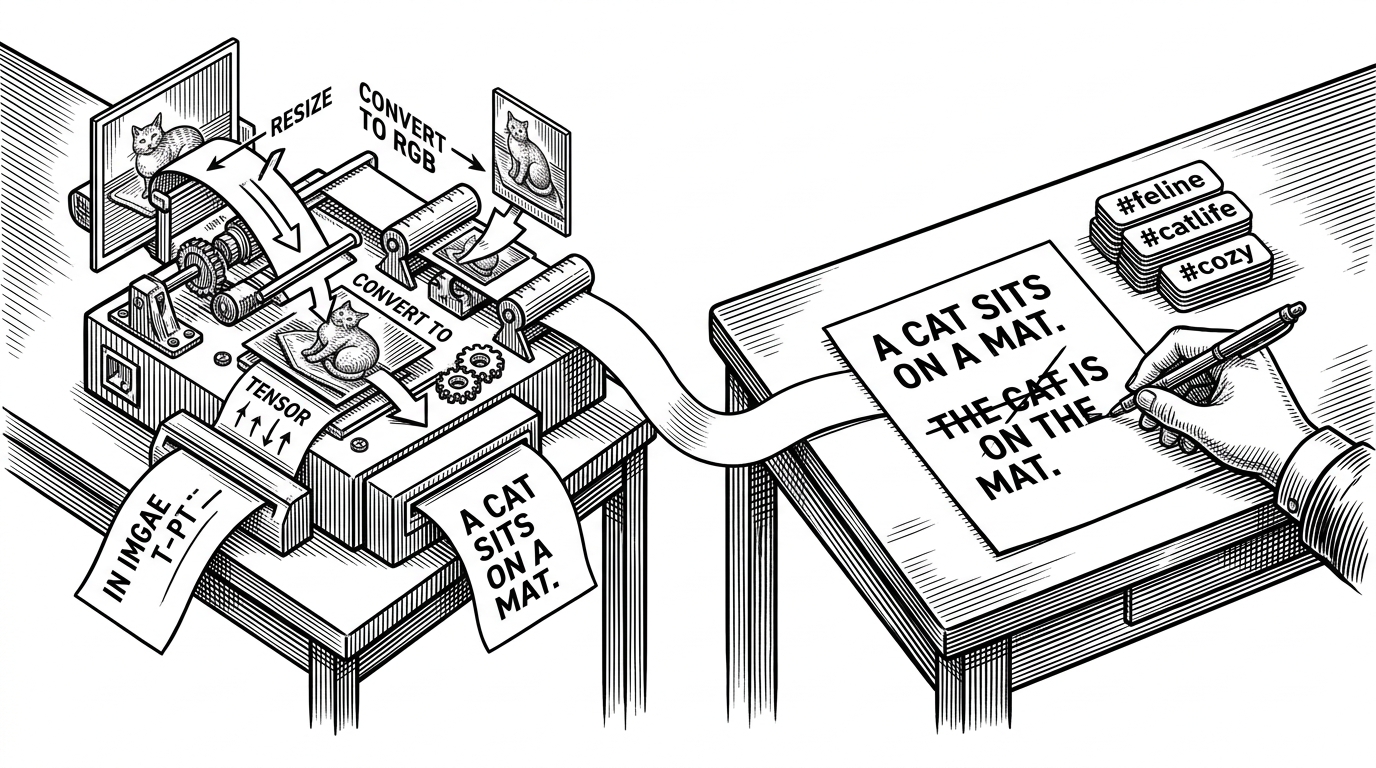
What is under the hood
`app.py` is the orchestration layer. It loads the model once with `@st.cache_resource`, preprocesses the uploaded image, decodes the vision output, then wraps that output in prompts for the next stage.
@st.cache_resource
def load_model():
    # load BLIP model once
    return model, processor


def prediction(images):
    # preprocess, encode, decode
    return captions


def caption_generator(literal_caption):
    # send caption text to Groq Llama-3
    return rewritten_caption


def hashtag_generator(literal_caption):
    # generate hashtag set from the same bridge text
    return hashtags
That structure matters because it keeps the expensive model load out of the interaction loop. It also makes the prompt chain explicit. The repo is not hiding its handoff inside a monolith.
A prototype with product instincts
The repo is small, but the surrounding files hint at something more public-facing than a lab notebook. `sitemap.xml`, site verification, `ads.txt`, and the dev container all suggest a project that expects to be deployed, indexed, and reused.
| Signal | What it suggests | Why it matters |
|---|---|---|
| `sitemap.xml` | Search discoverability | The app is meant to be found, not just run locally |
| Site verification file | Web presence | The project behaves like a public product, not only code |
| `ads.txt` | Monetization readiness | Even a prototype can be wired for distribution |
| `.devcontainer/` | Reproducible setup | The author wants the environment to travel with the repo |
That is the interesting tension here. The implementation is educational, but the packaging is ambitious. It looks like a prototype that already expects a future audience.
Where this sits in the evolution of captioning
Compared with classic CNN + LSTM tutorials, this repo is more modular and easier to reason about. Compared with modern end-to-end multimodal models, it is simpler and more transparent. That middle ground is the point.
| Approach | What it optimizes for | What it gives up |
|---|---|---|
| CNN + LSTM captioning | Learning the mechanics of image-to-text | Modern quality and flexible output |
| End-to-end multimodal captioning | Unified reasoning and high accuracy | Transparency and lightweight composition |
| This repo's hybrid chain | Creator usefulness and clear handoff | Single-model elegance |
In practice, that makes the repo a good lesson in product decomposition. You do not need the most unified system. You need the system that gives each model the job it is best at.
The limits are part of the lesson
The repo still looks like a learning project in a few places. The dependency list includes a suspicious `torch==2.10.0`, which reads like a typo or export artifact. That kind of rough edge matters, because it reminds you this is a prototype with ambition, not a hardened service.
That is not a flaw in the argument. It strengthens it. The repo shows how far a solo developer can get by assembling a clear workflow, then leaving room for future hardening.