claude-real-video: The Video Pipeline That Teaches LLMs What to Ignore
A local-first tool that turns raw video into scene-aware keyframes, deduplicated grids, and a manifest an LLM can actually use.
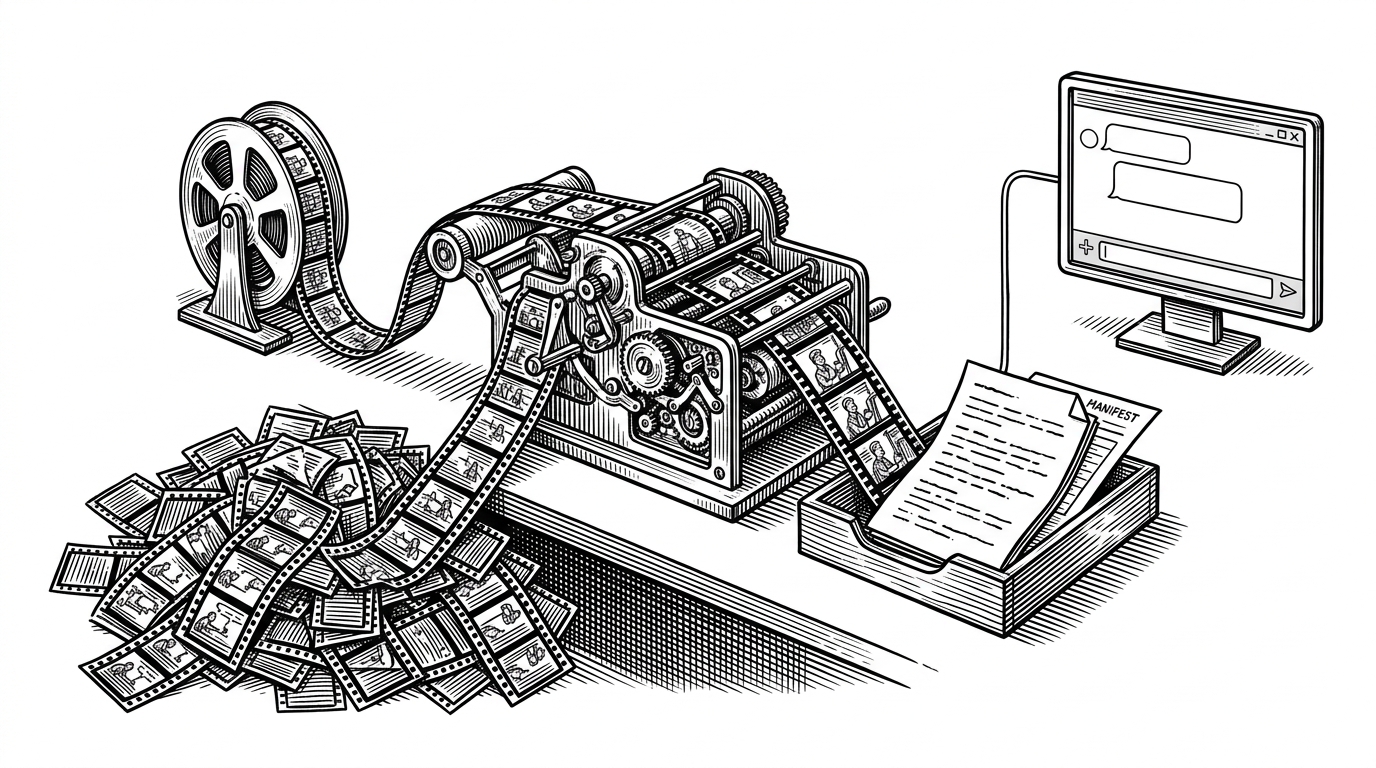
- `claude-real-video` treats video as a compression problem, not a playback problem, so the model sees fewer frames but more useful ones.
- Its edge comes from combining scene detection with a sliding dedup window, which catches both static stretches and A-B-A repetition.
- The output is designed for any multimodal LLM, but the local-first workflow keeps raw video on your machine until you choose what to share.
- Claude Code support turns the repo from a preprocessing CLI into an agentic sensing layer for video workflows.
The hard part is not watching video. It is deciding what counts
Most video tools start with a simple assumption: more frames means more understanding. `claude-real-video` rejects that idea. It assumes the real task is to compress visual evidence without throwing away the signal.
That matters because raw video is messy for LLMs. Fixed-interval sampling wastes budget on static slides, while naive transcript-only workflows miss the visual moments that actually change meaning. `crv` sits between those failures and asks a sharper question: which frames deserve to survive?
Point it at a URL or a file, and it pulls the frames that actually matter (every scene change, not a fixed quota), throws away the near-duplicates, transcribes the audio, and hands you a clean folder any LLM can read.
What `crv` actually produces
The output is plain, which is part of the appeal. A run gives you extracted keyframes, a transcript, a manifest, and optional grids. Nothing about that is exotic. The point is that the bundle is already shaped for a model to consume.
| Output | What it contains | Why it matters |
|---|---|---|
| Keyframes | Scene-change frames plus deduplicated survivors | Keeps visual evidence compact without flattening the story |
| Transcript | Local audio transcription | Preserves spoken context for text-first reasoning |
| MANIFEST.txt | A readable index of the package | Gives an LLM a map instead of a pile of files |
| Grids | 3x3 contact sheets of chronological frames | Lets one image carry several moments at once |
video_input → ffmpeg scene detection → dedup window → keyframes
          ↘ whisper transcript → MANIFEST.txt → LLM-ready bundle
The trick: scene detection plus a floor
The core move is simple to describe and hard to get right. `crv` does not trust only scene detection, and it does not trust only periodic sampling. It combines both. That means abrupt cuts are caught, but long static stretches still get coverage.
That is a small design choice with large consequences. A lecture with frozen slides should not turn into a desert of useless frames, but a screen recording with sudden UI changes should not glide past the important moment either. The floor keeps the system honest.
Why deduplication matters more than it sounds
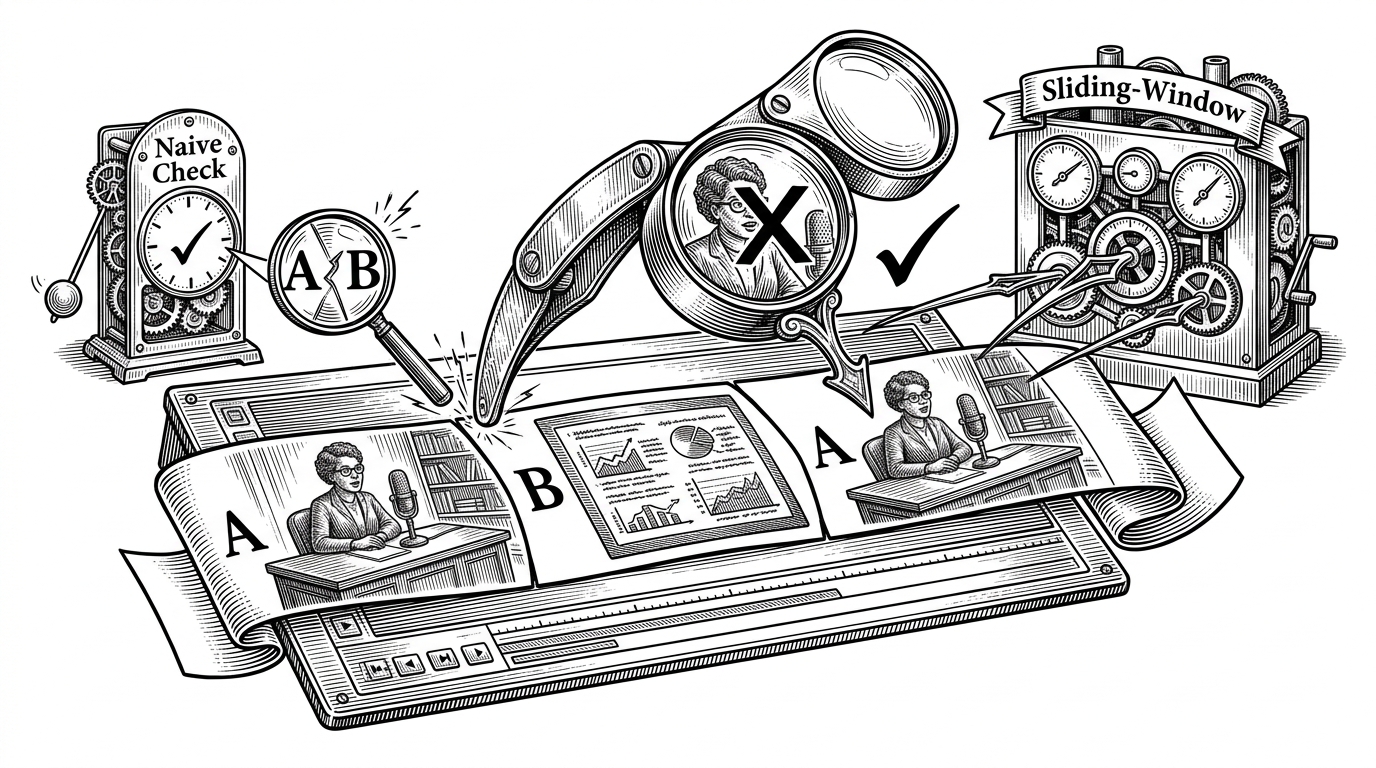
This is the subtle part of the repo. Adjacent-frame comparison only answers one question: did the image change from the last instant? That misses repeated scenes that return after an interruption. The result is wasted tokens and a model that keeps seeing the same visual idea as if it were new.
Sliding-window deduplication solves that A-B-A loop. It gives the pipeline a short memory, which is enough to suppress repeated interview cutaways, recurring speaker shots, and other returns that look novel only if you forgot the last few seconds.
In the code, that idea is backed by small RGB thumbnails and pixel-difference checks rather than grayscale shortcuts. The point is not academic purity. The point is to avoid collapsing visually distinct content into the same bucket.
# Conceptual sketch
for frame in candidate_frames:
    if scene_changed(frame) or periodic_floor_hit(frame):
        if not matches_any(frame, recent_retained_frames):
            keep(frame)
        else:
            skip(frame)
    recent_retained_frames = recent_retained_frames[-window_size:] + [frame]
Why this is local-first, not cloud-first
The privacy argument is real, but it is not the main story. Local-first here is mostly a product decision. It keeps raw video on your machine, and it lets you decide exactly what reaches an LLM provider.
That also changes the economics. If the pipeline can remove most of the redundancy before upload, then the model pays for meaning instead of entropy. For screen recordings, talks, and demos, that can be the difference between a usable workflow and a noisy one.
| Approach | Where processing happens | What gets uploaded | Best fit | Weakness |
|---|---|---|---|---|
| `crv` local-first | On your machine | Only selected frames, transcript, and manifest | Sensitive or long-form video analysis | Requires local setup |
| Native video API | Cloud provider | Entire video file | Simple questions and quick turnarounds | Less control over sampling and privacy |
| Fixed-interval frame grabber | Usually local or cloud | Many redundant frames | Simple scripts and rough previews | Wastes context on static scenes |
Claude Code is the second product
The repo is more than a CLI. The `skills/claude-real-video/SKILL.md` file turns the pipeline into a tool an agent can reach for on its own. That matters because it shifts the project from preprocessing into workflow design.
In that mode, `crv` becomes a sensing layer for Claude Code. The model is not trying to reason about video directly. It is asking the right local utility to condense the file into something it can inspect.
What it beats, and what it does not
`crv` is not trying to beat every native video model on every task. If you just need a quick yes or no on a simple clip, a native multimodal model can be convenient. But convenience is not the same as control.
Where `crv` wins is portability, transparency, and token efficiency on messy real-world video. It is especially strong when the material is long, repetitive, private, or worth revisiting later as a local knowledge asset.
| Tool | Sampling strategy | Privacy model | Token efficiency | Best use case | Weakness |
|---|---|---|---|---|---|
| `claude-real-video` | Scene-aware plus sliding-window dedup | Local-first | High on repetitive video | Lectures, demos, screen recordings | Needs preprocessing |
| Gemini native video | Provider-controlled internal sampling | Cloud-first | Strong for simple queries | Fast Q&A over a clip | Less control, less transparency |
| Fixed frame extractor | Periodic frames only | Depends on deployment | Low | Quick baseline scripts | Misses cuts, wastes context |
| Broader video VLM framework | Varies by model and config | Usually mixed | Depends on setup | Research and experimentation | More complex than a preprocessing layer |
The best comparison is not really about who is smarter. It is about where the intelligence lives. `crv` moves intelligence into the preprocessing step, so the model receives a tighter bundle and can spend its context on reasoning instead of cleanup.
Why this project feels durable
That is the lasting idea here. `claude-real-video` sits at a useful intersection: local AI, token efficiency, and workflow design. It does not replace video models. It makes them easier to use well.
The strongest projects in this space are often the unglamorous ones. They do one job upstream, they do it carefully, and they remove friction everywhere else. `crv` looks like a video tool, but its real contribution is a better answer to a deeper question: what should a model not have to see?