RadioClock: The Raspberry Pi Built Like Broadcast Hardware
A studio clock with tally lights, split web controls, and a failover model that makes a cheap Pi feel like an appliance.
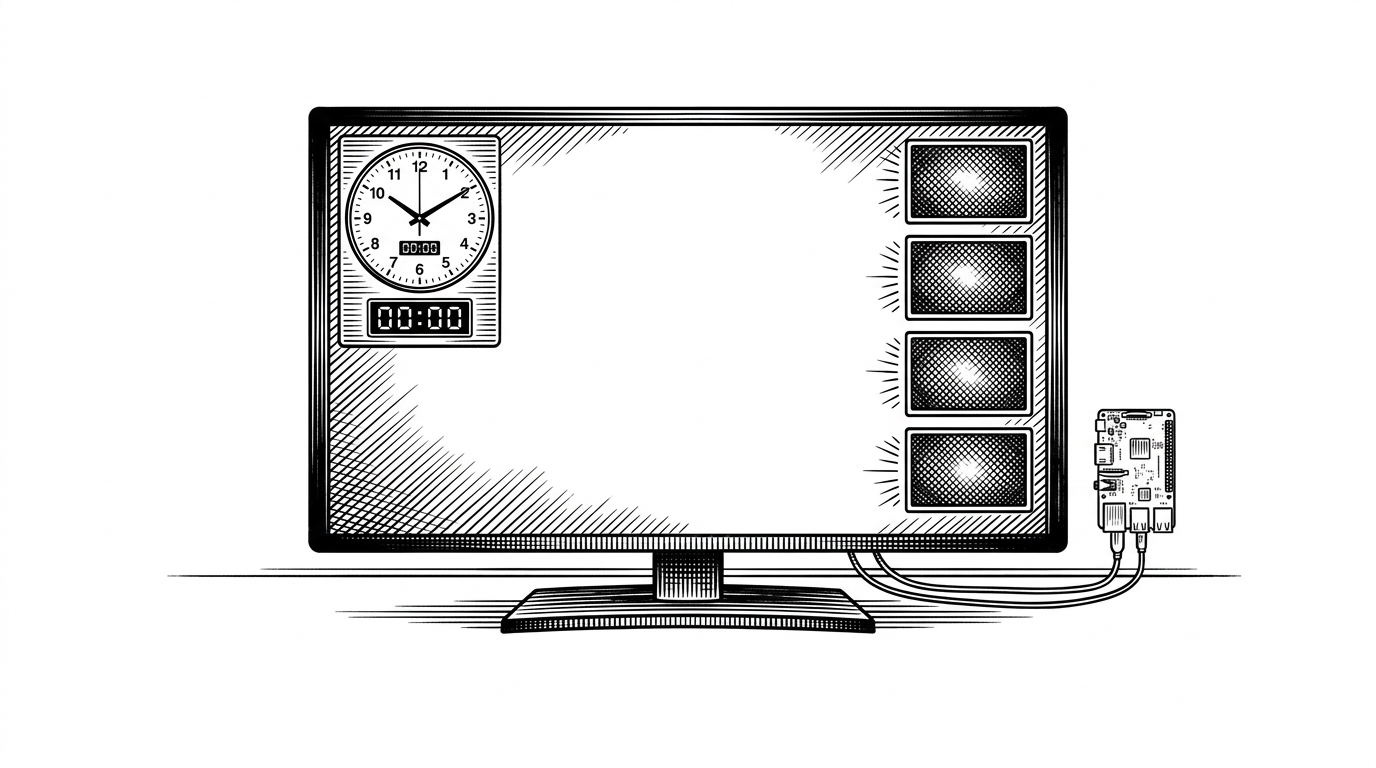
- RadioClock treats the screen as a broadcast appliance interface, not a decorative time display.
- Its most interesting redundancy is local and simple, because GPIO and keyboard both resolve to the same tally state.
- The split web controls keep visual tweaks separate from system administration, which narrows access without adding much machinery.
- The project's real value is operational clarity under failure, not timing novelty.
A clock that behaves like studio hardware
RadioClock is interesting because it solves a studio problem, not a clock problem. In a control room, the display has to be readable at a glance, survive a bad input path, and give operators just enough control without turning into a general desktop.
A normal Raspberry Pi clock can show time. RadioClock tries to do something stricter: act like an appliance that always has a job, a fallback, and a visible state.
Built by one maintainer, but aimed at a room

The repo is owned by stcatcom, and the documentation reads like a functional spec written for a very specific room. That matters because the project does not chase generality. It narrows the job until the hardware feels cheaper than the problem it solves.
That is the right move for a broadcast tool. Small studios do not need another dashboard. They need something that behaves like gear, stays legible, and keeps working when the obvious path gets messy.
The hidden trick: every tally light has a backup
The cleanest idea in RadioClock is also the easiest to miss. Each tally light can be triggered by hardware GPIO or by a keyboard key, and the two inputs resolve to the same state. If either path says the light should be on, the light comes on.
That is not clever for its own sake. It is what you do when the room cannot stop because one input path failed. A dead switch, a loose cable, or a missing peripheral should not take the tally logic down with it.
Two web UIs, one flat file, one source of truth
RadioClock splits remote control into two web surfaces. Port 8000 handles visual configuration like colors and labels. Port 8080 handles system administration, including network and power tasks.
Both surfaces feed the same underlying configuration file, setup.txt. That is the real contract in the system. It keeps the software simple enough to trust and makes the device easier to recover when something changes out from under it.
This is a strong product choice because it narrows who can do what. A producer can adjust what the clock looks like without also getting the keys to WiFi or shutdown. In a studio, that boundary is worth more than elegance.
Why the screen layout feels native to a control room
The layout is not trying to be a cute clock face. It is a 16:9 composition tuned for 720p, which makes it feel native to the monitors and multiviewers that already live in broadcast spaces. The left side carries the time, with an analog clock face and a digital readout. The right side stacks four tallies vertically so they can be read from across the room.
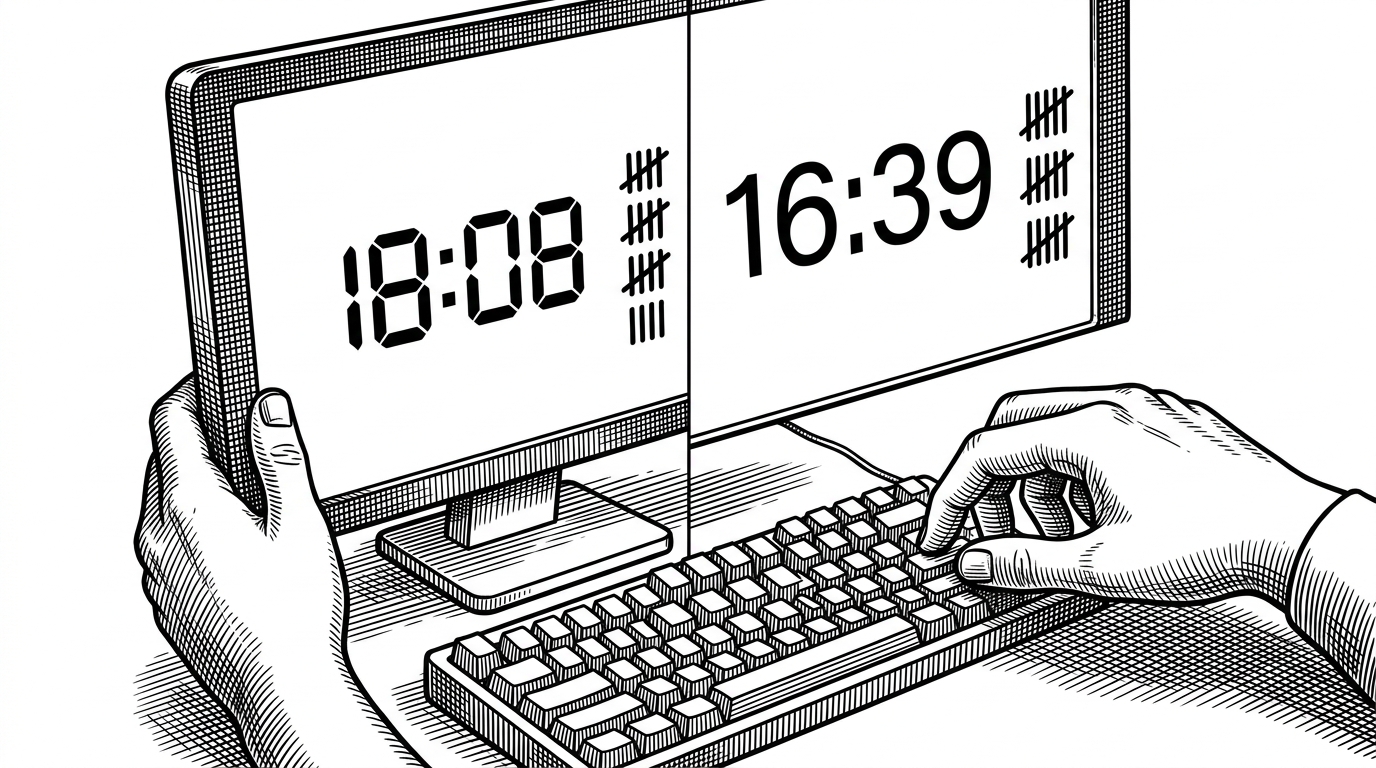
The little controls matter too. The F key toggles the font, the A key reveals the IP address, and R reloads the setup. Those are the kinds of actions an appliance should make obvious, because they shorten the distance between confusion and recovery.
What RadioClock replaces, and what it doesn't
| Dimension | Generic Raspberry Pi clock | Commercial broadcast clock | RadioClock |
|---|---|---|---|
| Purpose | Shows time on a screen | Broadcast-ready studio hardware | Studio clock with tally and fallback control |
| Tally lights | Usually none | Usually built in | Four configurable indicators |
| Input paths | Often one path only | Hardware controls with vendor rules | GPIO or keyboard, both count |
| Fallback behavior | Depends on the app | Reliable, but expensive and closed | Simple local redundancy plus file-backed config |
| Remote config separation | Often one surface, or none | Vendor-specific menus | Two web surfaces, visual and admin |
| Installation complexity | Low | High cost and heavier integration | Low hardware cost, moderate setup |
| Studio fit | Weak at a glance | Strong | Strong where budget matters more than polish |
The comparison makes the niche obvious. RadioClock is not trying to beat commercial gear on every axis, and it does not need to. It sits in the useful middle, where a Raspberry Pi can cover a broadcast need without pretending to be an enterprise system.
The real lesson: narrow tools can be better tools
A good appliance hides complexity behind a few obvious actions. RadioClock does that by making the screen the interface and setup.txt the contract.
That is why the project feels more serious than a hobby clock. It assumes failure is normal, keeps the paths short, and gives the operator more than one way to reach the same state.