typisttech/image-optimize-command: The WP-CLI Tool That Outsources the Hard Part to Binaries, Not SaaS
A sharp, reversible image optimization pipeline for WordPress that treats backups, hooks, and repositories as first-class design choices.
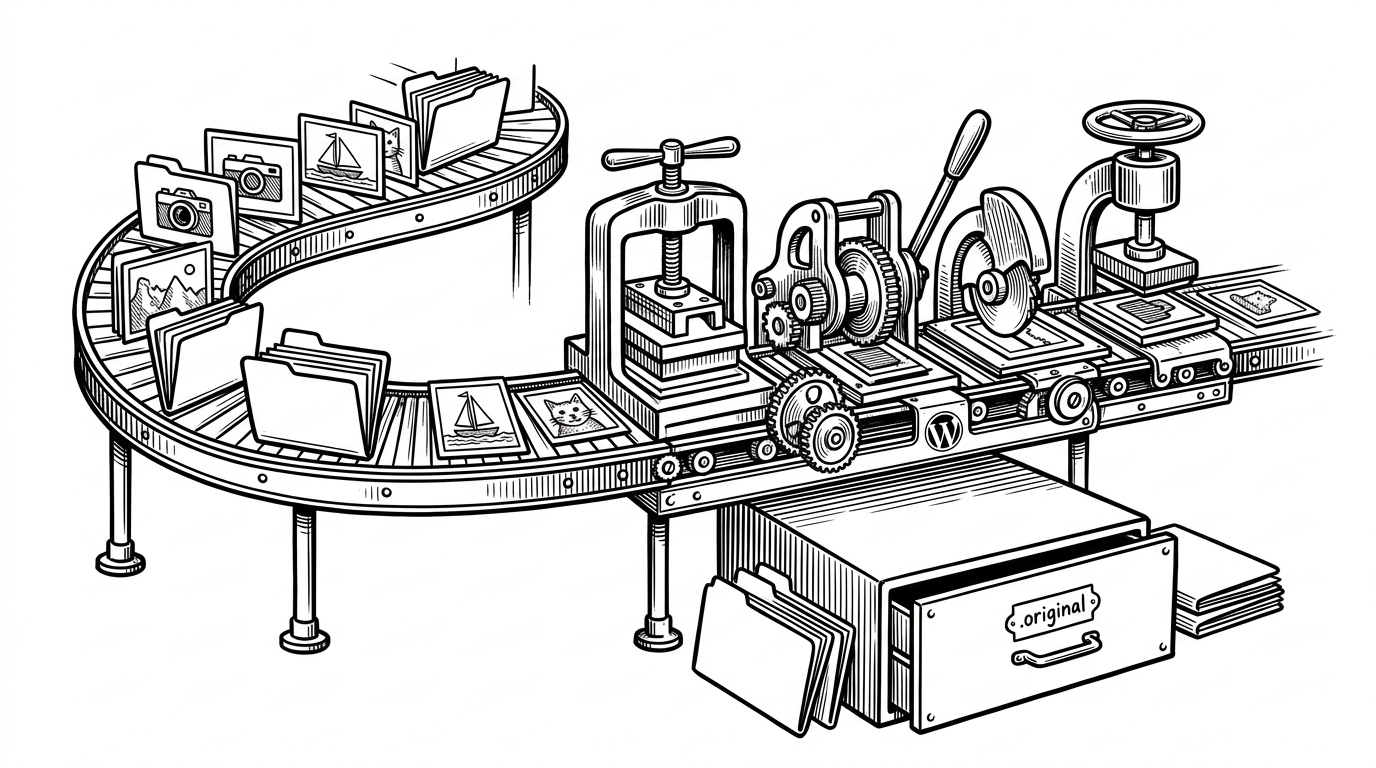
- This package treats image optimization as a reversible local pipeline, not a one-shot plugin action.
- Its real invention is architectural: WordPress commands, repositories, and operations stay separated while binary tools do the compression work.
- Safety is built in through backups, validation, and meta flags that prevent accidental repeat processing.
- It is best for teams that control their servers and prefer operational discipline over SaaS convenience.
Why This Tool Exists
Most WordPress image optimization stories end in the same place: either you hand the job to a SaaS, or you accept whatever a generic plugin can do inside PHP. typisttech/image-optimize-command takes a third path. It keeps the work on your server, but refuses to do the hard part itself.
That choice matters. Compression is not the clever bit here. The clever bit is making a risky media operation feel like a disciplined workflow instead of a leap of faith.

The Local-First Bet
The repo leans on local binaries like jpegoptim, pngquant, gifsicle, svgo, and cwebp. That means better control over compression behavior and no recurring vendor bill. It also means setup friction, server access, and a little operational maturity.
| Approach | Control | Setup friction | Reversibility | Best fit |
|---|---|---|---|---|
| Local binaries via WP-CLI | High | Medium to high | Built in with backups | Teams that own their servers |
| SaaS image optimizer | Low to medium | Low | Provider dependent | Managed hosting and non-CLI users |
| Naive server script | High | Low at first | Usually weak or absent | One-off jobs, not production workflows |

How the Command Layer Is Split
This is not a one-file WP-CLI script pretending to be a package. The entry point in command.php registers the namespace, then hands off to subcommands in src/CLI/Commands/. The actual work lives elsewhere, in operations and repositories, which keeps the command surface thin and the behavior testable.
The package splits responsibility cleanly. Commands decide intent. Operations execute filesystem and optimization work. Repositories keep WordPress data access out of the business logic. That boundary line is the main reason this repo feels closer to an application than a plugin script.
// Simplified shape of the architecture
$namespace = 'image-optimize';
$command = new AttachmentCommand(
    new AttachmentRepository(),
    new Optimize(),
    new Backup()
);

WP_CLI::add_command($namespace, $command);
Why It Is Safer Than It Sounds
Bulk image mutation is a trust problem. This repo answers it with validation, backup checks, and restore paths. Files are inspected before they are touched, originals get preserved, and already-processed items are marked so they do not get optimized twice.
That safety story is the difference between a tool and a gamble. The command can fail, but the file should still come back.
The Hidden Extensibility Layer
The WordPress-native advantage shows up in the hooks. The optimizer chain and logger factory can be filtered, which means site teams can tune behavior without forking the package. In practice, that turns a fixed command into a customizable workflow boundary.
The result is practical, not flashy. You keep the upstream package intact, but still make room for site-specific quality settings, logging choices, or deployment constraints.
A Cleaner Shape Than Typical WordPress Code
This repo makes a strong architectural argument. Strict types, service-oriented structure, repository abstractions, and a decoupled logger keep it from collapsing into the usual WordPress tangle. Even though it lives in the WordPress ecosystem, it reads like modern application code.
| Design choice | What it buys | Why it matters |
|---|---|---|
| Repository pattern | WordPress data access stays contained | Business logic stays readable |
| Interfaces and factories | Dependencies can be swapped or filtered | Testing and extension get easier |
| Separated operations | Backup, validation, and optimization do not blur together | Failure modes stay explicit |
| Decoupled logging | Output is not hardwired to one runtime | The package is easier to adapt |
Where It Wins, and Where It Does Not
Compared with SaaS tools like Imagify, Kraken, or ImageOptim API, this package wins on control, batch workflow, and cost predictability. Compared with a typical admin-panel optimizer, it wins on repeatability and automation. Compared with a quick shell script, it wins on safety and maintainability.
It does not win on ease. If you cannot install binaries, if you do not want WP-CLI, or if you want the simplest possible UX, this is probably not your tool. It is for operators who would rather own the pipeline than rent it.
The Practical Verdict
typisttech/image-optimize-command is a disciplined answer to a messy WordPress job. It does not try to be a smarter compressor than the binaries it wraps. It tries to be a safer, cleaner, more extensible way to run them.
That is why the repo stands out. It turns a fragile media task into an operational system, and it does so without hiding the tradeoffs.