StateMachineDrawing Turns FSM Sketches Into TikZ
A lean, no-framework canvas tool that treats LaTeX export as the real feature, and shows how much software you can build with plain HTML, JavaScript, and one very specific problem.
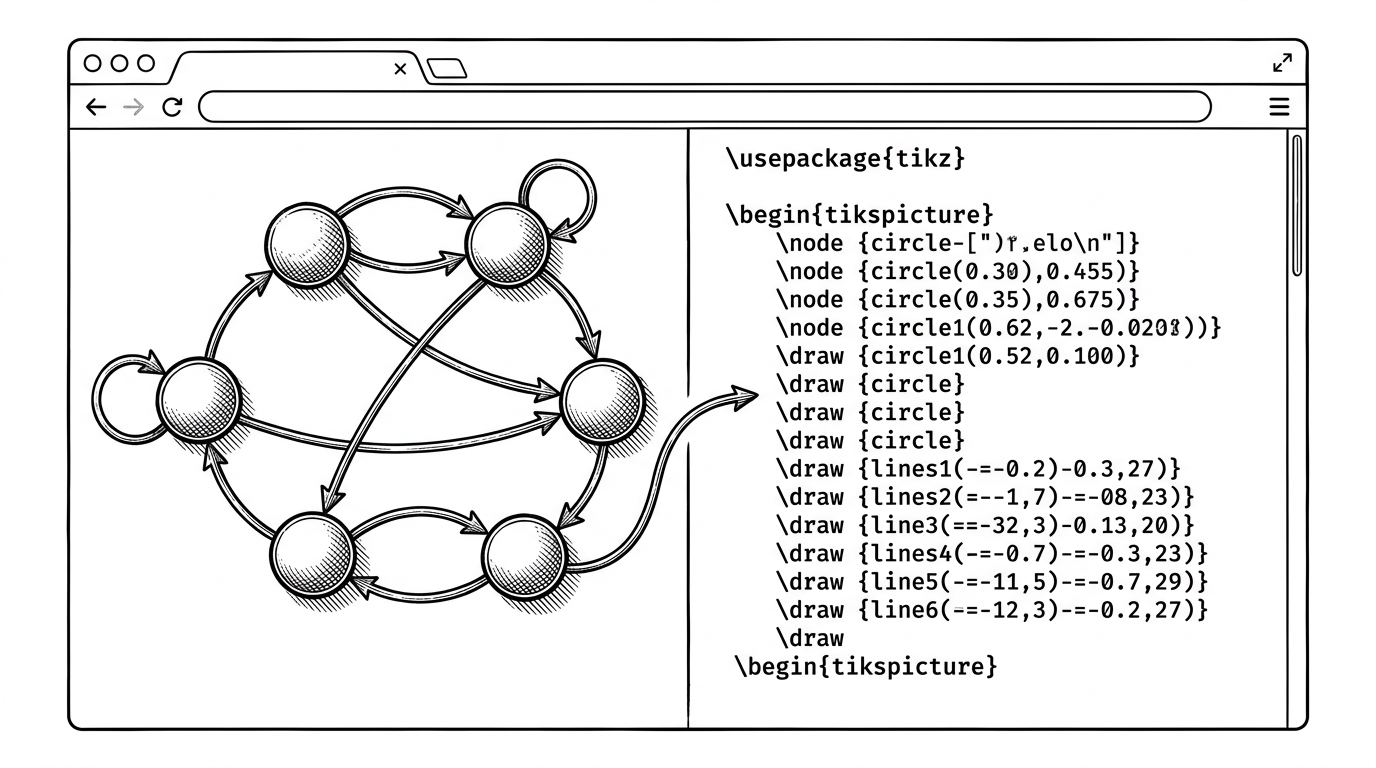
- StateMachineDrawing's real product is not a canvas, but a translation layer from hand-drawn FSMs to TikZ.
- Its narrowness is the point, because it removes the awkward step between rough diagramming and publication-ready LaTeX.
- The codebase stays small by leaning on plain HTML, JavaScript, and Canvas instead of a framework stack.
- Its export compromise is honest rather than polished, which makes the editor feel built for the job users actually do most.
The browser app that speaks LaTeX
Most diagram tools stop at pixels. StateMachineDrawing tries to cross one extra boundary. It lets you sketch a finite state machine in the browser, then turns that geometry into TikZ, which is the difference between looks right and ships in a paper.
That is why it matters. Anyone who has ever redrawn an automaton by hand for a homework set, a technical note, or a research draft knows the pain: the visual draft lives in one tool, the typeset version lives in another. This repo exists to collapse that gap.
The result is deliberately narrow. It is not a general whiteboard, not a collaboration suite, and not a full documentation platform. It is a focused translator for one kind of diagram.
Why this fork exists
The repo reads like a resurrection, not a greenfield product. The structure is tiny, the stack is plain, and the lineage points back to Evan Wallace's original FSM designer with later work attributed in the codebase to 666ghj and the name 戒酒的李白.
That matters because the design choices feel inherited from utility, not product theater. One HTML file, one JavaScript engine, and a few DOM tabs are enough to keep the tool alive. The point is not to impress a platform team. It is to keep a niche workflow working.
How a drag becomes a diagram becomes TikZ
The interesting part lives in fsm.js. The app keeps global state for canvases, selected nodes, and selected links, then uses mouse events to mutate that state as you drag, click, and connect shapes.
That is simple on paper and surprisingly rich in practice. A node is not just an oval on a canvas. It has coordinates, selection state, and links that need to stay geometrically consistent when you move it.
The export step is where the app earns its name. An ExportAsLaTeX object maps canvas primitives into TikZ output, which means arcs, lines, and labels are converted into instructions a typesetter can understand.
That translation is the hidden architecture. The canvas is the front end. The geometry model is the middle. TikZ is the compiler target.
That is why the tool feels unusually precise. It is not trying to mimic a whiteboard gesture. It is trying to preserve enough structure that the output can survive in LaTeX without manual cleanup.
The tool's most revealing compromise
StateMachineDrawing's multi-canvas support is a nice quality-of-life upgrade. You can keep several FSMs open in one session, which makes the app feel less like a single-purpose scratchpad and more like a small working set.
But the export path is where the project gets blunt. The repository's own code acknowledges that export can lag behind the drawing workflow, and the practical answer is almost stubbornly honest: if the diagram is right, a screenshot can carry the rest.
That sounds like a weakness, but it is also a strong product signal. The author knows the hardest problem is fast diagram creation, not document packaging. So the app optimizes for the first thing users touch and refuses to pretend the second is equally important.
What it replaces, and what it doesn't
This repo sits in a narrow gap between whiteboards and code generators. It is narrower than Lucidchart or Excalidraw, but more immediate than code-first systems like StateSmith. That narrowness is what makes it useful.
If you need a loose collaborative canvas, general tools win. If you want deeply modeled state logic, code-generation ecosystems win. If you need to sketch an automaton and get something LaTeX-ready with minimal ceremony, this small editor is in the right place.
| Tool | Primary input | Primary output | Best for | Where StateMachineDrawing wins | Where it loses |
|---|---|---|---|---|---|
| Lucidchart | Dragged shapes and connectors | Shareable diagrams | Team docs and flowcharts | FSM structure and LaTeX export are more direct | It is far broader for general diagramming |
| Excalidraw | Freeform sketching | Loose whiteboard sketches | Fast ideation and rough collaboration | It preserves automaton geometry better | It is far more flexible for non-FSM work |
| Stately Sketch | Structured state descriptions | Interactive state diagrams | State modeling and simulation | The canvas feels lighter and more sketch-first | It is less centered on TikZ as an output target |
| StateSmith | State machine definitions in code | Generated code and diagrams | Embedded and production state machines | It is faster for visual drafting | It is less comprehensive for generation and verification |
| StateMachineDrawing | Canvas gestures | TikZ and LaTeX-ready output | FSM diagrams for papers and homework | It makes the diagram-to-paper handoff almost trivial | It is narrower and less polished as a document workflow |
The table makes the niche plain. StateMachineDrawing is not a category killer. It is a workflow eraser. The thing it removes is the annoying gap between a good diagram and a typeset one.