Bhavik-1/finance-tracker Turns a Budget App Into a Deployment Blueprint
A MERN monorepo with Docker, Jenkins, and a behavioral spending model shows how a simple personal finance tracker can teach full-stack structure.
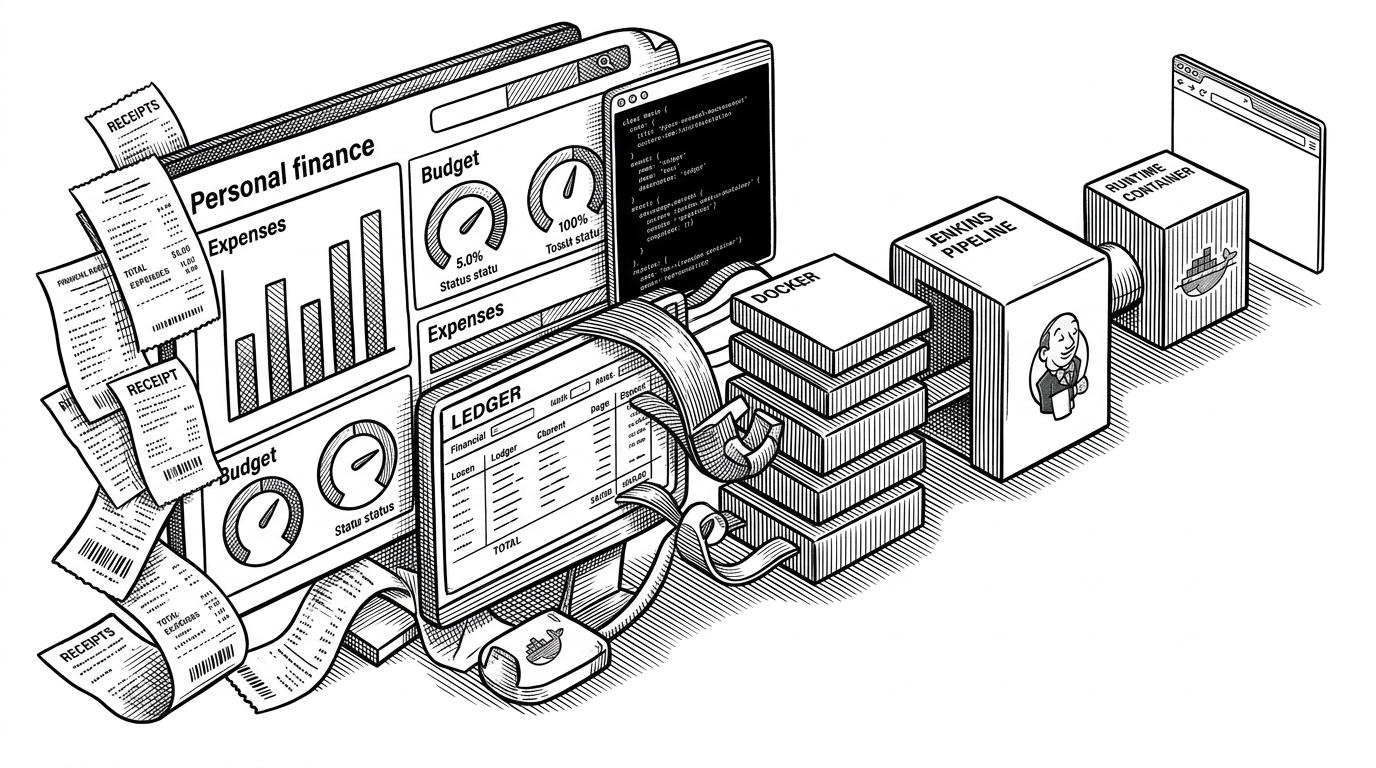
- Bhavik-1/finance-tracker is most interesting as a deployment blueprint first and a budget app second.
- The monorepo, Docker flow, and Jenkins setup make the codebase read like a packaged operating system for a solo full-stack project.
- The app’s impulse-versus-planned expense model adds behavioral meaning to ordinary transaction tracking.
- Its value is pedagogical clarity, not feature breadth, which is why it stands apart from mature finance suites.
Most finance trackers compete on categories, reports, and bank integrations. This repo is trying to win on something rarer: a clean, opinionated path from source code to deployed system. It is a finance app, but it is also a compact lesson in how to ship one.
What This Repo Really Is
Bhavik-1/finance-tracker is a MERN personal finance app built like a production system from the start. The repo is organized as a monorepo, the frontend and backend share a single workspace, and the infrastructure story is not bolted on later. That is the point. The finance features are useful, but the architectural discipline is the real product.
The README and code layout point in the same direction: this is meant to be deployed, not just demoed. For a solo developer or a small team, that matters. The whole repository is designed to reduce the gap between local development and something a CI system can package, run, and restart.
One Monorepo, Three Jobs
The structure is straightforward, which is why it works. `app/client` holds the React frontend, `app/server` holds the Express API, and the root workspace ties them together. Around that core sit `docker`, `jenkins`, `config`, and the infrastructure scaffolding that signals future cloud provisioning with Terraform and Ansible.
That shape gives the repo three distinct jobs at once. It is a development workspace, a packaging unit, and a deployment template. Many starter projects stop at the first job. This one keeps going.
{
  "workspaces": ["app/client", "app/server"],
  "build": "single Docker image",
  "ci": "Jenkins + Docker socket",
  "runtime": "Express serves API and static frontend"
}
The Deployment Trick That Changes Everything
The sharpest technical move is the multi-stage Docker build. The frontend is built once, the compiled assets are copied into the runtime image, and Express serves both the static UI and the API. That removes a lot of deployment ambiguity. There is no separate frontend host to negotiate, no second release surface to coordinate.
The Jenkins setup completes the picture. With the Docker socket mounted into the Jenkins container, the pipeline can build and run images against the host Docker daemon. That is a pragmatic choice, not a glamorous one. It keeps the CI story close to the same deployment model the app uses in production.

This is the reason the repo reads like a reference architecture. It teaches the packaging logic first, then the application logic. For anyone who has ever inherited a codebase with three deployment surfaces and no agreement about where the truth lives, that is a useful pattern.
Why the App Stays Alive When the Database Doesn’t
The backend has a useful failure posture. The `connectWithRetry` pattern keeps trying to reach MongoDB instead of assuming the database will be ready the moment the server starts. That matters in containerized environments, where startup order is often a messy negotiation rather than a guarantee.
There is also request-level protection. A database guard middleware checks whether the database connection is live before allowing sensitive routes through. If MongoDB is down, the app can fail cleanly instead of half-working in a way that is harder to trust. That is the sort of detail that separates a demo from something you can leave running.
if (!isDatabaseConnected()) {
  return res.status(503).json({ message: 'Database unavailable' });
}
A Budget App With a Behavioral Edge
The most product-like idea in the repo is also the simplest: expenses can be marked as `impulse` or `planned`. That sounds small until you see what it changes. A ledger records money. A behavioral tracker interprets intent.
Once that distinction exists, dashboard stats can surface something more interesting than totals. The app can calculate impulse spending as a share of the whole and turn ordinary transactions into a spending pattern. That is not just bookkeeping. It is a nudge toward reflection.
The result is a finance app that has an opinion. It does not merely ask what you spent. It asks why you spent it.
Ledger versus behavioral tracker
| Model | What it stores | What it tells you | What this repo adds |
|---|---|---|---|
| Traditional ledger | Transactions and balances | How much money moved | A cleaner record of cash flow |
| Behavioral tracker | Transactions plus intent | Why the spending happened | Impulse versus planned classification |
| Bhavik-1/finance-tracker | Transactions, budgets, and intent | How spending behavior changes over time | A lightweight psychology layer on top of CRUD |
Why This Is Not Firefly III, Actual Budget, or Ghostfolio
The comparison matters, but only if you judge the repo on the right axis. It is not trying to outrun Firefly III on feature depth, Actual Budget on envelope budgeting, or Ghostfolio on investment management. Those tools are bigger, richer products with clearer end-user polish. This repo is doing something narrower and more teachable.
| Project | Core strength | Primary audience | Why it differs here |
|---|---|---|---|
| Firefly III | Deep personal finance feature set | Self-hosters who want maturity | Much broader product surface and a larger ecosystem |
| Actual Budget | Local-first budgeting and sync | Users who want envelope-style planning | Focused on budgeting workflow, not deployment pedagogy |
| Ghostfolio | Wealth and portfolio tracking | Investors monitoring assets | Tracks investments rather than daily spending behavior |
| Bhavik-1/finance-tracker | Compact full-stack structure | Solo devs and engineers | Teaches how to ship a small MERN app with discipline |
So the repo should be read as a template with a point of view. It is a compact example of how architecture, deployment, and product logic can be aligned without a lot of ceremony. That makes it less competitive on feature breadth and more valuable as a pattern.
Who Should Care
Solo developers will get the most immediate value. So will PMs or founders who want a clear mental model for how a full-stack app moves from code to container to user. Engineers in other domains can also mine it as a reference for monorepo structure, CI packaging, and a clean failure strategy around the database.
If you want a polished, consumer-grade finance product, this is not the final stop. If you want a compact MERN system that shows its work, it is worth studying closely. The repo’s main lesson is not that finance apps are hard. It is that good software feels simpler when the deployment story is already designed into the codebase.