d2-map-importer-addon: The Blender Addon That Rebuilds Destiny 2 and Marathon, Not Just Imports Them
A specialized bridge from game rip metadata to production-ready scenes, with shader templates, Geometry Nodes instancing, and engine-specific workarounds baked in.
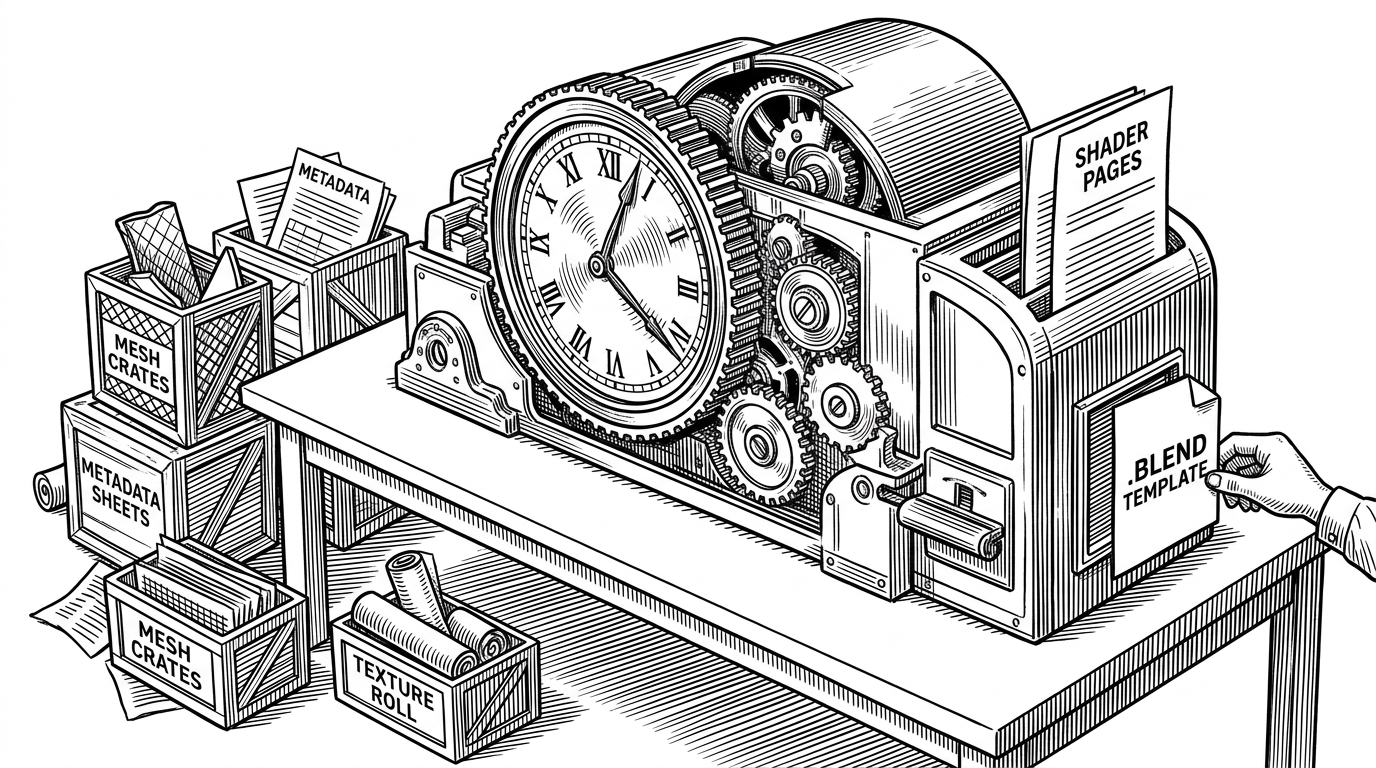
- The addon's real trick is not importation, but translation: it rebuilds Bungie's visual systems inside Blender with templates, instancing, and domain-specific rules.
- Shader templates are the smartest part of the design because they turn a brittle code-generation problem into a reusable authoring workflow.
- The orchestrator in `destiny_importer.py` behaves like a control plane, sequencing terrain, maps, and instancing without pretending Blender Python is elegant.
- Its value comes from specialization, since a narrow tool for Destiny 2 and Marathon can outperform generic importers on fidelity, performance, and setup effort.
d2-map-importer-addon is easy to describe badly. On the surface, it is a Blender addon that imports rips from Destiny 2 and Marathon. In practice, it is closer to a reconstruction layer, one that takes proprietary game metadata, textures, and meshes and turns them into scenes that behave like they were assembled by the original engine's logic.
That distinction matters. The repo is not trying to be universal, and it is not pretending that Blender can natively understand Bungie's asset language. Instead, it translates that language into Blender's tools, using prebuilt template blends, geometry node instancing, and a set of carefully targeted workarounds.
Not an Importer, a Reconstruction Engine
The most revealing thing about this project is its posture. It does not treat the game rip as a finished asset package. It treats it as raw evidence, then rebuilds the missing structure around it.
That is why the addon feels unusually specific. It is aimed at map assembly, gear shading, terrain layering, and other parts of the pipeline where a generic importer would stop at geometry and call it a day.
Simple Blender addon that simplifies importing Destiny 2 (and now Marathon) rips from Charm/MIDA
Why Shader Templates Are the Real Trick
The repository's sharpest move is not a clever algorithm. It is a workflow decision. Instead of generating giant shader graphs entirely in Python, the addon appends prebuilt logic from template `.blend` files such as D2GearShader.blend and D2TerrainNode.blend, then wires live metadata into those node groups.
That matters because Blender's node API is powerful, but verbose and fragile at scale. By treating the shader as a reusable asset rather than a Python object to be assembled from scratch, the addon turns an error-prone problem into something maintainable.
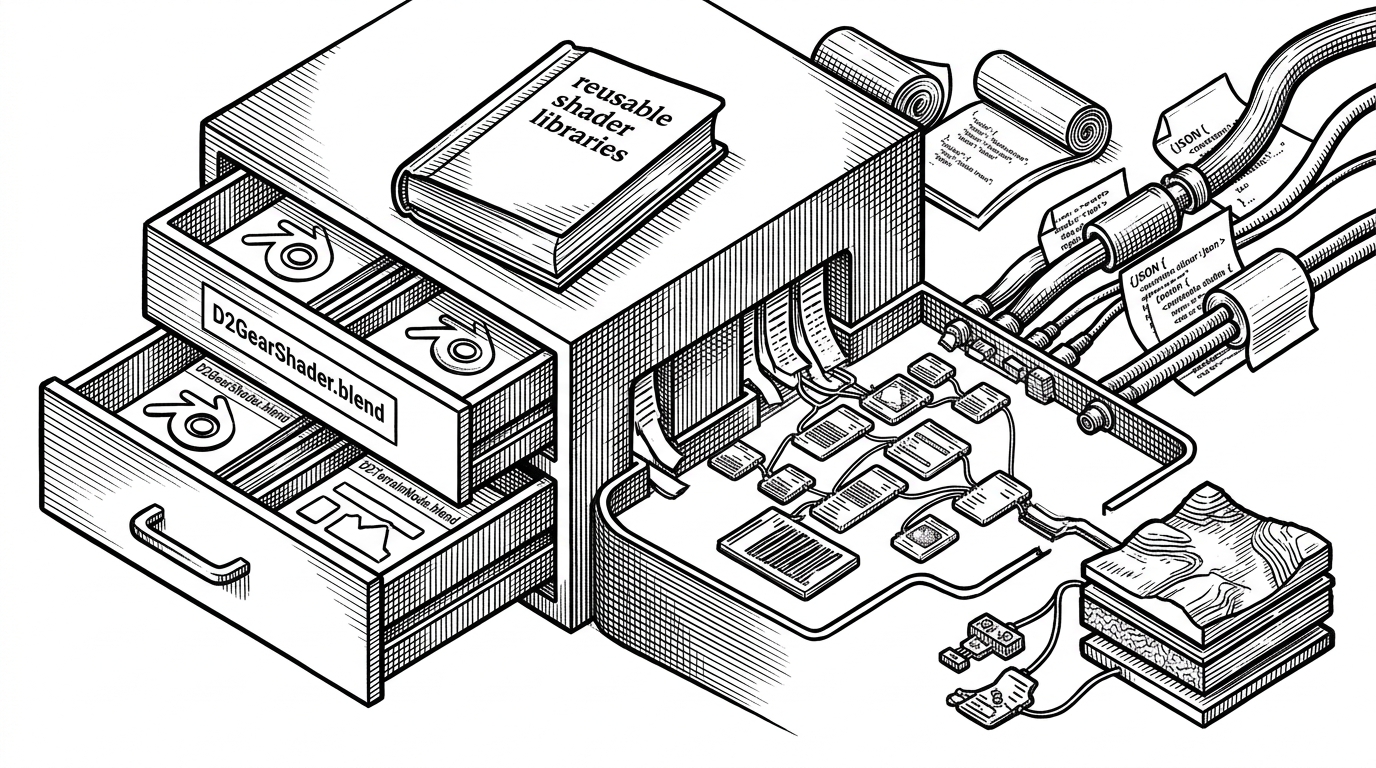
The terrain path shows how far this goes. The addon can attach a dyemap converter and route up to 16 texture inputs into a layered terrain material. That is not a convenience feature. It is the difference between a flat import and a scene that still resembles the source game's rendering model.
How the Orchestrator Moves the Pieces
`destiny_importer.py` is the control plane. It reads the config, sorts subfiles, prioritizes terrain, and dispatches map assembly and instancing work in the right order. The file is not elegant in the abstract, but it is exactly the sort of practical glue a Blender addon needs.
The design leans on global state to keep track of the current file path, assets path, and game mode. That is a trade-off, not a style trophy. It keeps the importer coherent while Blender's Python environment does the kind of stateful work that pure functions do not make easier.
# The repo's architecture is orchestration-first.
# One entry point reads config, sorts assets, and dispatches specialized handlers.

cfg = read_cfg(path)
files = sort_subfiles(cfg)
terrain_first = prioritize_terrain(files)
prepare_and_process_map(terrain_first)
process_instancing(cfg)
check_version_if_needed()
This is also where the addon shows restraint. It does not try to make every file type look the same. It separates map processing, gear handling, lighting, and helper utilities into distinct modules so the hard parts stay visible.
The Performance Problem Hidden Inside Big Maps
Large game maps are not just complicated. They are expensive. They can overwhelm Blender with object counts, texture lookups, and scene overhead long before the geometry itself becomes interesting.
`helper_functions.py` is where the project deals with that reality. It merges meshes when needed, searches for textures across multiple extensions, and supports workflows that keep Marathon-scale scenes survivable inside Blender. The point is not just faster import. It is avoiding a file that becomes unusable the moment it opens.
| Workflow | What it can import | Shader handling | Performance on large maps | Setup burden | Best use case |
|---|---|---|---|---|---|
| Manual import and hand-assembly | Anything you can assemble by hand | Rebuilt manually, if at all | Slow and fragile | High | One-off inspection or tiny scenes |
| Generic asset importer | Common meshes and textures | Usually shallow or generic | Mixed | Moderate | Broad compatibility across many games |
| d2-map-importer-addon | Destiny 2 and Marathon rips from Charm/MIDA | Template-based reconstruction with game-specific rules | Much better on supported maps | Lower once the pipeline is set up | High-fidelity reconstruction of Bungie assets |
Geometry Nodes instancing is the other quiet win here. For dense statics and decorators, it reduces memory pressure by reusing structure instead of spawning endless unique objects. That is how the addon keeps huge environments within reach of an artist's machine.
The Gear Path Is a Different Beast
The gear pipeline in `api.py` is narrower, but it is a clean example of the repo's domain knowledge. Weapons and armor do not behave like terrain. They need bone hierarchy handling, attachment logic, and shader assignment rules that respect metadata quirks like `GEAR` and `Externs`.
That is why the addon uses patterns like `Child Of` constraints and specialized shader selection. It is not just drawing an object. It is preserving the relationships that make the object behave correctly in a rigged scene.
This is the kind of subsystem that generic importers often flatten away. Here, it stays visible because the project knows the difference between a mesh that exists and a rigged asset that still functions.
What It Beats, and What It Still Cannot Do
The comparison is straightforward. Manual import gives total control but burns time. Generic importers give breadth but not this level of fidelity. `d2-map-importer-addon` sits in the middle only in the sense that it is purpose-built for a very specific job.
Its limits are equally clear. Non-player gear still needs manual reconstruction in some cases, decals are not fully supported, and large Marathon maps can still be heavy enough to justify splitting work across files. That is not a flaw so much as a sign that the tool is dealing with a hard source problem rather than a neat one.
The deeper lesson is that specialization scales. A narrow importer can carry enough engine knowledge to feel like a translation layer instead of a file loader, and that changes what users can do with the result.
The Niche It Serves
This is a hero project in the best sense. One primary maintainer, one demanding niche, and a tool that exists because the normal path was not good enough. It serves modders, machinima creators, and technical artists who need more than geometry in a viewport.
The repo's value is partly practical and partly archival. When a game world is proprietary, broken into rips, or difficult to revisit, a translation layer like this becomes a preservation instrument as much as a workflow tool.