tiktok-screenshot-resize Turns TikTok’s UI Into a Fixed Geometry Problem
A tiny Python tool that pads screenshots to a safe vertical canvas, keeps text crisp with 4:4:4 JPEG output, and packages the whole workflow as an AI-friendly skill.
- The repo solves a narrow problem with unusual precision: it turns TikTok screenshots into a fixed safe-zone canvas instead of treating them like generic images.
- Its bigger idea is structural, not graphical, because the real logic lives inside a Cursor skill path that makes the tool easier for AI assistants to discover and run.
- The pipeline favors repeatability over flexibility, using white padding, bulk processing, unique filenames, and 4:4:4 JPEG output to protect sharp UI text.
- This is a small repo with a strong opinion, and that opinion is what makes it useful for one recurring publishing job.
The pain is familiar. A screenshot looks fine in your camera roll, then TikTok’s interface eats the edges, covers the call to action, or crushes the part of the frame you wanted people to read. This repo does not try to solve every image problem. It picks one rule and enforces it: fit the shot into a 1206×1670 safe canvas, then leave the rest to white space.
The real problem is not resizing. It is avoiding TikTok’s UI
That is the useful reframing here. Most tools think about width, height, or aspect ratio in the abstract. This one thinks about where TikTok puts its chrome, and it bakes that constraint into the output itself. The result is not just a resized image. It is a screenshot that already knows where it will live.
Why this repo looks like a skill, not a script
The interesting architectural move is the split between the root launcher and the real implementation buried in .cursor/skills/tiktok-screenshot-resize/scripts/resize_for_tiktok.py. The launcher is a doorway. The skill folder is the house. That matters because it makes the repo legible to AI assistants as a reusable workflow, not just a one-off Python file.
That packaging choice is the surprise. A lot of utility repos hide their logic in a flat root. This one makes the workflow explicit, which is exactly what you want when an AI editor has to discover the right file path, understand the job, and run the right script without wandering through the tree.
How the image pipeline actually works
The mechanics are simple, but the simplicity is disciplined. The script accepts one image or many, calculates the scale needed to fit each source image inside a 1206×1670 frame, and centers the result on a white canvas. If the source is wider or taller, the leftover space becomes letterboxing or pillarboxing. Nothing is cropped unless the user asks for something else outside the default flow.
The polished detail is in the export. The tool uses 4:4:4 JPEG output, which preserves sharp UI edges better than a lazier subsampling choice. That sounds small, but it is the difference between text that still looks crisp and text that starts to smear when the image gets compressed for sharing. Add bulk processing and unique timestamps or IDs, and you get a utility that feels built for repetitive publishing work, not for a single lucky run.
The tiny choices that make it feel polished
This is the kind of repo where the absence of drama is the point. The dependency footprint is tiny, the launcher stays out of the way, and the output path is predictable. Those are boring decisions in the best possible sense. They reduce friction every time someone needs ten screenshots processed the same way.
What it beats, and what it does not try to beat
The right comparison is not with a giant multimedia suite. It is with the tools people actually reach for when they need a screenshot to survive contact with a social feed. Generic resizers are broad but indifferent. Browser automation stacks are powerful but heavy. Manual editing in Preview or Photoshop is precise, but it does not scale well when the same job comes back tomorrow.
| Approach | Setup cost | Strength | Weakness | Best use |
|---|---|---|---|---|
| Manual editing in Preview or Photoshop | Low for one file, high for many | Full visual control | Slow and repetitive | One-off assets |
| Generic image resizer | Very low | Fast and flexible | Often crops, distorts, or ignores context | Arbitrary image transforms |
| Browser screenshot stack | High | Can capture live web rendering | Overkill for post-processing | Full page capture and testing |
| tiktok-screenshot-resize | Tiny | Fixed safe-zone canvas with crisp output | Narrow by design | Repeatable TikTok-safe screenshots |
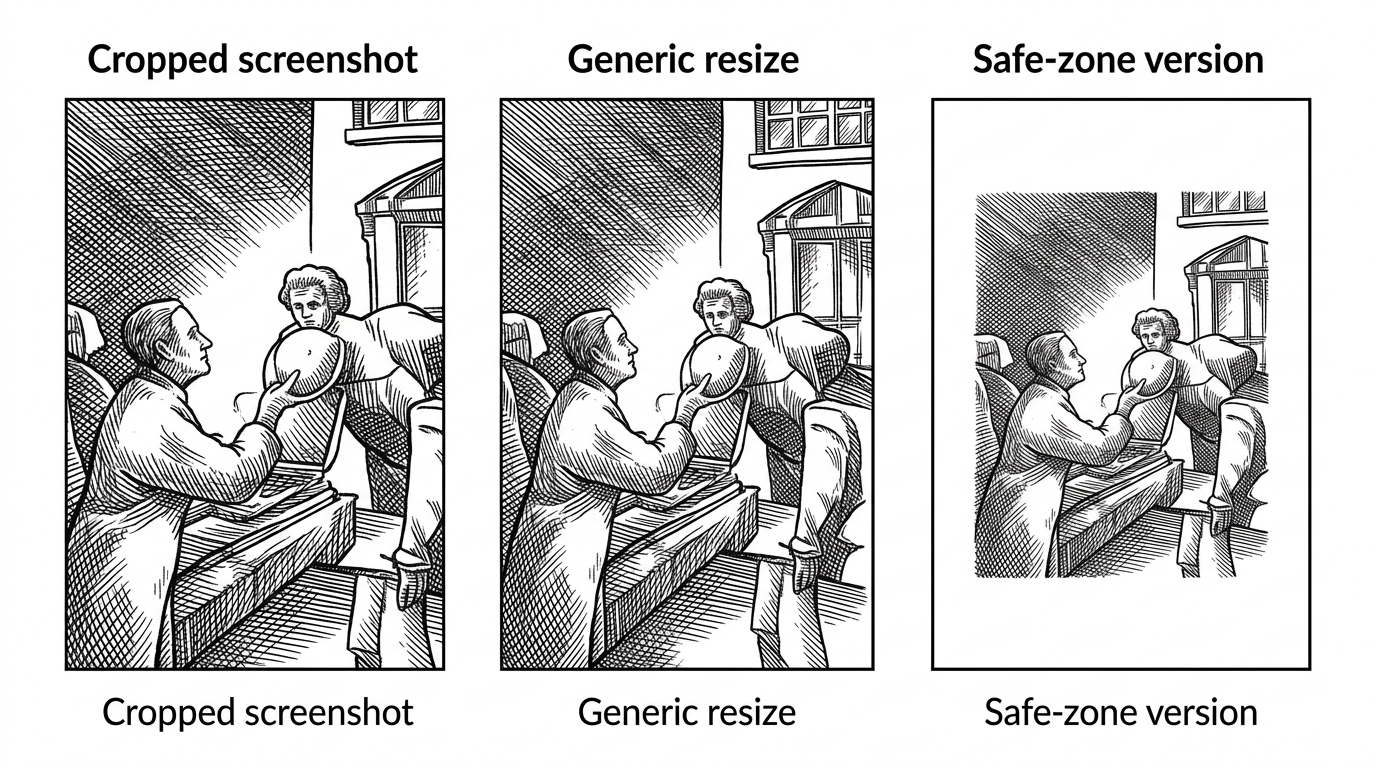
That is the real trade-off. This project does less than a general tool, but what it does, it does with a strong opinion and almost no setup. For a narrow publishing task, that is not a limitation. It is the feature.
Why this little repo matters
This repo is a good example of where small open-source tools are headed. The most useful utilities will not always be the most ambitious ones. They will be the ones that encode a repeatable judgment cleanly enough for humans to trust and AI assistants to execute. In that sense, tiktok-screenshot-resize is more than a resizer. It is a tiny, machine-readable policy about how a screenshot should survive a social platform.