task-annotation-console: The Frontend That Refuses to Break on Messy Data
A deep dive into the normalization, buffering, caching, and sanitization patterns that keep a real-time annotation dashboard stable even when the backend is inconsistent.
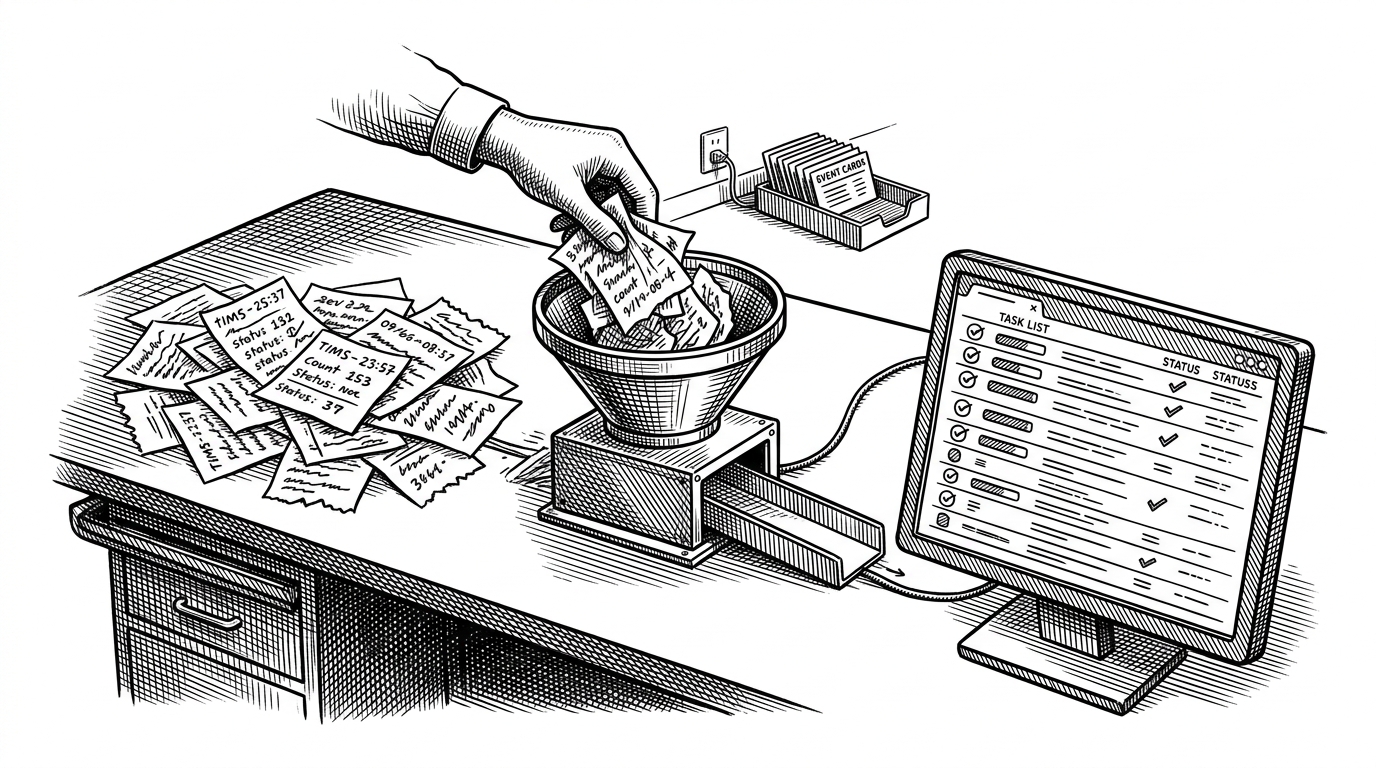
- This repo treats the frontend as a trust boundary, not a passive display layer.
- Its most important design choice is to normalize, buffer, cache, and sanitize before the UI ever claims something is true.
- The pending-events pattern solves a real race condition that simpler dashboards usually ignore.
- The lesson is architectural: correctness can survive partial truth if the client is built defensively.
Most dashboards assume the backend is tidy. This one assumes the opposite, and that is why it is interesting. task-annotation-console is built around a simple but unusually mature idea: a UI should stay honest even when data arrives late, arrives twice, or arrives in a shape nobody planned for.
A console-based task annotation tool
Why this dashboard matters more than it looks
Annotation systems are high-churn by nature. Tasks get updated, reassigned, paginated, and summarized while the operator is still looking at the screen. If the frontend trusts every payload as-is, it will eventually lie to the user. This repo is valuable because it refuses that shortcut.
The codebase is small, but the posture is serious. It uses a Next.js frontend, Redux Toolkit state, IndexedDB caching, WebSockets, and SSE, then wires them together with explicit defensive boundaries. That combination makes the app feel less like a demo and more like a lesson in resilient internal tooling.
The normalization layer is the real product
The core trust boundary lives in frontend/src/domain/normalize.ts. Its rule is brutally practical: only missing IDs cause rejection. Everything else gets coerced into a canonical Task shape, with safe defaults when the API is inconsistent.
type RawTask = {
  id?: string
  status?: string
  count?: number | string
  type?: string
}

type Task = {
  id: string
  status: 'pending' | 'in_progress' | 'done' | 'unknown'
  count: number
  type: 'image' | 'audio' | 'text' | 'unknown'
}

function normalizeTask(raw: RawTask): Task | null {
  if (!raw.id) return null

  return {
    id: raw.id,
    status: normalizeStatus(raw.status),
    count: Number(raw.count ?? 0) || 0,
    type: normalizeType(raw.type)
  }
}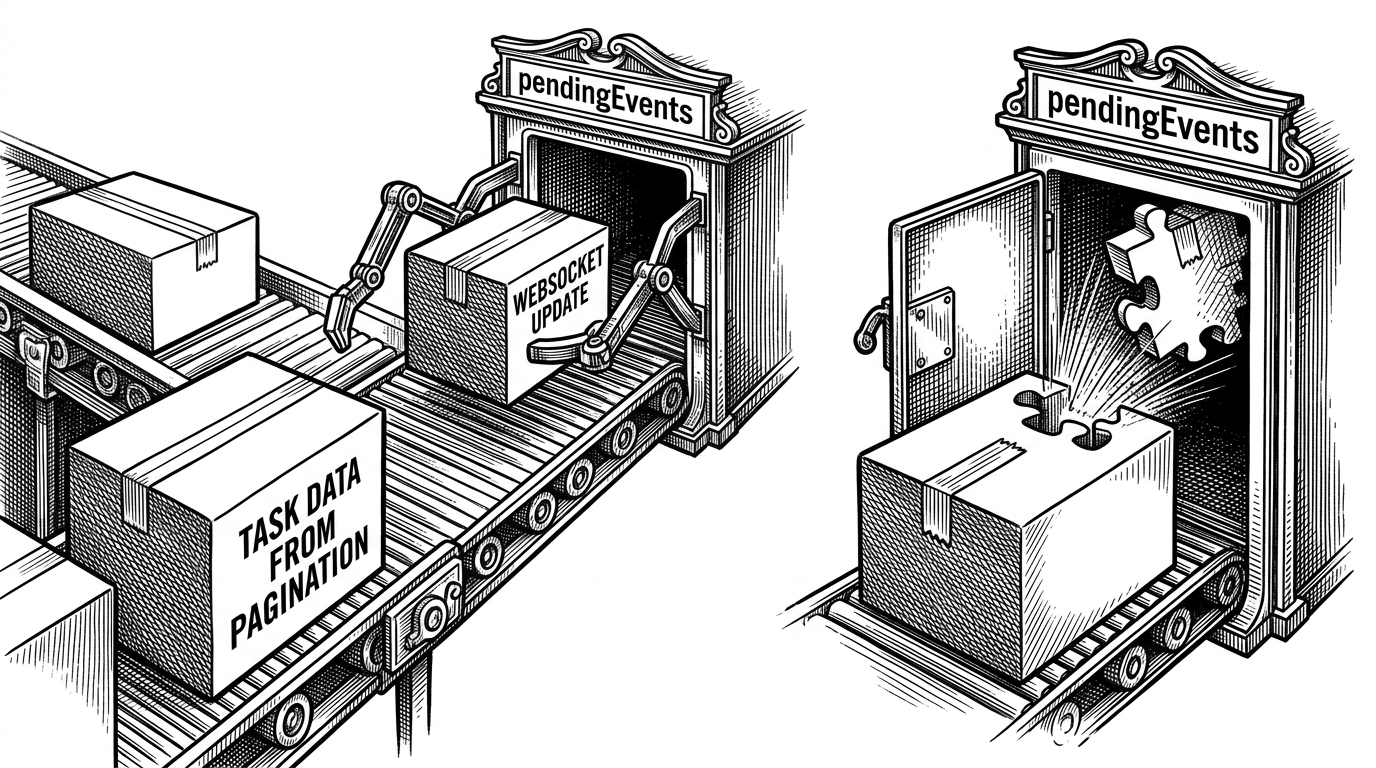
This is the repo's best state-management idea. A simpler app would ignore the update until the row exists, or assume the row should already be there. This one keeps the event, keyed by task ID, and replays it when the entity finally lands in the store.
| Situation | Naive dashboard | task-annotation-console |
|---|---|---|
| API payload shape | Trusts fields as received | Normalizes into one canonical Task type |
| Out-of-order WebSocket update | Drops it or shows partial state | Buffers it in pendingEvents until the entity exists |
| Initial load | Waits for network data | Boots from IndexedDB first, then refreshes |
| Streamed summary content | Renders it directly | Sanitizes markdown before display |
The live feed is designed for failure
frontend/src/hooks/useTaskFeed.ts treats the socket like production infrastructure. It reconnects with exponential backoff, and it uses useRef so React 18 Strict Mode does not create duplicate connections during development.
const socketRef = useRef<WebSocket | null>(null)
const retryRef = useRef(0)

function scheduleReconnect() {
  const delay = Math.min(1000 * 2 ** retryRef.current, 30000)
  retryRef.current += 1
  window.setTimeout(connect, delay)
}

useEffect(() => {
  if (socketRef.current) return
  connect()

  return () => {
    socketRef.current?.close()
    socketRef.current = null
  }
}, [])
The interesting part is not that it reconnects. It is that the connection layer is written to survive real browser behavior, not just happy-path demos. That is the difference between a tutorial socket and a tool people can actually depend on.
Stale data first is a feature
frontend/src/lib/cache.ts uses IndexedDB through localforage to show cached tasks immediately, mark them stale, and refresh in the background. That is not a compromise. It is a deliberate promise to keep the interface fast without pretending the cache is fresh.
In a lot of apps, speed and honesty fight each other. Here they work together. The user sees something useful right away, and the stale state tells them exactly how much trust to place in it.
Why the app renders AI summaries like an attacker is watching
The summary pipeline is a good example of internal-tool discipline. Streamed markdown is rendered with react-markdown and rehype-sanitize, which means generated text is treated as hostile until it proves otherwise. That matters because the mock server explicitly includes XSS-style payloads.
<ReactMarkdown rehypePlugins={[rehypeSanitize]}>
  {summary}
</ReactMarkdown>
This is the kind of detail that separates a polished demo from a thoughtful internal tool. The app does not assume the model output is safe just because it came from its own pipeline.
The buggy folder turns mistakes into documentation
The frontend/buggy/TaskTicker.original.tsx folder is unusually useful. It teaches stale closures, race conditions, and immutability bugs by showing the broken version next to the fix. That makes the codebase read like an interview answer with receipts.
| Bug pattern | Broken version | Fixed version |
|---|---|---|
| Stale closure | Uses captured state directly | Uses functional updates |
| Race condition | Lets older fetches win | Cancels or ignores stale requests |
| Mutation | Pushes into arrays in place | Creates new immutable state |
Why RTK Query was the wrong abstraction here
The repo's decision file makes the tradeoff clear. RTK Query is a strong default for ordinary fetching, but this app needs manual normalization, out-of-order event buffering, and custom reconciliation. In that situation, convenience becomes friction.
So the code chooses createAsyncThunk and explicit reducers instead. That is a good sign. Mature architecture is often less about picking the most fashionable library and more about refusing the wrong abstraction when the shape of the problem is unusual.
What this repo teaches about serious internal tools
The biggest lesson here is simple. A frontend does not have to be fragile just because its inputs are messy. Normalize aggressively, buffer what arrives too early, cache honestly, sanitize anything that can be interpreted, and pick abstractions that preserve correctness instead of hiding it.
That is what makes task-annotation-console worth studying. It is not flashy. It is careful. And in tools that sit between humans and unreliable systems, careful is the feature that matters.