datalab-to/oss_container: The One-Container Cluster That Turns PDFs Into Markdown at GPU Speed
A FastAPI front end, RabbitMQ queue, and GPU workers all live inside one image, with chunking and merge logic that make large document conversion feel parallel, predictable, and self-hosted.
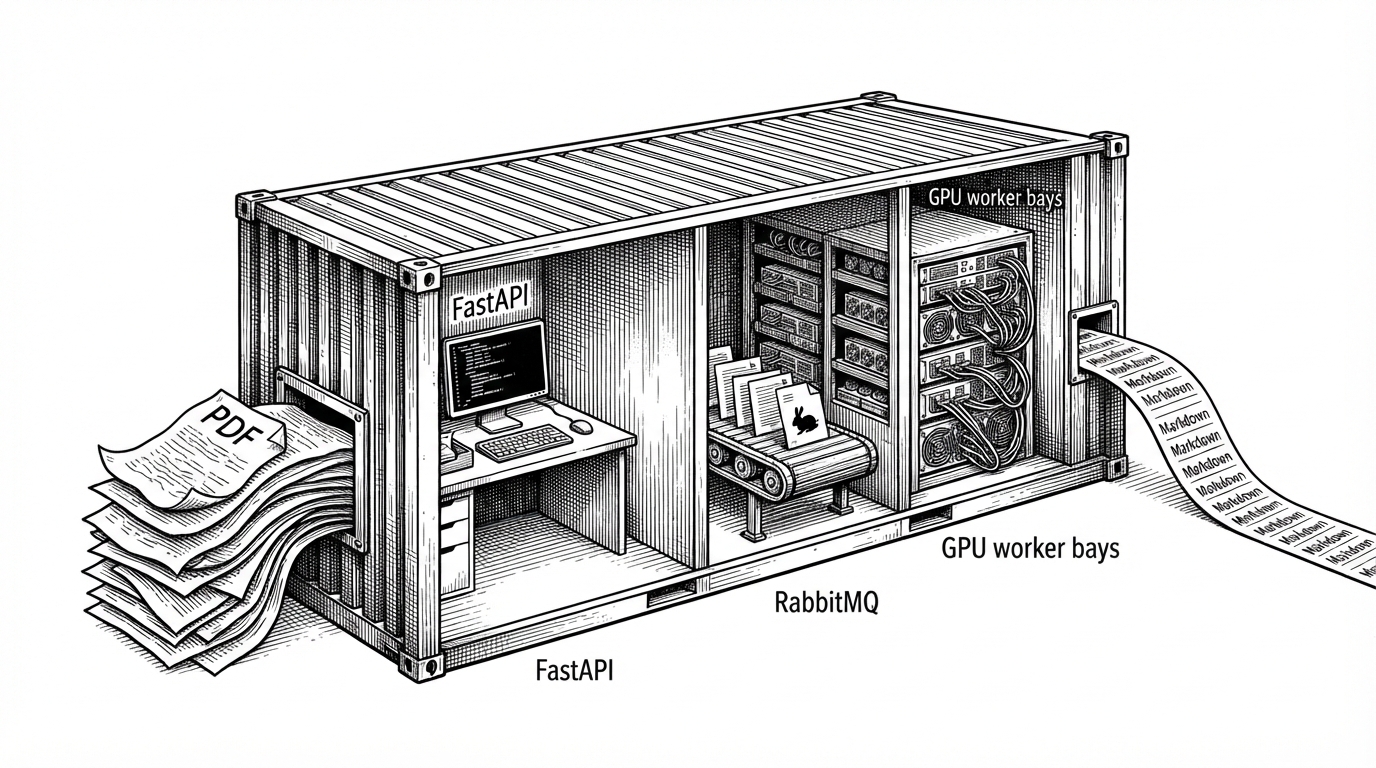
- oss_container packages a distributed PDF pipeline into one container so the user gets cluster-like behavior without cluster-like operations.
- Its real advantage is not the model alone but the orchestration around it: queueing, hardware-aware worker sizing, chunking, and merge logic.
- The repo turns long-document conversion into a parallel workflow, which makes throughput more predictable on GPU hardware.
- Against broader document-AI tools, it stands out most on self-hosting, output control, and deployability rather than raw black-box model claims.
The PDF Bottleneck Nobody Wants to Talk About
PDF ingestion is where a lot of AI systems quietly slow down. Clean Markdown, JSON, or HTML is rarely the hard part on paper. The hard part is turning a large, ugly document into something structured, fast enough for RAG, evaluation, and batch workflows without turning the infrastructure into a science project.
That is the useful trick in datalab-to/oss_container. It does not just wrap Marker. It packages the boring parts of distributed inference, then hides them behind a single Docker image that feels simple to run.
Datalab Inference Service. Containerized inference service for marker. This is not production-ready, and is only for evaluation purposes.
One Container, Three Jobs
The repository’s shape is the first clue. The API lives in inference/server, the consumer in inference/worker, and the orchestration glue sits in run.sh and supervisord. That is a familiar microservice split, except it ships as one image.
| Project role | Deployment model | Self-hosted? | Output focus | Best fit |
|---|---|---|---|---|
| oss_container | Single Docker image with API, queue, and workers | Yes | Markdown, JSON, HTML | GPU teams that want a self-contained ingestion appliance |
| Unstructured | Library and platform tools | Yes | Connectors and preprocessing across many file types | Broader document pipelines that need many formats |
| Nougat | Research model | Yes | Academic PDF text extraction | Specialized papers and math-heavy PDFs |
| Mistral OCR | Cloud API | No | OCR and document understanding | Teams that want a strong hosted black box |
| olmOCR | Open-source pipeline | Yes | Large-scale PDF to Markdown | High-volume markdown conversion at dataset scale |
That design choice matters because it changes who owns the complexity. The operator does not assemble a queue, a server, and a worker pool by hand. The repo makes that topology feel like a product feature instead of an ops burden.
How the Container Sizes Itself to the GPU
This is the sharpest engineering detail in the repo. run.sh checks available VRAM, computes how many workers it can afford, and then supervises the process tree accordingly. The container does not guess at throughput. It reads the machine and adapts.
# Pseudocode shape of the orchestration
vram_gb=$(get_gpu_vram)
workers=$(( vram_gb / DATALAB_VRAM_PER_WORKER ))
start_mps
exec supervisord -c /etc/supervisor/conf.d/supervisord.conf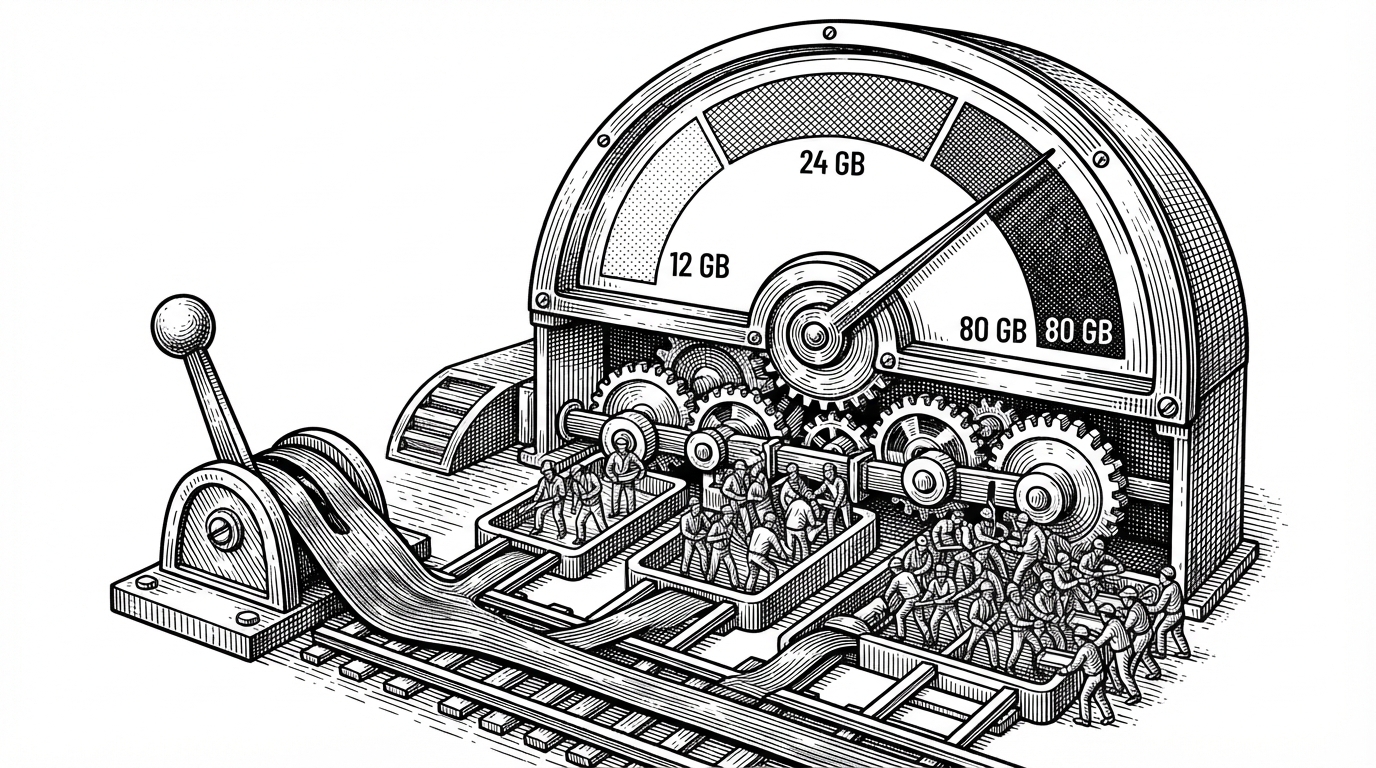
That is not a cosmetic detail. It is what lets the same container behave reasonably on a modest card or a larger enterprise GPU. The repo also uses NVIDIA MPS, which matters because multiple workers on one device only help if the GPU can share attention without thrashing.
Why Chunking Changes the Throughput Story
The next step is even more important: the server rewrites the work graph. In maybe_chunk_pdf, long PDFs are split into smaller jobs before they hit the queue. That means one large input can be processed by several workers at once instead of waiting behind a single serial conversion path.
This is the part that makes the repository feel more like infrastructure than a parser. It changes latency from a single long task into a parallel workflow. That is a very different product promise, especially when the input is a 300-page PDF with awkward tables and mixed layout.
Reassembling the Document Without Losing Structure
Chunking only works if the merge step is equally careful. The repository’s merge.py handles Markdown, JSON, and HTML differently, so the final output is not a naive concatenation job. It stitches content back together in a format-aware way.
# Conceptual shape of the merge layer
if output_format == "markdown":
    merged = "\n".join(chunk_texts)
elif output_format == "json":
    merged = merge_children_nodes(chunk_json_blobs)
elif output_format == "html":
merged = stitch_body_tags_with_beautifulsoup(chunk_html_docs)| Format | Merge behavior | Why it matters |
|---|---|---|
| Markdown | Concatenates ordered chunk text | Keeps the final artifact readable and LLM-friendly |
| JSON | Merges nested document nodes | Preserves structure for downstream tools |
| HTML | Stitches body content with DOM-aware parsing | Avoids broken markup after parallel processing |
That is the hidden constraint in the whole design. Parallelism is only useful if reconstruction is trustworthy. The repo earns its speed by being careful at both ends of the pipeline.
How It Compares to the Rest of Document AI
Against the wider document-AI field, this project is easiest to understand as a packaging win. Unstructured is broader. Nougat is specialized. Mistral OCR is strong but hosted. olmOCR is relevant at scale. oss_container is the one that turns a GPU-backed document pipeline into something a small team can run and reason about locally.
| Project | Deployment model | Hardware control | Output style | What it wins on |
|---|---|---|---|---|
| oss_container | Single self-hosted container | High | Markdown, JSON, HTML | Packaging, deployability, parallel chunking |
| Unstructured | Library plus platform | Medium | Many file types and connectors | Breadth and ecosystem |
| Nougat | Research model | Low to medium | Academic text extraction | Math-heavy PDFs |
| Mistral OCR | Hosted API | Low | OCR and understanding | Convenience and model quality |
| olmOCR | Open pipeline | Medium | Markdown at scale | Dataset-scale conversion |
That is why the project feels distinct. It is not trying to beat every alternative on model novelty. It is making the operational shape of document AI much easier to own.
Why This Matters for the Next Wave of RAG Infrastructure
The larger lesson is simple. Document AI is moving from a model-only conversation to an operations conversation. Teams care about self-hosting, throughput, deterministic output, and how much of the pipeline they actually control.
That is where oss_container is interesting. It makes Marker feel like a scalable product while still shipping as one container. The real innovation is not that it can parse a PDF. It is that it can behave like a distributed system without making you run one.