form-filler: The Python Bookmarklet Generator That Turns YAML Into One-Click Browser Muscle Memory
A tiny developer tool that replaces extension bloat with a clean pipeline: schema-validated specs, generated JavaScript, and instant form population in the browser.
- form-filler solves a browser problem without becoming a browser product.
- Its real trick is a tiny compiler pipeline that turns declarative YAML into executable bookmarklets.
- Schema validation is the difference between a clever script and a tool you can trust repeatedly.
- Bookmarklets win here because the workflow is narrow, portable, and inspectable.
Most teams would reach for a browser extension. `form-filler` does the opposite. It takes the same repetitive pain and shrinks it into a Python-to-bookmarklet pipeline that is portable, inspectable, and small enough to understand in one sitting.
That restraint is the point. Juha-Matti Santala’s own framing is blunt: "I’m building a Python script to create form filling bookmarklets". The headline sounds modest because the idea is modest. Yet the architecture quietly rejects extension installs, backend services, and UI layers that would add more weight than value.
Why This Exists: The Anti-Extension Answer
If you fill the same developer or test forms over and over, the friction is not the typing. It is the ceremony around the typing. Extensions need install steps, permissions, and maintenance. Bigger automation stacks bring even more surface area. `form-filler` asks a sharper question: what if the answer were just a bookmark you click?
I’m building a Python script to create form filling bookmarklets

From YAML to Bookmarklet
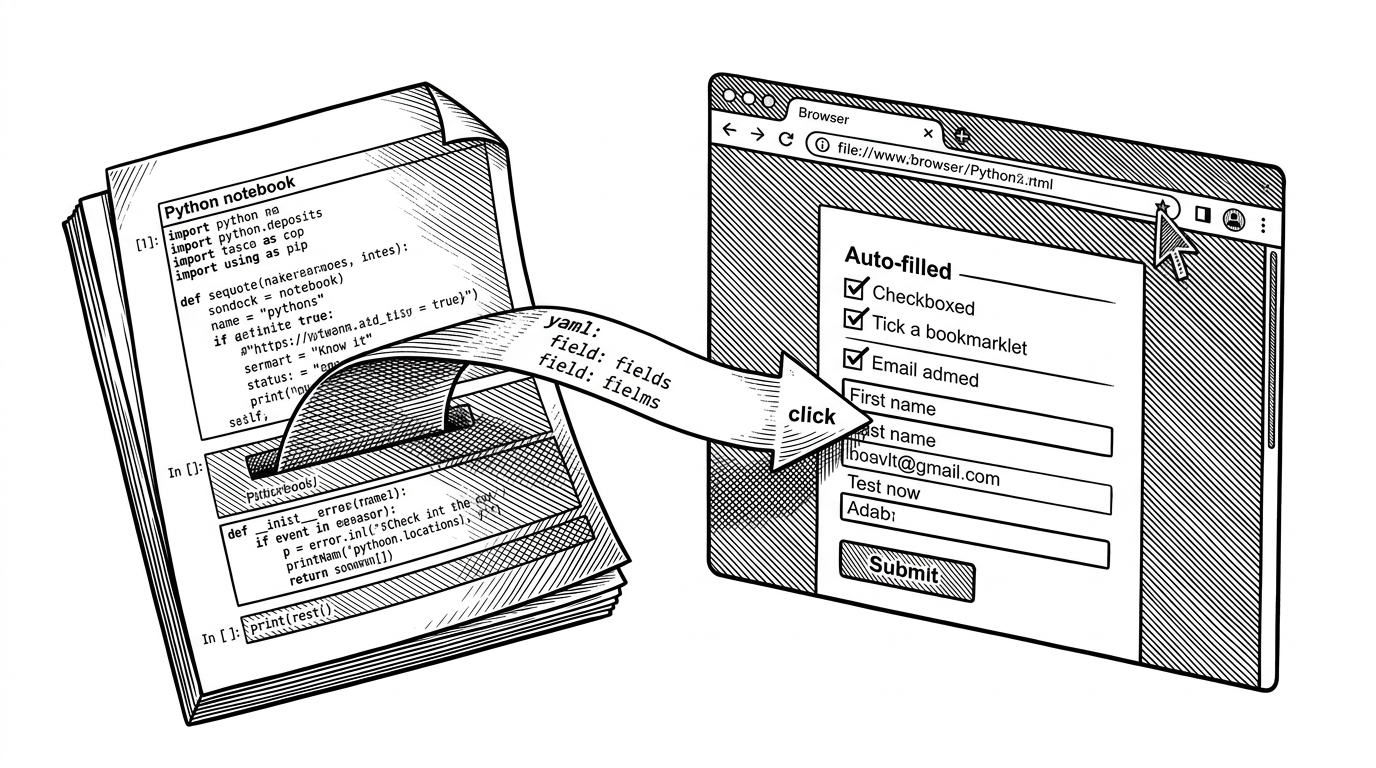
The workflow is almost absurdly clean. A YAML file defines fields, selectors, and values. Python validates the spec, maps each entry to a JavaScript fragment, and wraps everything in a bookmarklet-friendly shell: javascript:(function(){ ... })();.
This is not string concatenation dressed up as tooling. The generator is closer to a tiny compiler. It accepts a constrained input language, checks that the input is structurally valid, and emits a browser-native artifact that can be copied anywhere a bookmark can live.
def build_bookmarklet(snippets: list[str]) -> str:
    body = ";".join(snippets)
    return f"javascript:(function(){{{body}}})();"
The interesting design choice is not JavaScript. It is Python as the build language for browser behavior. That keeps the author in a familiar, testable environment while producing something the browser already knows how to run.
The Guardrails: Why Schema Validation Matters
The repo uses Cerberus to validate both the overall file and each input entry. That matters because a bookmarklet fails in the least forgiving place possible: inside the browser, after you have already clicked it. Validation moves the failure earlier, where it is easier to debug and cheaper to fix.
In other words, the schema is the product. It defines what counts as a supported input, which selectors are acceptable, and which values can be translated into working JavaScript. Without that layer, the tool would be a brittle text emitter. With it, the project behaves like a tiny, purpose-built compiler pipeline.
schema = {
    'inputs': {
        'type': 'list',
        'schema': {
            'type': 'dict',
            'schema': {
                'type': {'type': 'string', 'allowed': ['text', 'checkbox', 'date']},
                'selector': {'type': 'string', 'required': True},
                'value': {'required': True},
            },
        },
    }
}
The payoff is practical. A malformed selector gets caught before a user pastes broken code into a bookmark bar. An unsupported field type is rejected instead of silently becoming a bad script. That is a small amount of ceremony that buys real reliability.
The Clever Part Is the Boring Part
The generator’s map is deliberately narrow. Text fields set `.value`. Checkboxes set `.checked`. Dates become strings the browser can accept. The code does not try to infer intent. It just turns each declared field into the most direct possible DOM mutation.

That restraint is what makes the tool legible. Every supported input is obvious. Every emitted line can be read. There are no hidden heuristics, no model prompts, no helper runtime. The bookmarklet does exactly what the YAML said it should do, which is why the pipeline feels trustworthy.
Why Bookmarklets Still Win in Narrow Workflows
Bookmarklets are old, but they are good at one thing: being there without asking for permission. For a developer-owned form, that is enough. They are cross-browser, easy to share, easy to inspect, and easy to throw away when the test case changes.
| Approach | Install burden | Transparency | Portability | Best fit |
|---|---|---|---|---|
| Bookmarklet generator | None beyond a bookmark | High. The output is plain JavaScript | High. Works wherever bookmarks work | Repeatable internal forms and test data |
| Browser extension | Install, permissions, updates | Medium. Behavior lives inside an extension | Medium. Browser-specific packaging can matter | Broader automation across many sites |
| AI form filler | Install plus model dependence | Low. Behavior can be opaque | Medium. Often tied to a service or extension | Ad hoc filling when field structure is unclear |
The tradeoff is equally clear. Bookmarklets are not the right answer for complex single-page app flows, cross-origin iframes, or messy dynamic state. But this project never pretends otherwise. It wins in the narrower zone where control, repeatability, and portability matter more than generality.
A Tiny Tool With a Modern Toolchain
The stack is small, but it is not sloppy. `uv`, `pyproject.toml`, type hints, `pytest`, and Cerberus all point to a project that wants to be minimal without being throwaway. Even the forward-leaning Python target signals curiosity about the language rather than nostalgia for older habits.
That is an underrated lesson in developer tooling. Small utilities do not have to look provisional. They can be exact, testable, and opinionated while still staying tiny enough to audit by eye.
What It Suggests About Developer Tools
`form-filler` argues for a quieter kind of software. Not every workflow needs a platform. Some need a compact artifact, generated from a declarative spec, that can be inspected, shared, and discarded without ceremony.
That is why the project lands. It solves a browser problem without becoming a browser product. It replaces a stack with a single click, and in doing so it makes a strong case for small tech in the places where small tech is enough.