acf-composer: ACF Composer: The Compiler Layer That Turns WordPress Fields into Reusable Components
A deep dive into the Sage 10 package that replaces ACF’s admin-first workflow with classes, partials, Blade rendering, and cached manifests.
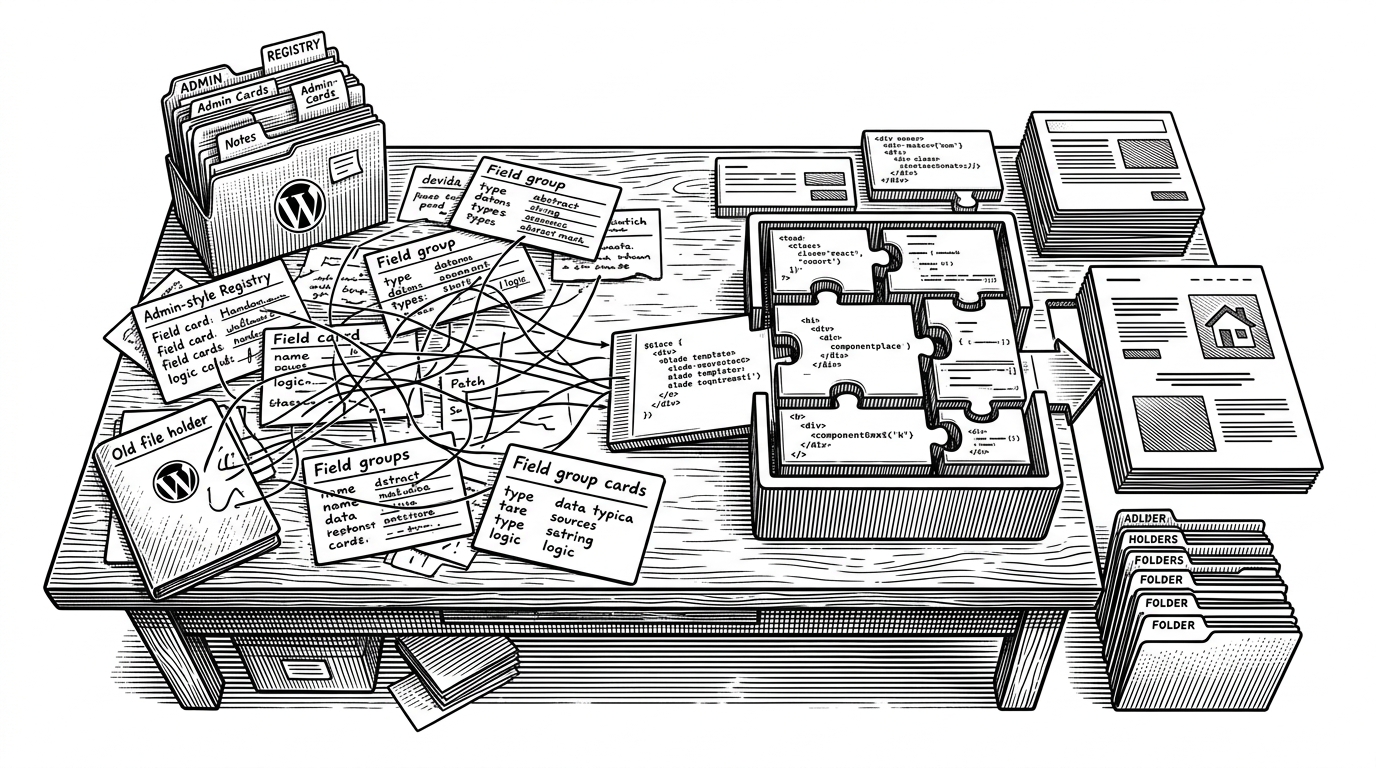
- ACF Composer reframes WordPress fields as code modules, which makes large ACF setups easier to version, review, and ship.
- Its partial system is the sharpest idea in the package, because it lets one field bundle appear in many places without duplication.
- The manifest cache matters because it removes runtime field assembly work instead of just shaving a few milliseconds.
- The package is most compelling inside Sage 10 and Acorn, where Blade, CLI tooling, and component patterns already feel native.
ACF Composer is easy to misread as a nicer way to build field groups. That undersells it. The real shift is that it turns ACF from an admin workflow into a code architecture, where classes define behavior, partials define reuse, and cached manifests remove work the runtime should not have to do.
That is why it matters. For a small site, the difference is convenience. For a large team, it is repeatability, deployability, and a codebase that behaves more like software than a pile of settings.
The real trick: ACF Composer makes fields composable
The package’s thesis is simple: stop treating a field group as a thing you edit in the WordPress admin, and start treating it as a component you compose in PHP. That makes the unit of work a class, not a screen.
Log1x describes it this way in the README: “ACF Composer is the ultimate tool for creating fields, blocks, widgets, and option pages using ACF Builder alongside Sage 10.” Source. That line is doing a lot of work. It tells you the package is not trying to replace ACF. It is trying to make ACF behave like the rest of a modern codebase.
ACF Composer is the ultimate tool for creating fields, blocks, widgets, and option pages using ACF Builder alongside Sage 10.
The payoff is organizational as much as technical. A field group in code can be reviewed in a pull request, split across files, extended by conventions, and deployed like any other artifact. That is a different mental model from clicking together fields in a wp-admin screen and hoping the export stays in sync.

Partials are the killer feature
The best abstraction in ACF Composer is the partial. A partial lets you define a reusable bundle of fields once, then inject it into multiple places without copying the underlying structure by hand.
That sounds modest. It is not. Reuse in field systems is where duplication, drift, and sync bugs usually creep in. If the same social links repeater appears in a header options page, a footer widget, and a contact block, partials mean one definition instead of three fragile copies.
This is the project’s clearest leap beyond plain ACF. Native ACF gives you places to store fields. ACF Composer gives you a way to compose them.
The architecture around that idea is tidy. The package scans composer classes, resolves dependencies, and defers work until the right objects exist. That deferred assembly matters because some things, like option pages and block registrations, have to land in the correct order.
How the package assembles itself
The main orchestrator, `AcfComposer.php`, acts like a registry and dispatcher. `Composer.php` gives every component a shared base abstraction. `Builder.php` extends the fluent ACF builder layer, and `Block.php` ties ACF blocks to Blade view rendering.
In practice, that means ACF Composer is not just storing metadata. It is building a small application layer around ACF. Classes become field groups. Field groups become registered objects. Blocks can render through Blade with data passed in through familiar Laravel-style patterns.
class SocialLinks extends Builder
{
    public function fields(): array
    {
        return [
            $this->addText('label'),
            $this->addRepeater('links')
                ->addText('url')
                ->addText('title'),
        ];
    }
}

class HeaderOptions extends Options
{
    public function fields(): array
    {
        return [
            $this->addPartial(SocialLinks::class),
        ];
    }
}
That is the key mental shift. The field definition is not a blob of array syntax floating in a plugin file. It is a reusable class that can be composed into other classes, which is exactly how modern component systems work.
Why caching matters more than it sounds
The manifest cache is the system-level move in ACF Composer. The point is not just to make things faster in a vague sense. It is to stop rebuilding the same field structures on every request when the definitions have already been compiled.
Log1x says the cache can lead to a “dramatic increase” in performance, especially in editors with multiple custom blocks. Source. That tracks with the design. If your site has a lot of fields, the cost is not just the registration code. It is the repeated orchestration work needed to turn code into ACF-ready structures.
Caching here is not a nice-to-have optimization. It changes the shape of deployment. If a manifest already contains the compiled field output and block metadata, production requests can skip a whole layer of PHP work. That is the same logic that underpins many serious build systems: do the expensive composition once, then ship the result.
What ACF Composer gives you that native ACF does not
ACF Composer’s value is clearest in contrast. Native ACF is flexible, but it is still centered on admin configuration. ACF Composer moves the center of gravity into the codebase and then wraps it with abstractions meant for teams that live there.
| Workflow | Definition style | Reusability | Version control | Runtime performance | Blade / Sage integration | Boilerplate |
|---|---|---|---|---|---|---|
| Native ACF admin UI | Visual configuration in wp-admin | Low | Weak without export | Depends on editor state | None | Low at first, high at scale |
| ACF Local JSON / PHP export | Exported configuration files | Medium | Good, but sync-based | Better than admin UI | None | Medium |
| Direct acf_add_local_field_group | Raw PHP arrays | Medium | Good | Good | None | High |
| Plain acf-builder | Fluent PHP field definitions | High for fields | Good | Good | Limited | Lower |
| ACF Composer | Composable PHP classes plus partials | Very high | Excellent | Best with cache manifest | Native in Sage 10 | Low after setup |
The table is the point. ACF Composer is the most opinionated option, and that is why it works for its audience. It assumes you want fields to behave like part of a maintained architecture, not a one-off configuration surface.
The Roots ecosystem shaped the design
ACF Composer makes the most sense inside the Roots stack. Sage 10 gives it a Blade-first theme layer. Acorn gives it service providers, CLI commands, and a Laravel-flavored runtime. ACF gives it the field engine. The package sits in the gap and makes the whole setup feel coherent.
That is also why the project has a distinct shape. It is not trying to be universal WordPress tooling. It is trying to be the right abstraction for a specific, serious audience: teams that already want Sage, Acorn, and ACF to work together as one system.
There is a quiet maturity to that choice. The package does not chase broad adoption by stripping away opinion. It embraces a narrower contract and makes it excellent.