github-api-push: When Git Push Becomes a Set of API Calls
A single-file Node script that reads local Git state, uploads tracked files through the GitHub Contents API, and gets through networks that block normal Git transport.
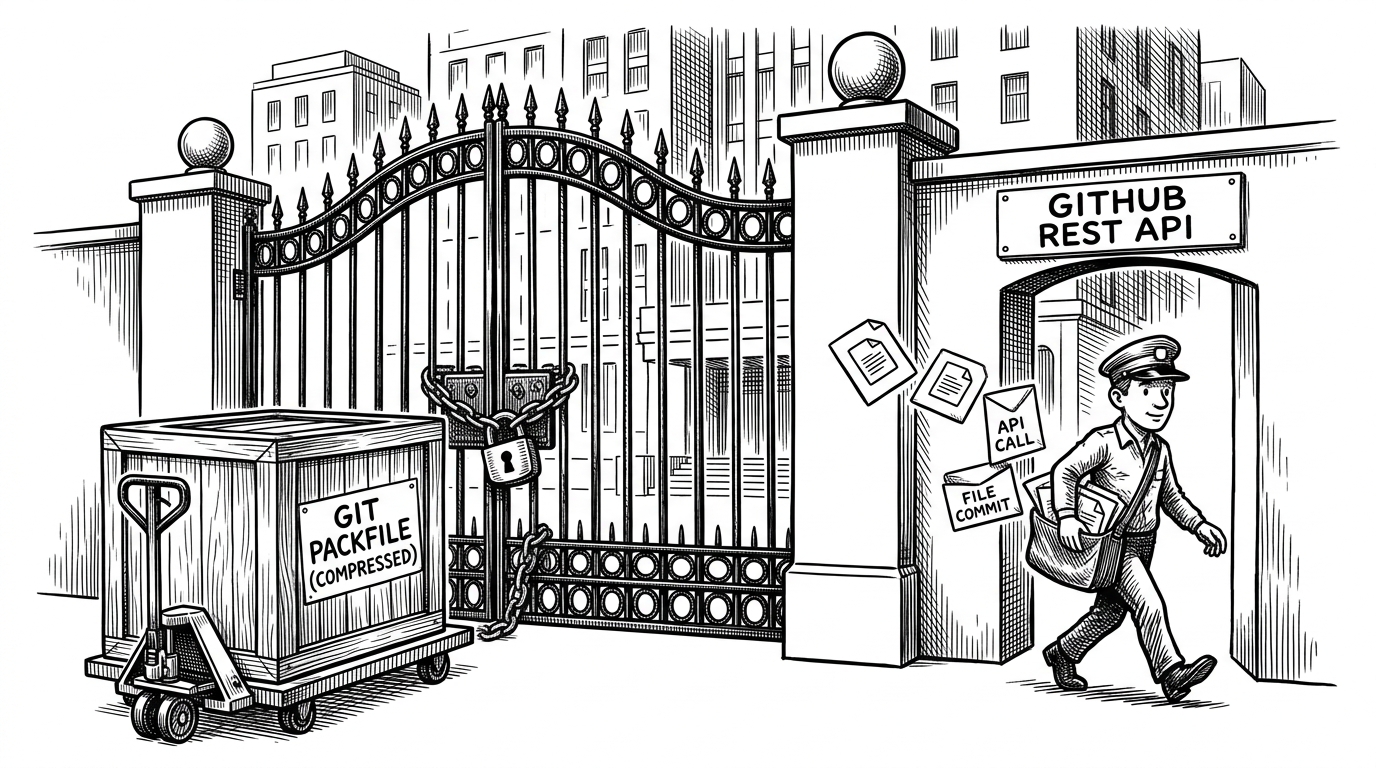
- github-api-push separates repository knowledge from network transport, which lets it behave like Git without speaking the Git protocol.
- The script asks local Git for the branch, remote, and tracked files, then turns that state into authenticated API uploads.
- Its advantage is reach, not elegance, because file-by-file REST calls are slower than packfile pushes.
- It is a break-glass tool for constrained networks, not a general replacement for normal Git workflows.
Most Git tools try to make push faster. This one tries to make push possible. The trick is simple and a little rude: let local Git describe the repo, then move the files through GitHub's web-facing API instead of the transport that corporate proxies and brittle network appliances often break.
Why the Git protocol fails where web APIs still work
That distinction matters because not every network treats traffic the same way. SSH can be blocked outright. HTTPS Git remotes can be inspected, throttled, or interrupted by proxies that dislike long-lived, stateful protocol sessions. Plain REST calls often fit the approved shape of web traffic better, which is why a Contents API request can succeed where a normal push dies.
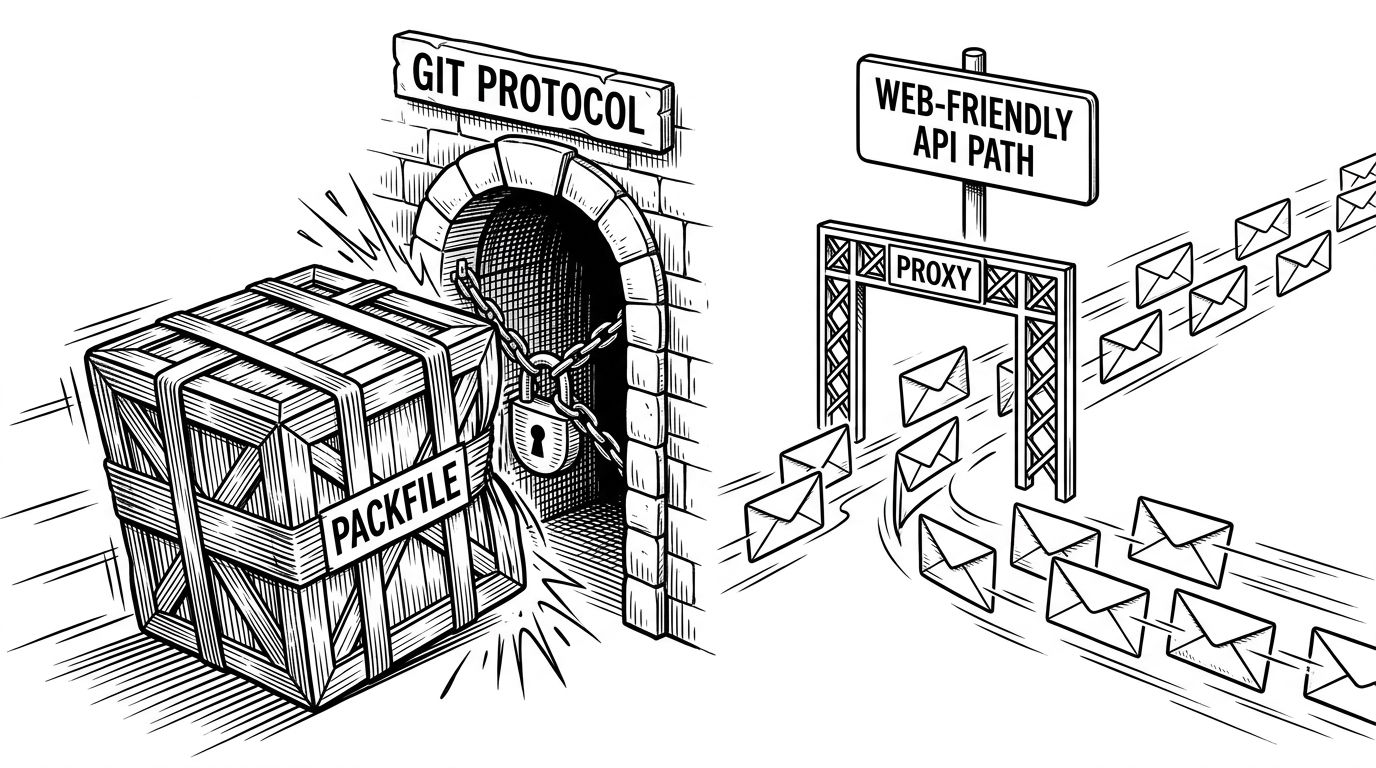
Git's memory, API's transport
The clever part is that the script does not reimplement Git. It asks the installed Git client for the current branch, the origin remote, and the tracked file list. That means it inherits the local repo's understanding of what belongs in the push, including ignored files staying ignored. Once it has that map, it can construct a sequence of authenticated requests to GitHub.
const branch = execSync('git rev-parse --abbrev-ref HEAD').toString().trim();
const remote = execSync('git remote get-url origin').toString().trim();
const files = execSync('git ls-files').toString().trim().split('\n');

const fetch = await createFetcher();

for (const file of files) {
  const content = fs.readFileSync(file, 'base64');
  await fetch(`https://api.github.com/repos/${owner}/${repo}/contents/${file}`, {
    method: 'PUT',
    headers: {
      'Authorization': `token ${token}`,
      'User-Agent': 'github-api-push',
      'Content-Type': 'application/json'
    },
    body: JSON.stringify({
      message: `Update ${file}`,
      content,
      branch
    })
  });
}
The real trade-off: efficiency versus reach
A normal push wins on engineering elegance. Git sends compressed deltas and packfiles, which is exactly what you want when the Git transport is available. github-api-push gives that up. It uploads files individually through a web API, which is less efficient but easier to route through locked-down networks.
| Approach | How it moves data | Network fit | Trade-off |
|---|---|---|---|
| git push | Sends packfiles and deltas through the Git protocol | Best when Git transport is open | Fast and faithful |
| github-api-push | Uploads tracked files through GitHub REST calls | Useful when web APIs pass but Git is blocked | Slower, but reaches places Git cannot |
| Browser or manual edits | Edits files in the GitHub UI | Usually works anywhere a browser works | Painful beyond tiny fixes |
That is why the tool reads like an emergency kit. It is not a better Git. It is a different route out of a bad network, built for the moment when the normal path is closed and a web request is the only thing that gets through.
Who this is for, and who should ignore it
If you work behind proxy rules that block SSH, break HTTPS Git, or make remote operations unreliable, this is a useful escape hatch. If your network is normal, ignore it. The project is at its most interesting when treated as a reminder that transport choice is part of product design, even in developer tools.