push-to-do: Push To-Do: The iPhone App That Turns Speech Into Notion Tasks
A tiny SwiftUI utility that starts recording on launch, runs the audio through Whisper, and posts the result into Notion with almost no interface in between.
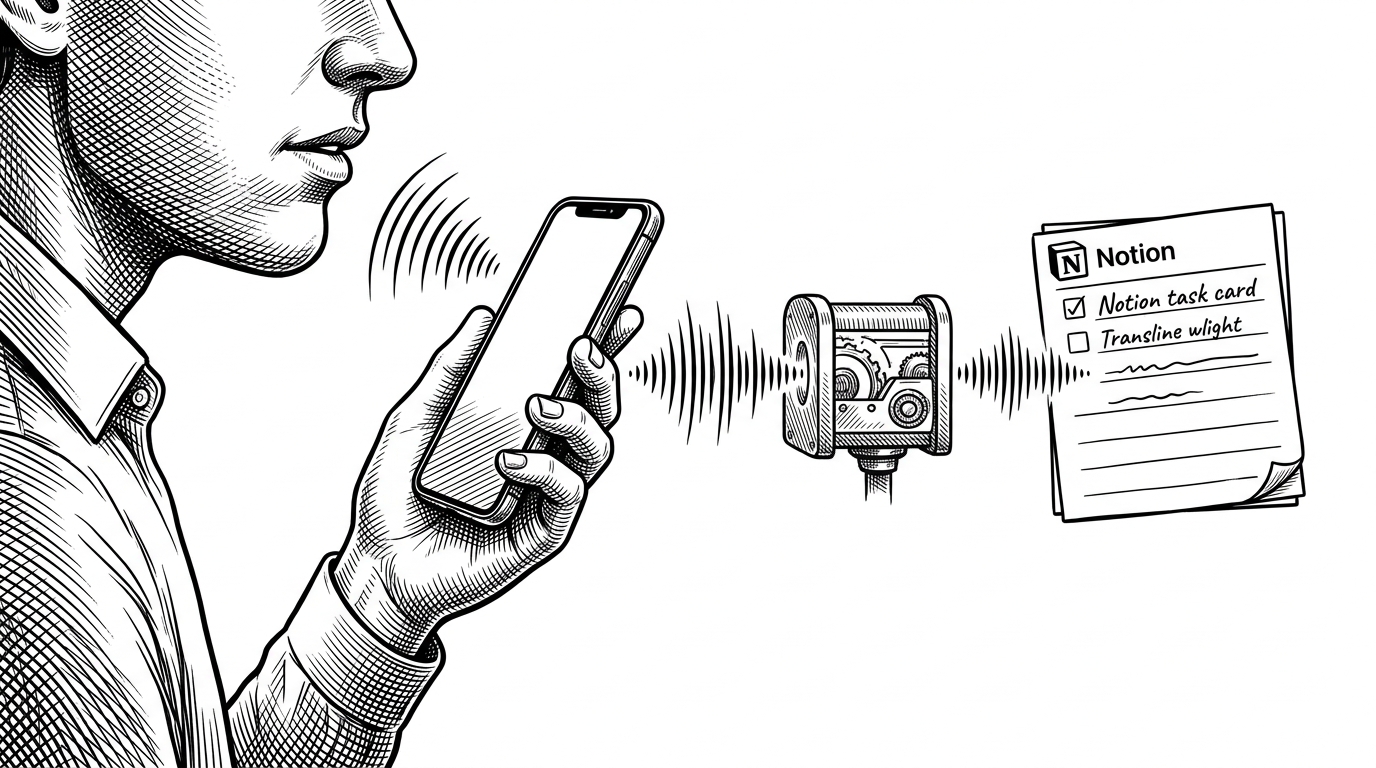
- Push To-Do wins by collapsing task capture into a single gesture, opening the app starts recording before the user has time to rethink the task.
- The repo reads like ChatGPT-era glue code: small, direct, and optimized for a working workflow instead of a polished product surface.
- Its real design choice is not transcription, but routing the same spoken input into two different Notion destinations with almost no UI in between.
- The project is useful precisely because it is fragile enough to reveal the trade-offs of building fast around AI and API shortcuts.
Why This App Starts Recording Before You Ask It To
Push To-Do is not trying to be a better task manager. It is trying to erase the moment of hesitation between thinking of something and putting it somewhere durable. The app opens, records immediately, sends the audio to Whisper, cleans up the transcript, and drops the result into Notion.
That matters because capture tools lose to memory friction more often than they lose to competitors. By the time you unlock the phone, navigate to the right page, and decide how to phrase the task, the thought is already degraded. Push To-Do treats the iPhone like a dedicated voice front end for Notion.
A Weekend Project Built Like a Pipeline

The codebase is small enough to read like a stack of decisions. SwiftUI handles the shell, AVFoundation handles capture, Alamofire uploads the audio, and NotionSwift writes the result back out. There is no elaborate navigation, no account labyrinth, and no custom settings page.
That shape fits the origin story. This looks like a project built quickly, probably with heavy AI assistance, and intentionally kept lean. The point is not robustness. The point is proving that a useful workflow can be assembled from a few sharp integrations.
The Trick: Voice In, Notion Out
The interesting part is not that the app transcribes speech. It is how little stands between the microphone and the final Notion object. Audio is captured locally as recording.m4a, sent to Whisper, cleaned, then routed into one of two Notion write paths.
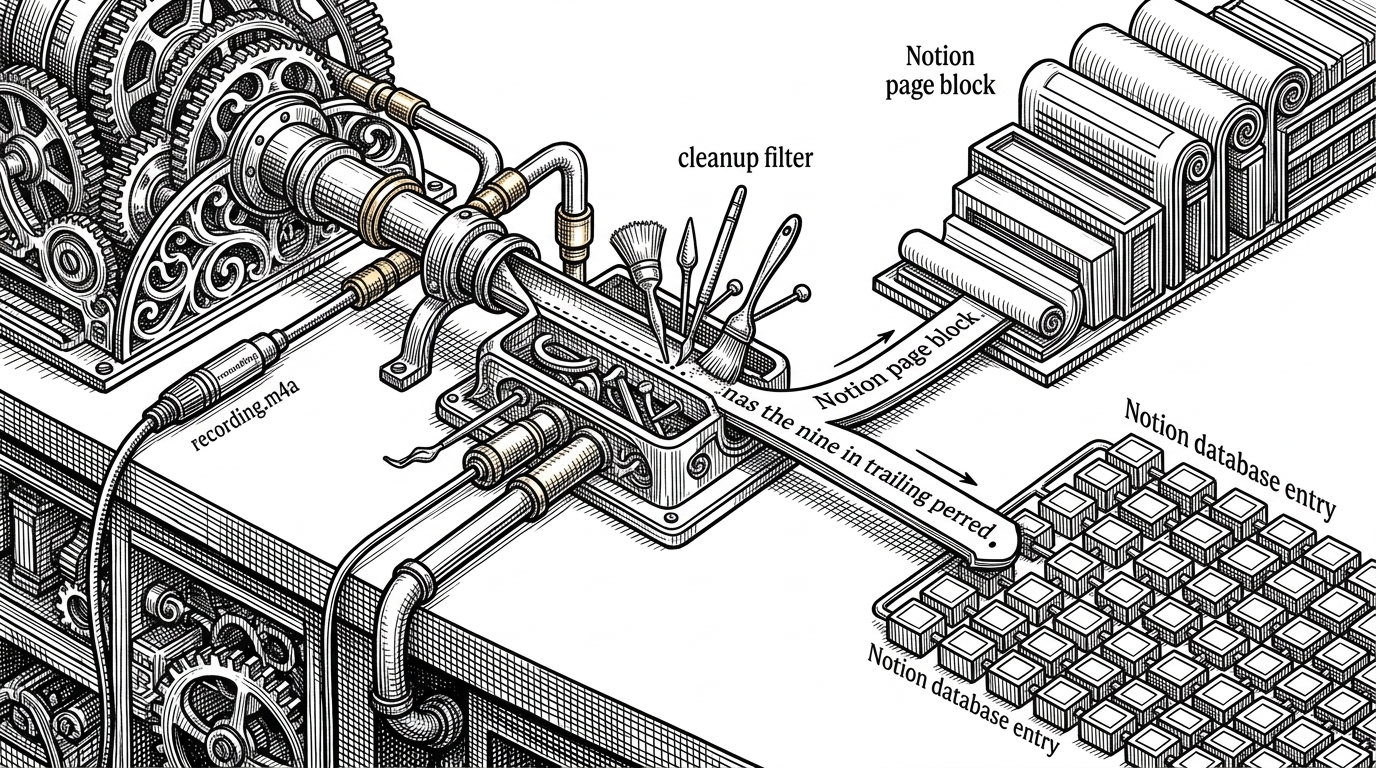
There is also a tiny but revealing cleanup step. The transcript is stripped of trailing punctuation before it is sent onward, which is the kind of small decision that tells you the app was built by someone who cared about reducing friction more than about preserving every trace of the raw input.
The details matter because they show the app is not a general AI assistant. It is a routing layer. Speak once, choose a destination shape, and let Notion absorb the result.
Why the Settings Live in iOS Settings
Instead of building a custom preferences screen, the repo leans on Settings.bundle and the iOS Settings app. That is a smart shortcut. Configuration becomes a system task, not part of the product surface, which fits the app’s obsession with keeping its own UI almost nonexistent.
It also signals a broader product philosophy. The best interface is often the one Apple already ships, especially when the app’s job is only to collect a token, a page ID, and a database ID. Every screen you do not build is one less thing the user can bounce off of.
Fast, Fragile, Useful
| Path | Capture speed | Setup complexity | UI burden | Flexibility | Reliability |
|---|---|---|---|---|---|
| Push To-Do | Very high | Low once configured | Minimal | Focused on voice capture into Notion | Prototype-grade |
| Open Notion directly | Low to medium | None | High | Broad, but slower to reach the right page | Strong |
| Shortcuts or automation glue | Medium | Medium to high | Low at runtime | Flexible, but brittle to maintain | Varies |
| Full task manager | Medium | High | High | Broadest feature set | Usually strong |
The comparison is not flattering to everything else, but that is the point. Push To-Do is optimized for the first five seconds, not for task management breadth. It wins only if your bottleneck is getting a thought out of your head and into a durable system before it evaporates.
That also makes the repo a cautionary artifact. The hardcoded API key, minimal recovery logic, and thin defensive layer are all signs of a prototype built for motion, not for hardening. Useful, yes. Finished, not really.
What It Replaces
Push To-Do is best understood against three familiar habits: opening Notion and typing, wiring up a Shortcut, or using a full-featured task app. Each of those works. Each also asks for more attention than a fleeting idea usually deserves.
This app replaces deliberation with capture. If it succeeds, the win is invisible. The task is simply there later, already filed, with no memory of the effort it took to save it.
| Workflow | What you gain | What you give up |
|---|---|---|
| Open Notion and type | A familiar, durable interface | Speed and immediacy |
| Use Shortcuts | Automation flexibility | Setup overhead and maintenance |
| Use a full task manager | Features and reliability | A slower path from thought to record |
| Use Push To-Do | Near-zero-friction capture | Polish, breadth, and robustness |