UIInfoSuite2Redux Turns Stardew Valley Into a Readable Instrument Panel
A modern SMAPI mod that translates crop data, NPC schedules, luck, and HUD clutter into a clean overlay, with layout math and game-data introspection doing most of the work.
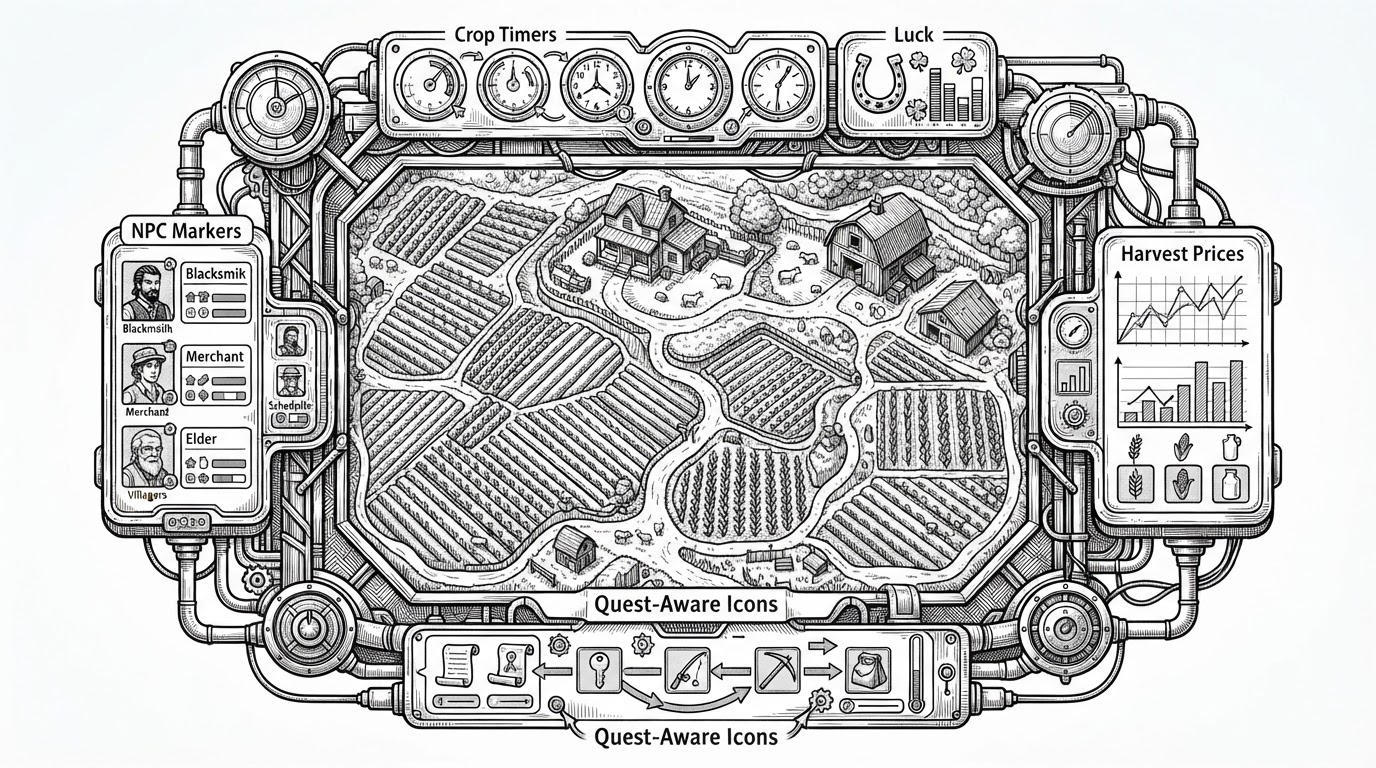
- UIInfoSuite2Redux’s real innovation is not the feature list, but the way it turns hidden game state into a screen layout that stays readable.
- The mod’s layout logic treats HUD placement as a geometry problem, not a set of fixed coordinates.
- Its data layer prefers Stardew’s registries and crop schemas over brittle item IDs, which makes the overlay more resilient to updates and modded content.
- Compatibility work is part of the design, not an afterthought, so split-screen, mobile menus, and other UI systems can coexist with the overlay.
The Mod That Makes Hidden Systems Visible
Stardew Valley hides a lot of useful state behind menus, timers, and memory. UIInfoSuite2Redux pulls that state into the HUD so players can see what matters without stopping the flow of play.
That matters because Stardew is a game of overlapping clocks. Crop timing, luck, NPC movement, shop value, and quest state all compete for attention, and the mod’s job is to surface them without adding noise.
Why This Redux Exists
The “Redux” label reads like maintenance, but the codebase is doing more than cleanup. It is modernized around the SMAPI and Stardew Valley 1.6 era, with a structure that assumes newer APIs, newer data schemas, and a more defensive style of modding.
That shows up in the repository layout itself: feature classes live in `UIElements/`, shared logic lives in `Infrastructure/`, settings live in `Options/`, and compatibility code is isolated instead of scattered.
The Real Product Is the Layout Engine
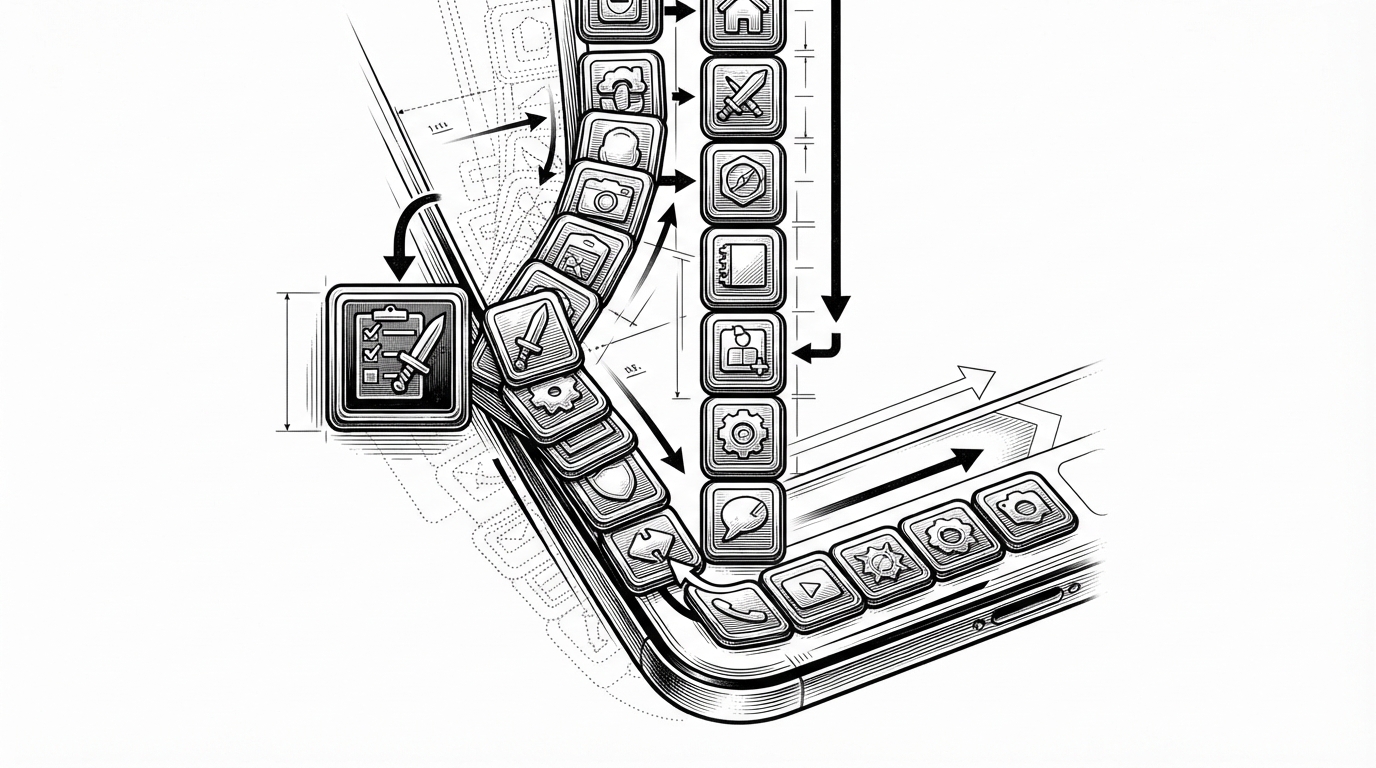
`IconHandler.cs` is the most revealing file in the project. Instead of hardcoding positions, it computes icon placement dynamically, resets offsets, and shifts the stack around the game’s own quest UI when needed.
That matters because the mod is not laying out one widget. It is negotiating for screen space with the base game, with other mods, and with different UI states that may appear or disappear mid-session.
var item = context.Item;
var data = ItemRegistry.GetData(item.QualifiedItemId);
if (data != null && Crop.TryGetData(item, out var cropData))
{
    int harvests = GetHarvest(item);
    // derive UI values from live game data, not hardcoded IDs
}
The important pattern is schema lookup. `Tools.cs` leans on `ItemRegistry` and `Crop.TryGetData` so the mod can derive truths from the game’s own data instead of freezing them into brittle item tables.
That is a small architectural choice with big consequences. It makes the overlay friendlier to updates and much safer around modded content that extends the game’s data model.
Why It Plays Nicely With Other Mods and Devices
The compatibility story is broader than most HUD mods need. The codebase uses per-screen state, mobile helpers, and defensive checks so split-screen players, touch interfaces, and overlapping UI layers do not trip over one another.
That is why `PerScreen
| Concern | Basic HUD overlay | UIInfoSuite2Redux |
|---|---|---|
| HUD placement | Often fixed coordinates | Dynamic positioning around screen edges and nearby UI |
| Game data | Frequently hardcoded or narrow | Queries Stardew registries and crop data directly |
| Split-screen | Usually not first-class | Uses per-screen state to keep players isolated |
| Mobile or touch UI | Often ignored | Includes compatibility helpers and mobile-aware checks |
| Other mods | Can overlap or collide | Defensive layout and compatibility layers reduce conflicts |
The project reads like a system, not a pile of toggles. Data extraction, layout, compatibility, localization, and save-state handling all reinforce one another.
The Difference Between a Feature List and a System
A simpler HUD mod can show the same kinds of facts, but still feel brittle. UIInfoSuite2Redux is interesting because it makes those facts legible without assuming a single screen size, a single input method, or a single way of playing.
That is the real distinction. One kind of mod adds information. The other builds an information system that can survive the rest of the UI changing around it.
| Question | Feature list mod | UIInfoSuite2Redux |
|---|---|---|
| What is the unit of design? | Individual widgets | A coordinated HUD system |
| How is screen space handled? | Static placement | Dynamic stacking and offsets |
| How is game state read? | Narrow helpers or IDs | Registry-driven data queries |
| How is compatibility treated? | Optional if convenient | Built into the architecture |
| What does the player notice? | Overlay elements | A screen that stays calm |