react-grab: The Missing Link Between a Running App and an AI Agent
Hover a UI element, press copy, and hand your coding agent the exact source context it needs to edit with surgical precision.
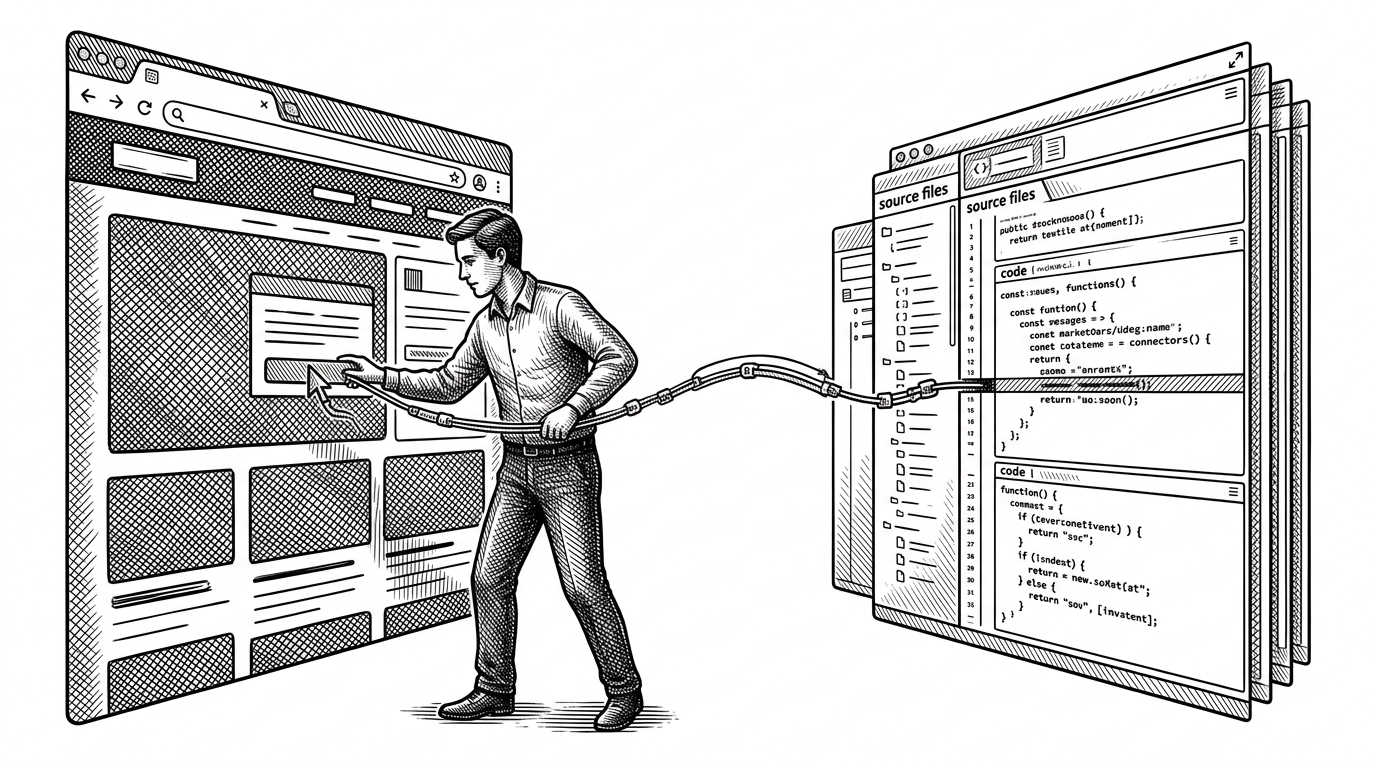
- react-grab is really a context bridge for AI coding agents, not just a React inspector.
- Its value comes from turning a hovered UI element into source path, line number, component stack, and snippet in one copy action.
- The most interesting engineering choice is architectural isolation, with Solid.js and OffscreenCanvas keeping the overlay separate from the app it inspects.
- The project points to a broader shift in AI developer tools, where the winning interface is the one that removes search friction before it removes coding friction.
The expensive part of AI-assisted UI work is not generating code. It is finding the exact slice of code that controls the thing on screen. That search tax is where prompts drift, token counts grow, and edits slow down.
react-grab attacks that problem directly. Point at a visible element, press copy, and you do not just get text or DOM. You get source context that an agent can act on immediately.
Point at any element and press âC (Mac) or Ctrl+C (Windows/Linux) to copy the file name, React component, and HTML source code.
The real bottleneck is not coding, it is finding the right code
The tool’s thesis is simple. AI agents are already decent at editing once they know where to look. The hard part is translating a live interface into a reliable pointer into the codebase.
That is why this feels less like a convenience feature and more like a new interface layer. It turns visual inspection into an edit-ready artifact.
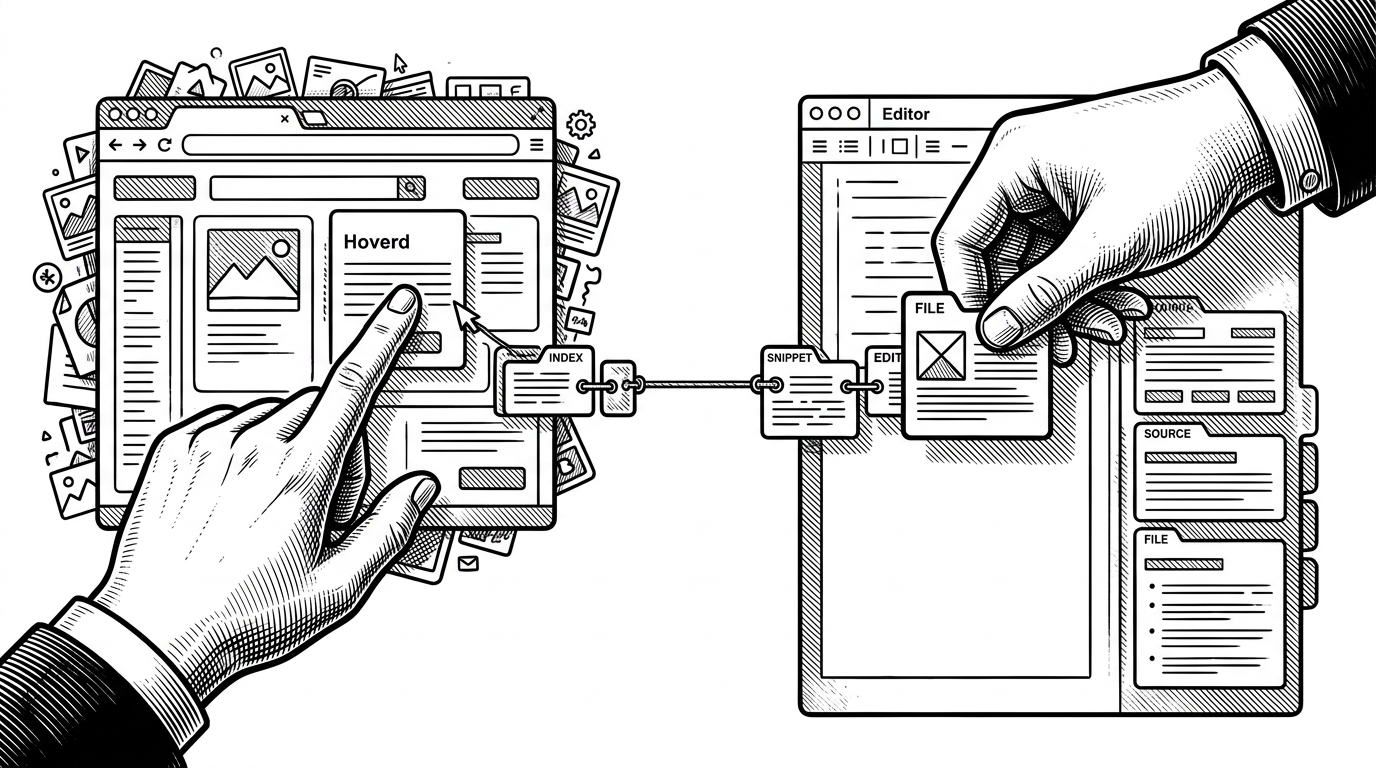
react-grab turns the browser into a source-code compass
The user flow is brutally short. Hover a node. Press copy. Paste into Cursor, Claude Code, Copilot, or another agent. The output is not just a hint, but a usable bundle of identity, location, and surrounding code.
| Workflow | What gets copied | Source path and line number | Guesswork for the agent | Repeatability |
|---|---|---|---|---|
| Manual inspection and grep | Often just a visible label or text fragment | No | High | Low |
| Standard browser devtools | DOM structure and runtime details | Usually no | Medium | Medium |
| react-grab | File path, line number, component stack, and source snippet | Yes | Low | High |
The architecture is the punchline
The clever part is not only that react-grab can find the right component. It is that the tool stays out of the way while doing it. The repo uses React Fiber hooks through bippy, but the inspector UI itself is built with Solid.js and the selection layer leans on OffscreenCanvas.
That combination matters. The host app remains the host. The overlay remains an overlay. And the selection logic does not have to fight the app it is observing.
// Conceptual shape of the global singleton and plugin queue
window.__REACT_GRAB__ = window.__REACT_GRAB__ || {
  plugins: [],
  registerPlugin(plugin) {
    this.plugins.push(plugin)
  },
  flushPendingPlugins() {
    // replay plugins once the inspector is ready
  }
}
That separation is not cosmetic. A React-based inspector risks becoming part of the very tree it is trying to read. By using a different UI runtime, the tool makes its own rendering path less entangled and easier to keep performant.
Why Solid.js is the smarter choice here
| Choice | Why it helps react-grab | Trade-off |
|---|---|---|
| Solid.js overlay | Keeps the inspector UI independent from the inspected React tree | Adds a second UI model to maintain |
| React overlay | Familiar to React developers | Higher risk of conflicts with the host app's React state and tree |
| DOM-only overlay | Simple to render | Harder to build a rich inspector without performance cost |
The broader pattern is clear. The project is not trying to be another React tool inside React. It is trying to be a control surface for React from outside React.
The CLI makes context capture repeatable
The browser interaction is only half the story. The CLI makes onboarding feel like infrastructure. Commands such as init, add, and configure turn a one-off trick into something you can install across projects.
That matters because agent workflows fail when setup becomes bespoke. A tool like this becomes useful only when the capture step is easy enough to repeat every time a developer needs it.
| Installation path | Setup burden | Portability | Best use |
|---|---|---|---|
| Manual copy-paste wiring | High | Low | Small experiments |
| CLI-driven setup | Low | High | Reusable team workflow |
| Browser extension only | Medium | Medium | Ad hoc inspection |
The plugin system makes it bigger than a copy button
registerPlugin is the hint that react-grab is not just a clipboard utility. Plugins such as comment and open actions turn source capture into a small workflow platform.
That expands the product from context extraction into context handoff. Once the agent has the file and line, the next step can be commentary, navigation, or a direct edit loop.
What react-grab says about the future of AI DX
The project’s real signal is not that AI can inspect apps. It is that the best AI tools may be the ones that shorten the path from seeing a problem to naming the exact code that caused it.
That changes the design target. Instead of making the model smarter in the abstract, you make the handoff better in the concrete. react-grab is a clean example of that shift.