gensay: The CLI That Keeps `/usr/bin/say` and Swaps in Modern Voice Engines
A drop-in macOS speech command that routes text to cloud TTS, local models, warm daemons, and fallback voices without changing your scripts.
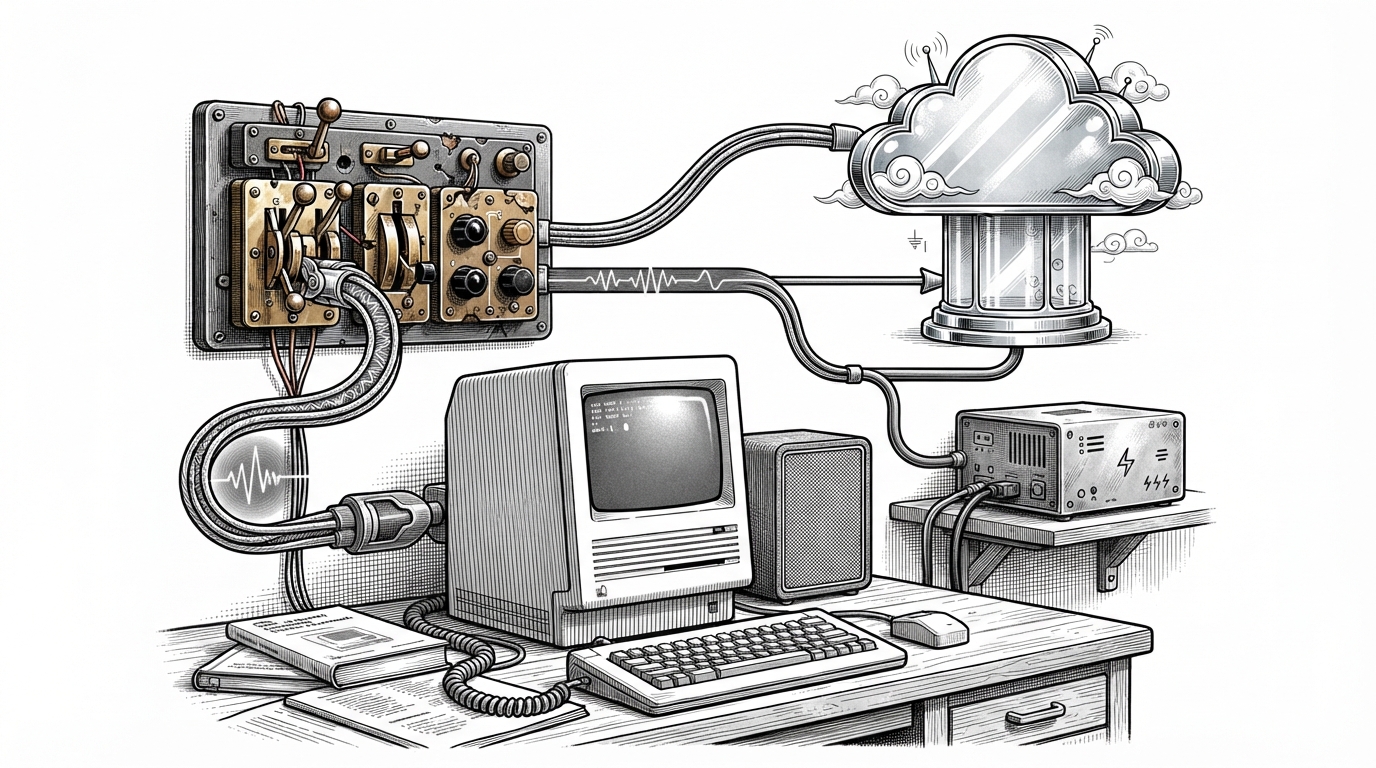
- gensay’s real product is compatibility, not novelty, because it preserves the `/usr/bin/say` workflow while replacing the speech engine behind it.
- Its provider registry keeps startup fast by loading heavy dependencies only when a voice engine is actually selected.
- The warm daemon turns local TTS from a cold-start problem into a usable CLI path by keeping models resident in memory.
- Fallback to macOS `say` makes the tool trustworthy for scripts, because a failed provider does not have to mean silence.
gensay is interesting because it preserves a beloved command-line interface while replacing the speech engine with a modular, failure-tolerant voice stack. It looks like the old macOS `say` command. Under the hood, it behaves like a modern TTS platform.
The old command, upgraded
The trick is simple to explain and hard to execute well. Keep the syntax people already know. Then let the backend choose between cloud voices, local models, and fallback output without changing the script in front of it.
| Tool | Interface compatibility | Voice quality | Local/offline support | Extensibility | Best fit |
|---|---|---|---|---|---|
| macOS `/usr/bin/say` | Native | Basic system voices | Yes | Low | Quick built-in speech |
| gensay | Drop-in `say` syntax | High, depending on provider | Yes, with local providers and fallback | High | Scripts and terminal workflows |
| Single-provider TTS wrapper | Usually custom | Often strong | Usually no | Low to medium | One API, one voice path |
| Standalone voice app | Usually GUI first | Often strong | Sometimes | Low | Manual narration and editing |
That compatibility matters because it removes the costliest part of adoption: rewriting scripts, retraining habits, and inventing a new command for an old job. `gensay` wins by staying invisible where it should stay invisible.
Why interface compatibility is the real feature
multi-provider text-to-speech (TTS) tool that extends the Apple macOS /usr/bin/say interface.
That line is the product thesis in one sentence. It is not a new voice toy. It is a compatibility layer that keeps shell muscle memory intact while upgrading the quality and reliability of the thing that speaks.
This is why the project feels more durable than a typical wrapper. A wrapper usually adds an opinionated interface. `gensay` does the opposite. It preserves the interface people already trust.
The provider registry is the brain
The registry is where the project stops being a thin wrapper and becomes a platform. It stores provider metadata without importing every engine up front, which keeps the CLI fast and avoids loading heavy dependencies unless they are needed.
# Simplified shape of the idea
provider = registry.resolve(name)
if provider.warm_eligible:
    return daemon_client.synthesize(text)
return provider.synthesize(text)
That lazy-loading design matters in Python because some backends bring serious baggage. If the user picks a cloud provider, there is no reason to import local model runtimes. If the user wants a local engine, there is no reason to pay the startup tax for network clients.
Cloud synthesis uses a template, not a tangle

The cloud path is built around repetition. Cache first. Synthesize next. Then either play immediately or save the result. That is a template-method shape, which keeps provider-specific code narrow and makes the shared behavior easy to reason about.
It also gives `gensay` room to support streaming playback when a provider can deliver audio incrementally. That is a small detail with a big effect: the command feels responsive instead of waiting for the whole file to land before it speaks.
The warm daemon solves local model cold start
This is the most important technical move in the repo. Local TTS models can sound great, but they are often painful to launch on demand. Loading the model every time turns a CLI into a waiting game.
`gensay` splits that problem into two pieces. The CLI stays thin. The daemon stays alive. Requests cross a Unix socket, and the resident model can answer immediately because it has already paid the loading cost.
That is what the `warm_eligible` flag really means. It is not decoration. It tells the system which providers deserve the daemon path, and which ones should stay on the ordinary provider route.
Fallback keeps scripts from going silent
| Failure case | Without fallback | With gensay |
|---|---|---|
| Cloud outage | The command fails and the script stops | `gensay` routes to macOS `say` |
| Local model cold start | The user waits before hearing anything | The daemon keeps the model hot |
| Unsupported provider | You rewrite the workflow | The registry can load another backend |
This is the trust feature. A speech command is often part of automation, not a one-off demo. If it fails noisily, it becomes risky to depend on. If it fails over gracefully, it becomes infrastructure.
The fallback path is especially smart because it falls back to the native command the project is built around. That keeps the entire system grounded in the one interface the tool is trying to preserve.
What gensay says about modern Python tooling
| Signal | What it suggests |
|---|---|
| `uv` | Fast dependency management and a modern packaging workflow |
| `just` | A small, explicit command surface instead of ad hoc shell habits |
| `ruff` | Tight linting and formatting discipline |
| Tests | The repo is treated like production code, not a demo |
None of that is the story by itself, but it matters. The tooling choice matches the product choice. Both are about reducing friction without sacrificing control.
Compared with the rest of the voice stack
| Tool | What it optimizes for | Where it falls short |
|---|---|---|
| macOS `say` | Simplicity and built-in availability | Voice quality and flexibility |
| Single-provider wrapper | One API and one backend | Less resilience and less choice |
| Local-only TTS app | Offline quality | Usually less script-friendly |
| gensay | Compatibility plus optionality | It depends on which backend you choose |
That last row is the point. `gensay` does not try to beat every tool on every axis. It wins where the workflow is already established: the terminal, the script, the command name, and the expectation that speech should just happen.