Threadly Is the Browser Layer That Teaches Your Prompts to Think
A universal AI sidebar is the visible feature. The real invention is a privacy-first prompt triage and learning loop that lives entirely inside the browser.

- Threadly treats the browser as the real control plane for AI work, not the model provider.
- Its value is the triage loop, which classifies intent, rewrites prompts, and learns from feedback locally.
- The extension wins by spanning official AI sites without asking users to abandon them for a separate frontend.
- Its strongest privacy claim is structural, because the learning loop stays inside the browser instead of requiring a central backend.
The browser extension that learns your intent
Most AI utilities stop at convenience. Threadly does something more ambitious: it watches the prompt you are about to send, classifies what you are trying to do, and rewrites the prompt with an intent-specific system prompt before it leaves the browser. That makes the extension feel less like a sidebar and more like a private control layer for the way you work with LLMs.
That matters because the modern AI workflow is already fragmented. A senior developer might use ChatGPT for one task, Claude for another, Gemini for a third, and Perplexity for research. Threadly is built around that reality instead of pretending a single web UI can absorb it.
Why Threadly exists in the first place
The repo makes the core thesis plain: Threadly is a universal browser extension that injects a sidebar into major AI chat platforms, while storing its data locally on the user’s device. That combination is the point. It does not ask you to move your work into a separate product before it becomes useful.
A universal browser extension that transforms your experience on major AI chat platforms like ChatGPT, Claude, and Gemini. It automatically injects a sleek, powerful sidebar to help you manage, search, and navigate your conversations with ease.
All data, collections, and API keys stored securely on your local device
That local-first stance is not cosmetic. It shapes the product architecture, the data model, and the trust story. If you are already hopping between official AI sites, Threadly is trying to become the consistent layer above them, not another place to duplicate your conversations.
The sidebar is the surface. The real product is the triage loop.
The most interesting part of the repo sits under the prompt refiner. Threadly uses a PromptRefiner class and Gemini function calling to turn a messy input into structured intent, then route that intent through different refinement paths. A coding prompt, an image prompt, and a grammar cleanup do not need the same help, so Threadly refuses to treat them as if they do.
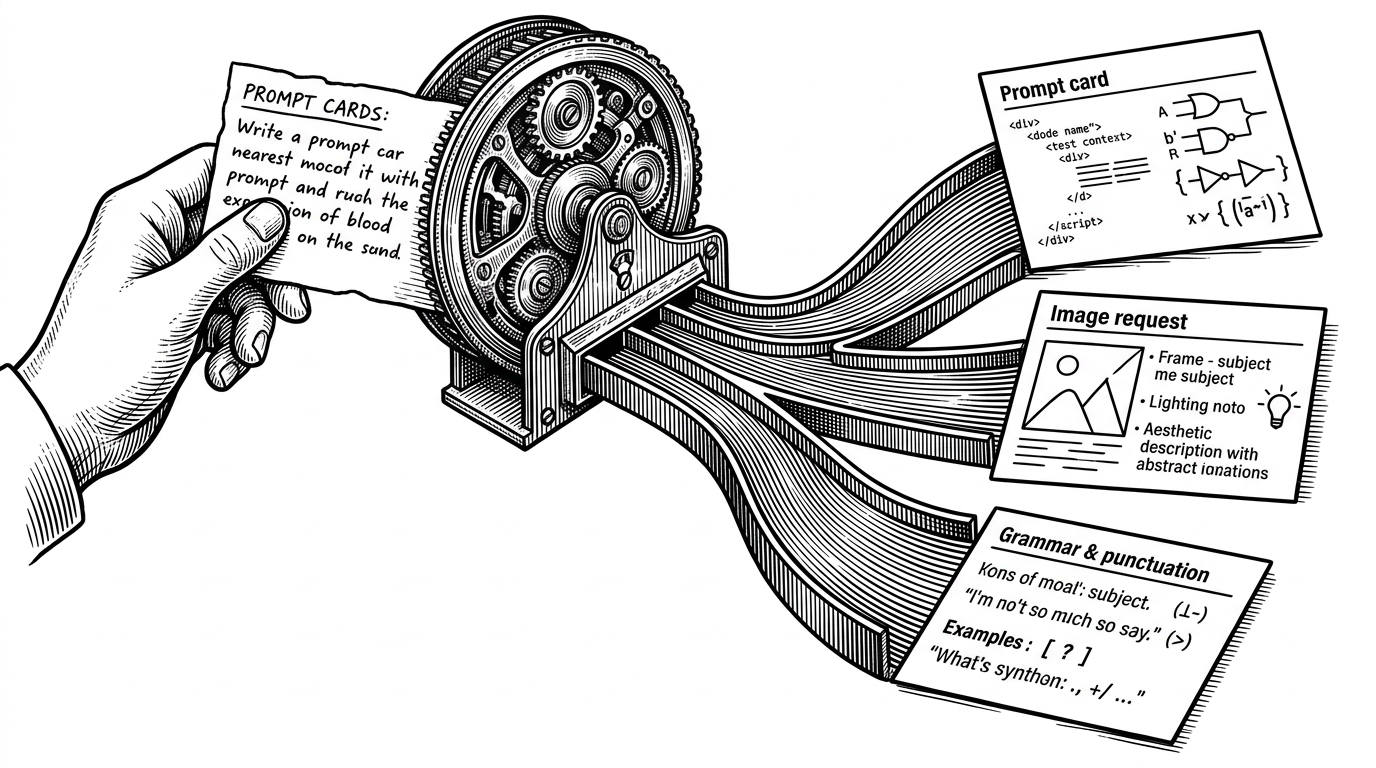
The feedback loop is what makes that triage system feel alive. Threadly’s background script curates a local Golden Set by scoring feedback for recency, length, and confidence, then keeps the best examples around for future refinement. In other words, the extension is not only rewriting prompts. It is learning which rewrites were worth keeping.
How Threadly survives five different AI websites
The architecture is a clean Manifest V3 extension stack: a content script injects the UI, a service worker handles background tasks, and platform-specific sparkle scripts adapt to the quirks of each host site. That adapter pattern is the quiet engineering bet. Instead of building one giant abstraction over every AI website, Threadly wraps each site with a thin compatibility layer.
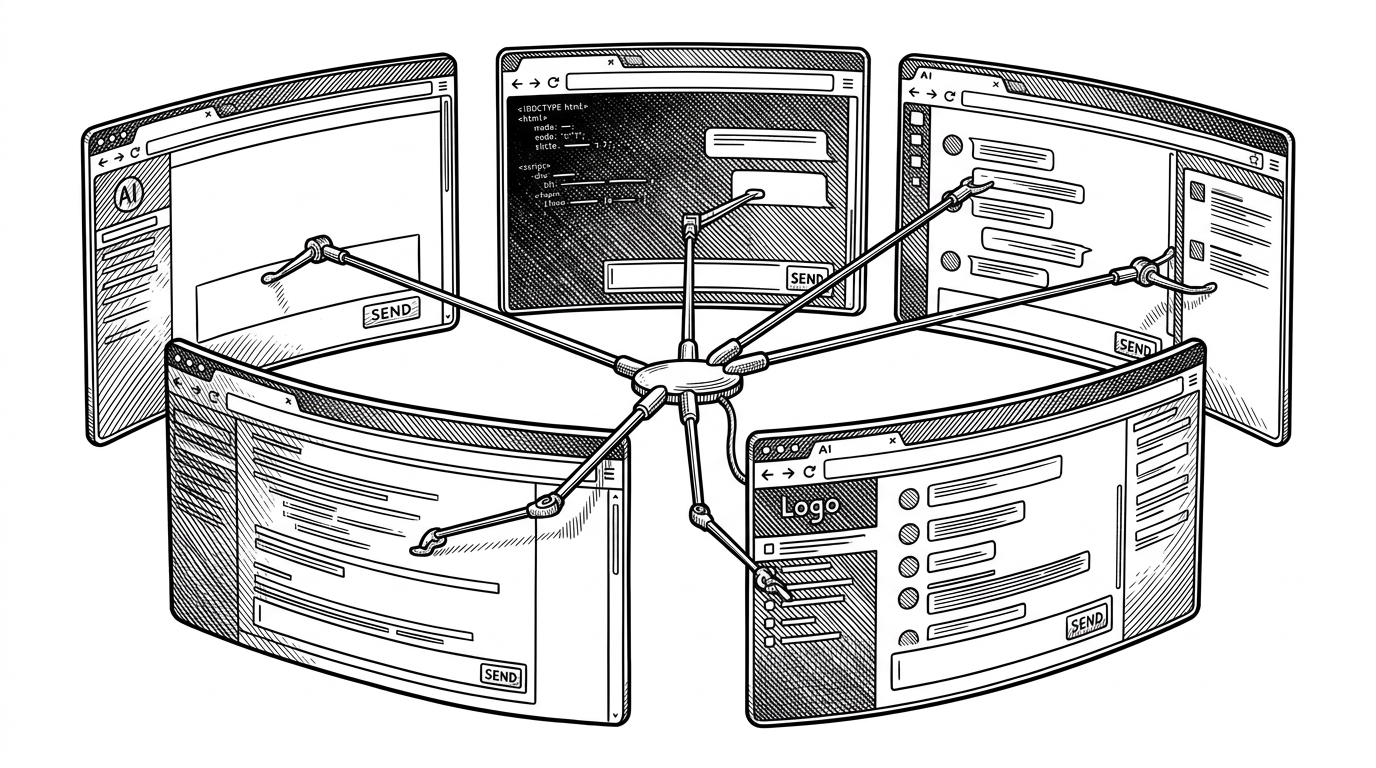
That is why the codebase is full of platform-specific scripts. The AI sites keep changing. Threadly’s job is to stay stable while the host UI keeps moving.
What Threadly gives you that native chat UIs do not
The competition is not really about model quality. It is about workflow control. Threadly gives you search, collections, favorites, real-time extraction, and prompt refinement while keeping the work inside the official AI sites you already use. Separate frontends can be more polished, but they ask you to leave the environment that already has your history and context.
| Feature | Threadly | Native AI web UIs | Separate multi-LLM frontends |
|---|---|---|---|
| Where you work | Inside official AI sites | Inside one provider's site | Inside a separate app |
| Local-first storage | Yes, for core data and keys | Usually limited or cloud-bound | Depends on the product |
| Cross-platform support | ChatGPT, Claude, Gemini, Grok, Perplexity | One platform at a time | Usually multiple models, not official sites |
| Prompt refinement | Intent-aware and Gemini-powered | Minimal or absent | Often manual or generic |
| Learning from feedback | Local curation into a Golden Set | Not typical | Varies by app |
That comparison points to the real thesis. Threadly is not trying to replace the provider. It is trying to sit above the provider as a more durable work surface.
The trade-off is dependence on the host UI
There is no free lunch here. A browser extension that lives inside five different AI websites inherits their churn, their DOM changes, and their extension constraints. Threadly’s strength is also its risk: the closer it gets to the host UI, the more it depends on that UI staying navigable.
That is still a smart trade if you care about continuity. The extension avoids the harder sell of making you abandon official tools, and it keeps the learning loop close to your actual workflow. The cost is maintenance. The payoff is a control layer that meets users where they already are.