MediaPipe: The Graph Runtime That Keeps Real-Time AI From Falling Behind
How Google’s cross-platform pipeline turns video, audio, and sensor data into low-latency perception by deciding what to process, what to drop, and what to pass through.
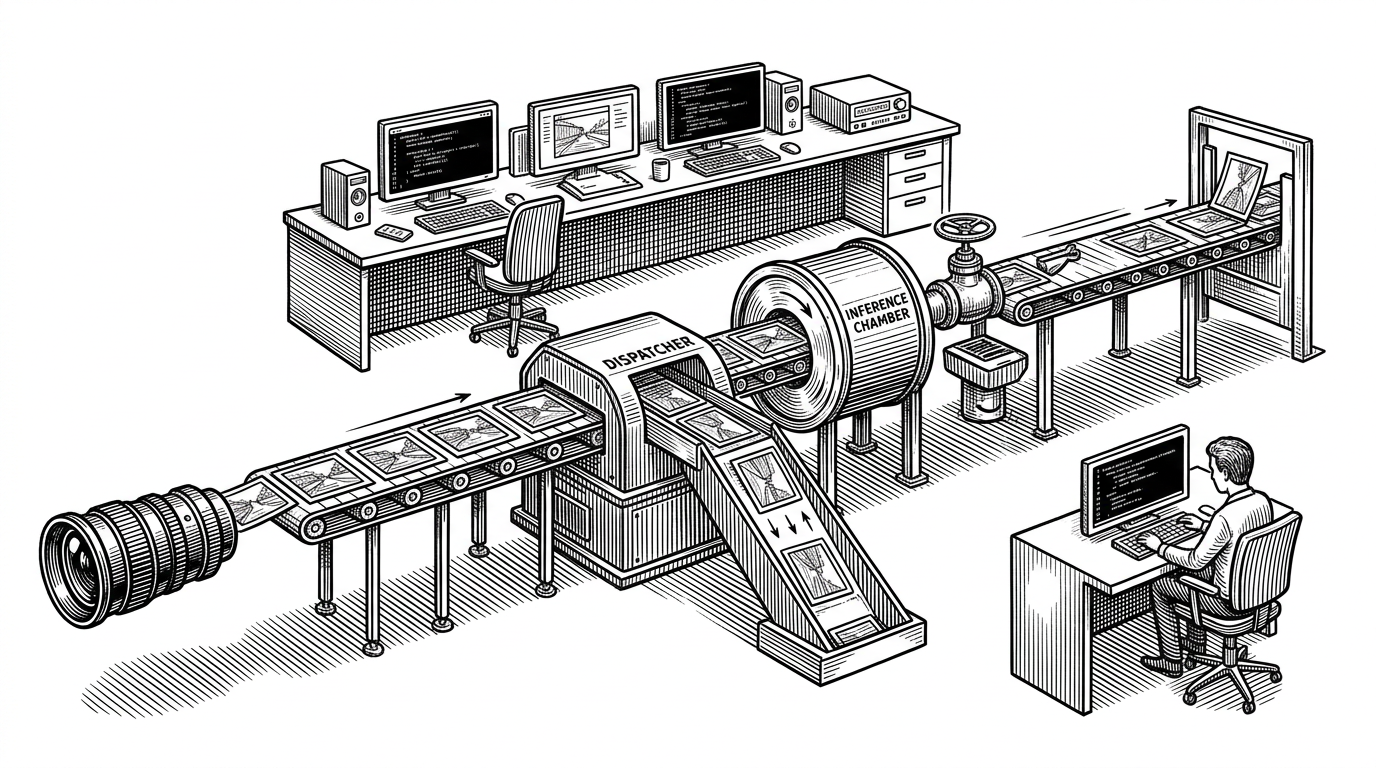
- MediaPipe is best understood as a traffic controller for perception pipelines, not as a model zoo.
- Its graph runtime matters because real-time systems fail when they process every frame instead of managing backpressure.
- FlowLimiter and Gate are the two controls that turn a static pipeline into a responsive one.
- The trade-off is clear: MediaPipe buys portability and latency control by asking developers to live with more complexity.
The problem MediaPipe solves is not inference. It is latency.
Most ML demos look clean because they hide the hard part. Real cameras do not wait for your model, audio does not politely pause, and mobile chips do not have infinite headroom. If you process every frame, the pipeline falls behind, the UI stutters, and the result feels broken even when the model is accurate.
That is the problem MediaPipe was built to solve. The framework starts from a harder question than “how do I run inference?” It asks how to keep perception alive when compute is limited, timestamps matter, and the next frame is already arriving.
Building an application that processes perceptual inputs involves more than running an ML model. Developers have to harness the capabilities of a wide range of devices; balance resource usage and quality of results; run multiple operations in parallel and with pipelining; and ensure that time-series data is properly synchronized.
That sentence is the whole repo in miniature. MediaPipe treats perception as a streaming systems problem, not a batch prediction problem. The important unit is not the model. It is the flow of packets through a graph that knows when to work, when to wait, and when to skip.
MediaPipe’s real unit of intelligence is the Calculator
Inside the repo, the core abstraction is the Calculator. A calculator is a typed processing node with declared inputs and outputs, plus a GetContract method that validates the shape of the graph before execution. That makes a MediaPipe graph feel closer to a compiled dataflow program than to a loose collection of scripts.
That architecture explains why the repo is so broad. The calculators folder is not just a grab bag of utilities. It is the standard library of the system, with pieces for image transforms, audio featurization, landmark processing, and control flow. The framework only becomes useful when these pieces can be composed without rewriting the pipeline for every platform.
// Conceptual shape of a MediaPipe calculator
class MyCalculator : public CalculatorBase {
 public:
  static absl::Status GetContract(CalculatorContract* cc) {
    cc->Inputs().Tag("IMAGE").Set<ImageFrame>();
    cc->Outputs().Tag("LANDMARKS").Set<std::vector<Landmark>>();
    return absl::OkStatus();
  }

  absl::Status Process(CalculatorContext* cc) override {
    const auto& frame = cc->Inputs().Tag("IMAGE").Get<ImageFrame>();
    // Do work on a timestamped packet.
    return absl::OkStatus();
  }
};
That small contract is a big deal. It means the graph is not just “whatever runs.” It is a system that can reject bad wiring early, preserve timestamp alignment, and keep the whole pipeline honest before a single frame hits the runtime.
The two controls that make the whole system feel alive
If the calculator is the atom, these two nodes are the nervous system. FlowLimiterCalculator and GateCalculator are MediaPipe’s pressure valves. One controls how many frames are allowed into the machine. The other decides whether an entire branch should run at all.
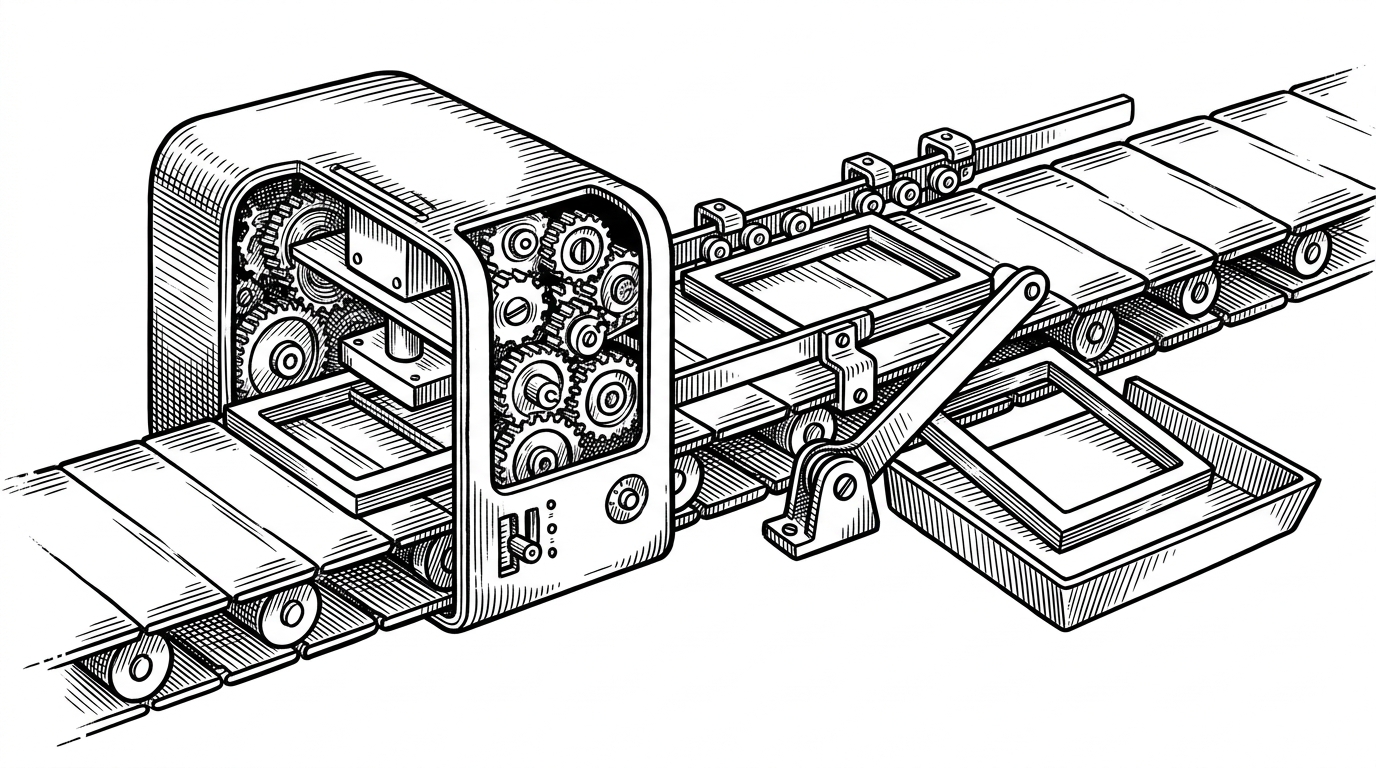
FlowLimiter answers a painful question: how many frames should be in flight at once? If a camera produces more work than the model can finish, the limiter keeps the queue shallow and avoids stale output. That favors responsiveness over throughput, which is exactly what real-time perception usually wants.
Gate solves a different problem. If a face is not detected, there is no reason to keep paying for a downstream branch that tracks iris points or applies a heavier subgraph. In practice, that means the graph can switch off expensive work the moment the condition disappears.
FlowLimiter: "How much work is already in progress?"
Gate: "Should this branch run at all?"

Limiter manages backlog.
Gate manages necessity.
That distinction is why the repo feels engineered rather than merely assembled. MediaPipe does not just accelerate models. It decides when a model should not run. That is the difference between an ML toolkit and a real-time runtime.
A small runtime detail with outsized impact
The implementation notes around feedback signals matter because they reveal the design bias. MediaPipe wants the limiter to react as soon as work completes, not after a broader synchronization step. That is what keeps latency tight. The system is not waiting for perfect alignment if a faster control signal can safely move the graph forward.
Why MediaPipe feels different from OpenCV, TFLite, and OpenPose
| Project | What it is | Main strength | What it does not solve |
|---|---|---|---|
| MediaPipe | Graph runtime and solution framework | Real-time orchestration, portability, conditional execution | It is not a general vision algorithms library |
| OpenCV | Computer vision library | Breadth of low-level image and vision primitives | It does not give you a production perception graph |
| TensorFlow Lite | Inference runtime | Running models efficiently on-device | It does not manage stream logic, gating, or backpressure |
| OpenPose | Pose estimation system | Strong landmark extraction, especially on capable hardware | It is not a broad cross-platform pipeline runtime |
The cleanest way to place MediaPipe is in the middle layer. OpenCV gives you tools. TFLite gives you inference. OpenPose gives you a specific capability. MediaPipe gives you the coordinating layer that turns those pieces into a product that can survive on a phone, in a browser, or on embedded hardware.
We have ended support for the MediaPipe Legacy Solutions listed below as of March 1, 2023. All other MediaPipe Legacy Solutions will be upgraded to a new MediaPipe Solution.
That shift matters because it shows the repo’s direction of travel. The old story was expert users building graphs from primitives. The newer story is packaging those graphs into higher-level Tasks and Solutions APIs so more developers can get the benefits without mastering every calculator first.
From framework to solutions
This is the strategic move inside the project. The low-level framework still exists for people who need control, custom graphs, and platform-specific tuning. But the public face of the repo increasingly points toward simpler APIs that expose ready-made experiences like hand tracking, face mesh, and pose landmarker workflows.
That trade-off is classic platform design. A powerful graph runtime attracts specialists because it can express real production constraints. A higher-level API attracts everyone else because it shortens the path from idea to shipped feature. MediaPipe now has to serve both groups without losing the thing that made it valuable in the first place.
The price of being universal
Universal support is expensive. Bazel, multi-language bindings, platform-specific packaging, and a thick test surface are not signs of accidental complexity. They are the cost of one architecture spanning Android, iOS, web, Python, C++, and embedded targets.
The repo’s build system makes that trade-off visible. WORKSPACE and MODULE.bazel sit beside rules for Apple, Android, and JavaScript, which is what it takes to keep one codebase portable. That is also why MediaPipe feels heavier than a single-purpose library. It is carrying the weight of the promise.
There is a reason people reach for it when they need stable on-device perception, and a reason others bounce off it when they want a lighter abstraction. MediaPipe buys control, latency discipline, and deployment reach. In return, it asks you to think like a systems engineer, not just a model user.