collage-bus-tracking-app: BusTracker: The Campus Fleet System That Runs on a Browser
How a Flask app, SQLite, Leaflet, and zero-native-mobile assumptions combine into a surprisingly resilient transit tool for colleges.
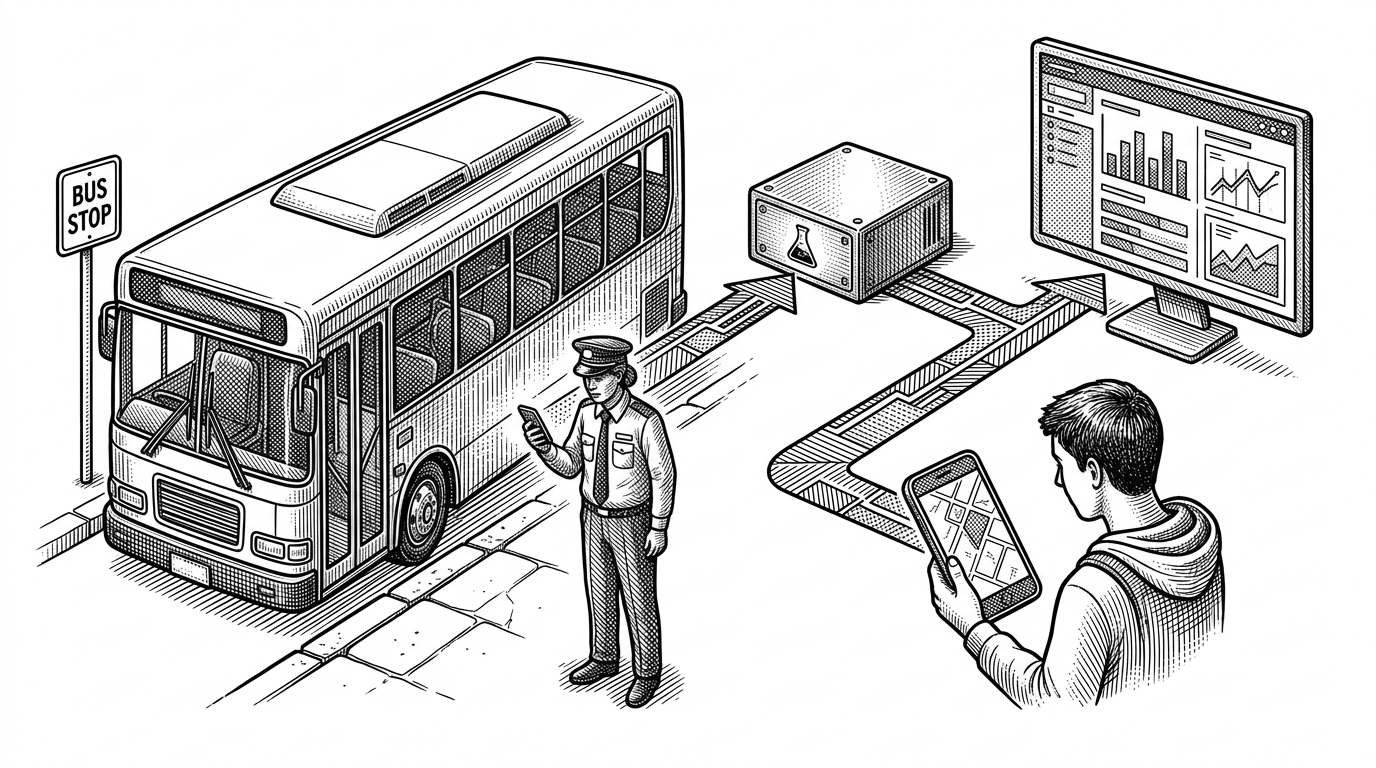
- BusTracker is compelling because it turns a browser into the device layer and keeps the whole campus transit loop operational without native apps or fleet hardware.
- Its resilience comes from small choices that add up, including timestamp-based freshness checks, SQLite persistence, and low-dependency UI patterns.
- The project is strongest when it handles real service failure, not just live maps, because alternate bus assignment and notifications keep the system useful under disruption.
- It competes by being narrow, cheap, and understandable, which is often exactly what a small college needs.
Why this bus tracker feels different
Most transit systems start by assuming a dedicated driver app or a specialized GPS device. BusTracker starts somewhere simpler: a phone browser, the navigator.geolocation API, and a Flask backend that can store the latest position without asking anyone to install much of anything.
That constraint changes the whole product. The driver phone becomes the sensor, students get a live map, and administrators get a control surface for route changes and recovery. It is a small system, but it behaves like infrastructure rather than a demo.
Who this system is actually for
BusTracker is not a generic fleet platform wearing campus branding. It is built for three very specific users: students who want arrival confidence, drivers who need a frictionless way to publish location, and administrators who need to keep routes moving when something goes wrong.
| User | Need | What BusTracker gives them |
|---|---|---|
| Students | Know whether the bus is actually live | A map, ETA context, and a freshness state that turns stale data into an obvious offline signal |
| Drivers | Broadcast location with minimal friction | A smartphone browser workflow instead of app-store installation or hardware provisioning |
| Administrators | Keep service running through disruptions | Route control, maintenance logging, deactivation handling, and alternate bus assignment |
The driver phone is the sensor
The technical center of the project is the driver telemetry loop. A browser session starts GPS capture, watchPosition streams coordinates, and the backend writes the latest point into bus_live_location with an updated_at timestamp.
That is the important move. The system does not treat the phone as an accessory. It treats it as the fleet sensor, which means the entire deployment avoids app distribution, mobile device management, and a pile of brittle setup work.
navigator.geolocation.watchPosition(
  async (pos) => {
    await fetch('/update-location', {
      method: 'POST',
      headers: { 'Content-Type': 'application/json' },
      body: JSON.stringify({
        lat: pos.coords.latitude,
        lng: pos.coords.longitude,
        updated_at: new Date().toISOString()
      })
    });
  },
  (err) => console.error(err),
  { enableHighAccuracy: true, maximumAge: 5000, timeout: 10000 }
);
Freshness matters more than perfect accuracy
The student dashboard makes a more honest promise than many tracking systems do. It does not imply that a bus is live forever once it has appeared on the map. It checks the timestamp and changes state when the feed gets stale.
That is a small design choice with a big effect. A live dot that is actually old data is worse than no dot at all, because it creates false confidence. BusTracker is careful enough to admit when it no longer knows.
| State | UI behavior | Operational meaning |
|---|---|---|
| Fresh telemetry | Green live status and active map updates | The driver phone is still reporting |
| Stale telemetry | Offline or red status | The tracker should not be trusted until updates resume |
| Recovered telemetry | Status flips back to live | The system has re-established a current location feed |
The admin panel is old-school on purpose
BusTracker leans on HTML and CSS patterns that fail gracefully. The admin interface uses CSS-driven tabs, notifications can be rendered with native disclosure elements, and the whole experience stays usable without a heavy JavaScript dependency.
That matters in the real world. If you are building for a constrained campus environment, simpler front-end behavior is not a retro flourish. It is a reliability strategy.
Bus deactivation is where the product gets real
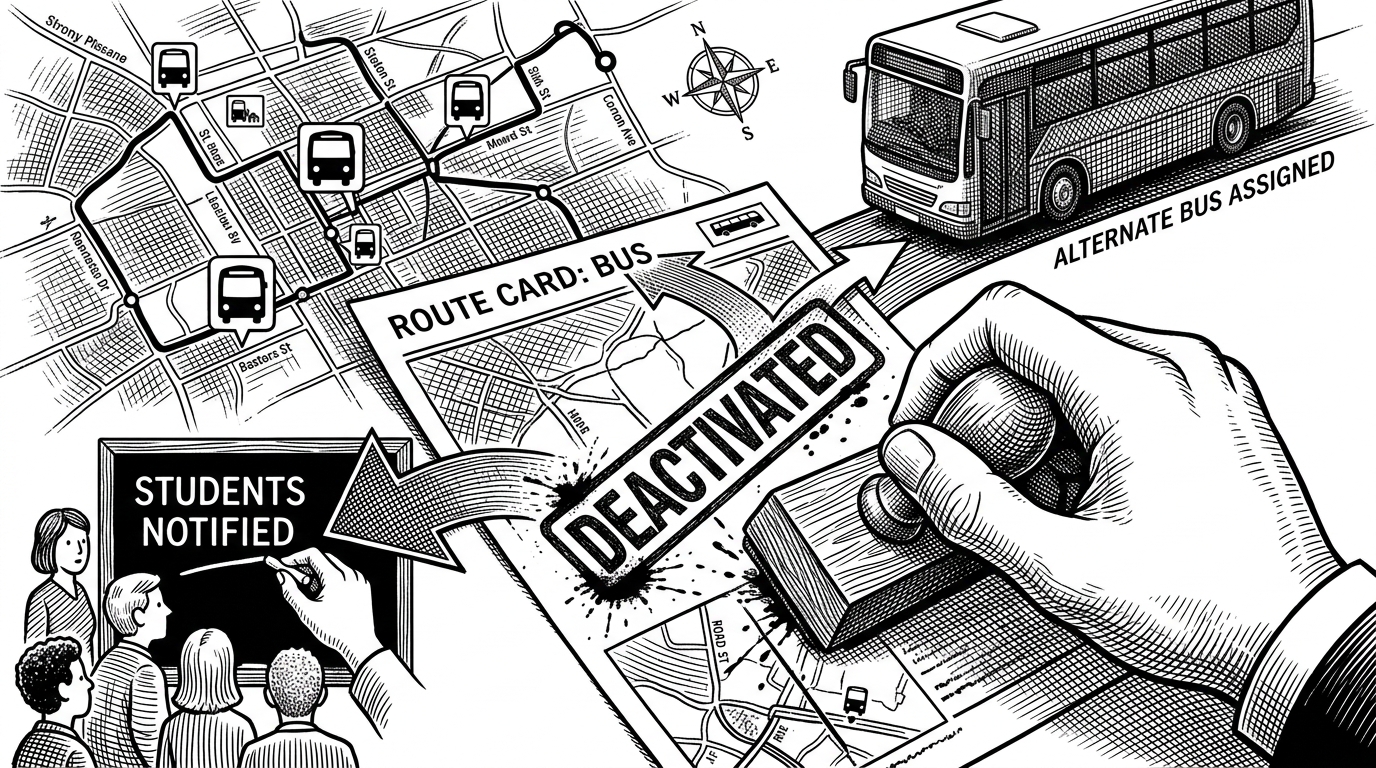
The alternate bus workflow is the clearest sign that this was built from operations outward. Deactivating a bus is not just a status change. It is a decision that can trigger a replacement vehicle, a route reassignment, and a notification path for the students who are affected.
That is the difference between a CRUD form and a transit system. One records a change. The other keeps the service alive after the change.
| Deactivation style | What it does | Why it matters |
|---|---|---|
| CRUD-style | Marks a bus inactive and stops there | Leaves operations to figure out the rest |
| Operational flow | Captures the reason, assigns an alternate bus, and notifies riders | Preserves continuity when the service is disrupted |
Why SQLite and CSV export are not throwaway choices
SQLite keeps the deployment zero-config, which is exactly what a smaller institution wants when the priority is getting a working system into production without a database team. CSV export then gives the institution a portable escape hatch for reporting, backups, and handoff into spreadsheets.
The schema logic also suggests a system that expects to live for a while. The app can add columns when needed, which is a practical way to keep an internal tool moving even as the data model evolves.
def export_to_csv():
    # Export operational tables without sensitive fields
    # Keep it simple for reporting and recovery
    pass
What this project is really competing with
BusTracker is not trying to beat a commercial campus transit platform on feature breadth. It is trying to beat them on deployability, cost, and clarity. That is a different contest.
| Approach | Strength | Cost to adapt |
|---|---|---|
| Commercial campus systems | Polished support and mature transit workflows | High |
| General-purpose fleet software | Broad GPS and hardware compatibility | Medium to high |
| BusTracker | Browser-native drivers and campus-specific operations | Low |
That trade-off makes sense. For a college with a narrow route network and a need for dependable basics, simplicity is not a concession. It is the feature.
The trade-offs are the point
The project still reads like an internal tool, not a hardened public product. Plaintext passwords, one Flask app doing almost everything, and local storage all point to a system optimized for usefulness first.
But that is exactly why it is interesting. BusTracker shows how far you can get when you match the architecture to the problem instead of dressing the problem up for a platform demo.